 Training
Chapter 1 of 10 · Get oriented
Training
Chapter 1 of 10 · Get oriented

Learn to use Score and Rank
A narrated tour of Score and Rank: test the live decision, read and edit the scoring matrix, ask Pria, explore the decision trees, and launch the Roadmap. 60 steps in 10 chapters · about 10:25.

Welcome to Score and Rank training. This is where every option gets scored and ranked. In about ten minutes, you'll learn to read the scores, test the ranking, and hand a prioritized list to the Roadmap.
Score and Rank is step two of the Decision Intelligence Process. It takes what you built in Orchestration and ranks it before the Roadmap.
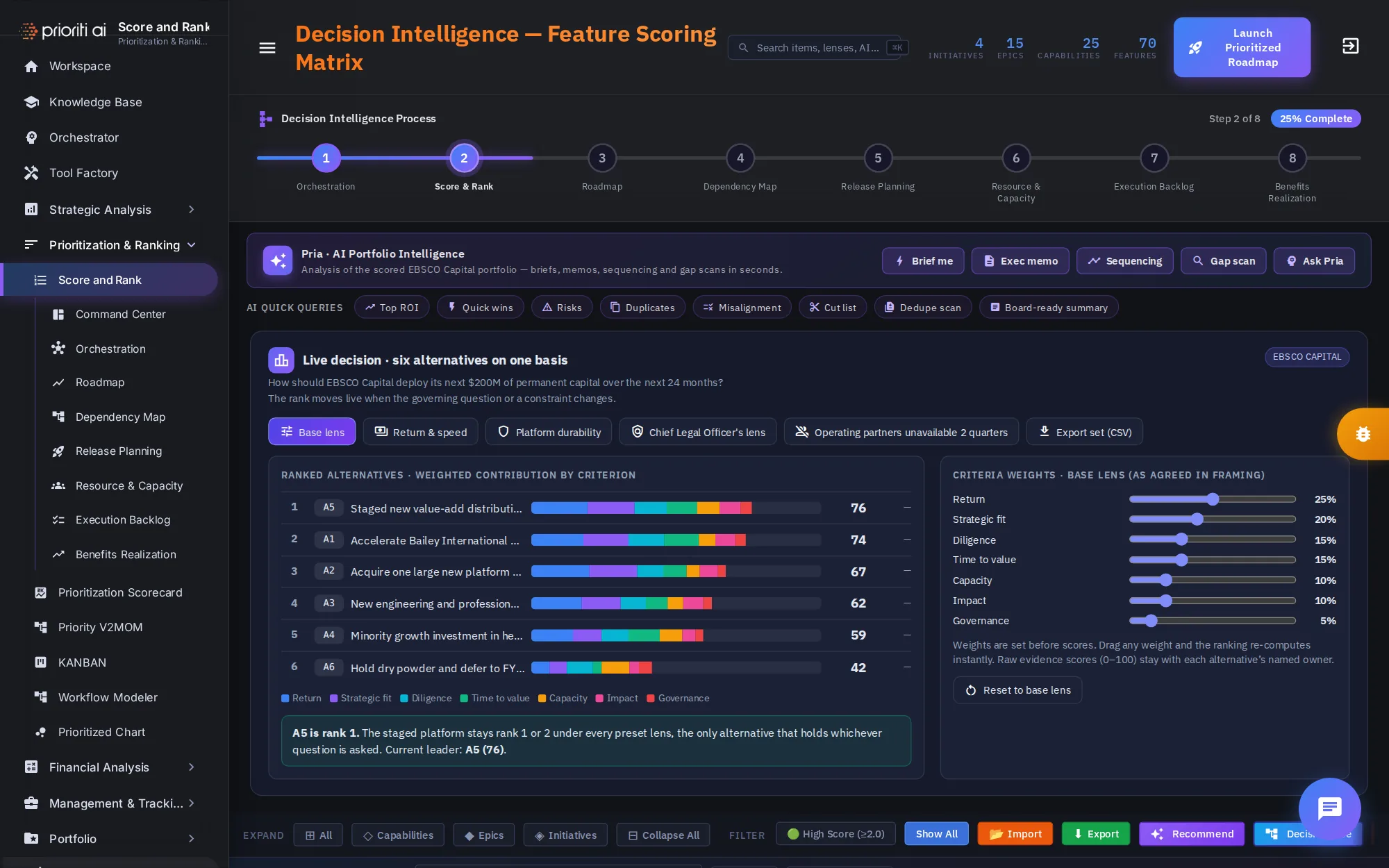
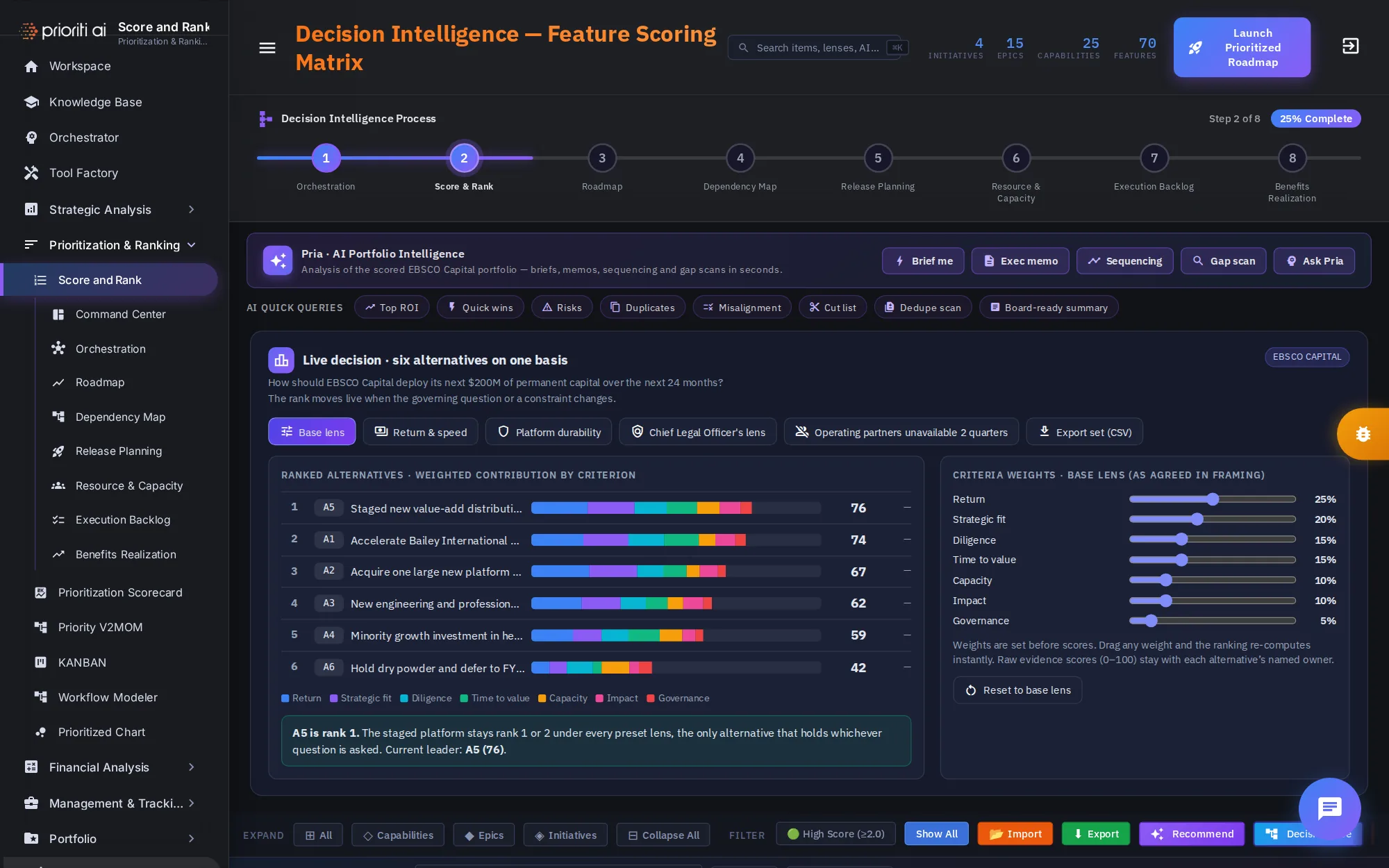
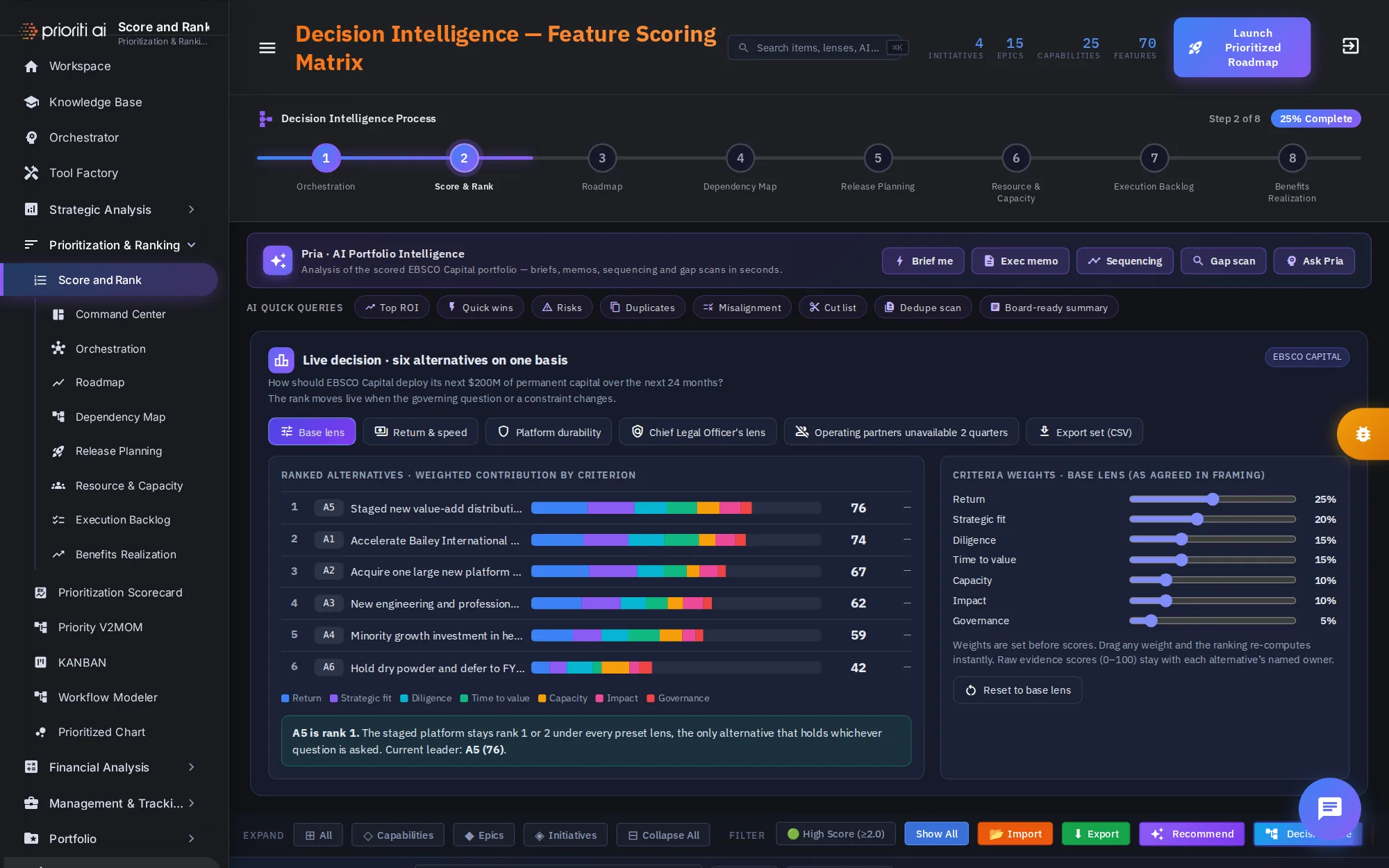
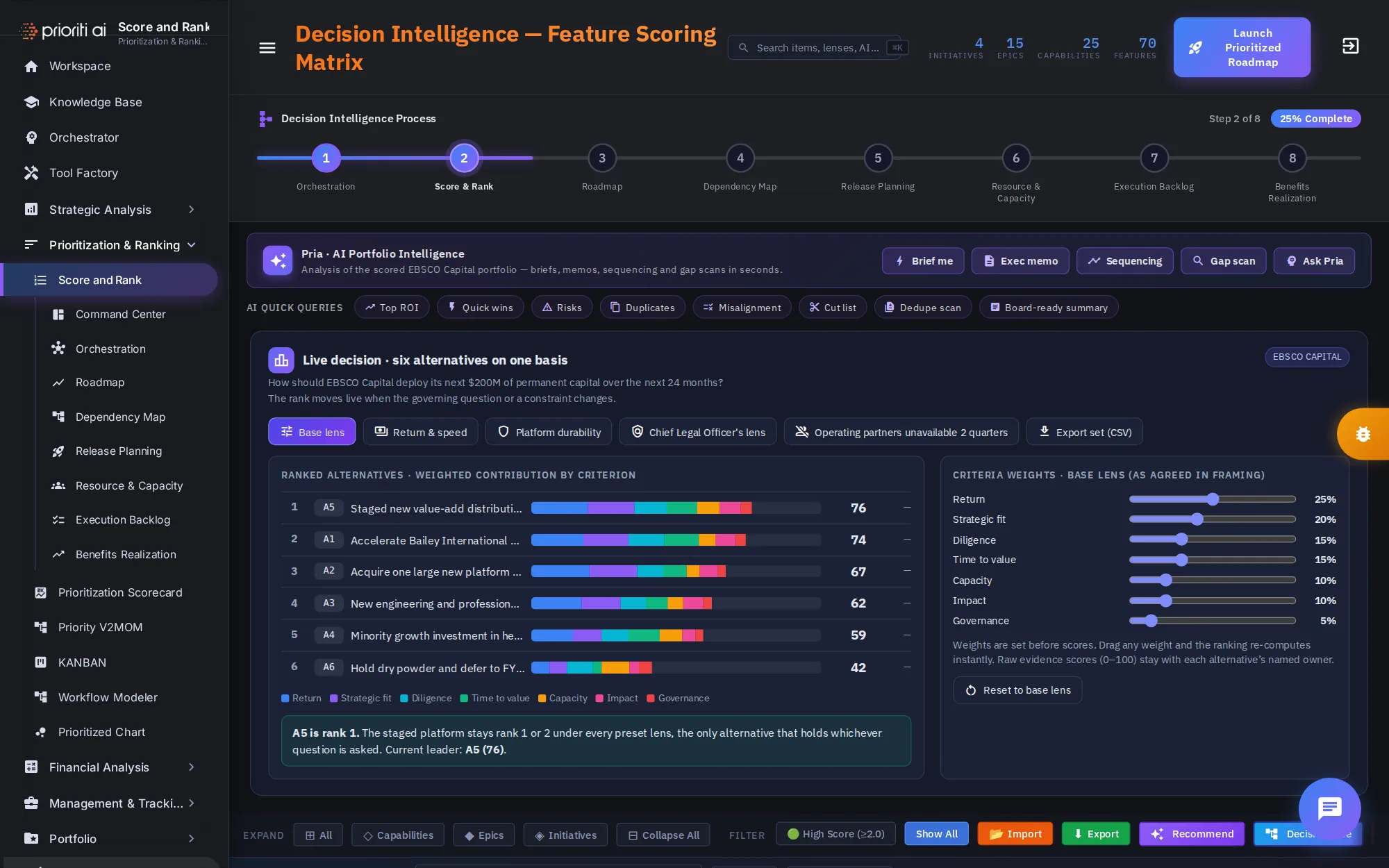
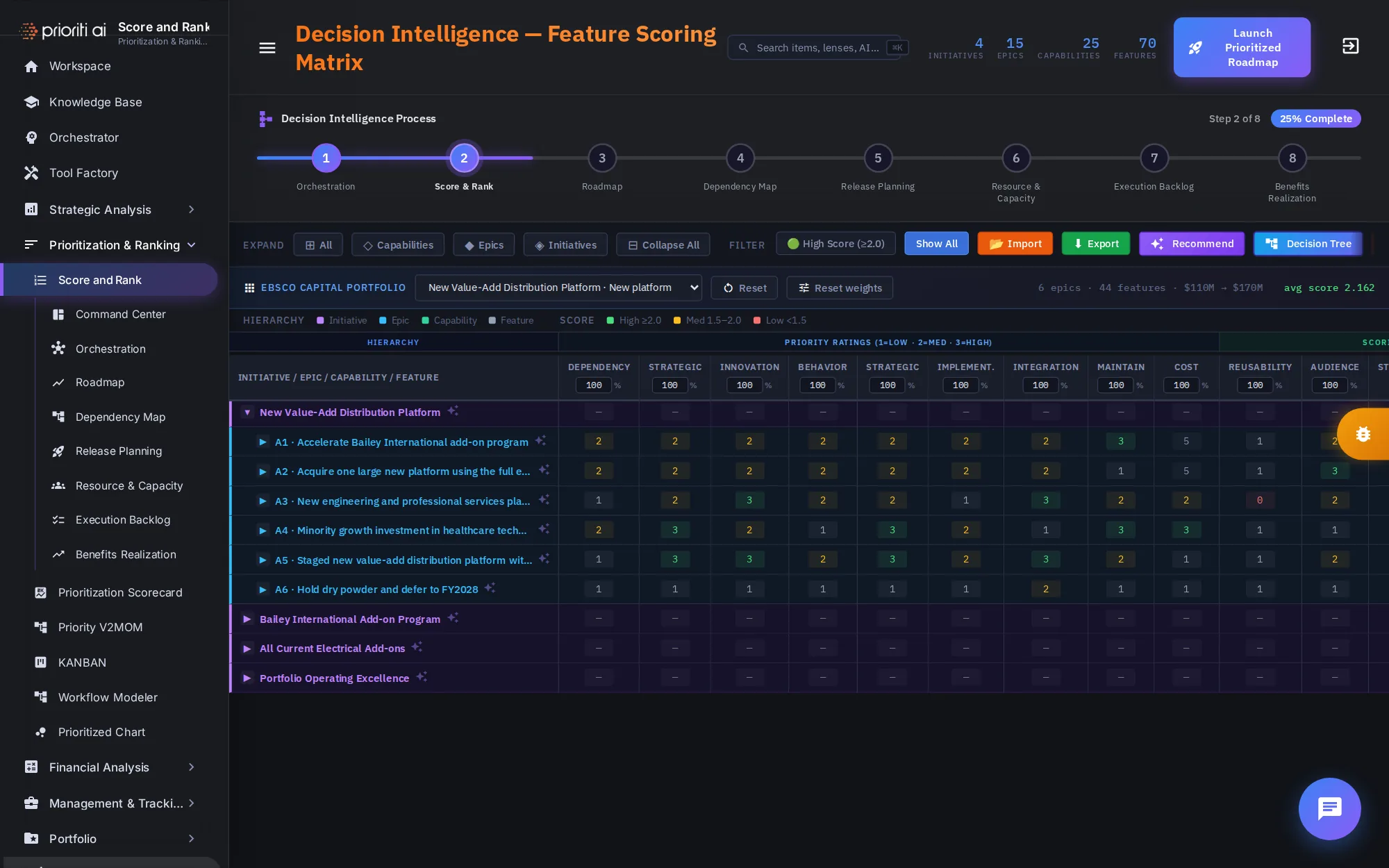
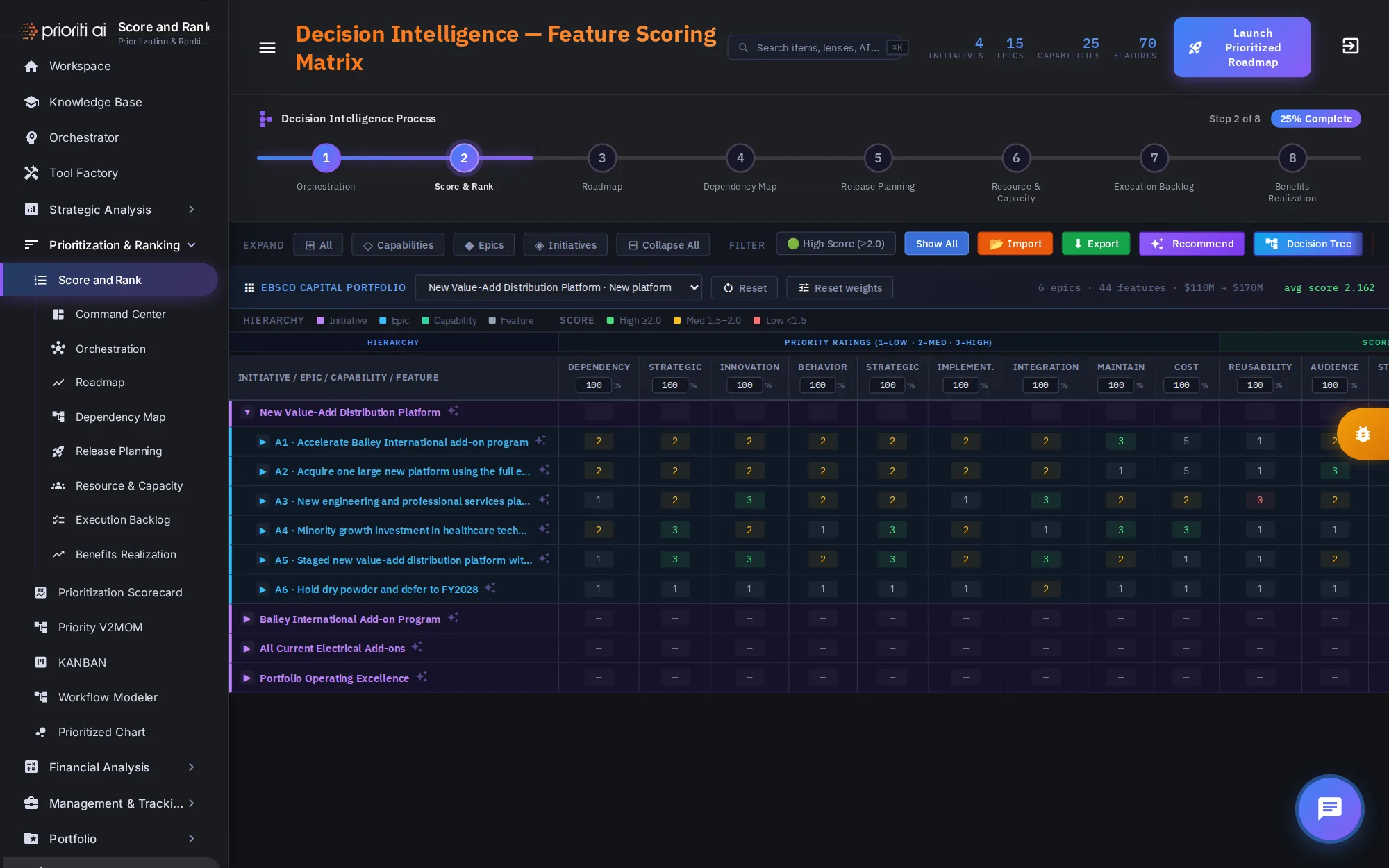
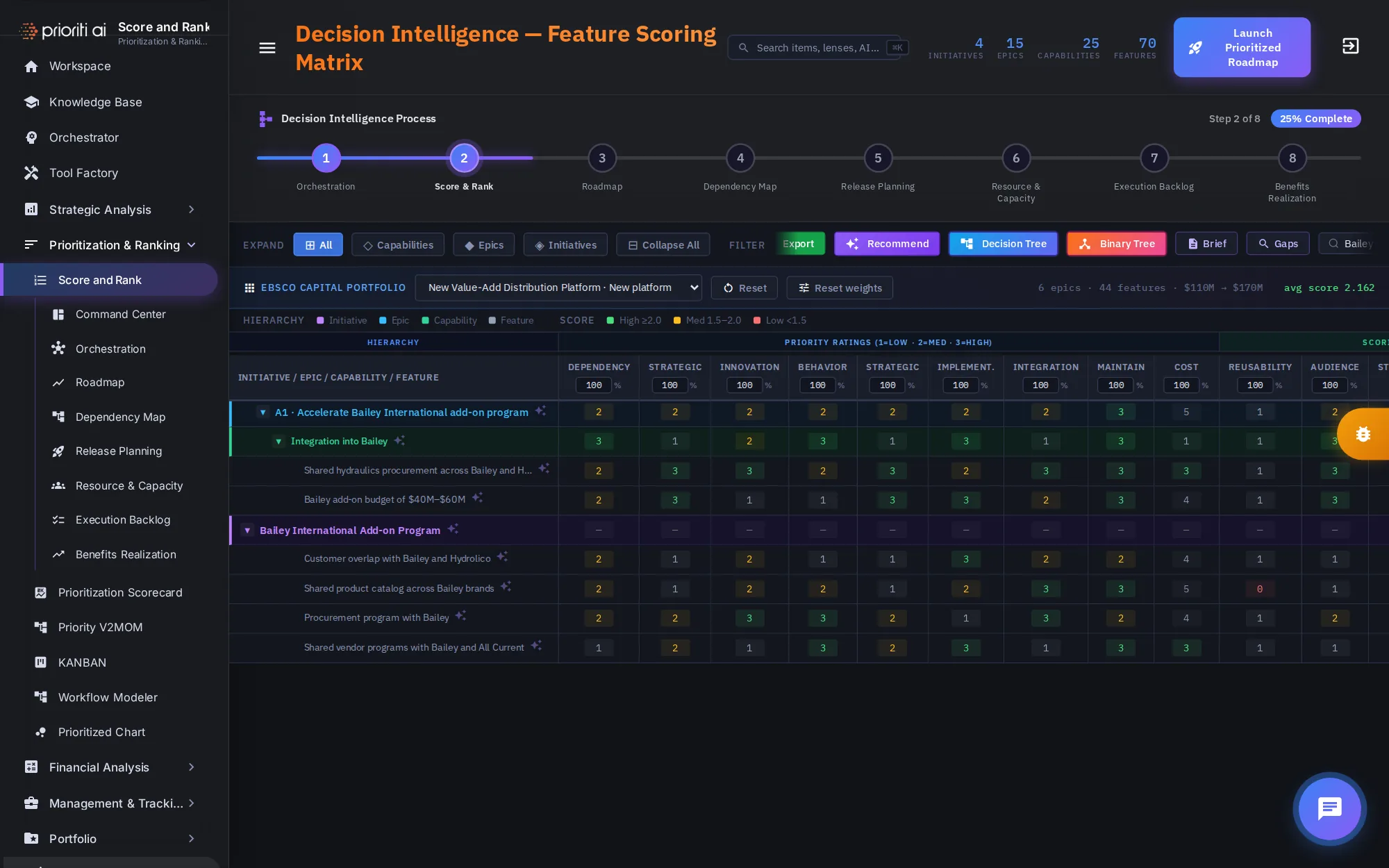
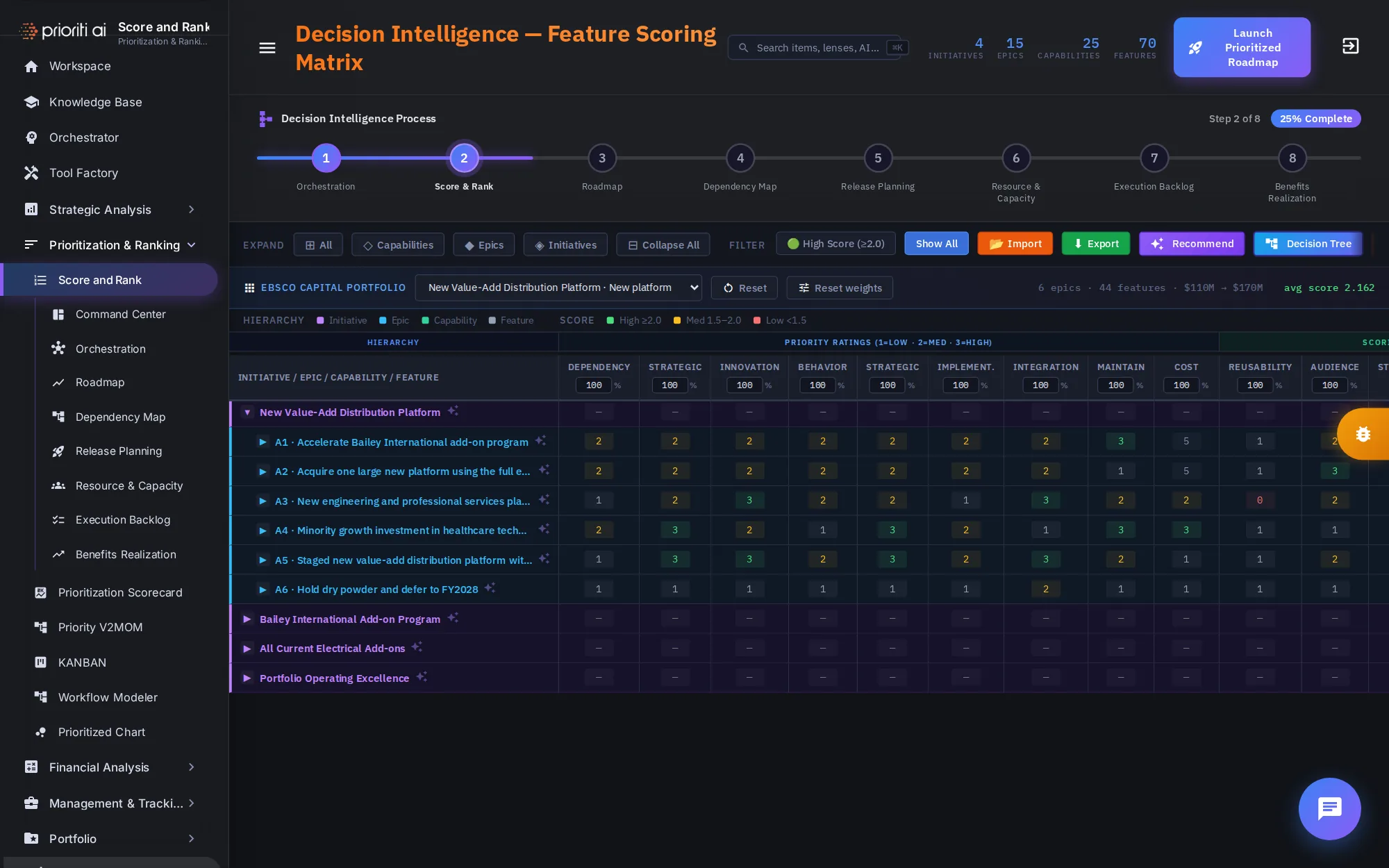
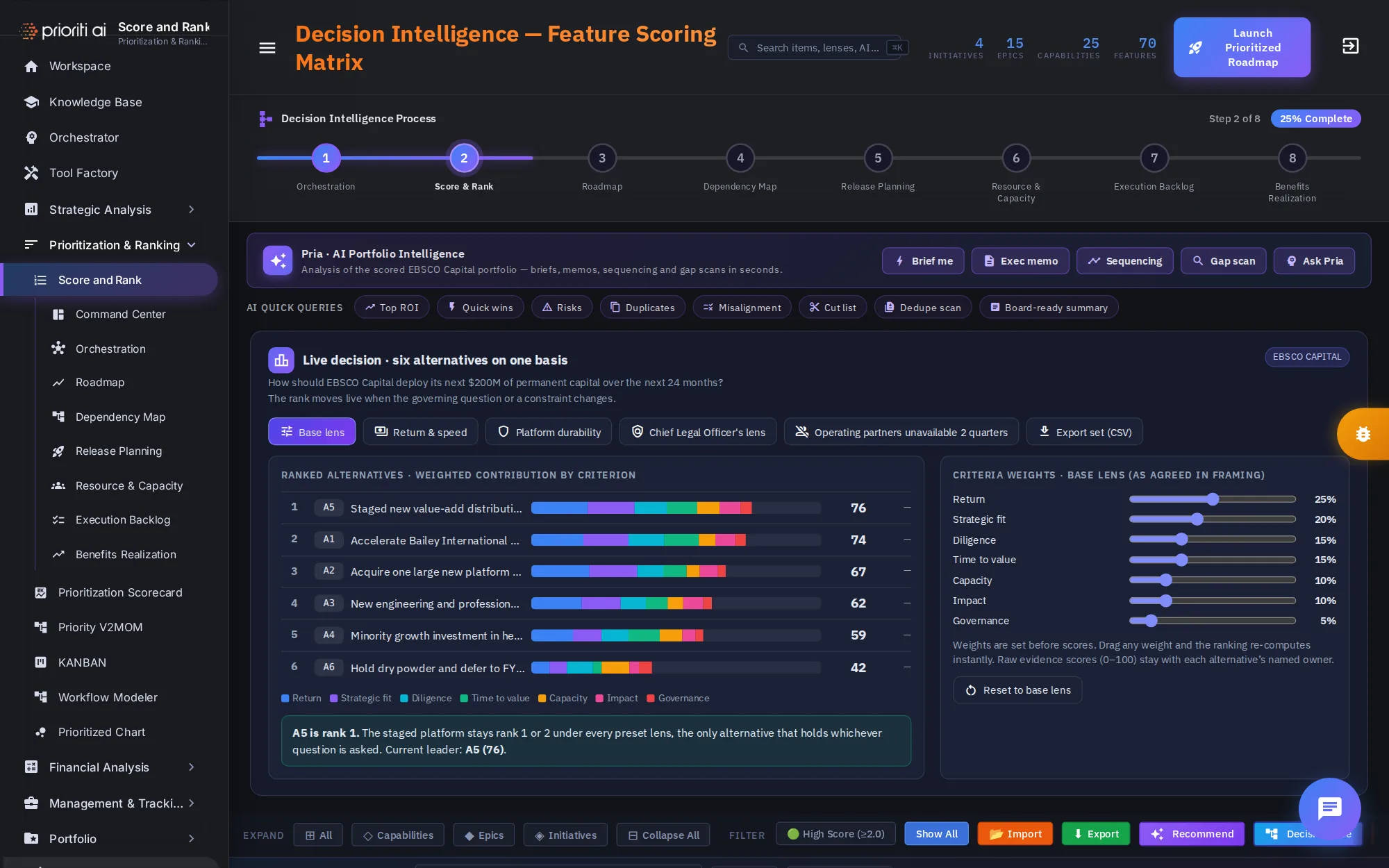
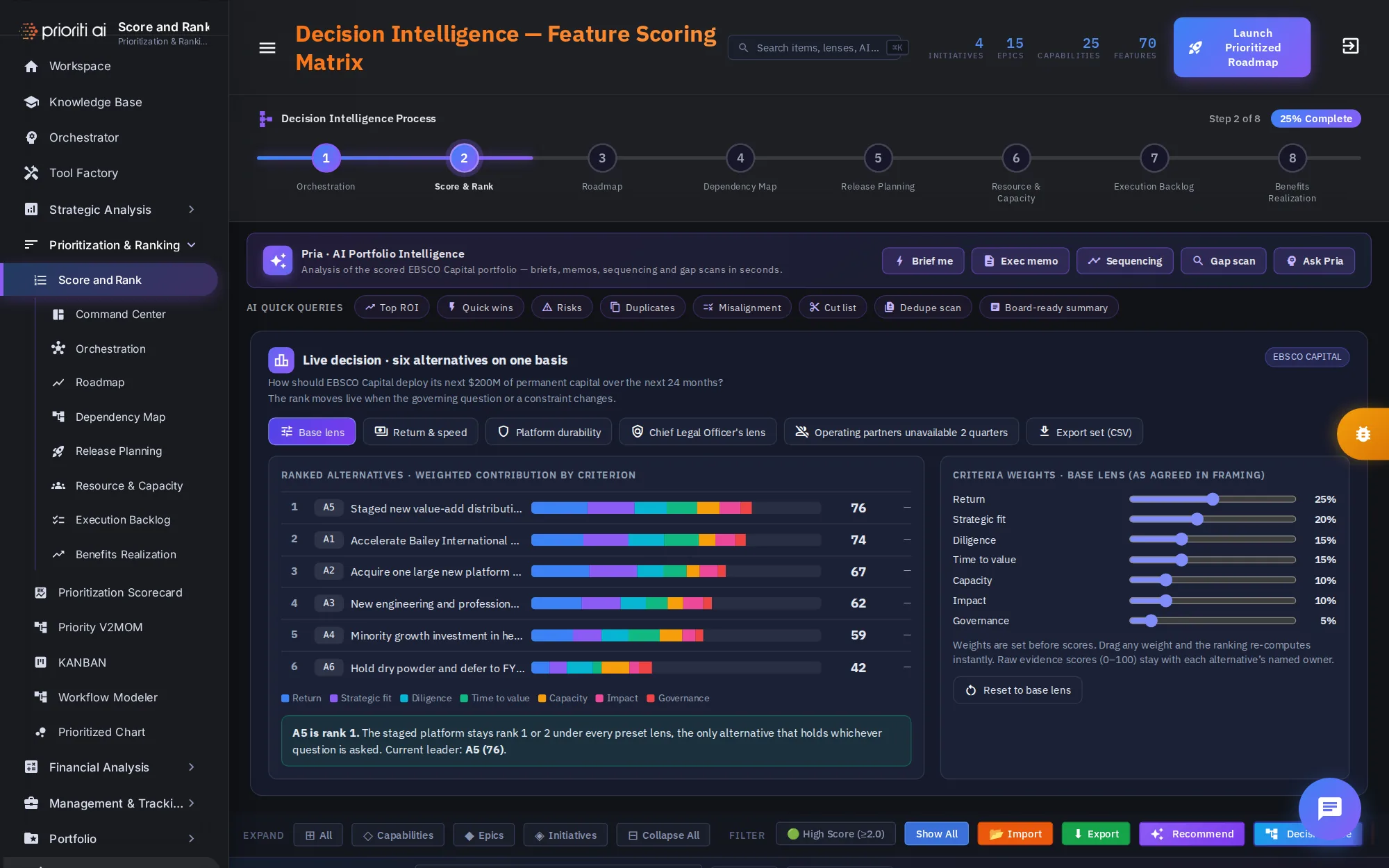
The header counts what's being scored: 4 initiatives, 15 epics, 25 capabilities, and 70 features.
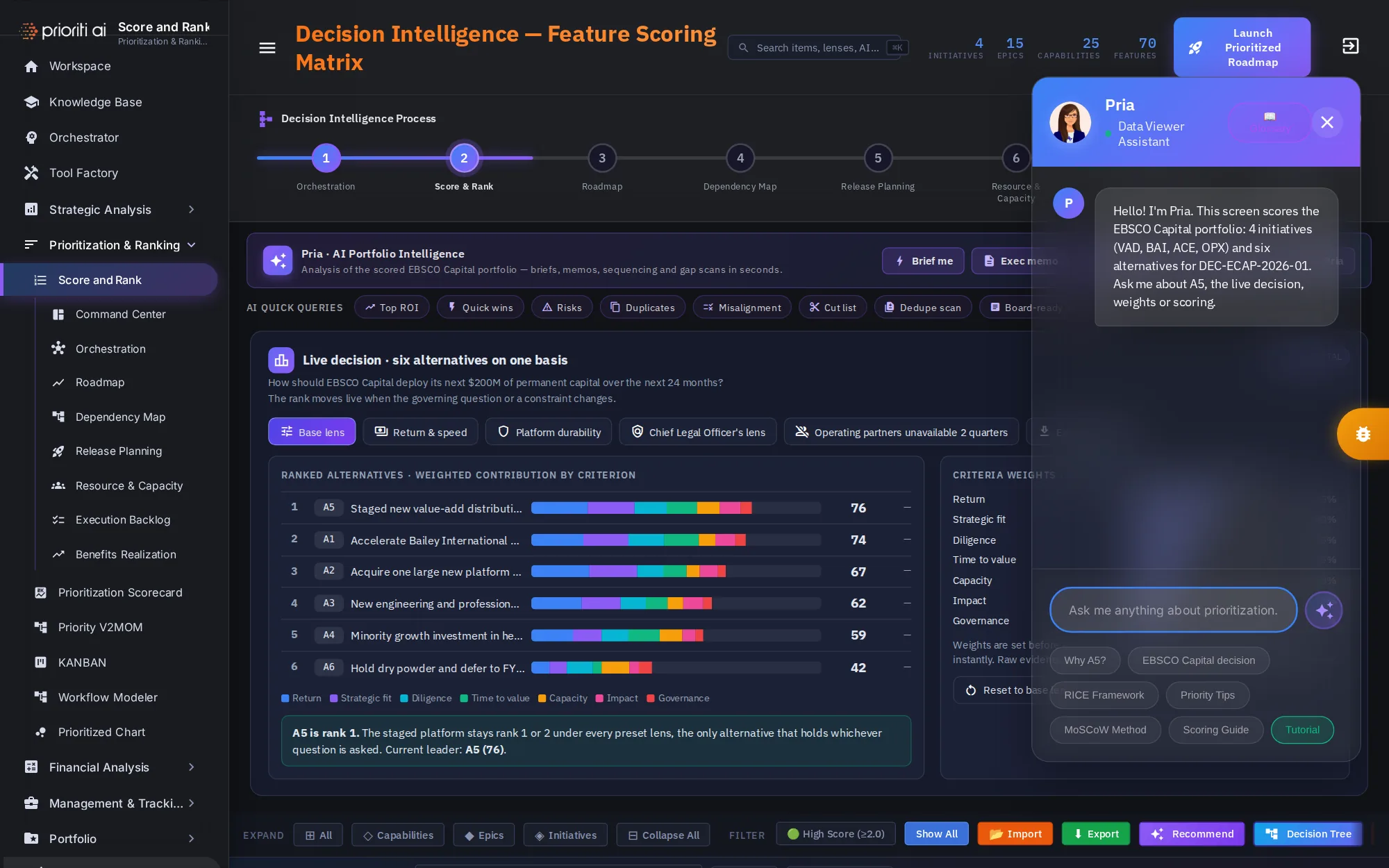
The Pria banner puts portfolio analysis one click away: Brief me, Exec memo, Sequencing, Gap scan, and Ask Pria.
AI quick queries ask a ready-made question, such as top ROI, quick wins, risks, duplicates, misalignment, or a cut list.
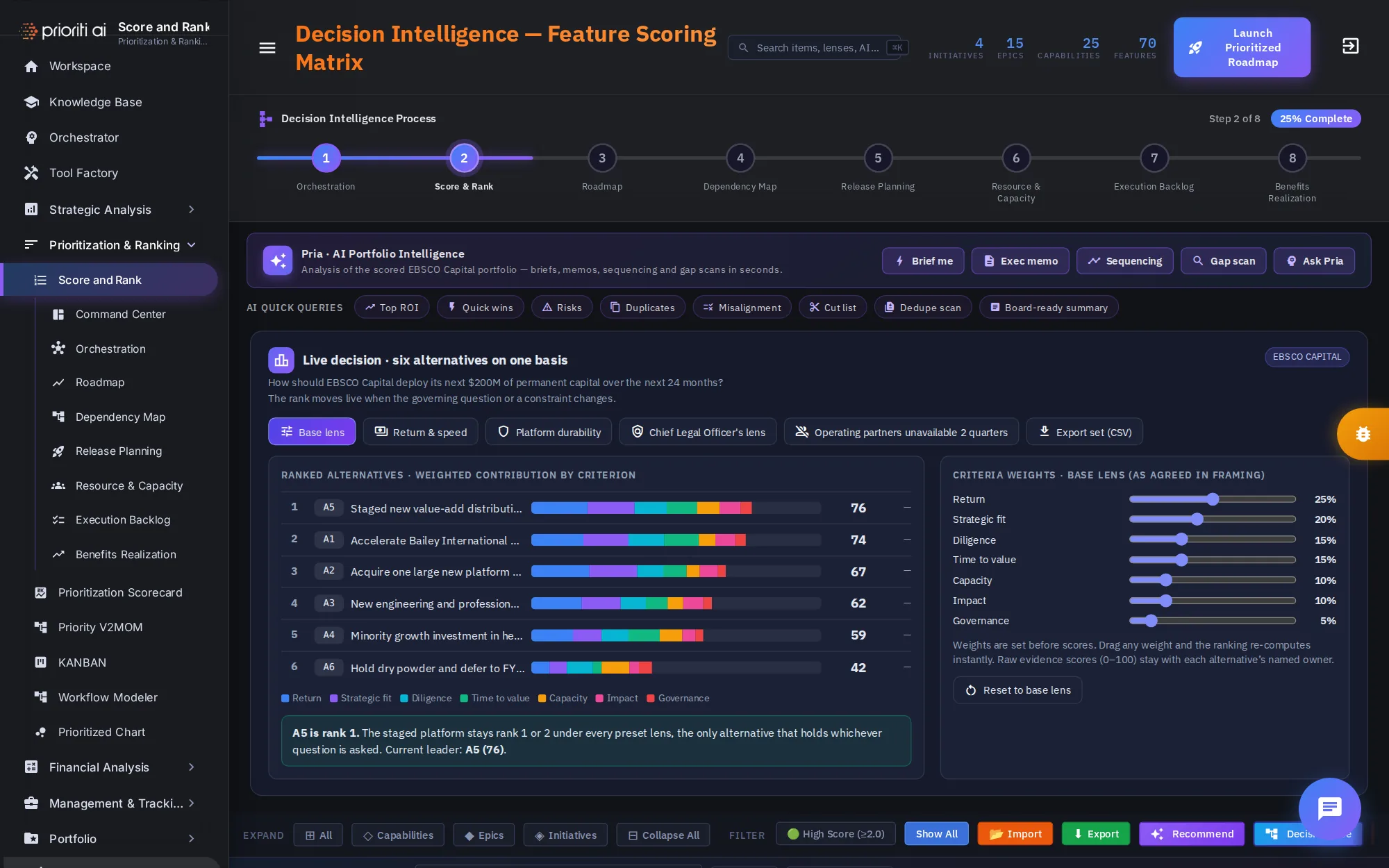
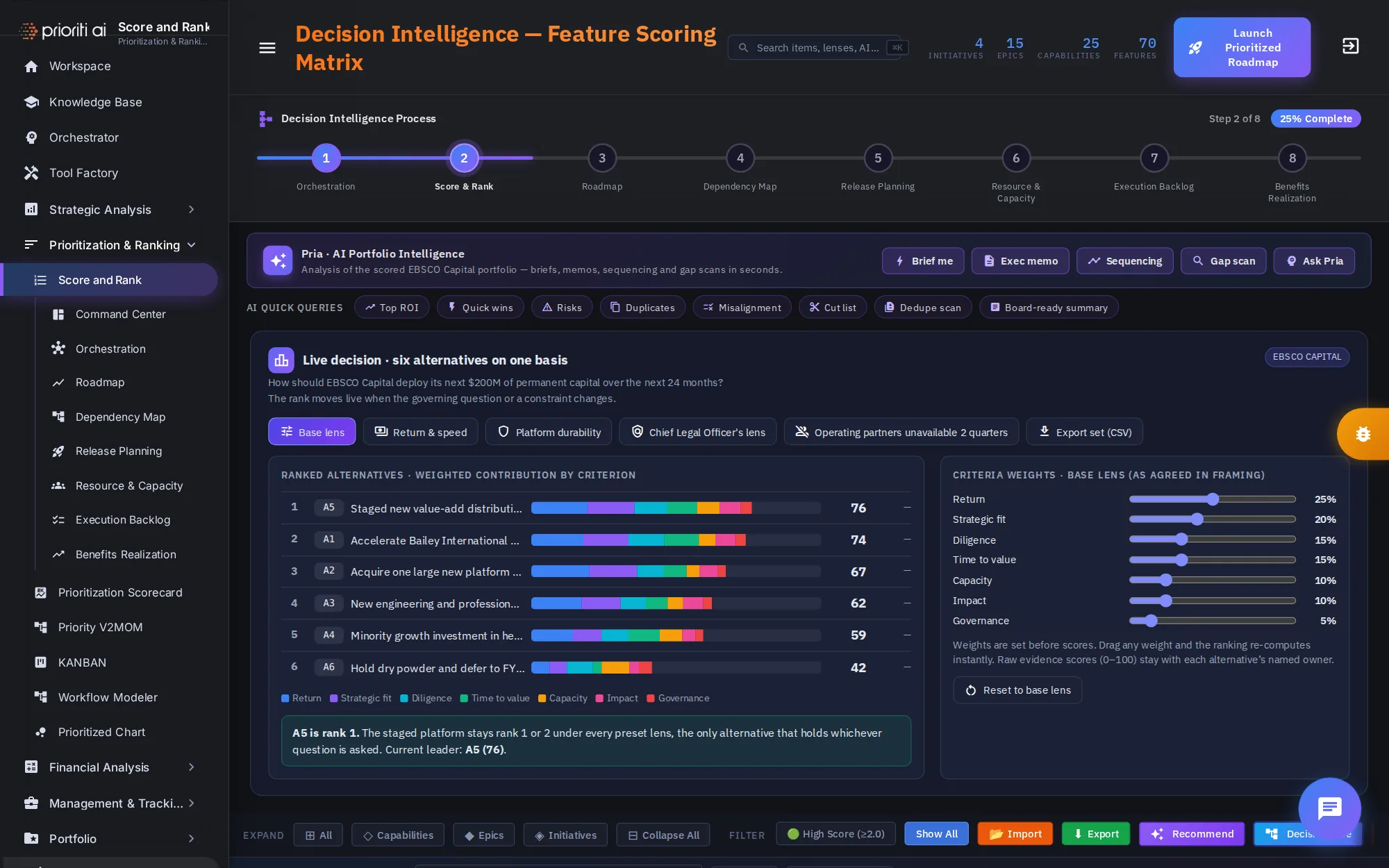
Below are the two main tools: the live decision panel, which ranks the six alternatives, and the scoring matrix, which scores every item underneath them.
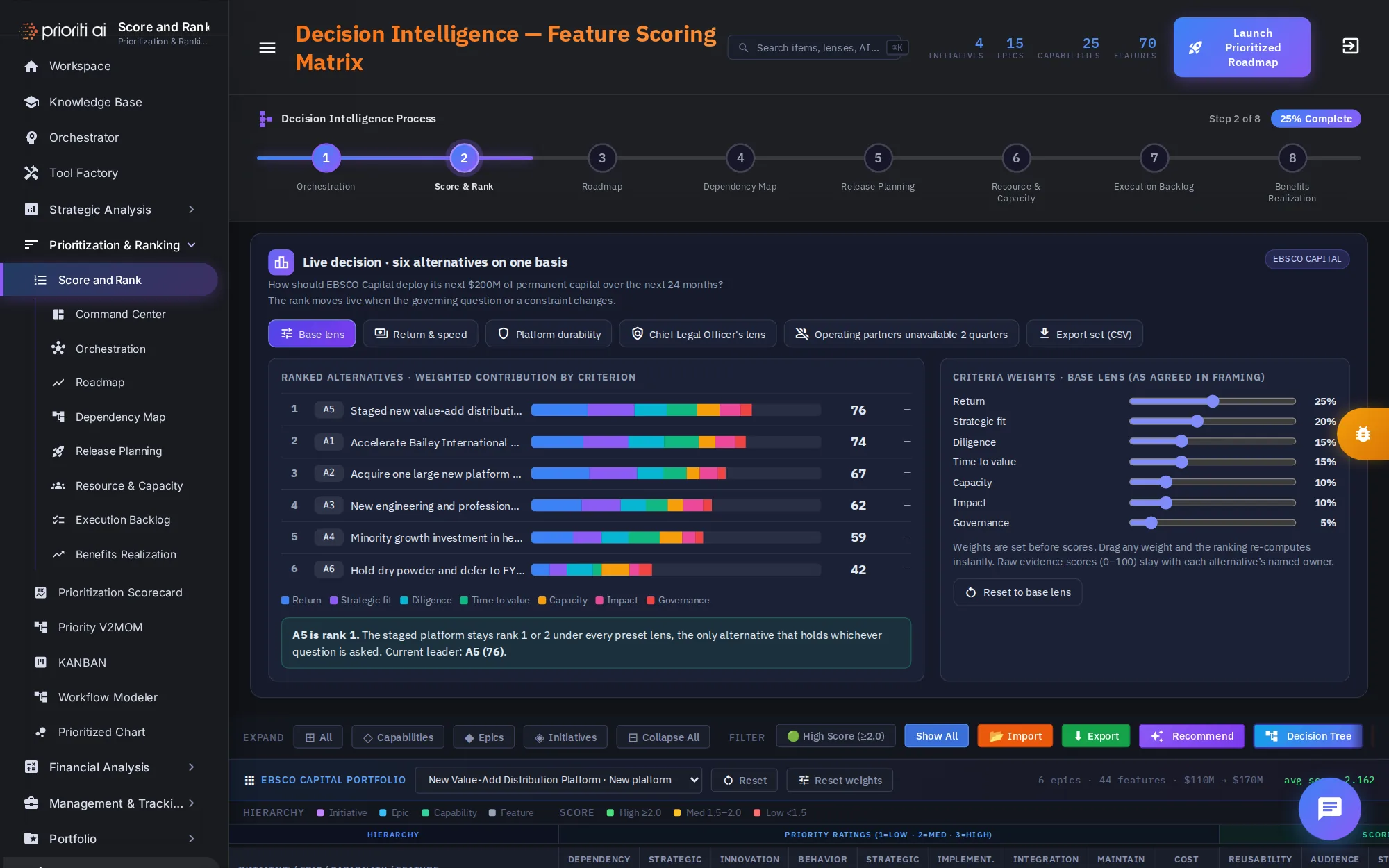
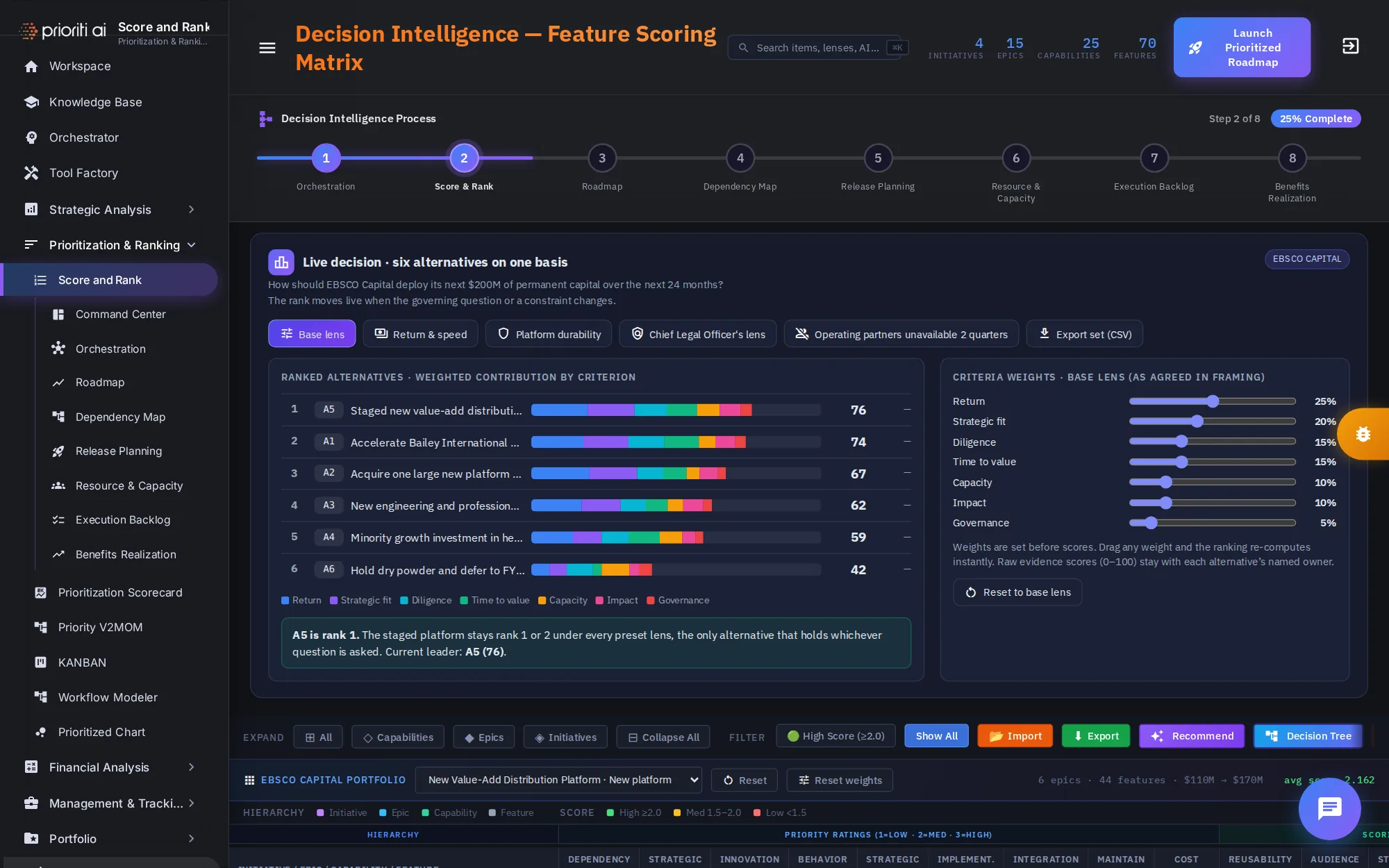
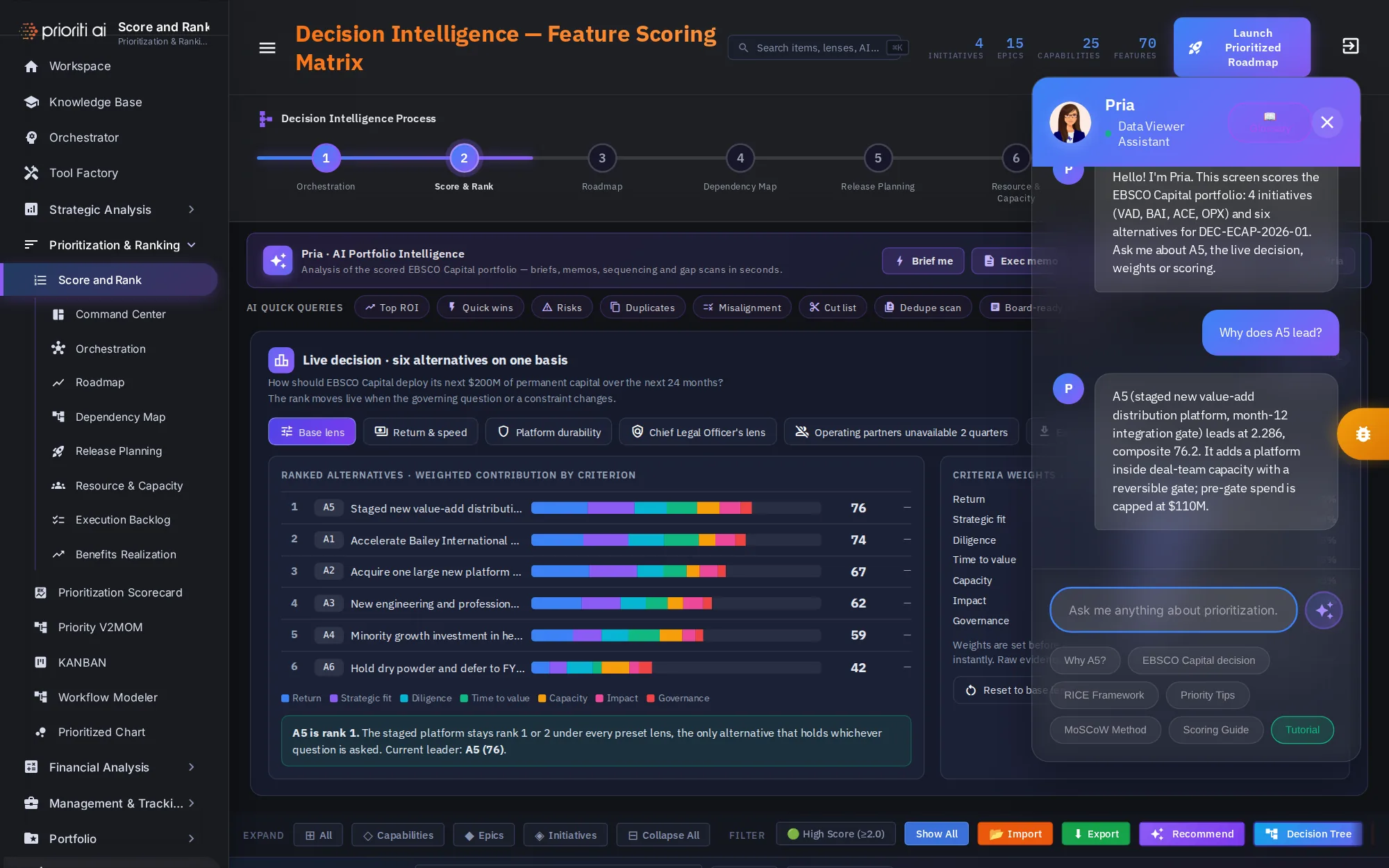
The live decision panel starts with the question: how should Initech Capital deploy its next $200 million over the next 24 months?
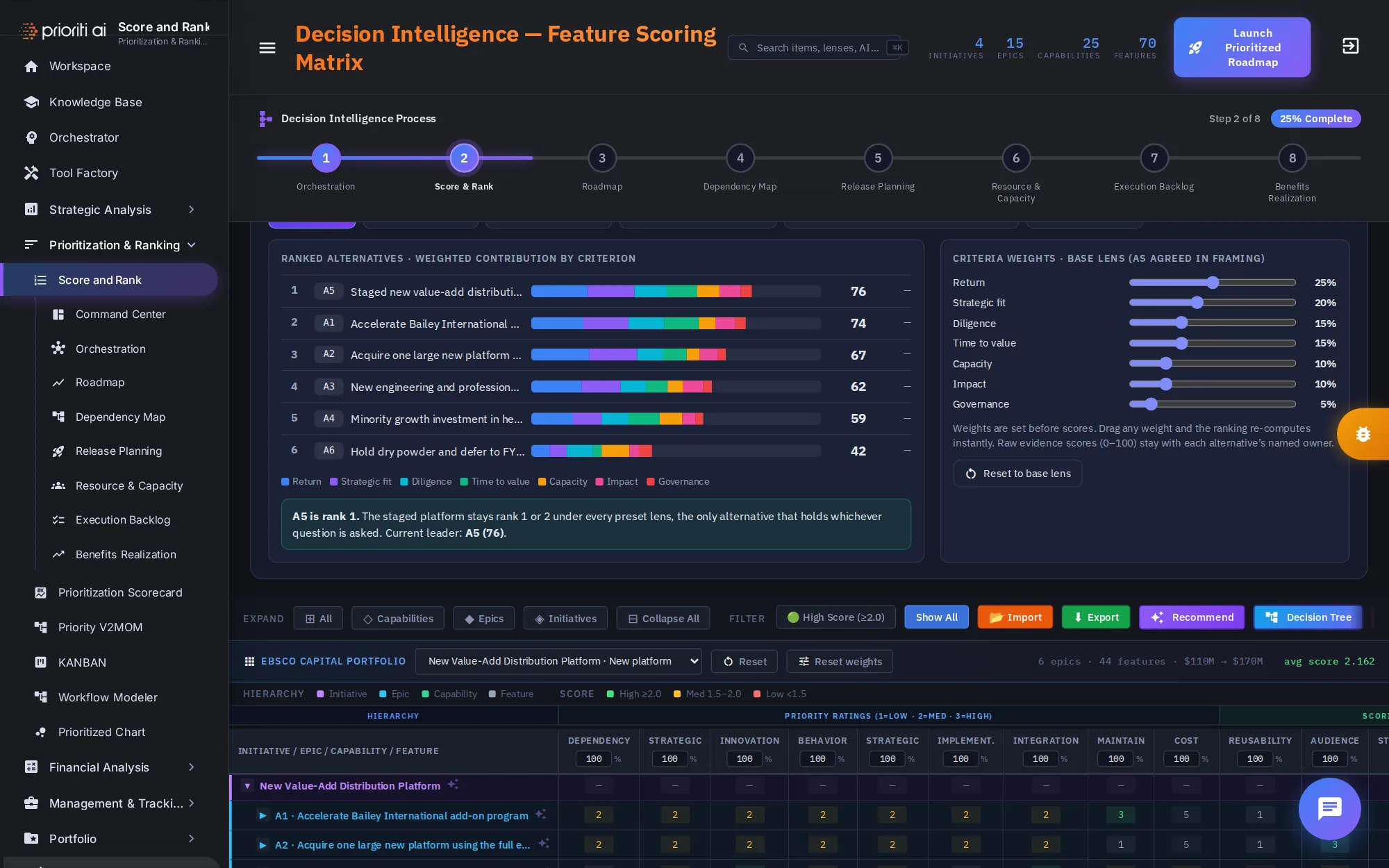
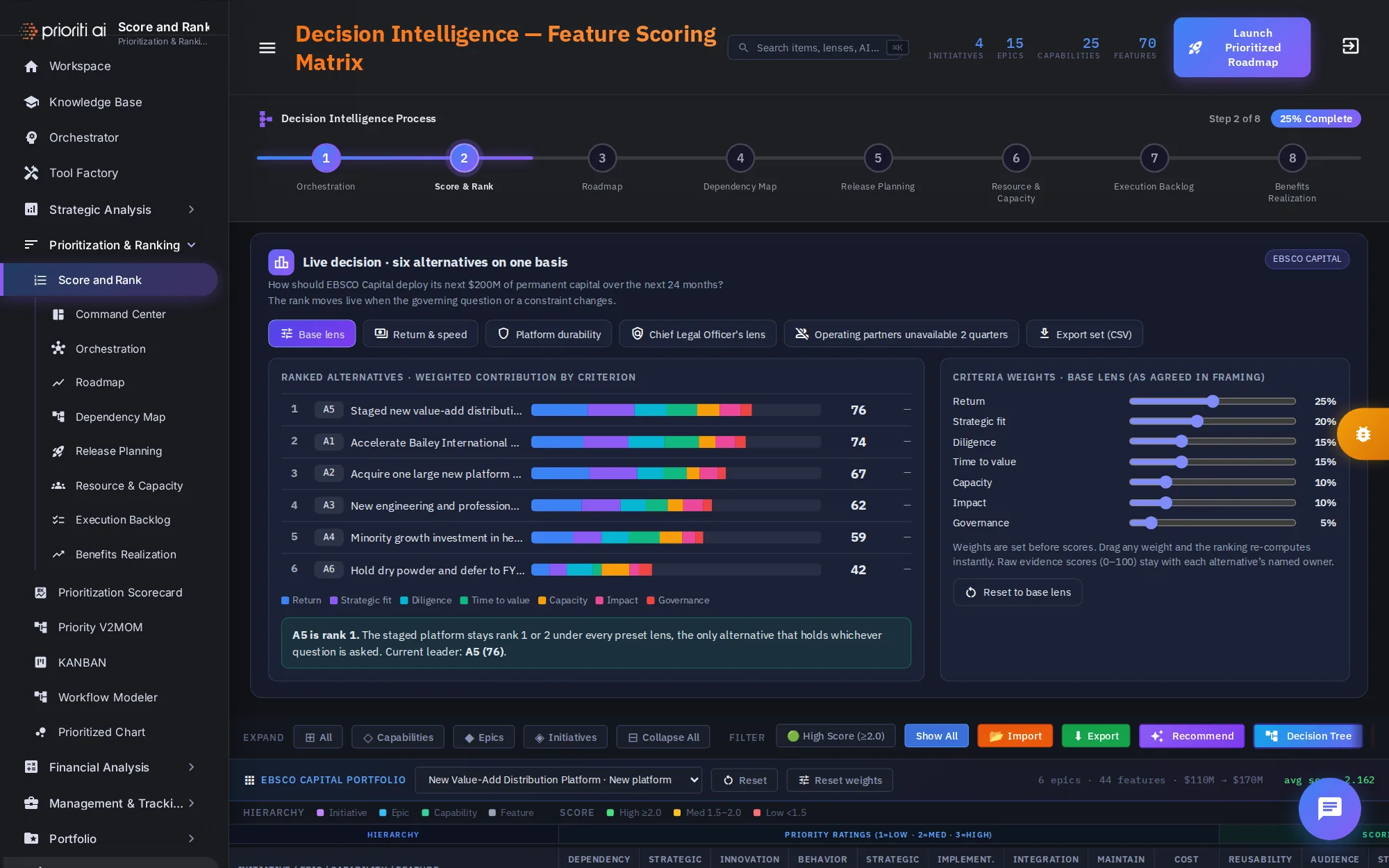
Six alternatives are scored on one basis. A5, the staged distribution platform, leads at 76. A1, the Initrode add-on program, is close behind at 74.
Each bar shows what builds the score: return, strategic fit, diligence, time to value, capacity, impact, and governance, each in its own color.
The weights on the right were agreed before any scoring. Return carries 25 percent, strategic fit 20, and governance 5.
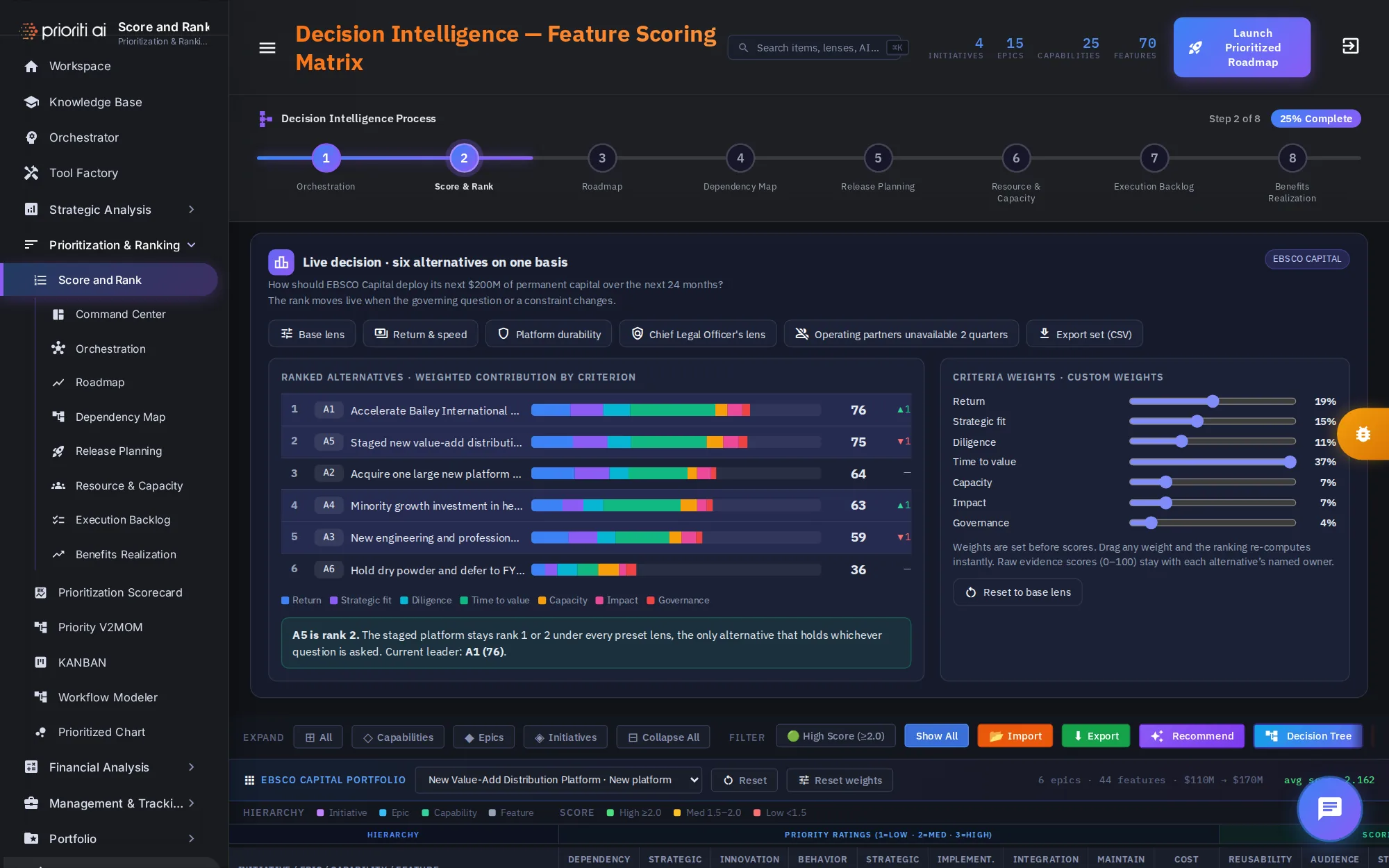
Drag any weight, and the ranking re-computes instantly. Push time to value up, and A1 moves past A5. Arrows show who moved.
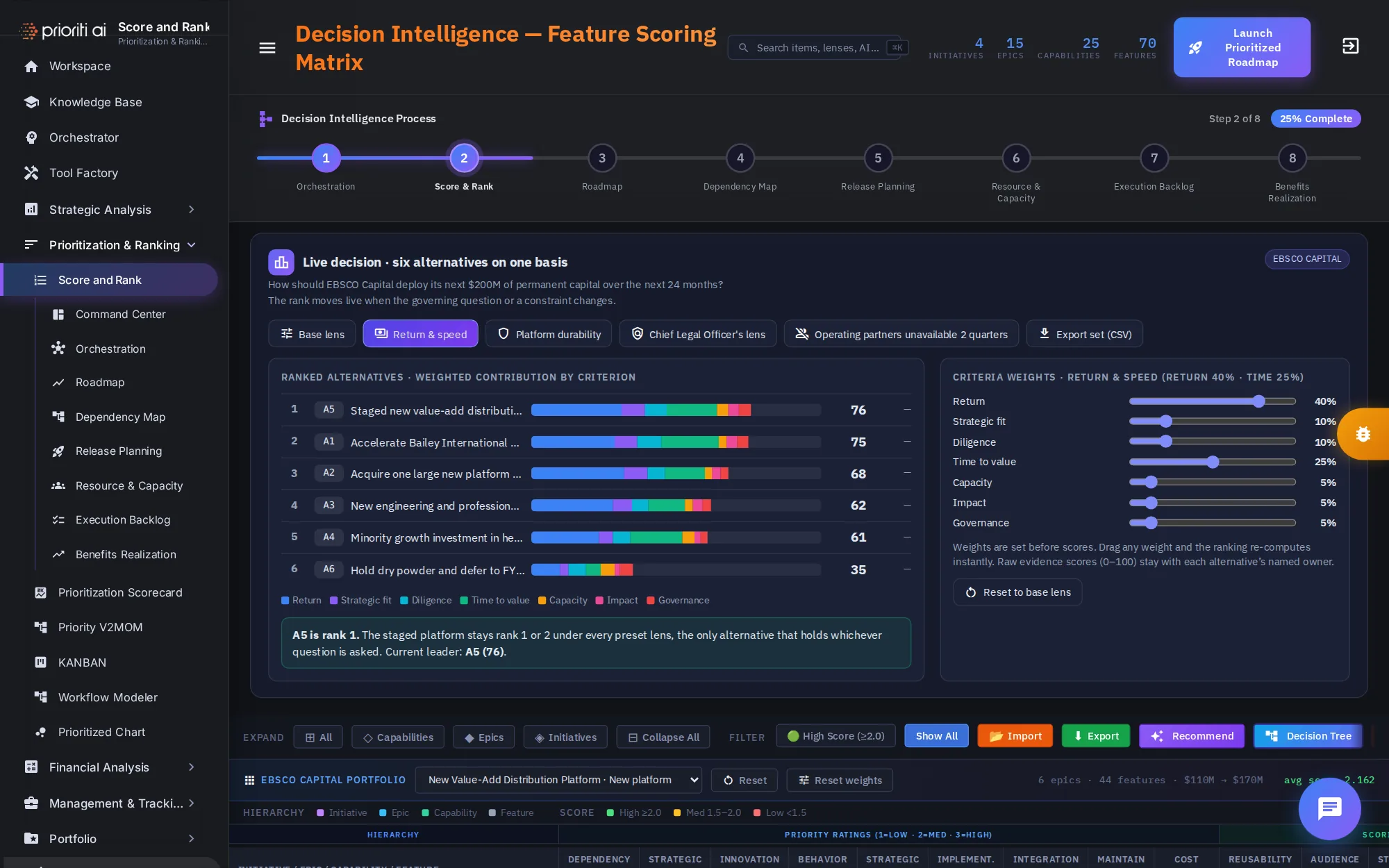
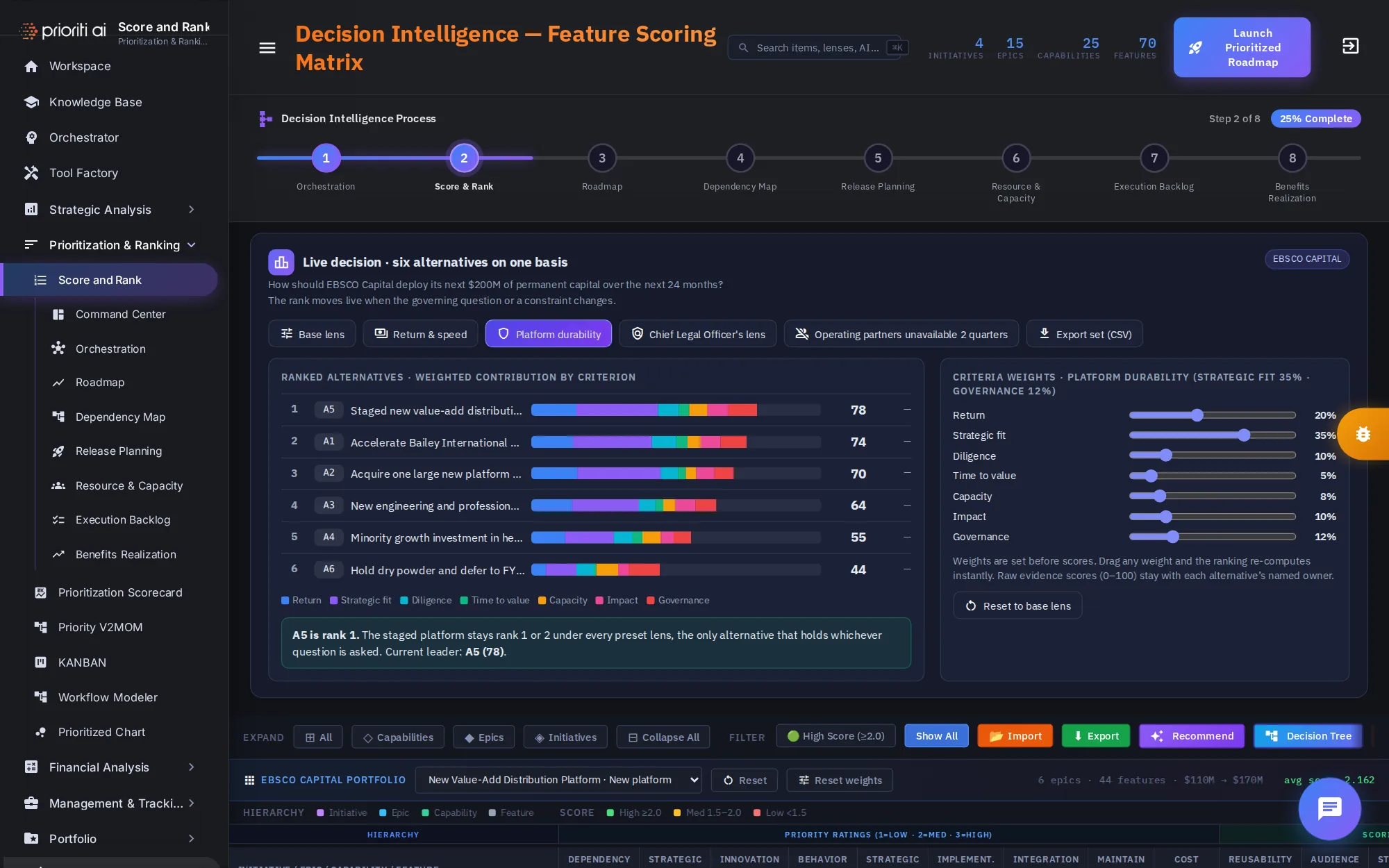
Lenses apply a preset set of weights. Return and speed puts 40 percent on return and 25 on time to value. A5 leads again, 76 to 75.
Platform durability weights strategic fit at 35 percent. A5 widens its lead, 78 to 74.
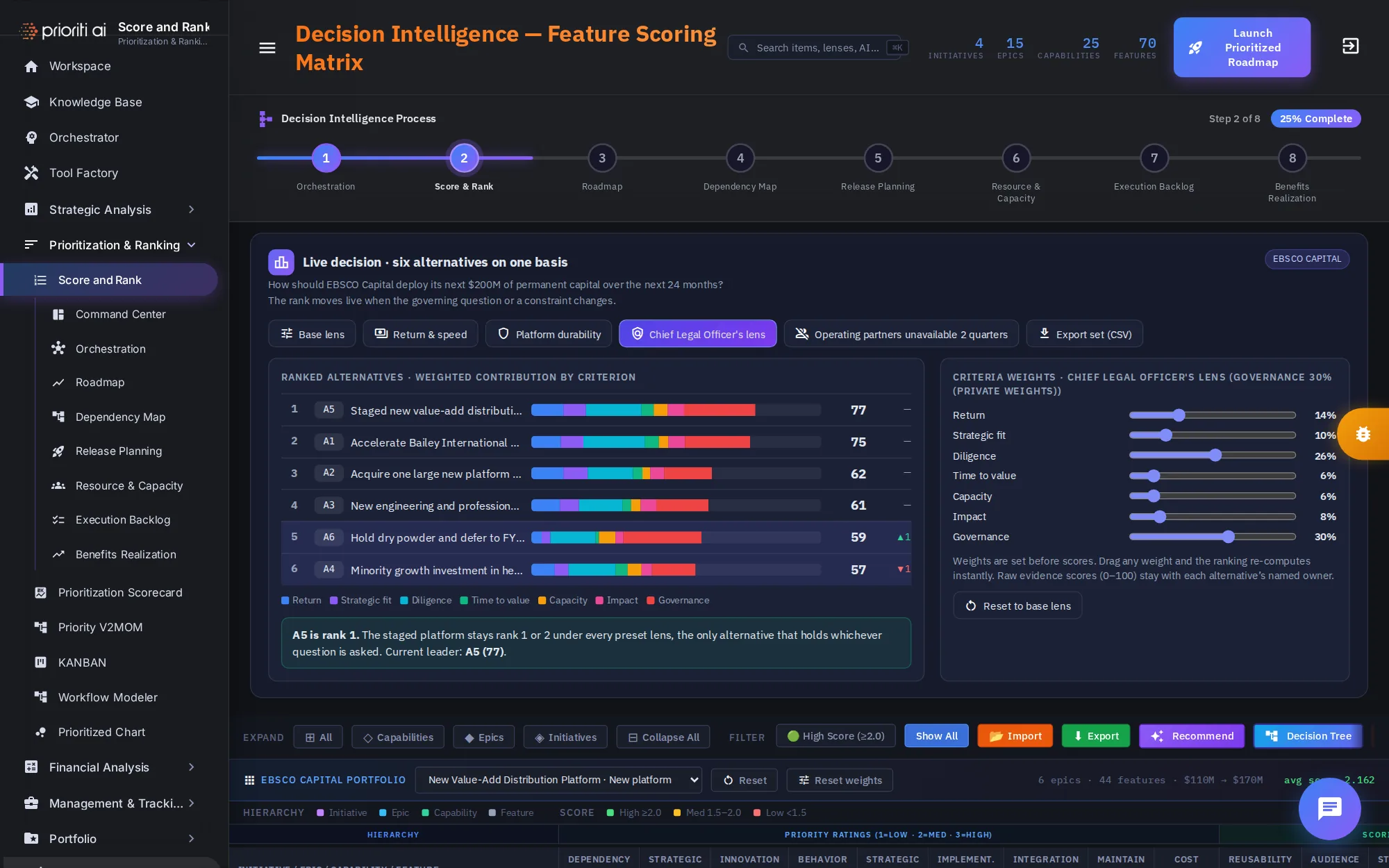
The Chief Legal Officer's lens weights governance at 30 percent. Holding dry powder, A6, climbs to fifth, but A5 still leads.
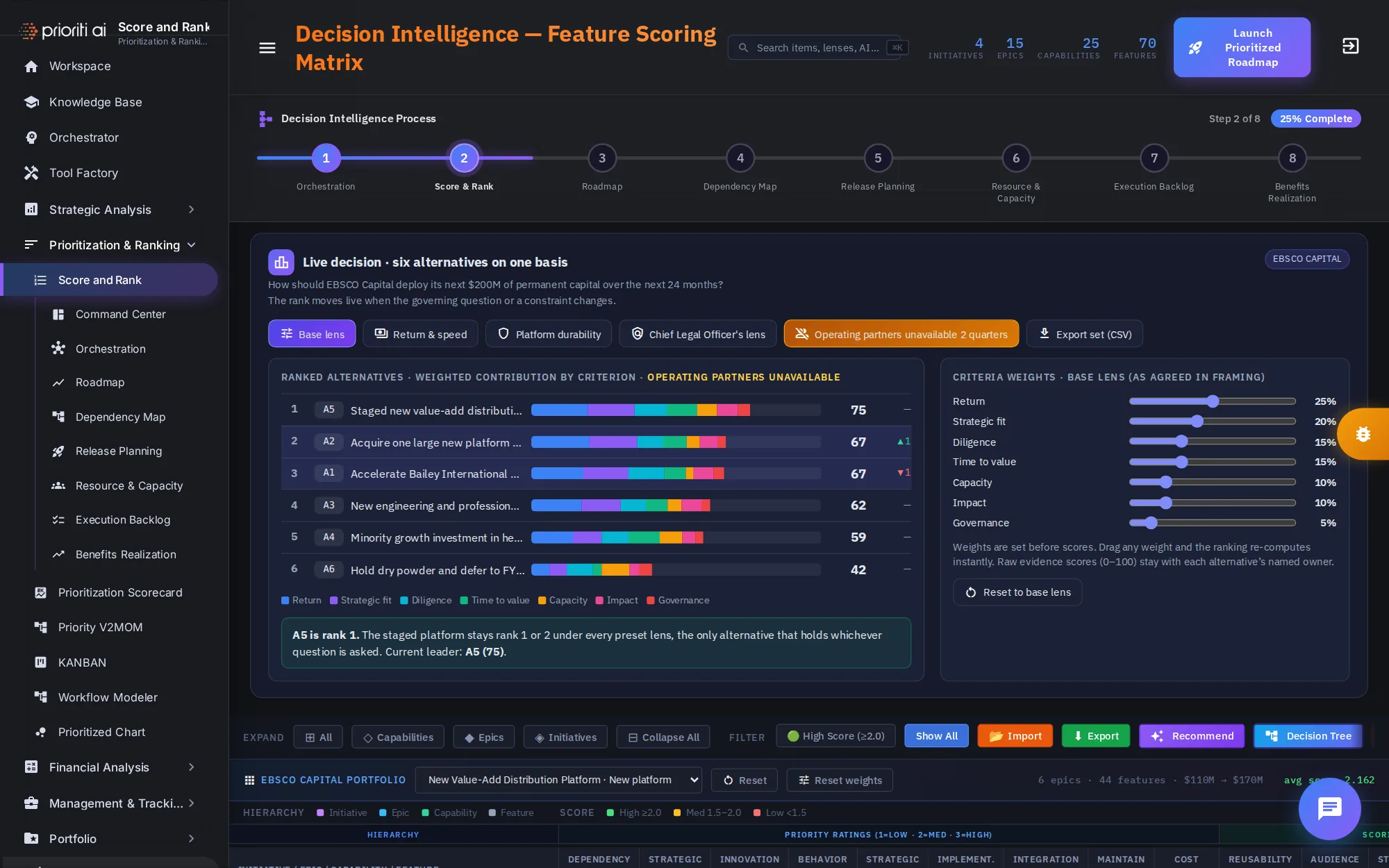
Now test a constraint: operating partners unavailable for two quarters. A5 holds. A1 slips to third and A2 passes it. That's a sequencing answer, not a cut.
The callout confirms A5 stays first or second under every lens. Reset to base lens restores the weights, and Export set saves the alternatives as a CSV file.
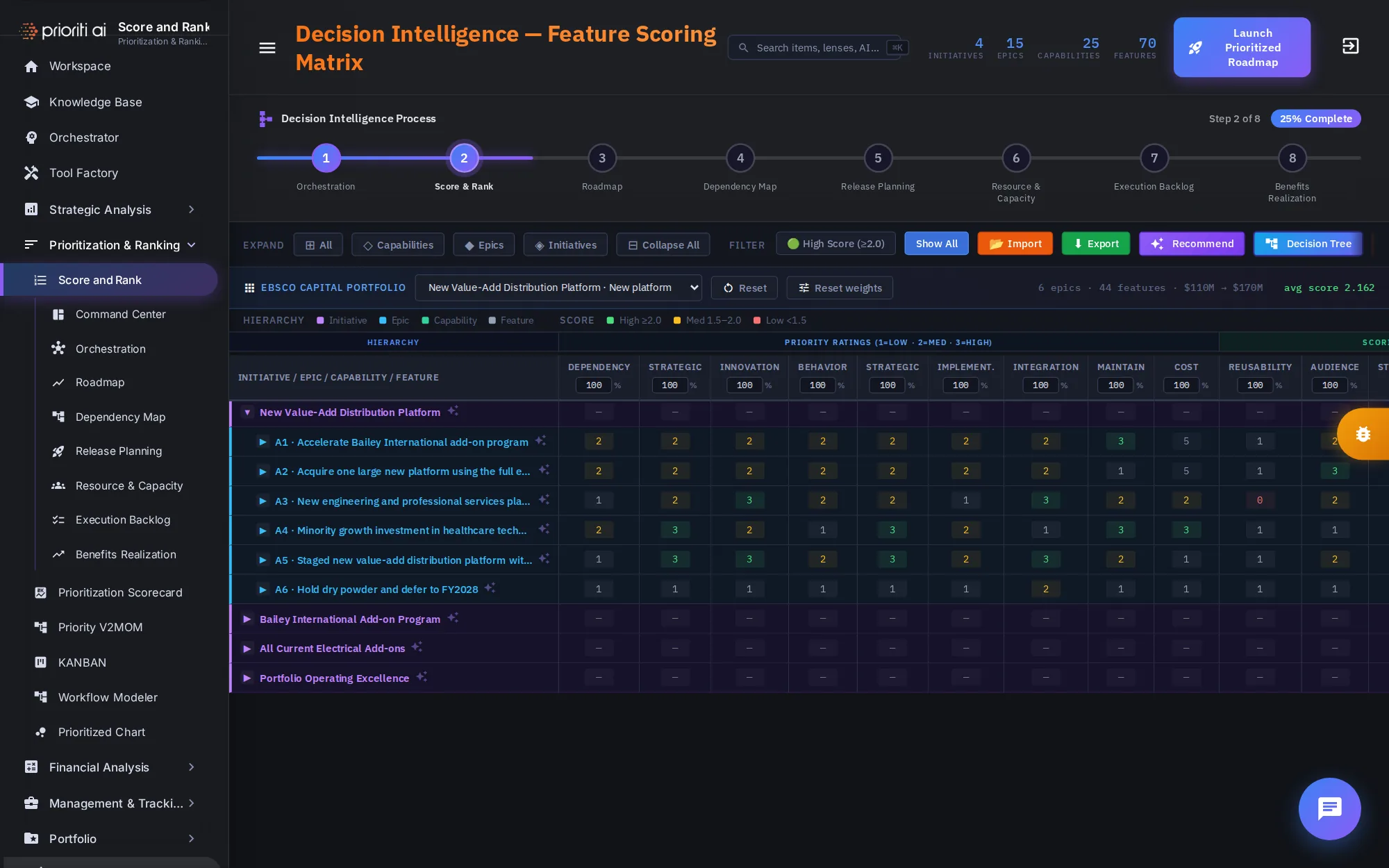
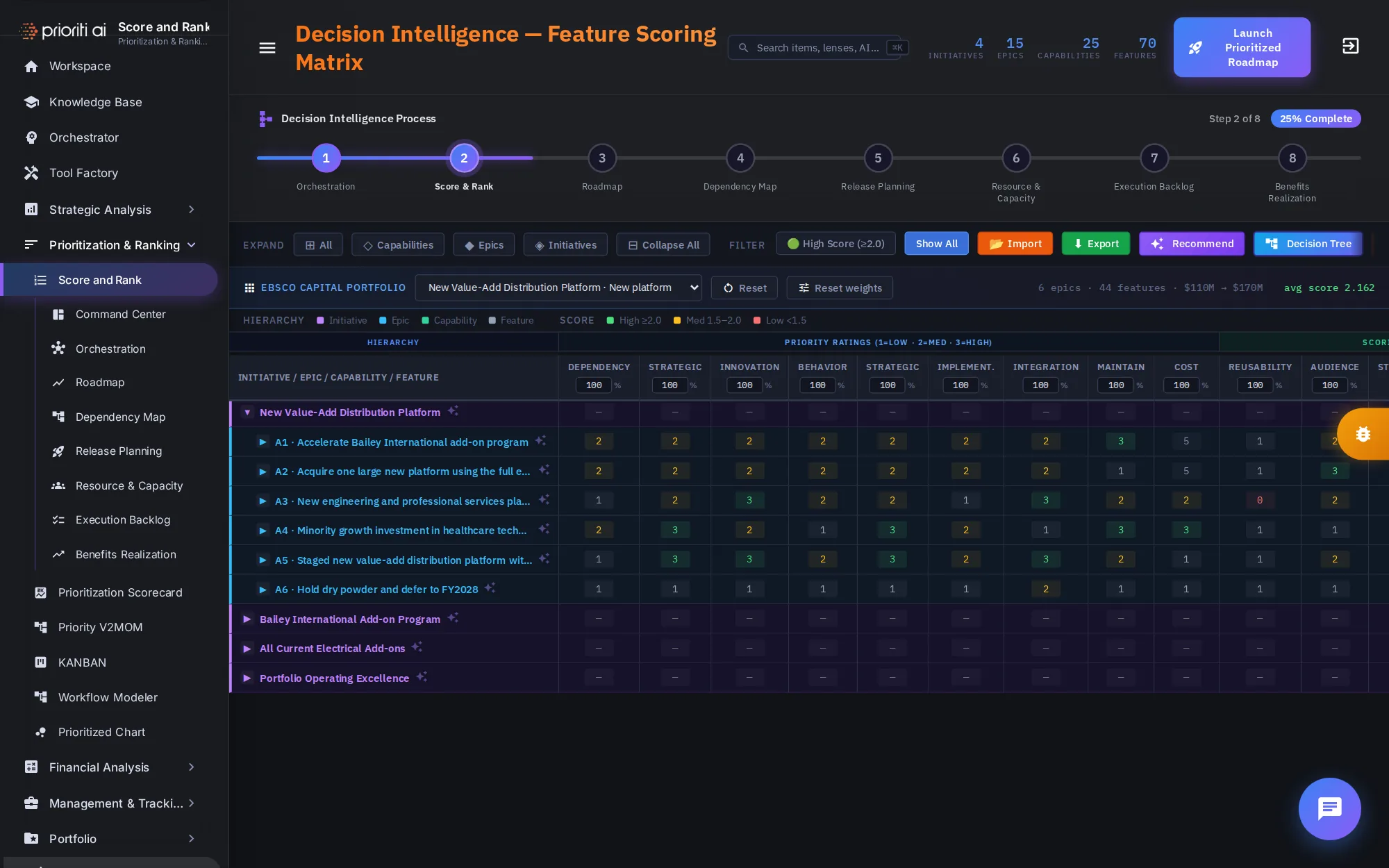
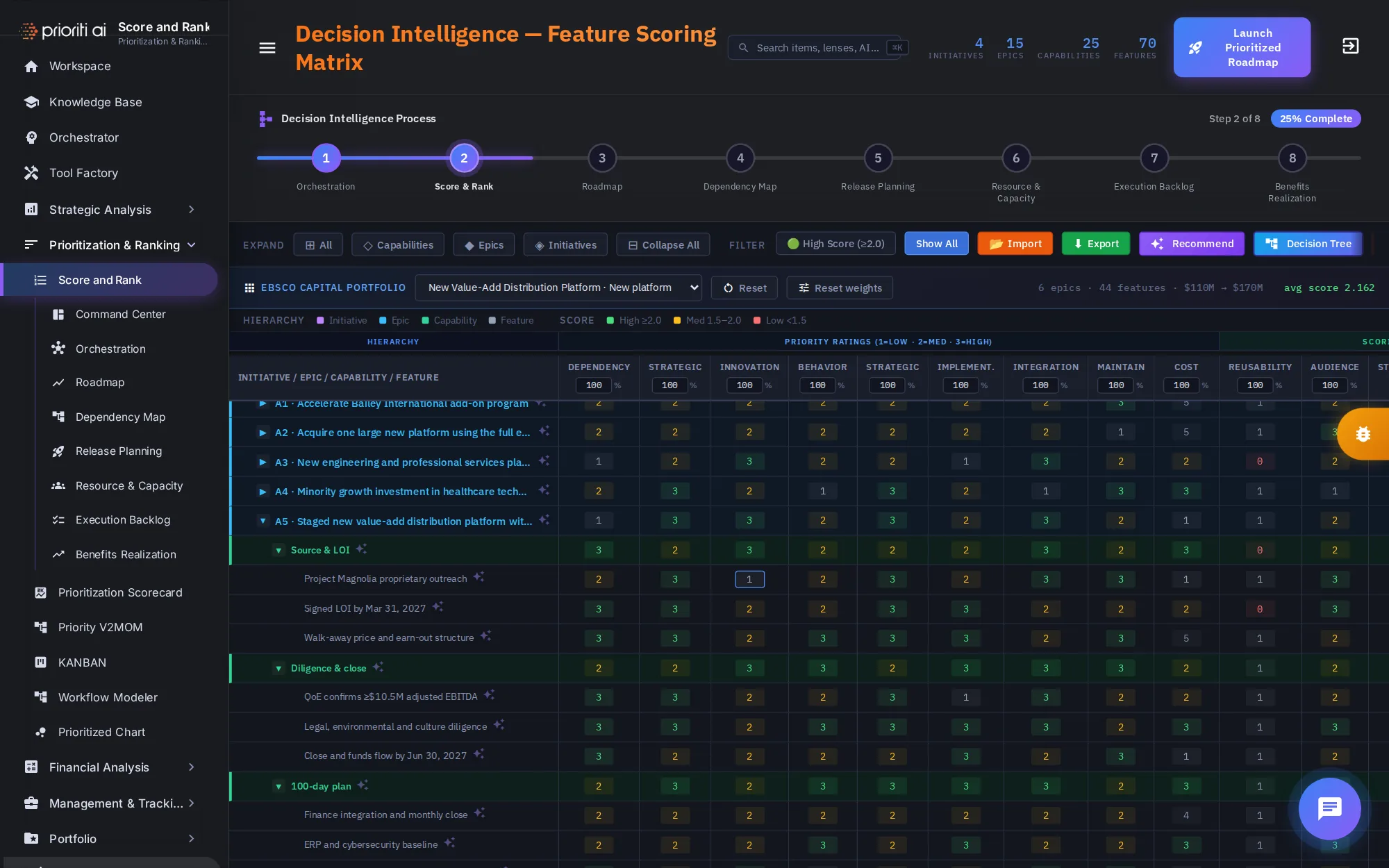
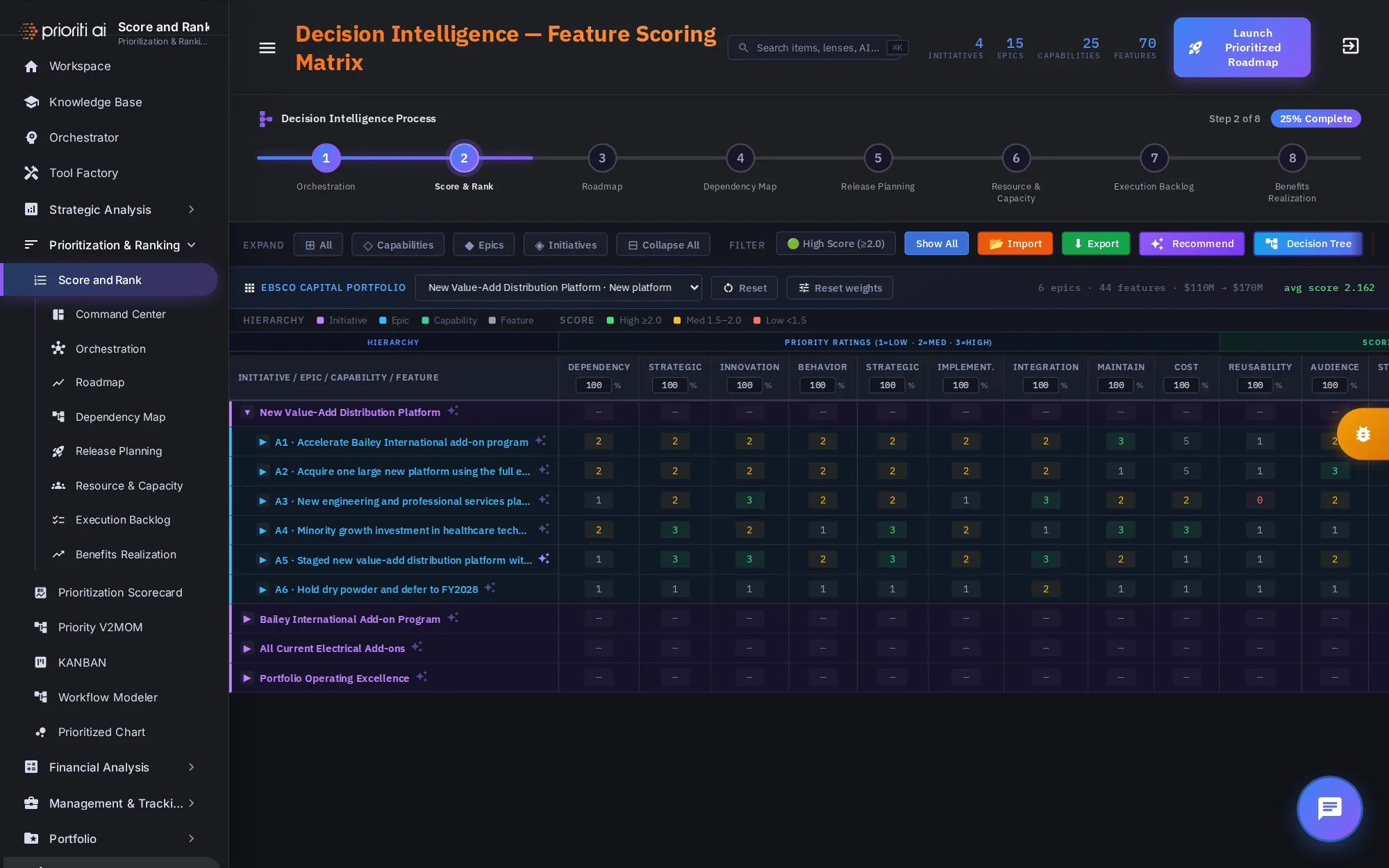
Below the decision panel is the scoring matrix: every initiative, epic, capability, and feature in one table.
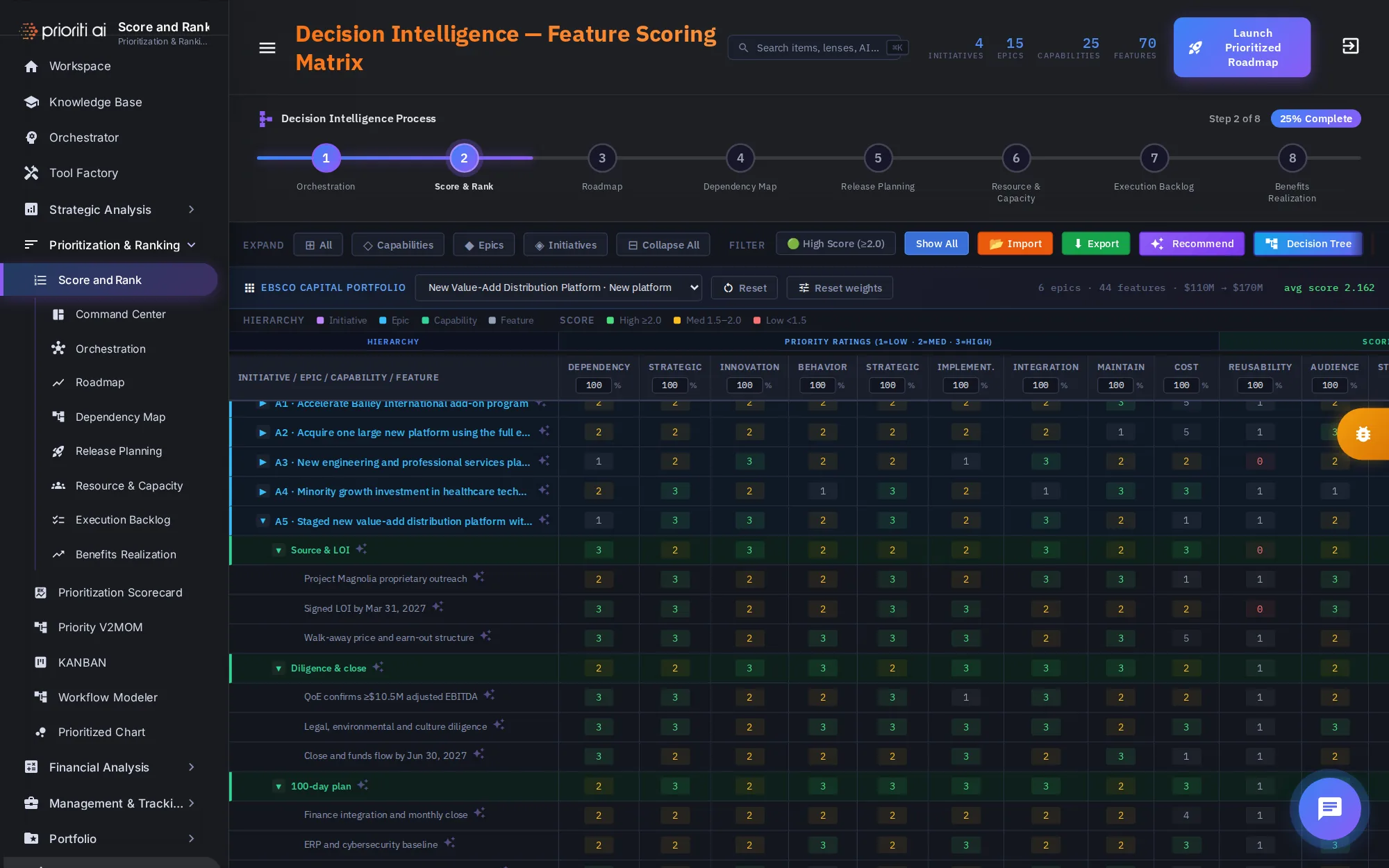
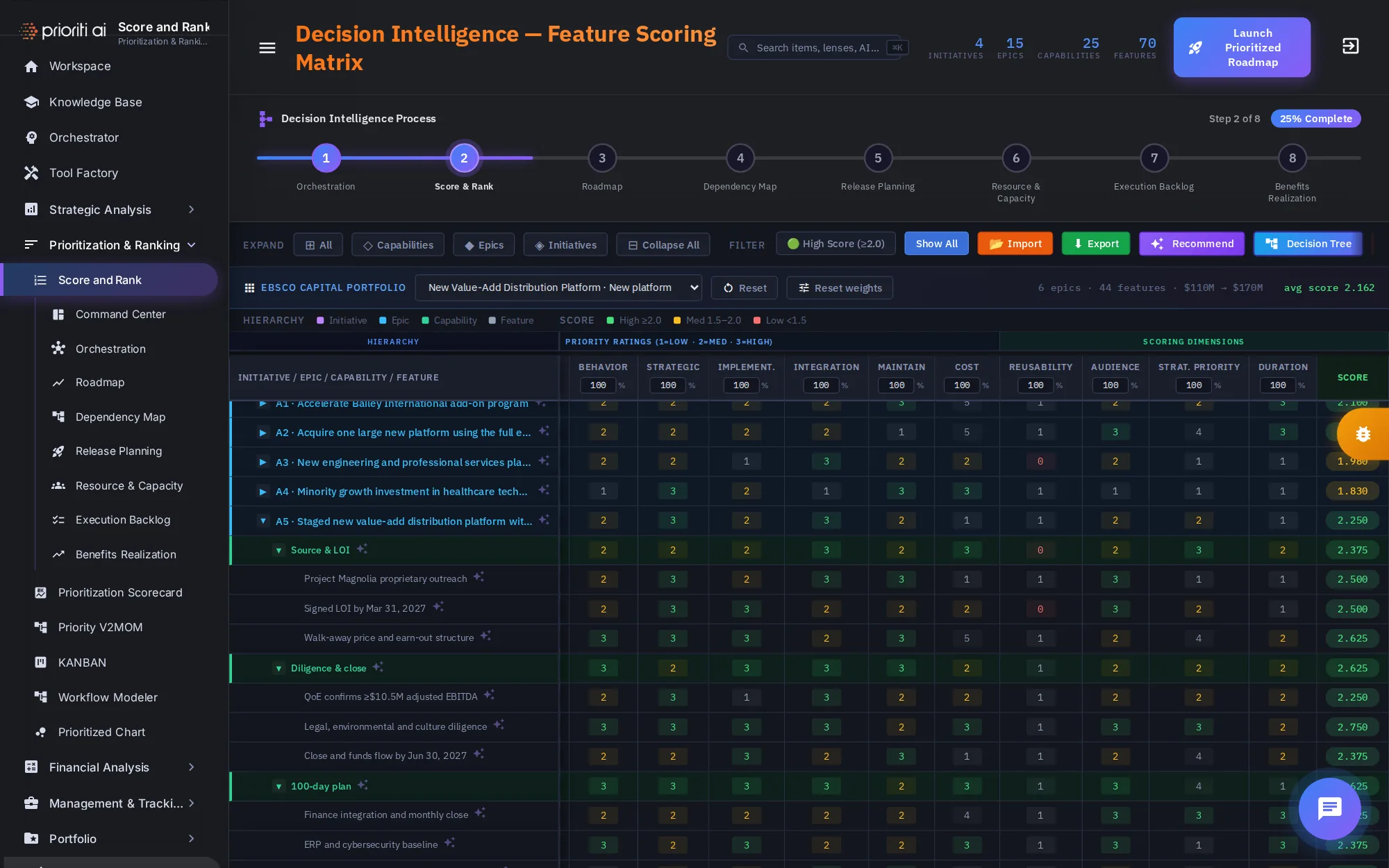
Colors show each row's level. Score bands use green for high, 2.0 or more, amber for medium, and red for low, under 1.5.
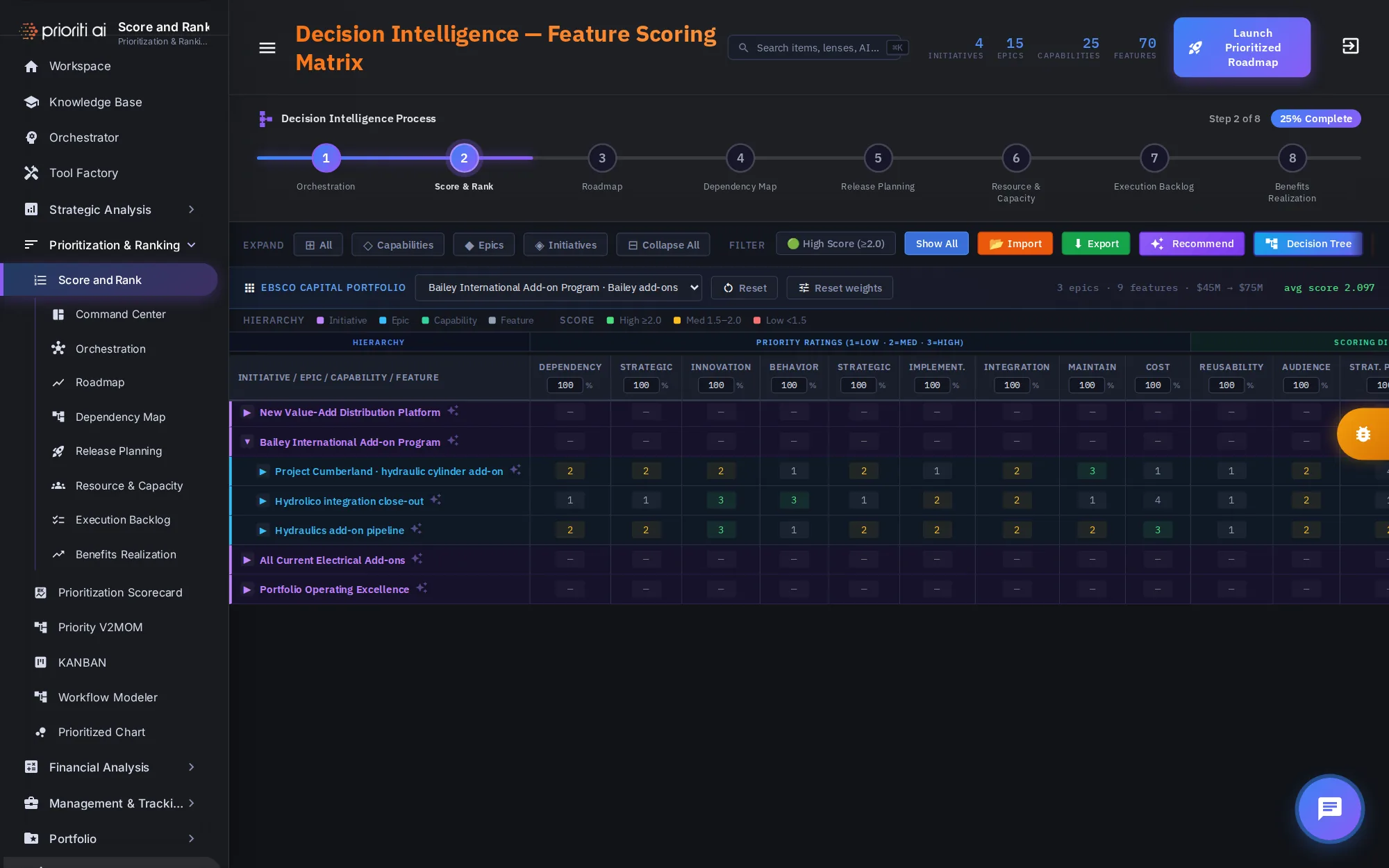
The Initech Capital Portfolio bar opens one initiative at a time. On the right, you'll see its epics, features, investment, expected value, and average score.
Pick the Initrode Hydraulics Add-on Program. The table opens it to its epics, and the summary updates to match.
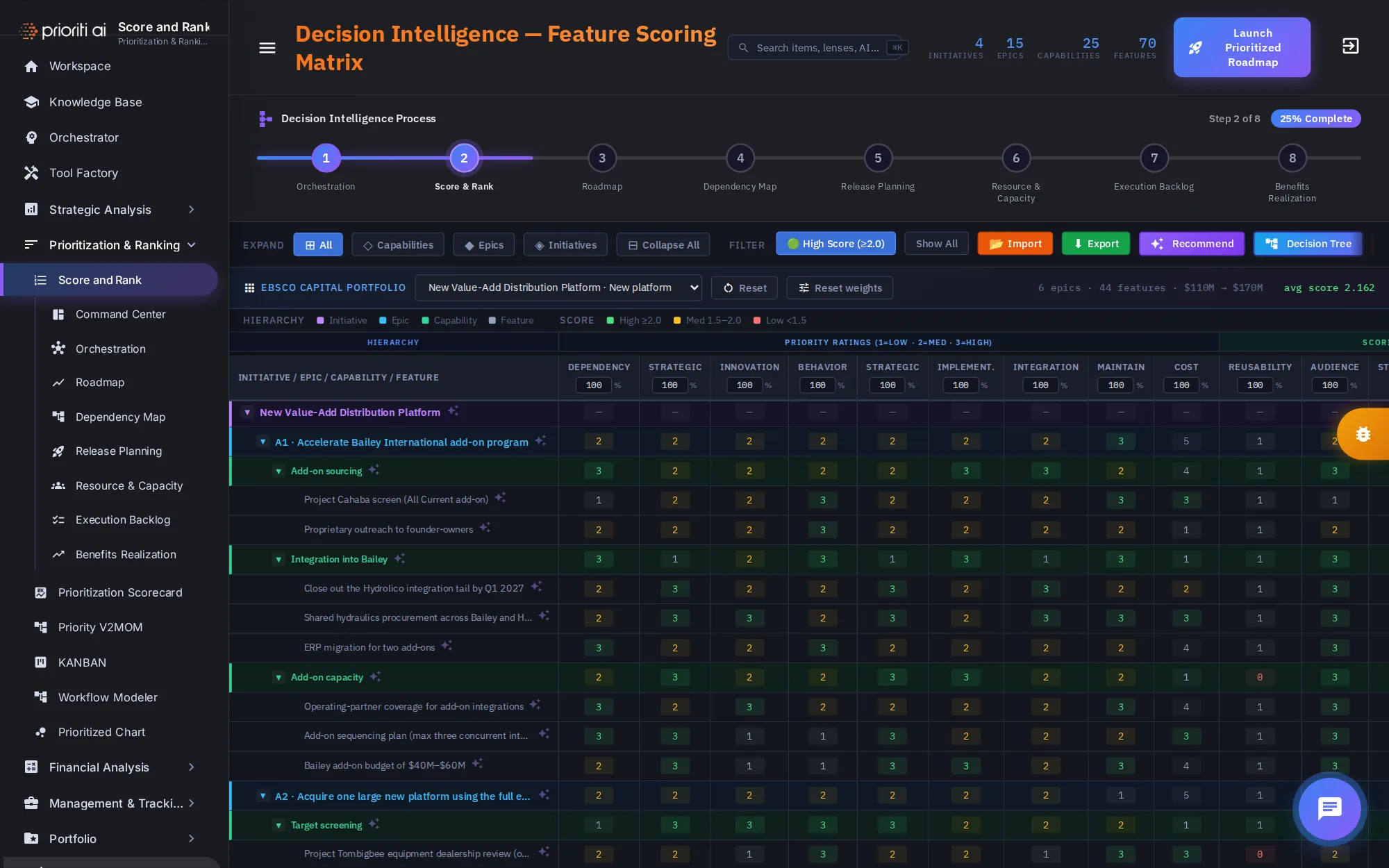
Expand controls set how deep the table goes: all rows, down to capabilities, to epics, or initiatives only. Collapse All folds everything.
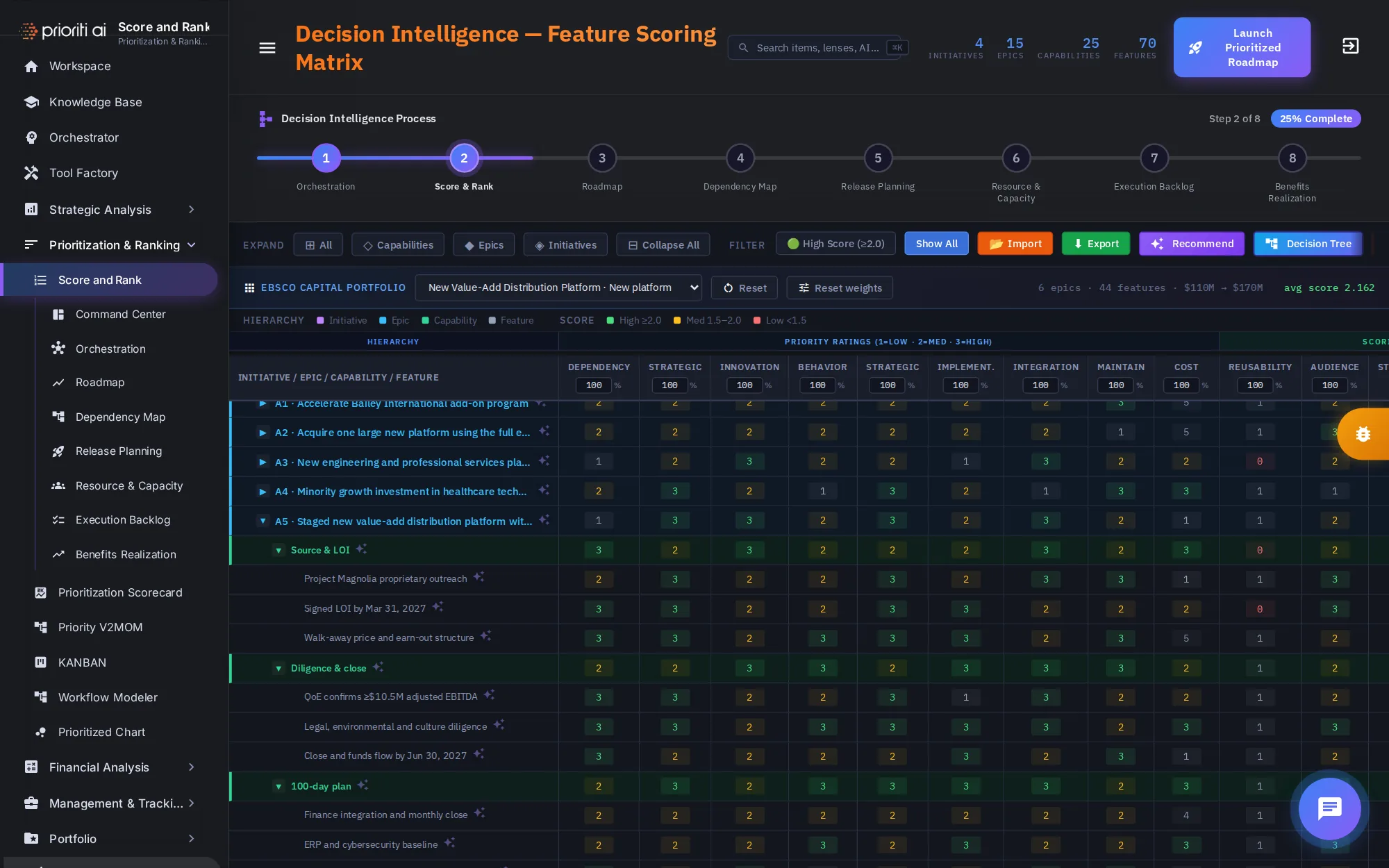
Click any row with an arrow to open it. Here, A5 opens to its capabilities and features.
Priority ratings score each item from 1, low, to 3, high, on dimensions such as dependency, strategic value, innovation, behavior, and cost.
Scroll right for the scoring dimensions and the score itself. Each score is color coded by band, so strong and weak items stand out.
Every rating and score is editable. Click a cell and type a new value. The cell's color changes with it.
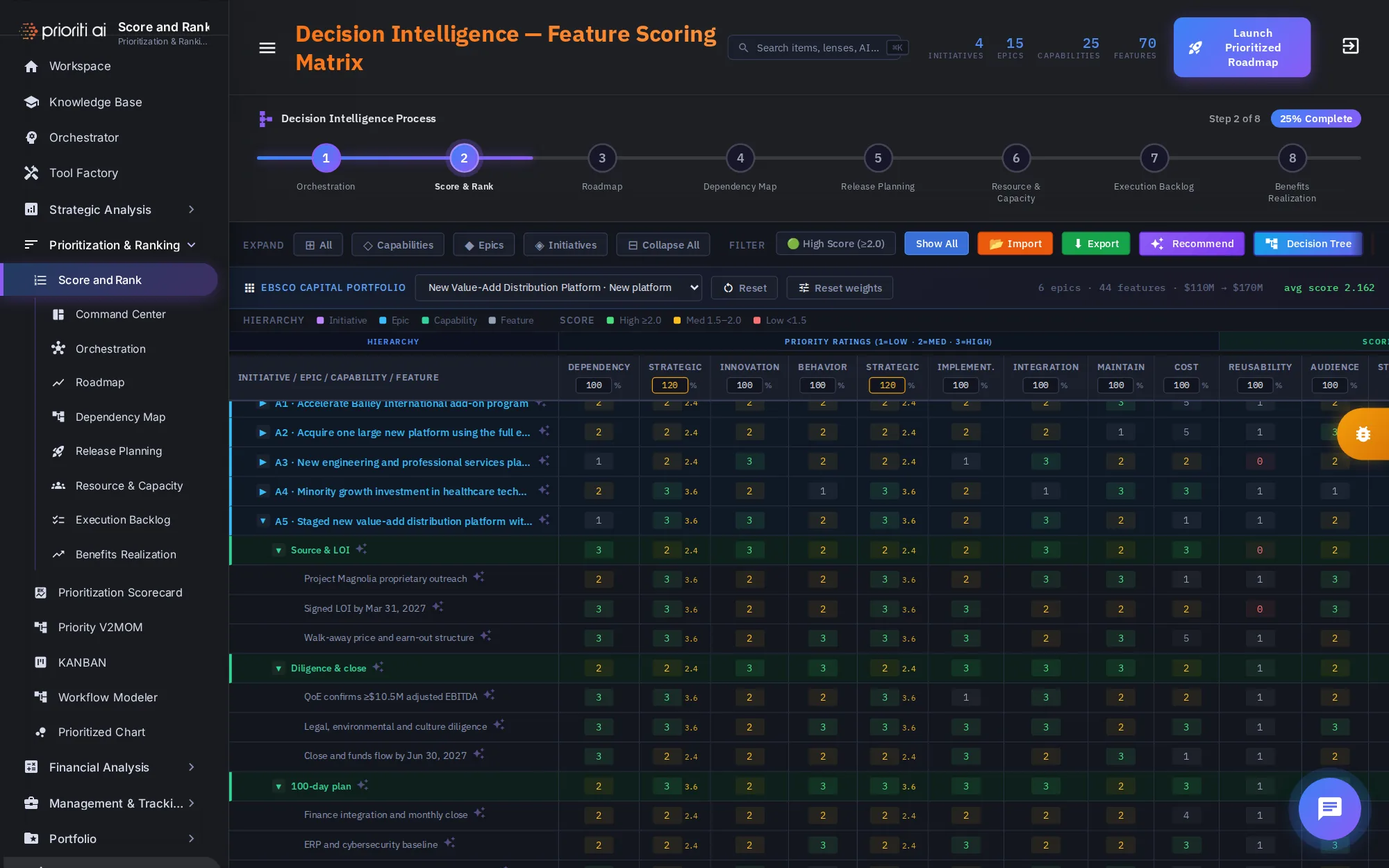
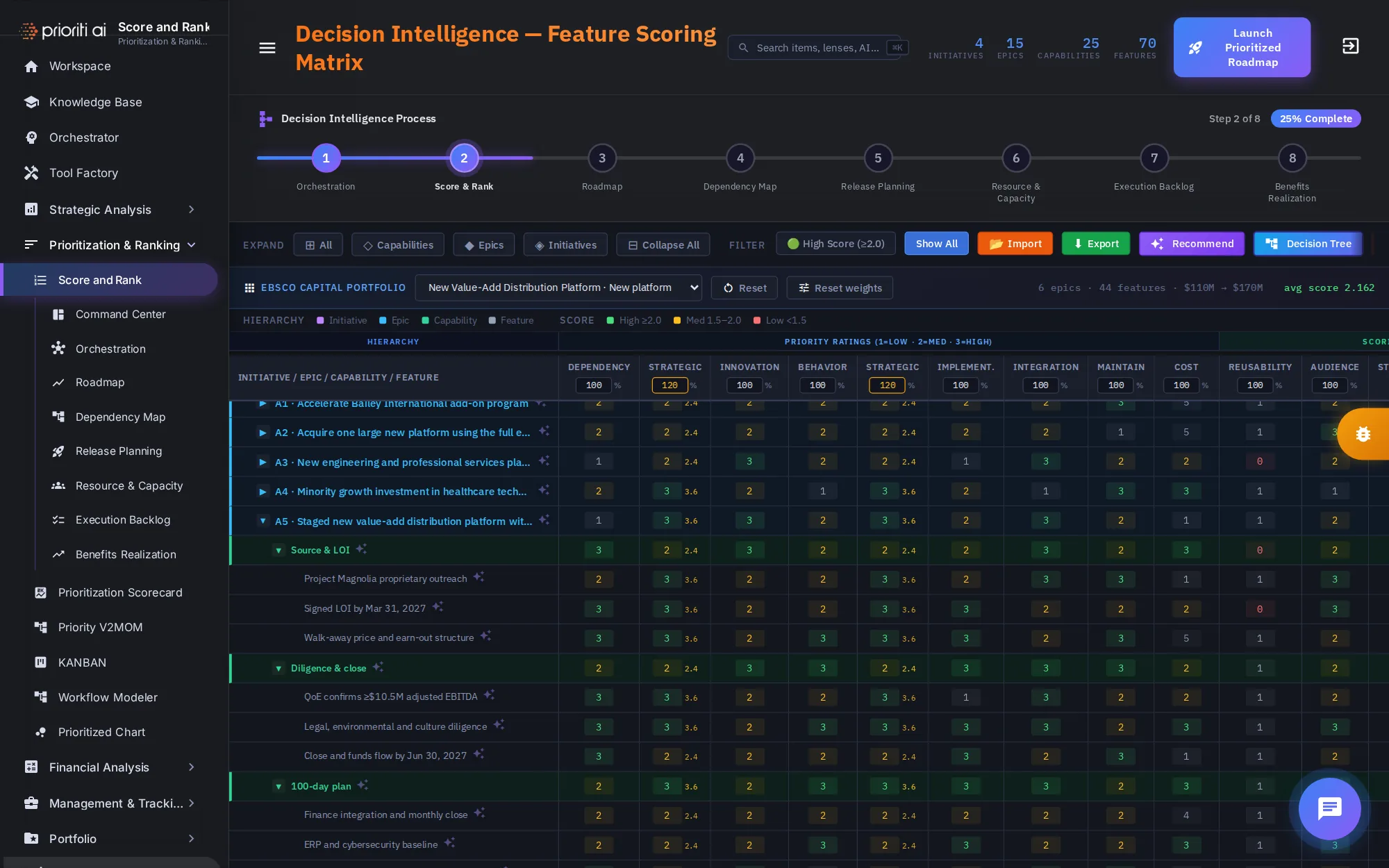
Each column has a weight from 80 to 140 percent. Set Strategic to 120, and its cells show the weighted value beside each rating.
Reset weights puts every column back to 100 percent. Reset restores the sample data and the default view.
High Score shows only items scoring 2.0 or more. Show All brings everything back.
Search features filters the table as you type. Here, Initrode finds every item that mentions it.
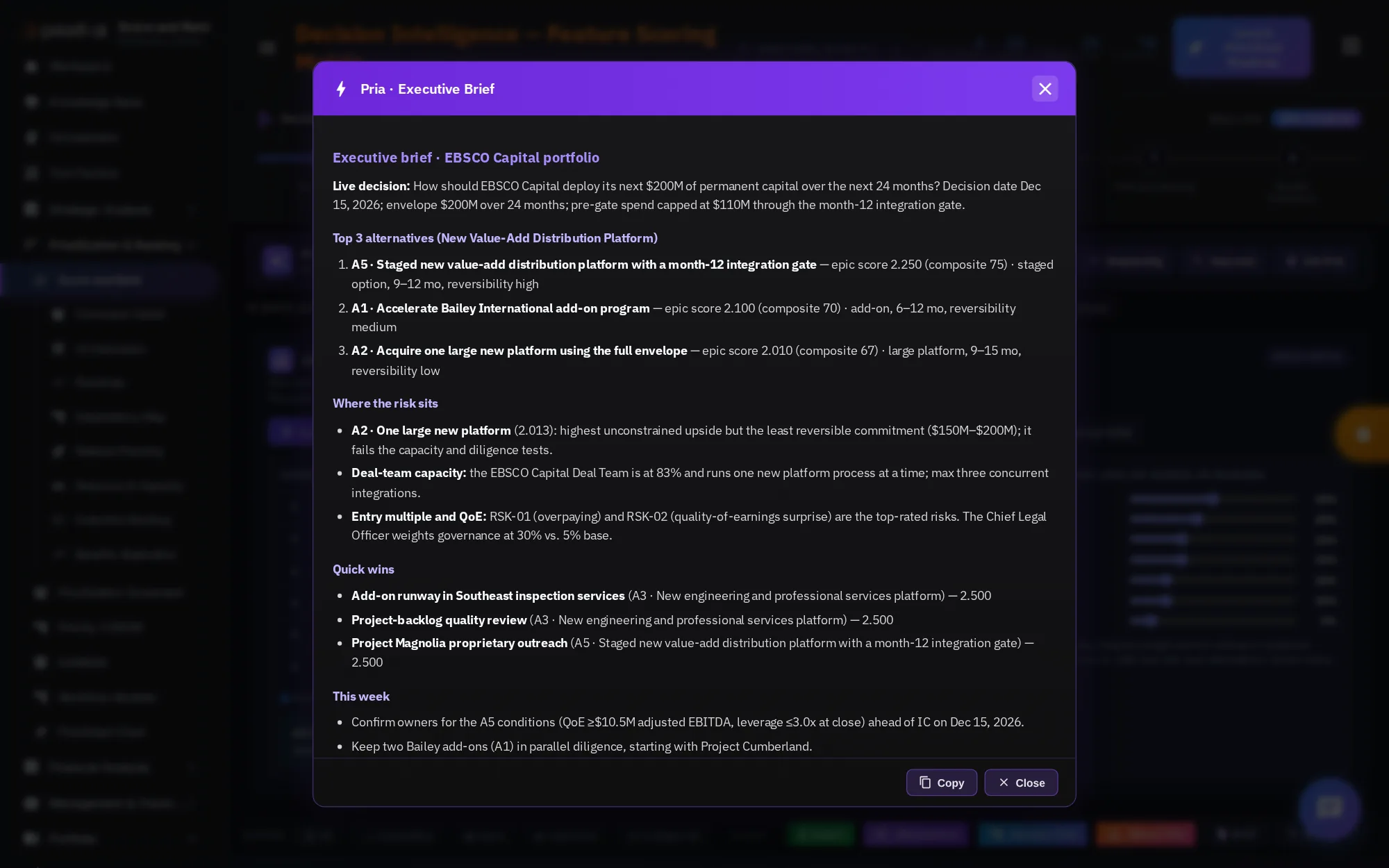
Brief me gives an executive brief of the portfolio: the top alternatives, where the risk sits, quick wins, and what to do this week.
Copy the brief to share it, or close it. Exec memo, Sequencing, and Gap scan work the same way.
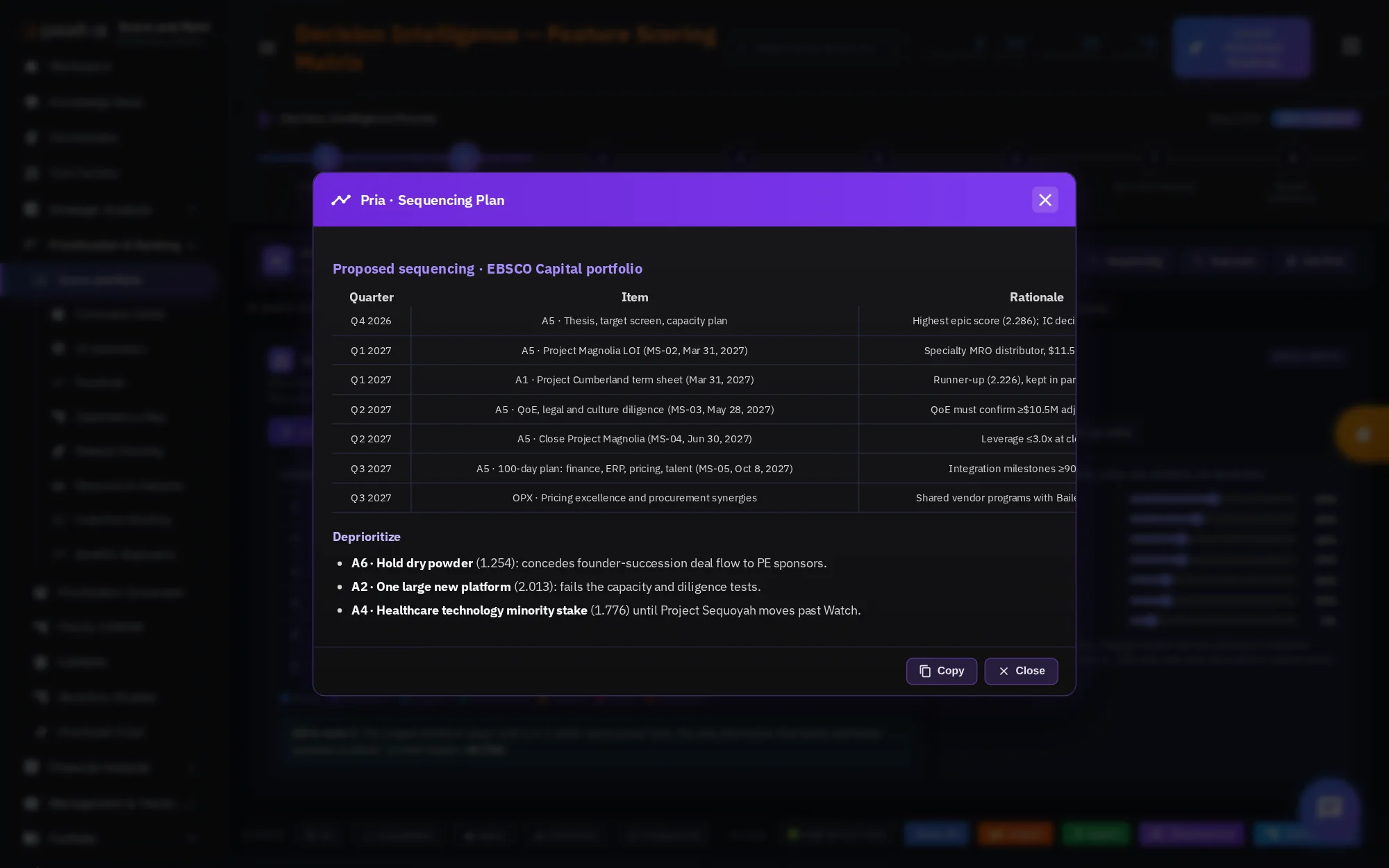
Sequencing recommends an order of work for the next three quarters, with the reason and the dependency to watch for each item.
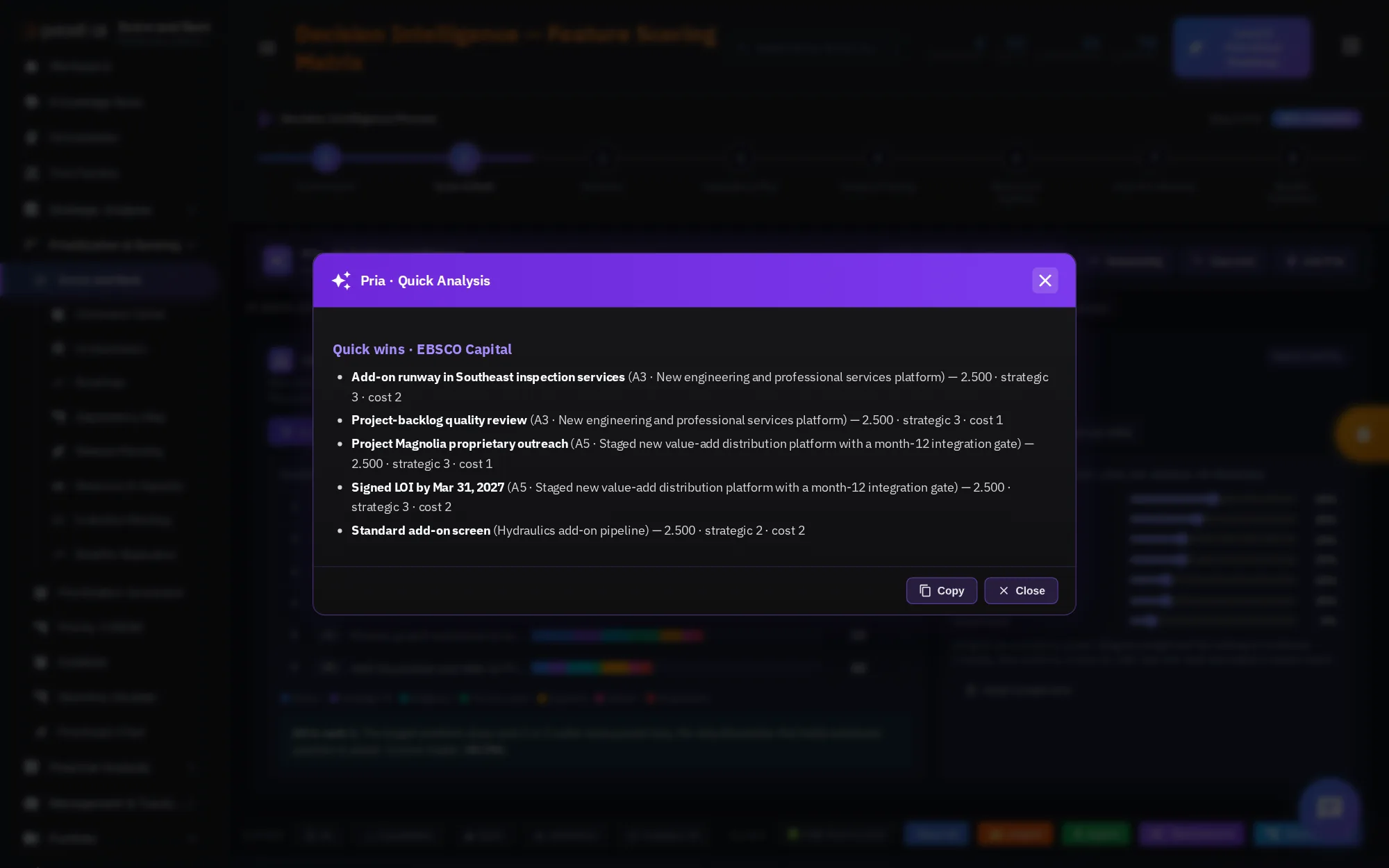
A quick query answers one focused question. Quick wins finds items with a high score, a low cost, and a short duration.
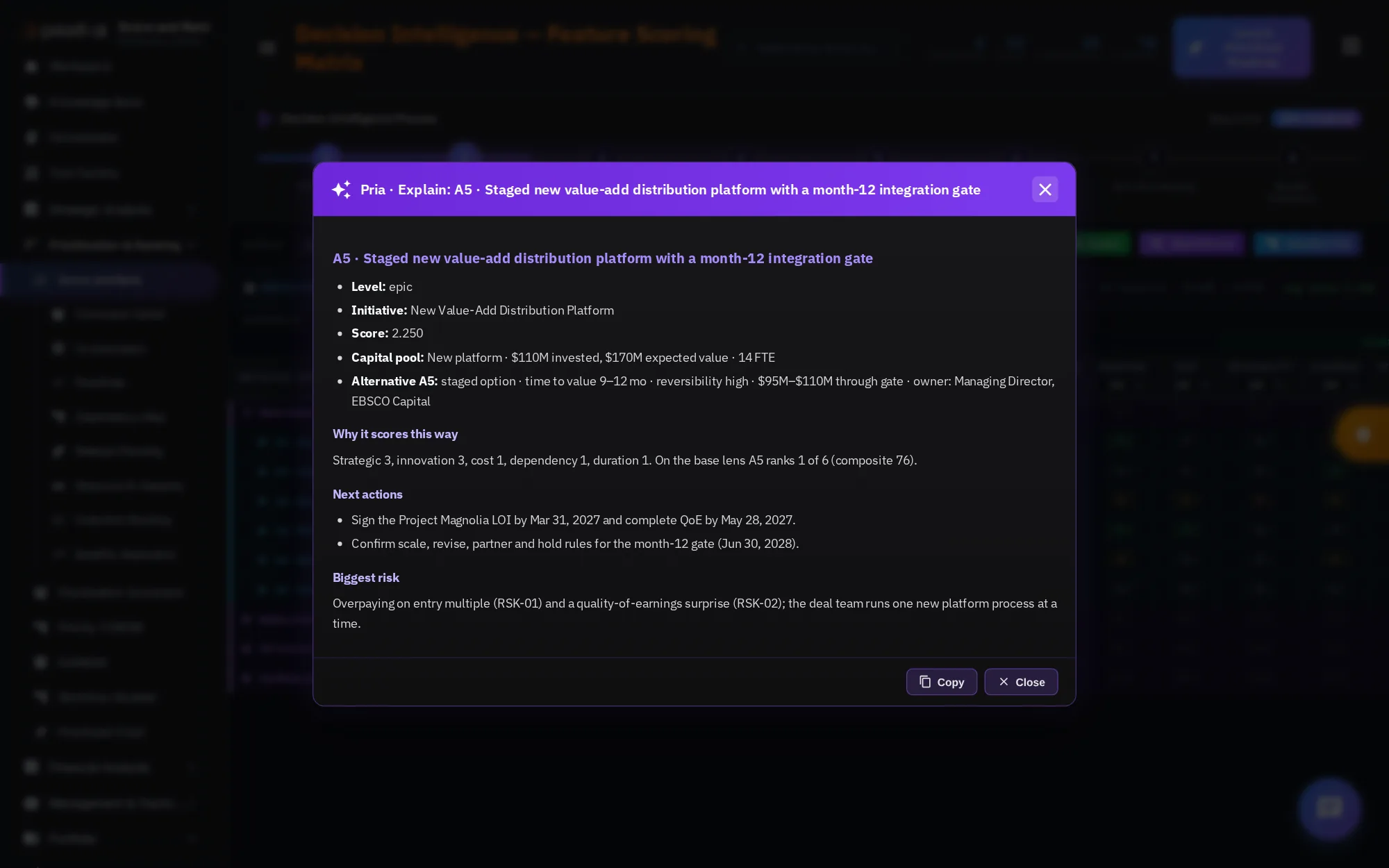
Every row has a sparkle button. Click it, and Pria explains why that item scored the way it did.
She walks through the item dimension by dimension: what lifts the score, what holds it back, and what would change it.
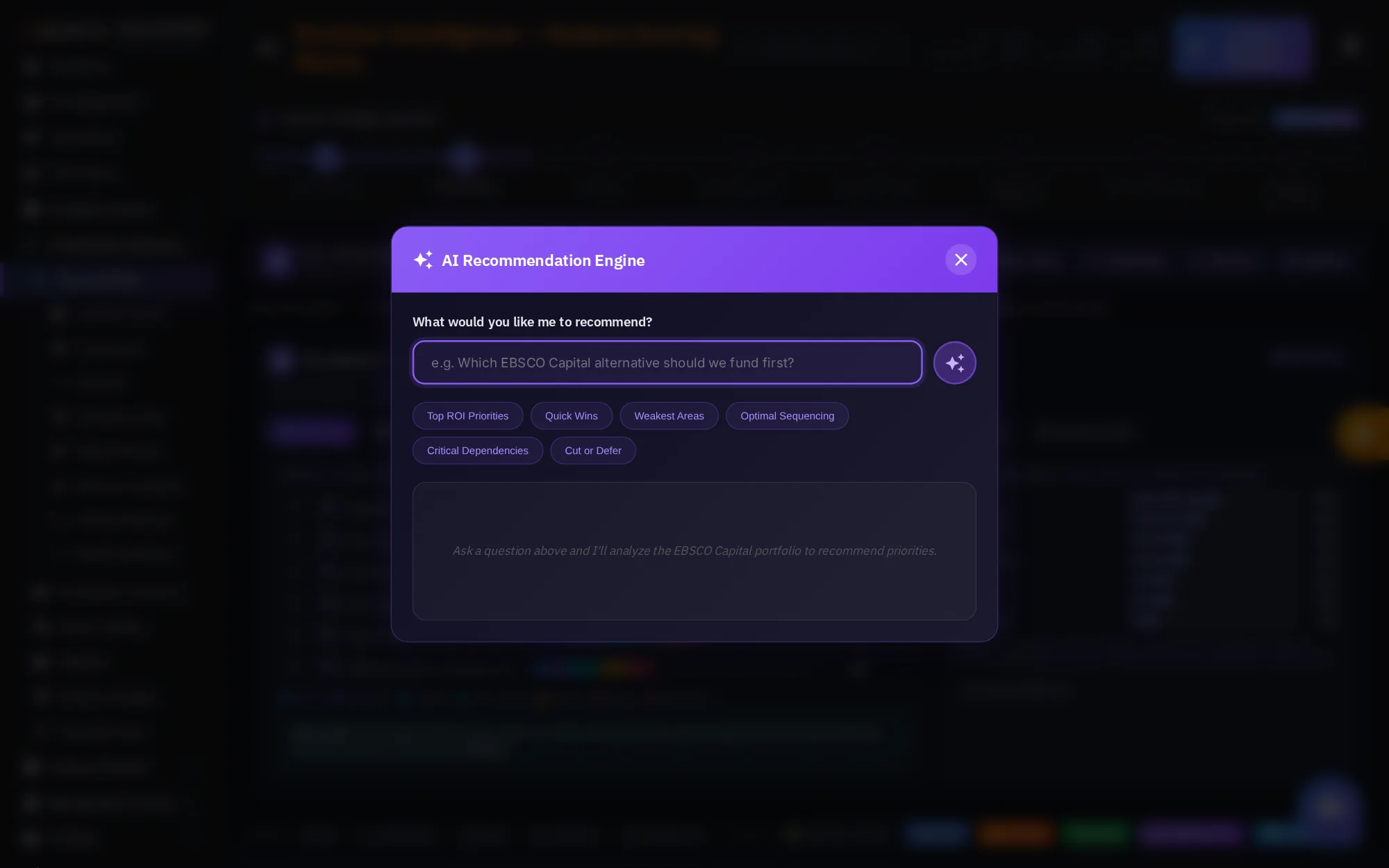
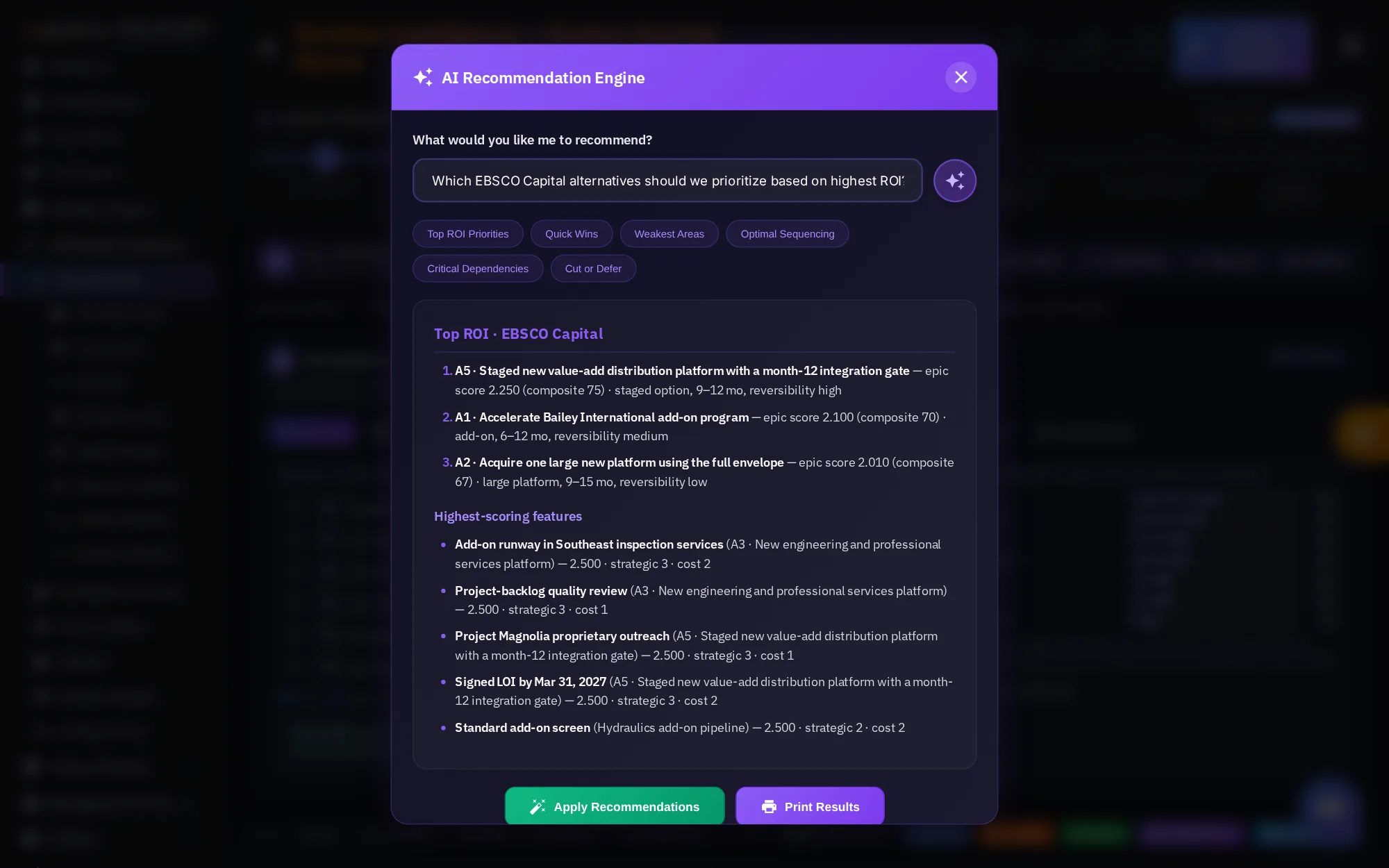
Ask Pria, or Recommend in the toolbar, opens the AI Recommendation Engine. Type a question, or pick a chip such as Top ROI Priorities.
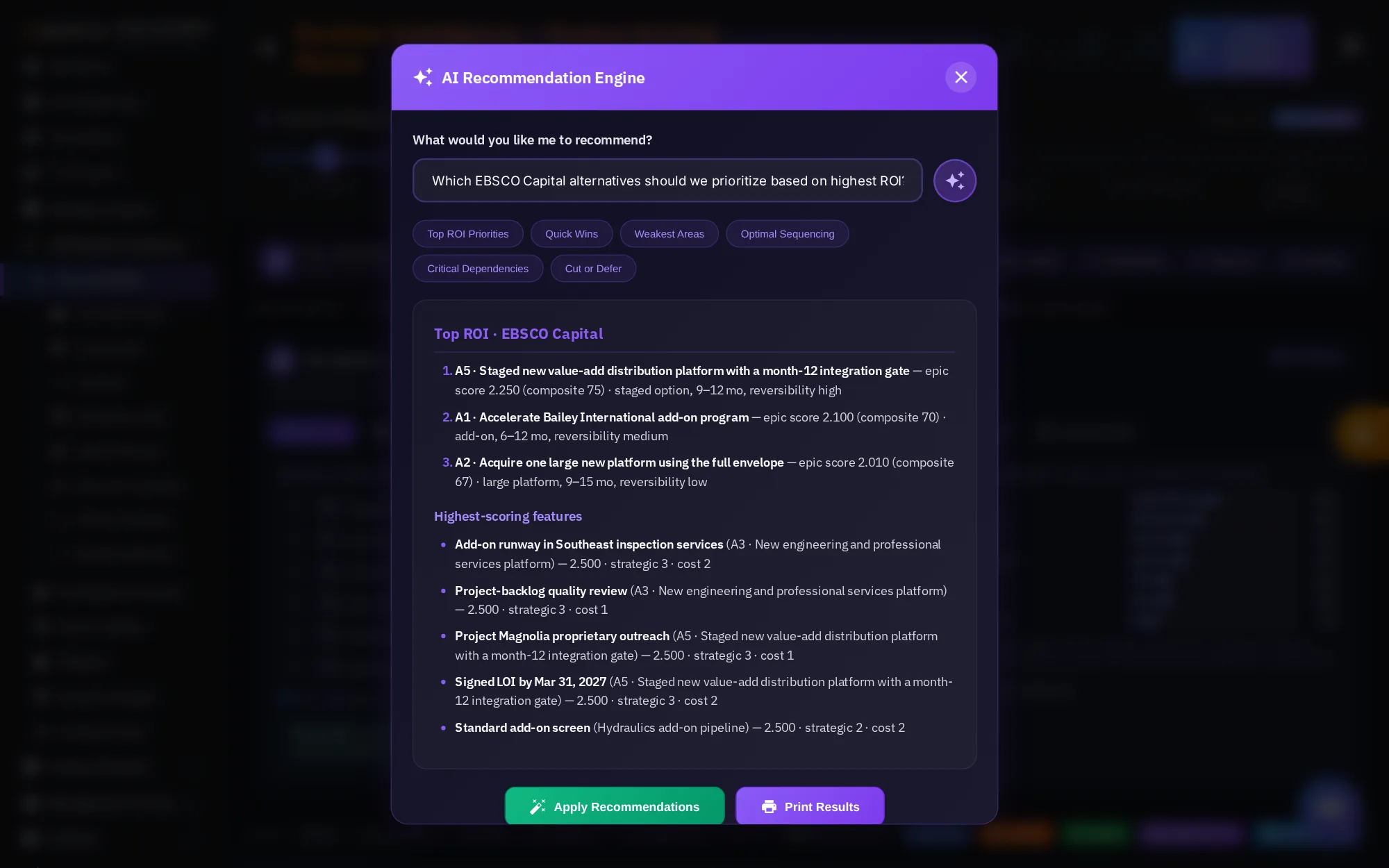
Pria answers from the scored portfolio, naming the alternatives and features that matter, with their scores.
Apply Recommendations updates the table to reflect the advice. Print Results prints the answer for a meeting.
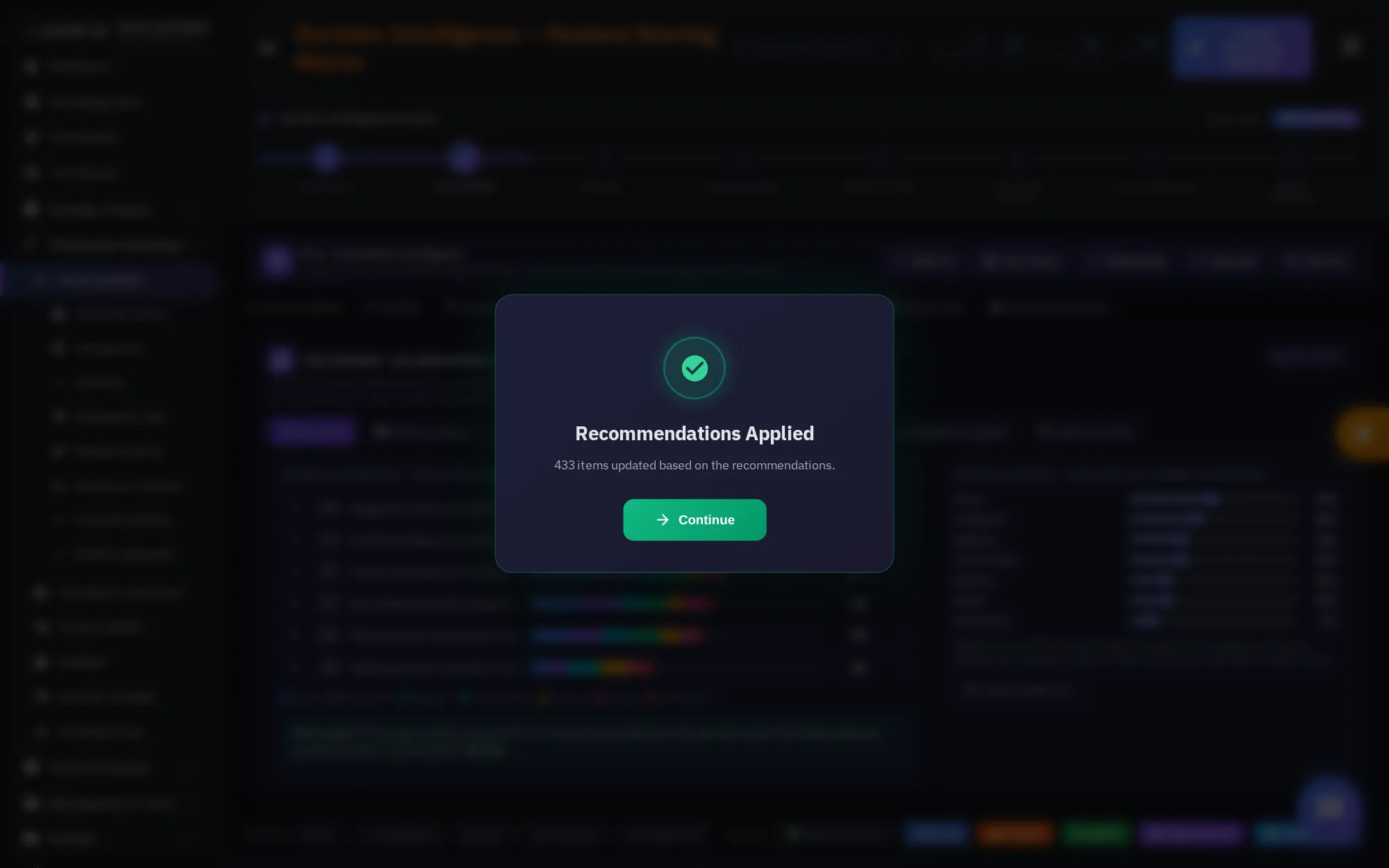
A confirmation shows when the changes are applied. Click Continue to return to the table.
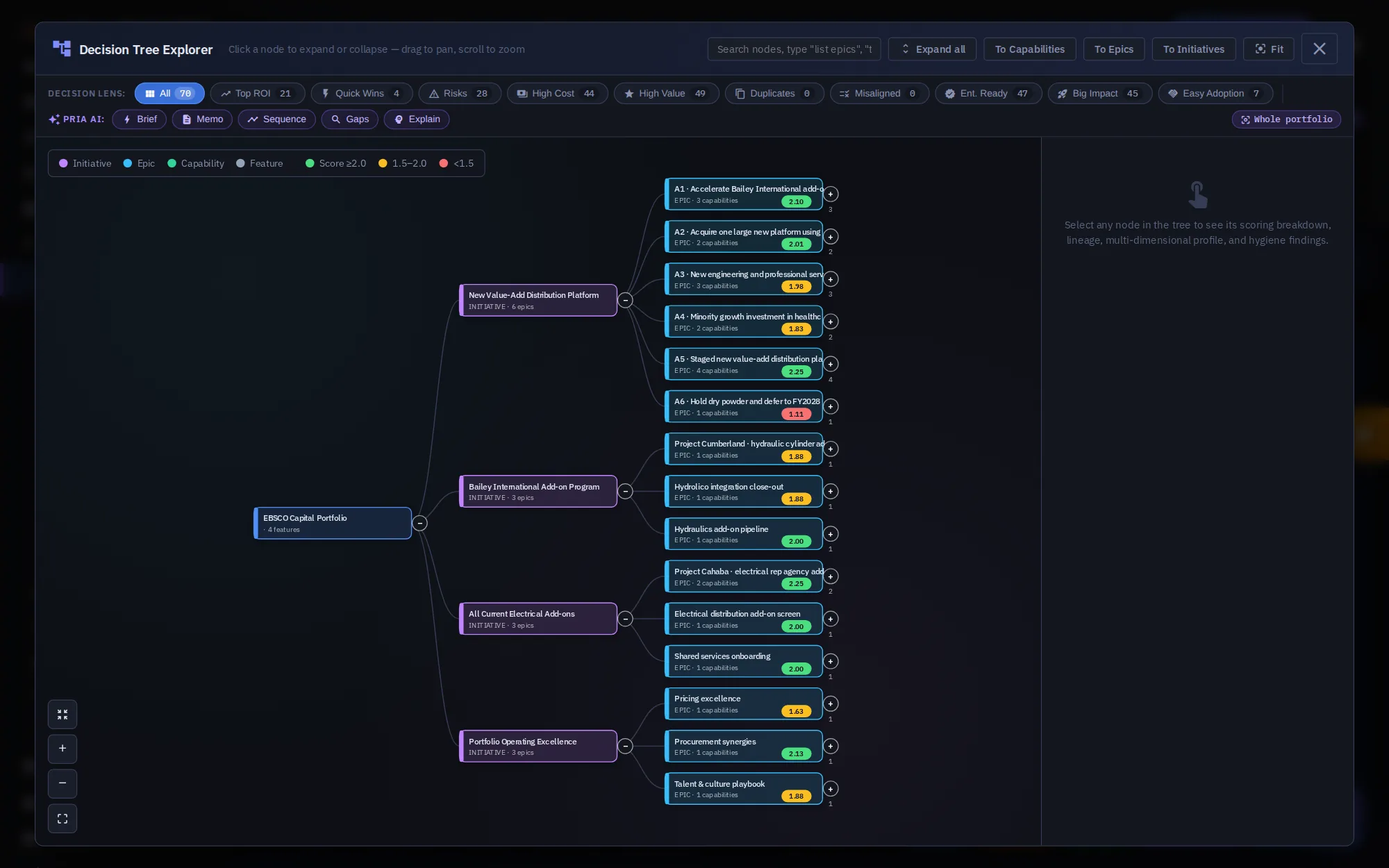
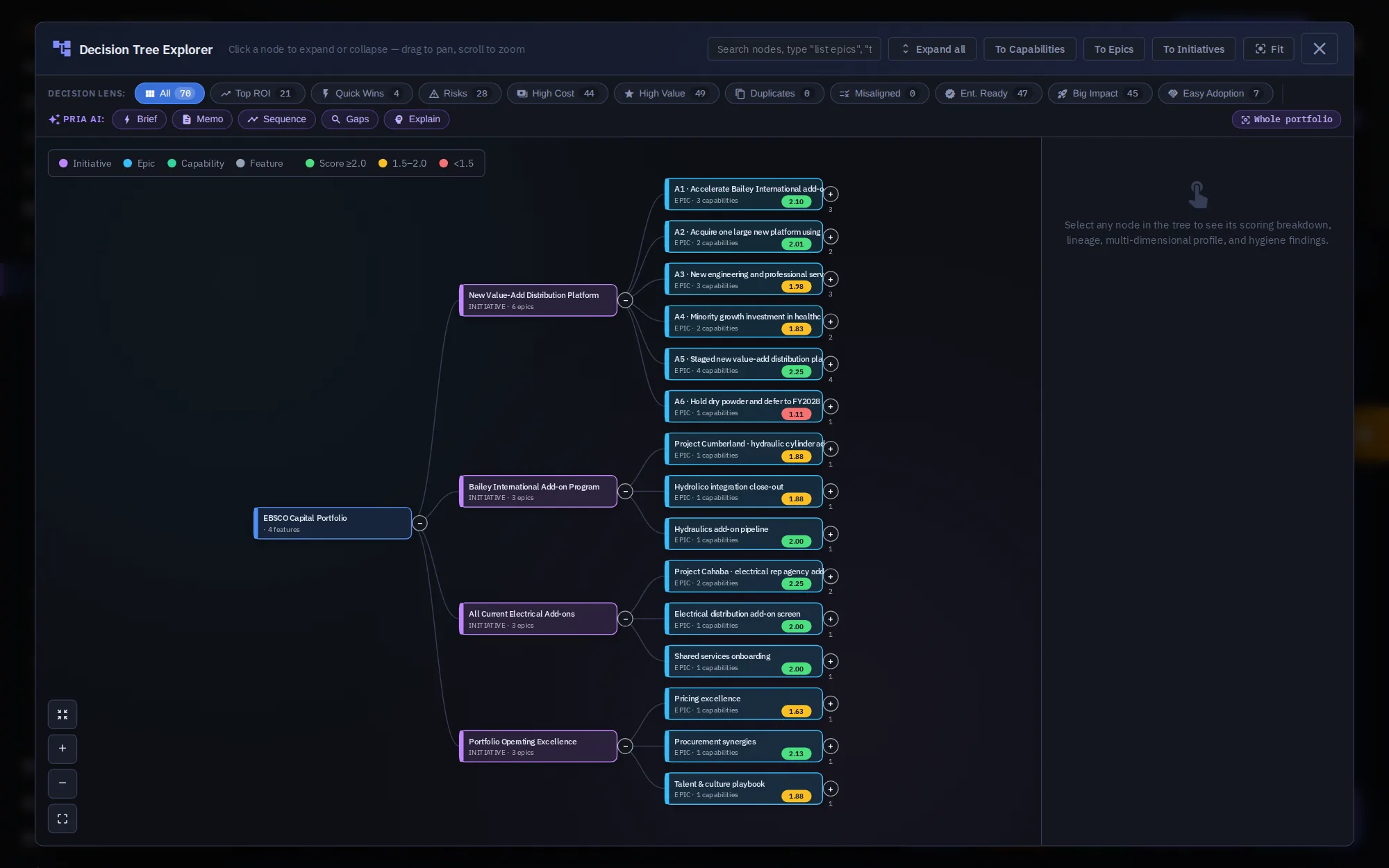
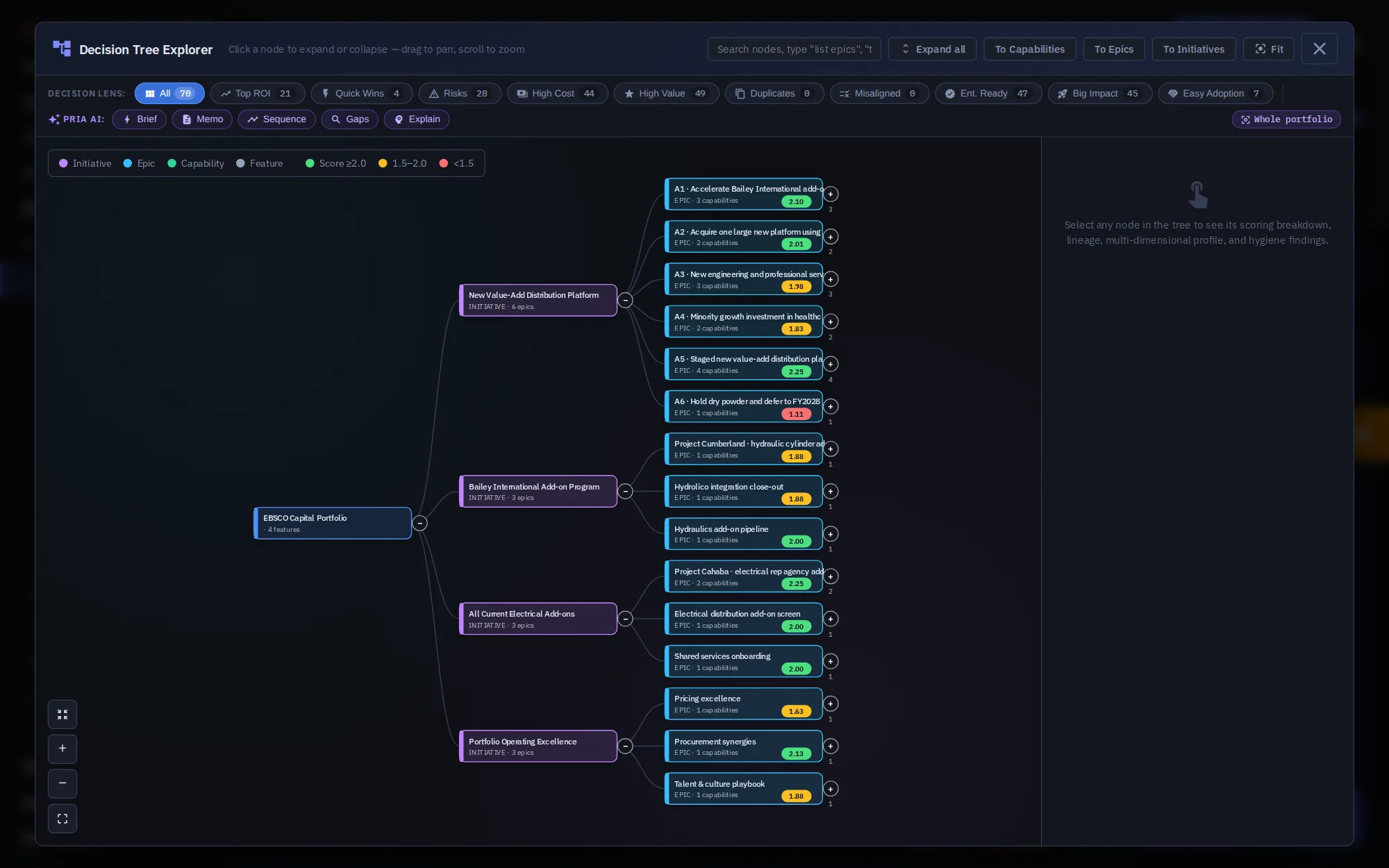
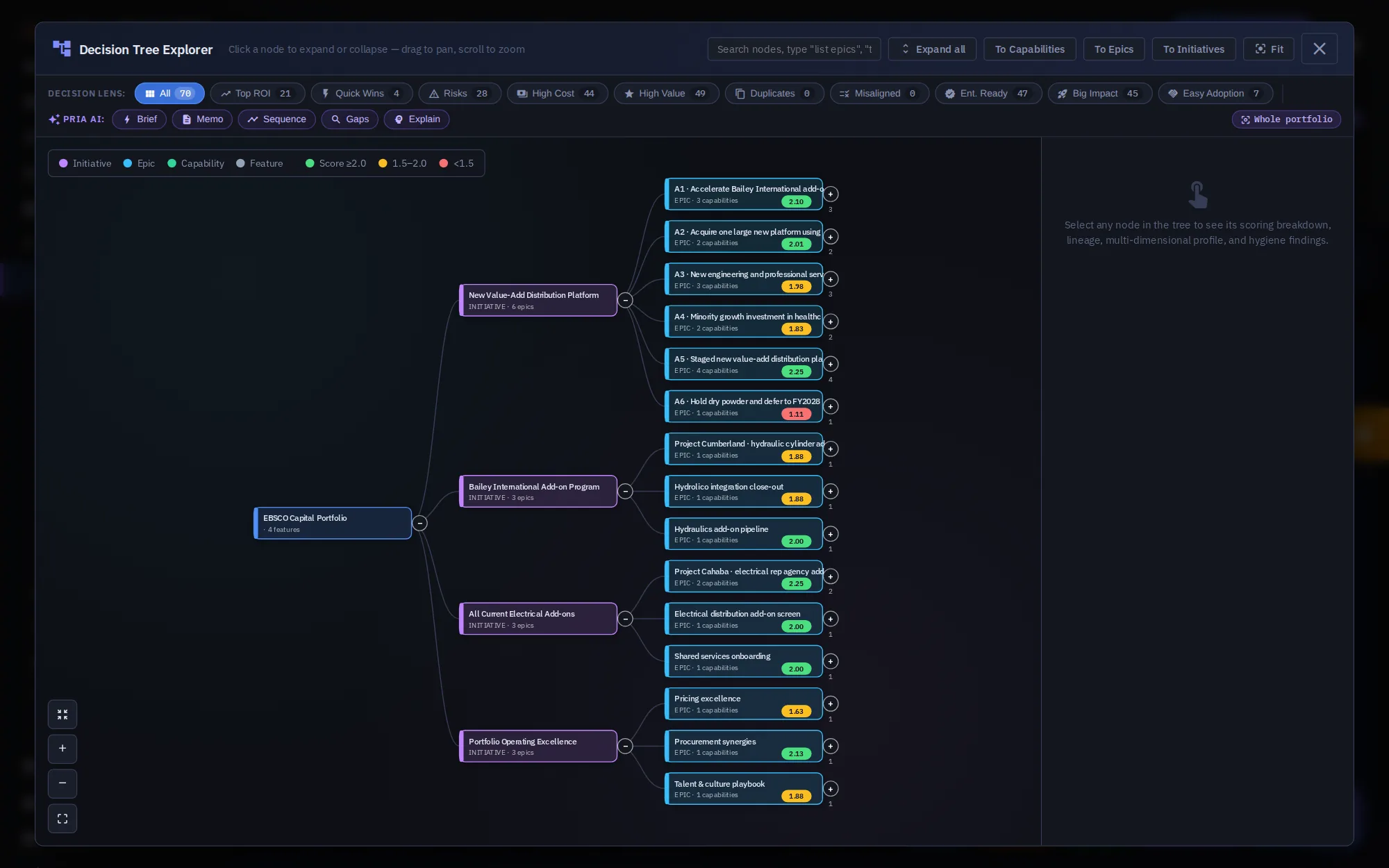
Decision Tree shows the whole portfolio as a tree: the portfolio, its initiatives, their epics, and on down to features.
Each node shows its level and score, colored by band. Click a node to open or close it. Drag to pan, and scroll to zoom.
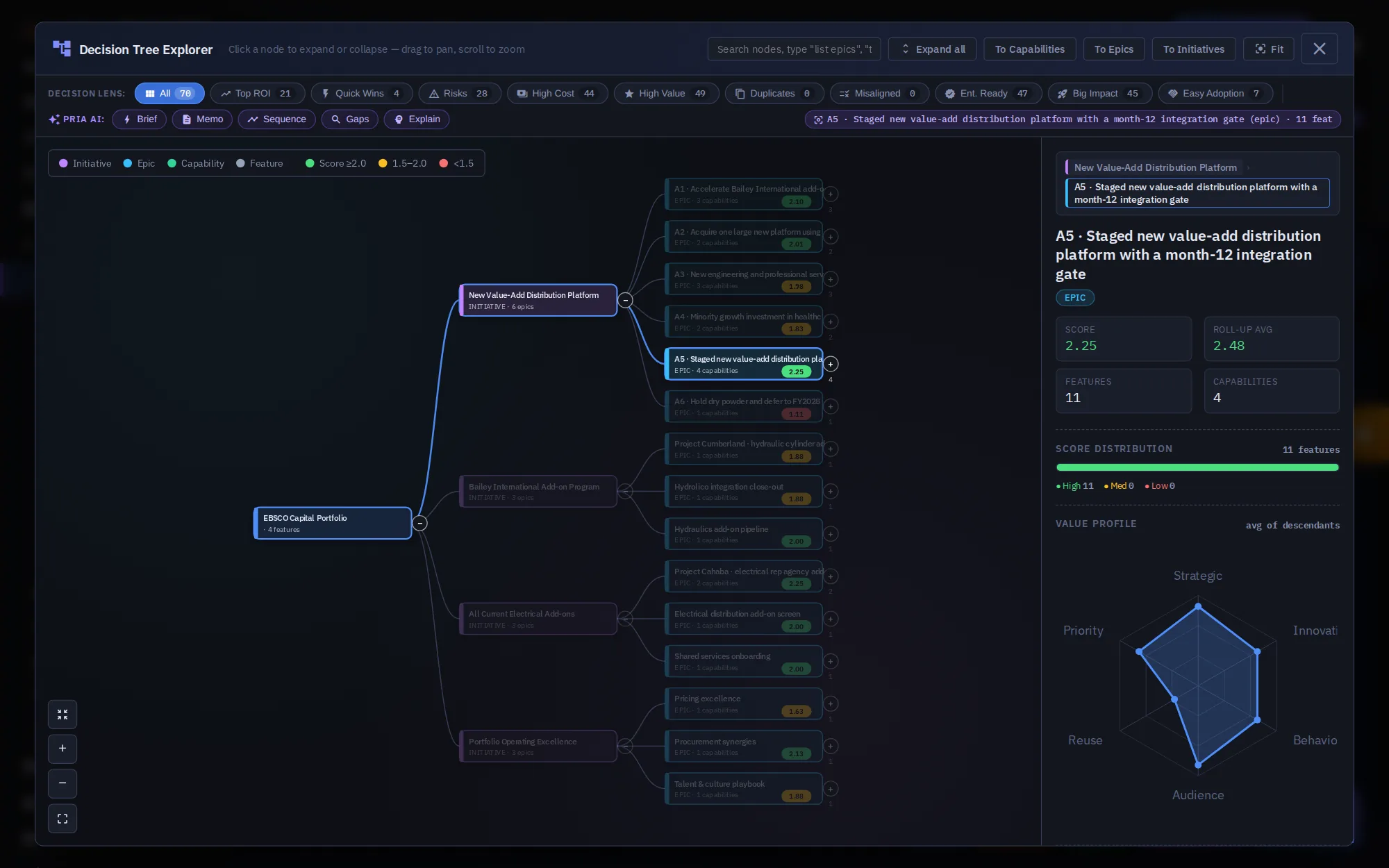
Select a node to see its details: its score and roll-up, how many capabilities and features sit under it, the score spread, and its value profile.
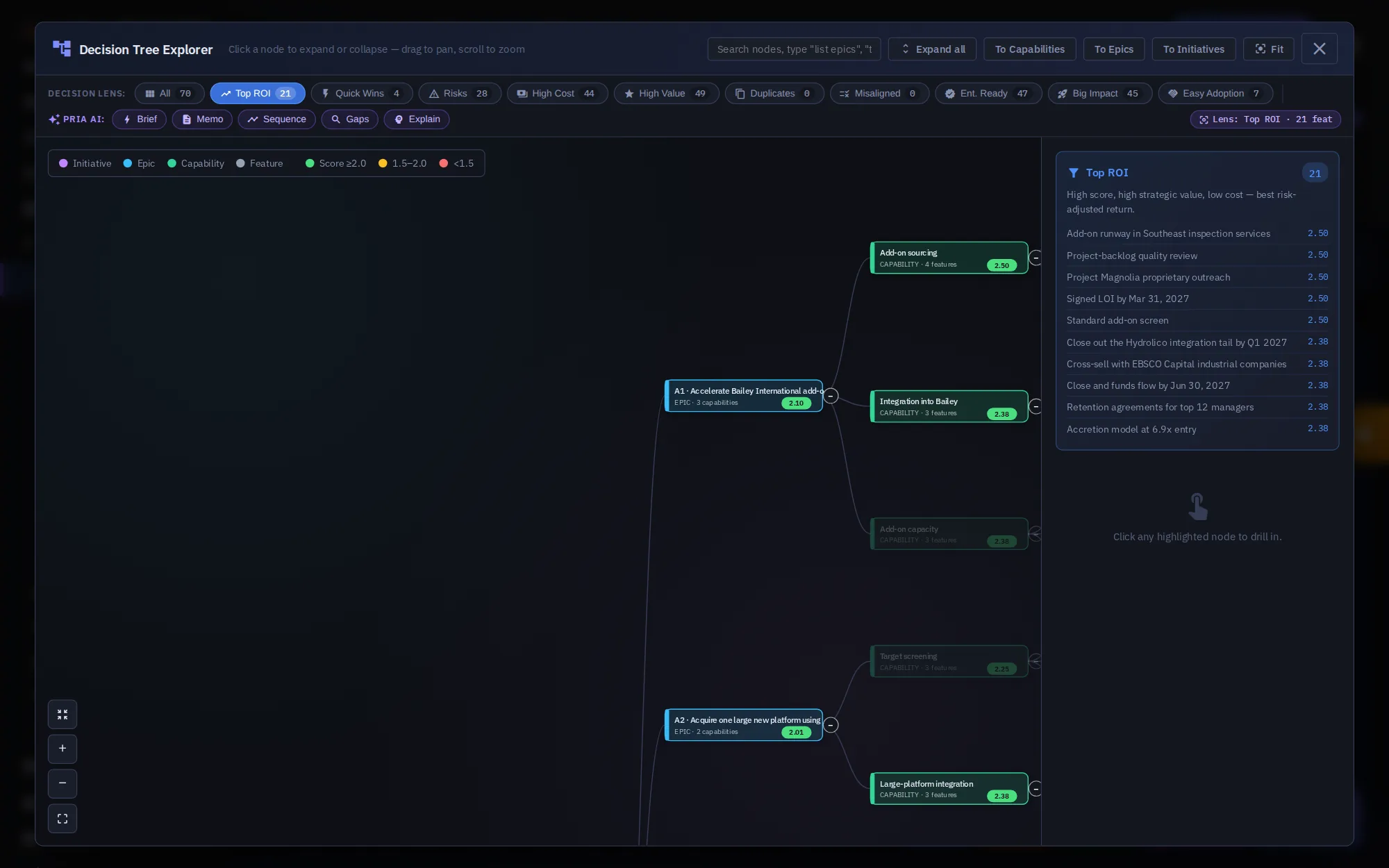
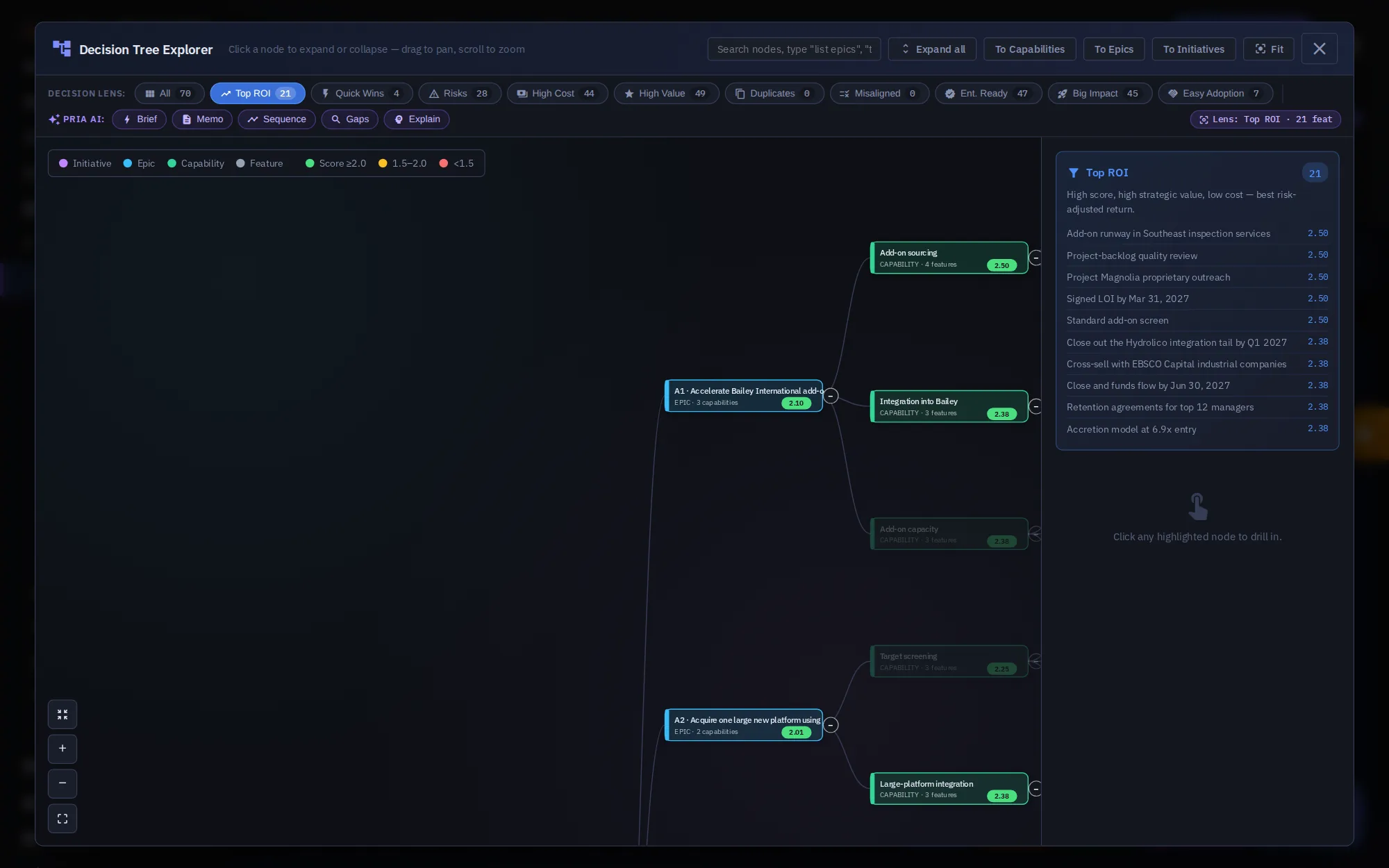
Decision lenses highlight part of the tree. Each shows a count, such as 21 Top ROI items, 28 risks, or 7 easy to adopt.
With Top ROI on, matching items light up, and the side panel lists them by score. Click any highlighted node to drill in.
Pria AI works on what you're looking at. The scope pill shows what she'll analyze, from the whole portfolio down to one lens or node.
Search nodes, expand everything, or collapse to capabilities, epics, or initiatives. Fit brings the whole tree back into view.
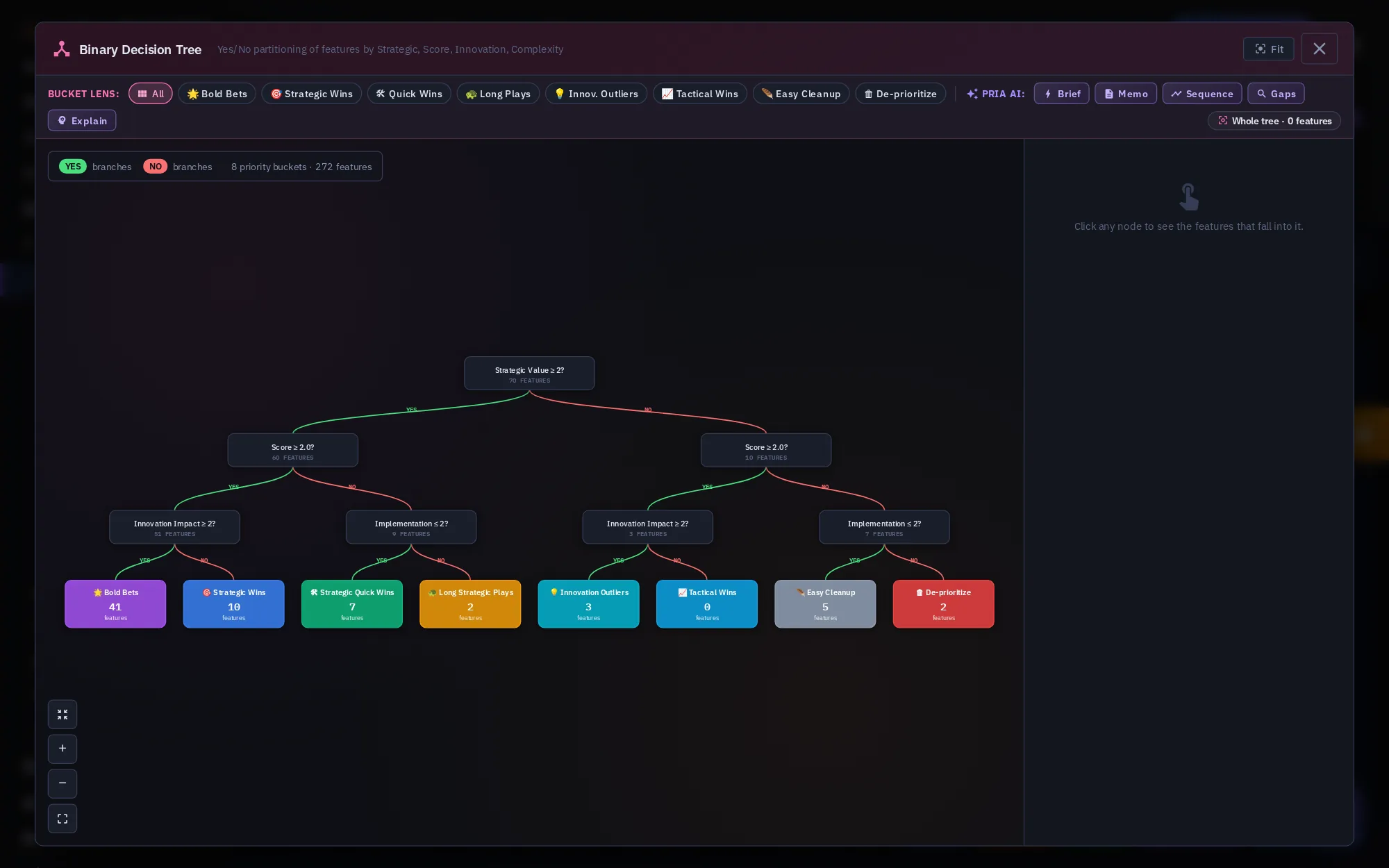
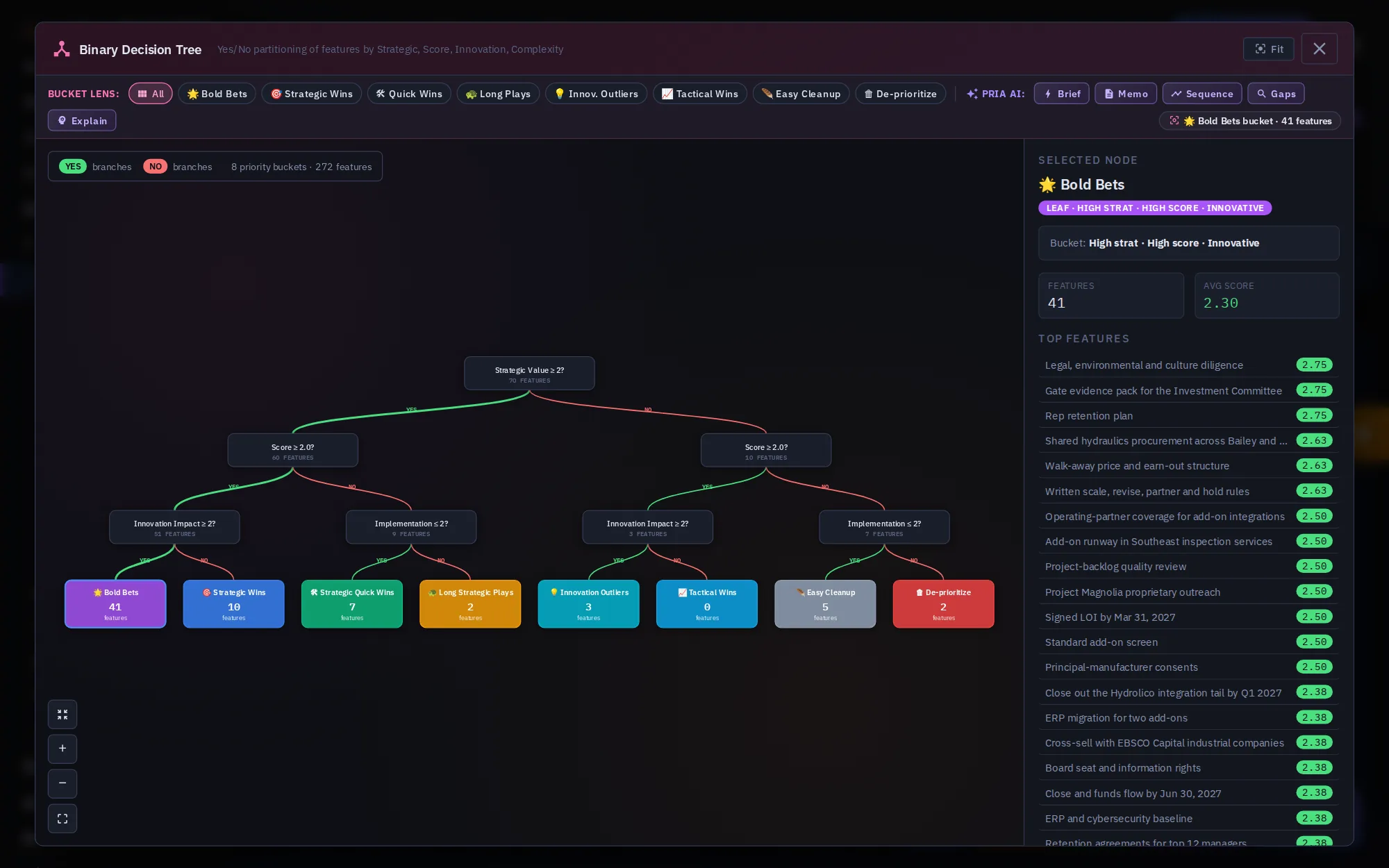
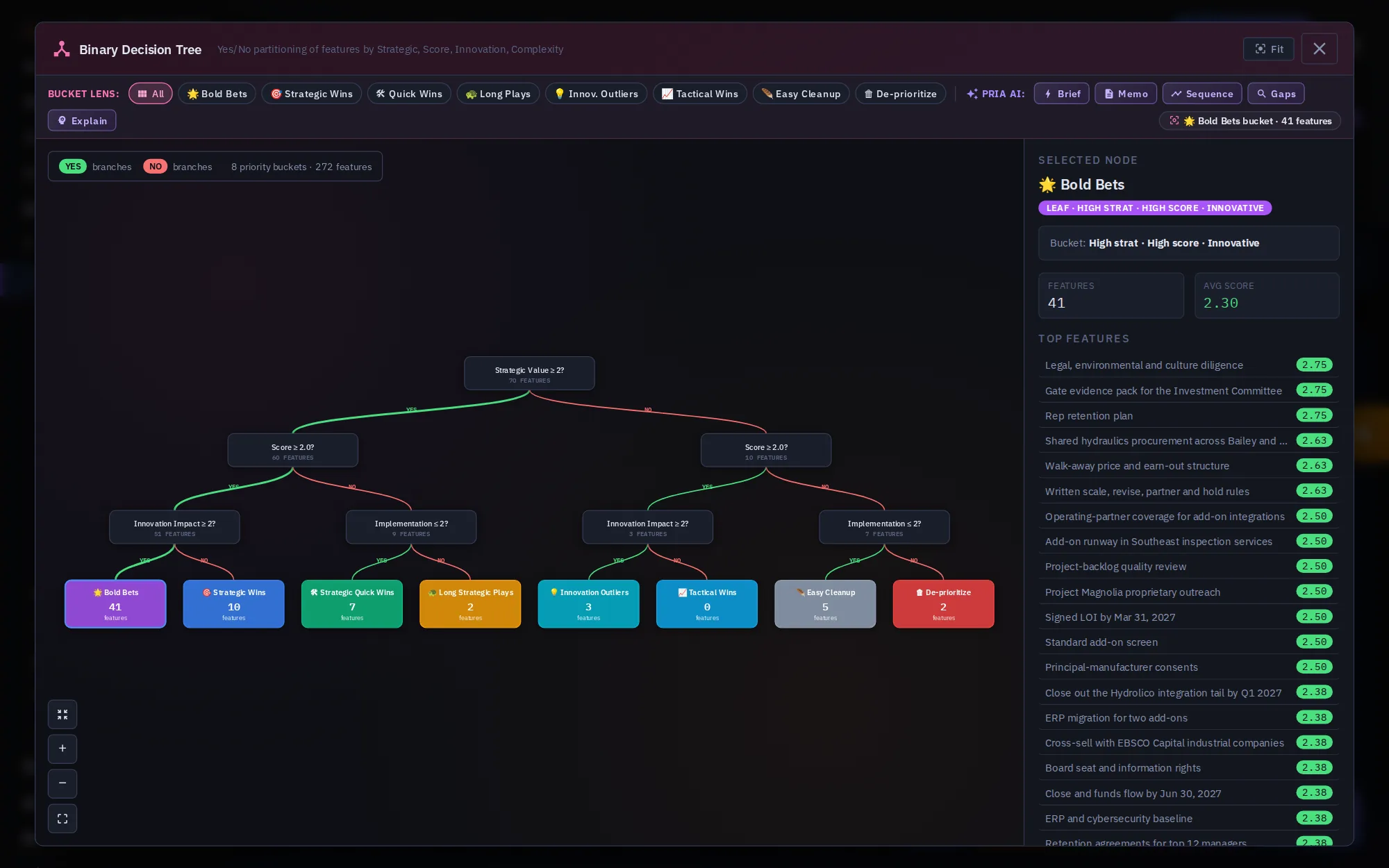
Binary Tree sorts every feature with yes-or-no questions: strategic value, score, innovation, and implementation effort.
Features land in eight buckets, from Bold Bets to De-prioritize. Here, 41 features are Bold Bets and 2 are marked to de-prioritize.
Click a bucket to list the features in it, with the path of answers that put them there.
Bucket lenses highlight one bucket at a time. Pria AI can brief, write a memo, or sequence whatever you've selected.
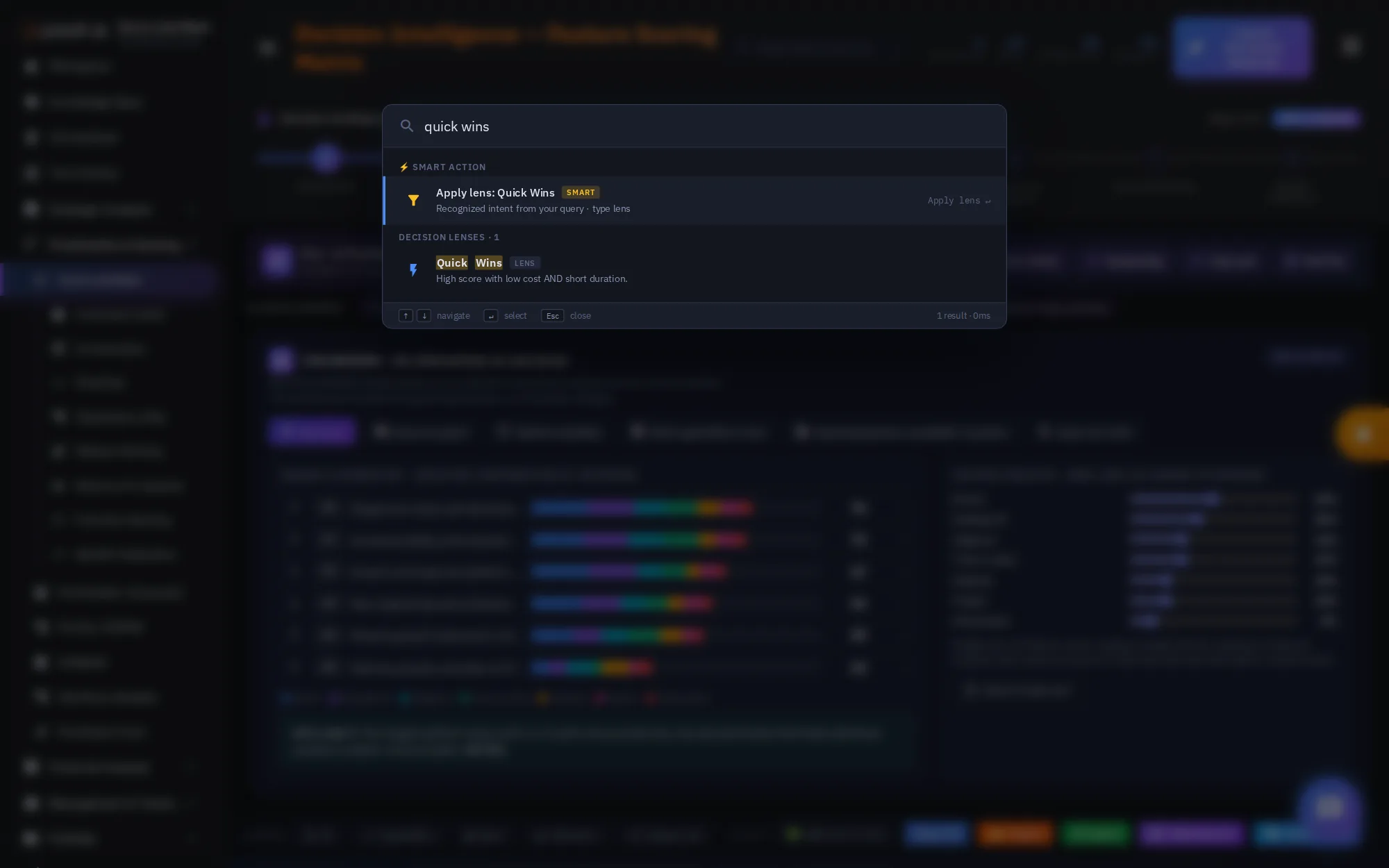
Click the search box, or press Command K, to open the command palette.
Search items, lenses, and AI actions. It understands intent: type quick wins, and it offers to apply that lens in the Decision Tree.
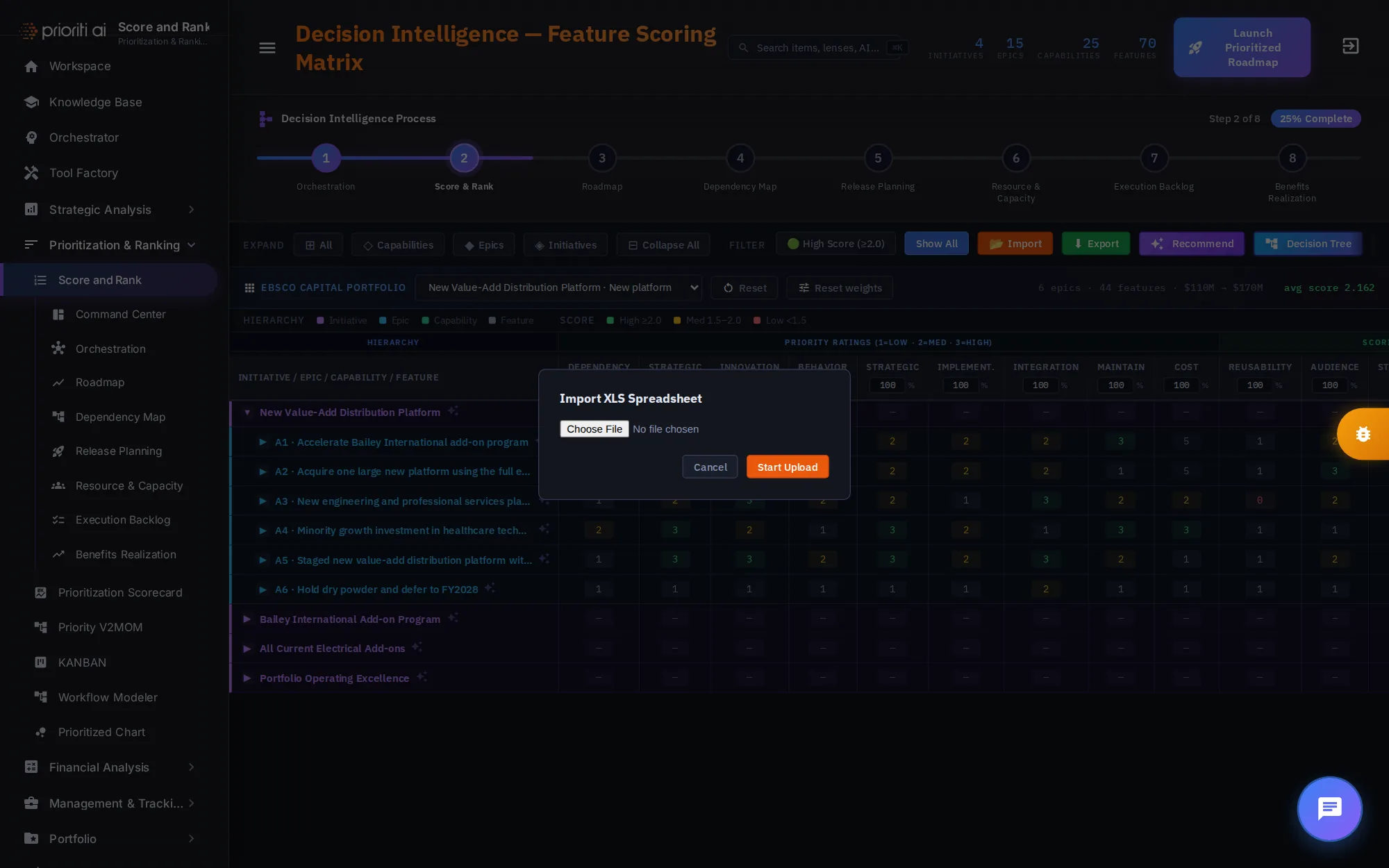
Import loads a spreadsheet of initiatives, epics, capabilities, and features. Export opens the print dialog, so you can save the table as a PDF.
Choose an XLS or XLSX file and click Start Upload. The table rebuilds from your file.
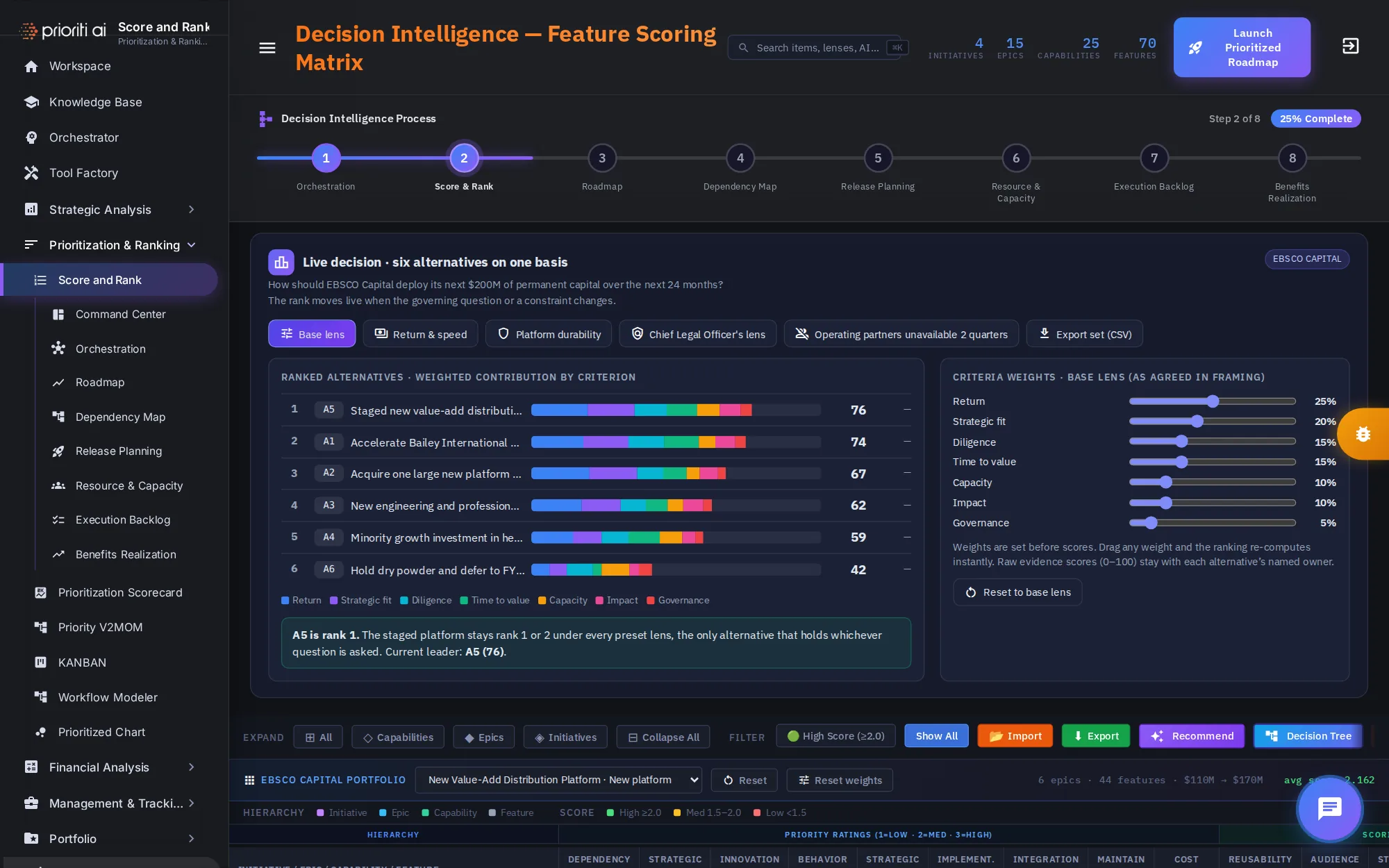
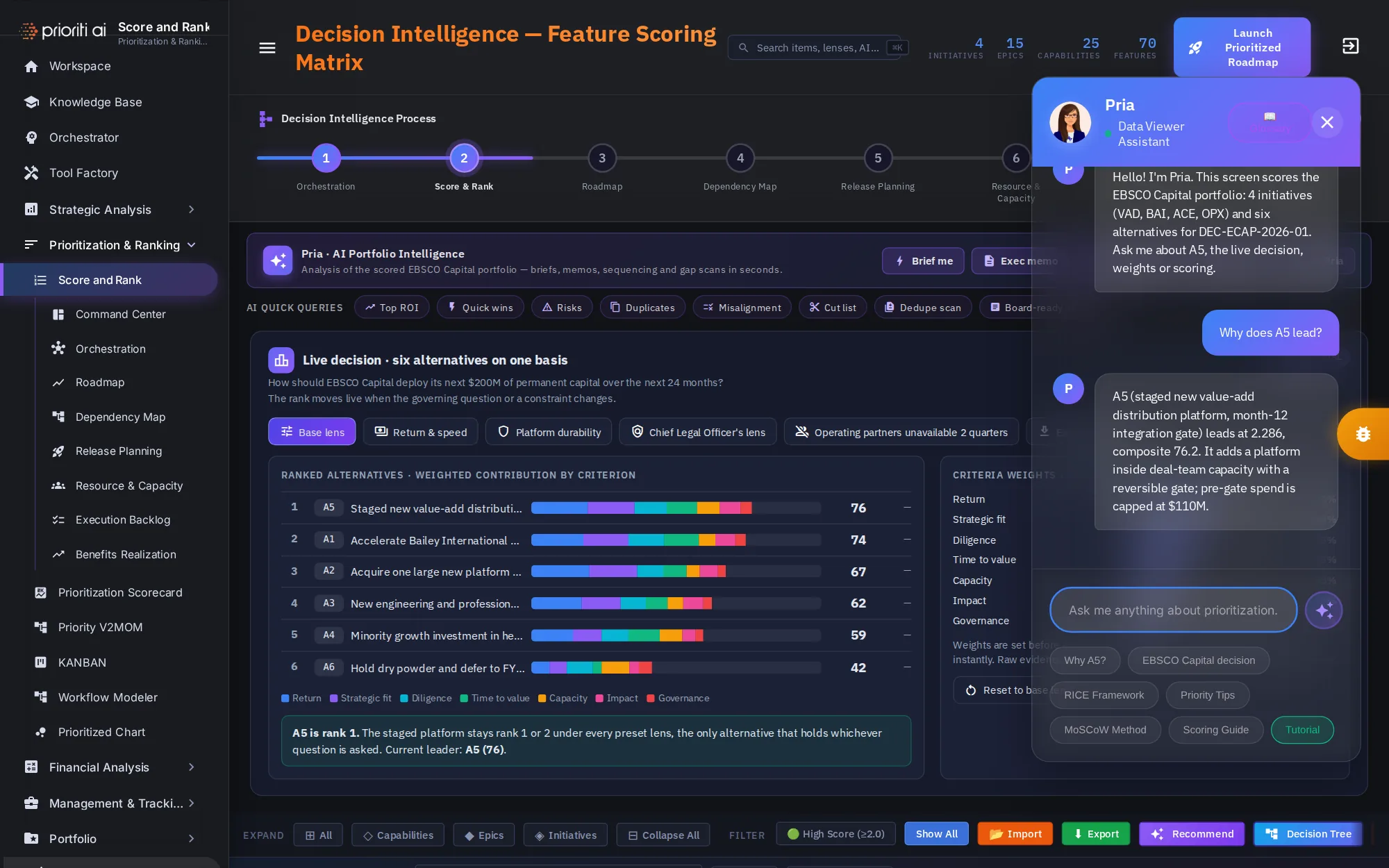
Pria, your assistant, sits in the corner of the page. Ask anything about prioritization, or use a quick button.
Ask Why A5, and she explains the lead: a staged platform, a reversible gate at month twelve, and pre-gate spend capped at $110 million.
Quick buttons cover the Initech decision, the RICE and MoSCoW methods, and scoring. Glossary opens every term in a new tab.
When the ranking is settled, click Launch Prioritized Roadmap.
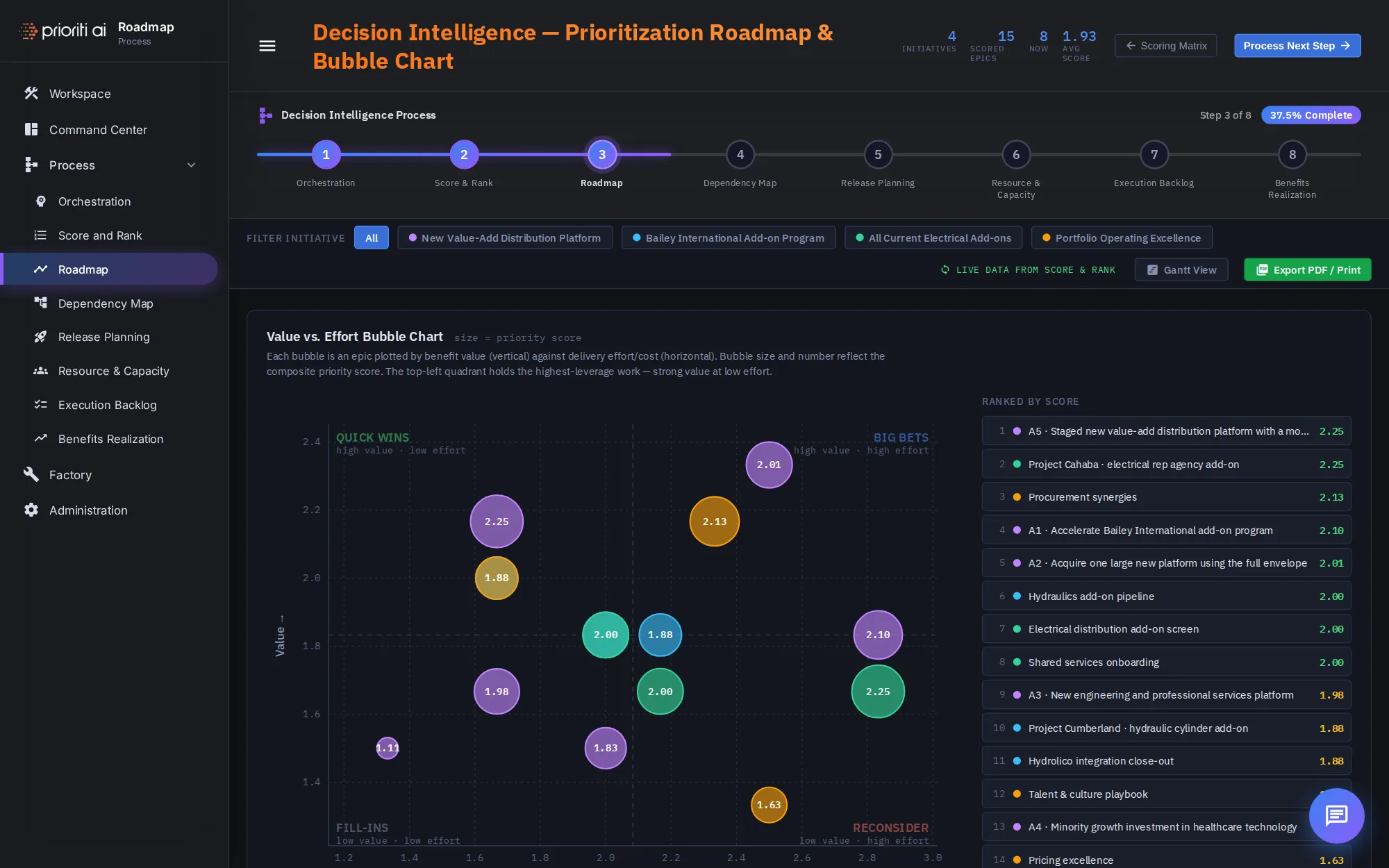
Your scored epics carry straight into the Roadmap, step three, where they're plotted by value, cost, and score.
That's Score and Rank: test the live decision with weights, lenses, and constraints, read and edit the matrix, ask Pria, explore the trees, then launch the Roadmap.