 Training
Chapter 1 of 8 · Getting oriented
Training
Chapter 1 of 8 · Getting oriented

How to use Prioriti AI
A narrated tour of the core workflow, from the Workspace to a governed decision record. 74 steps in 8 chapters · about 10:29.

Welcome to Prioriti AI training. In about ten minutes, you'll learn to take one decision from the Workspace to a governed record you can export.
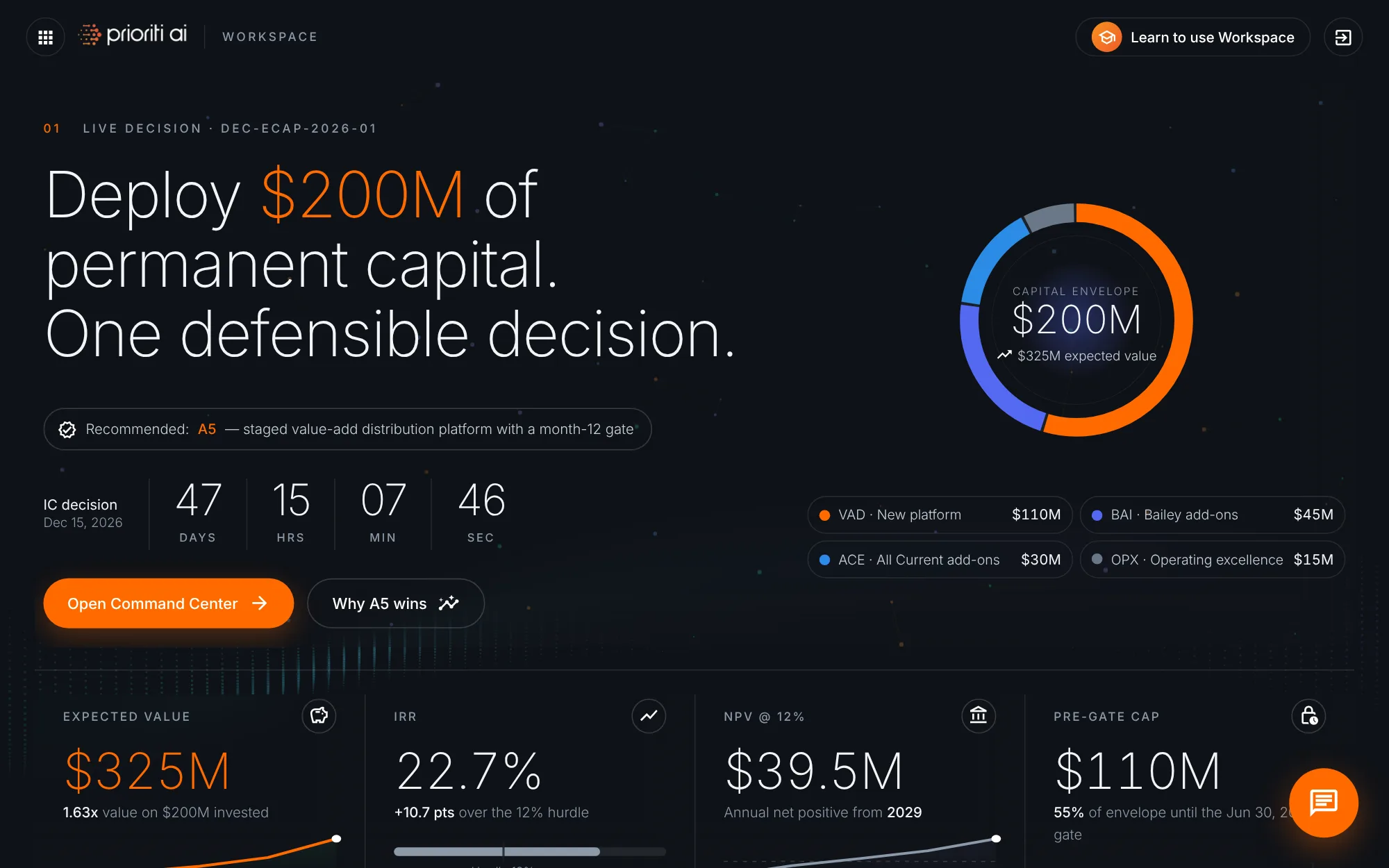
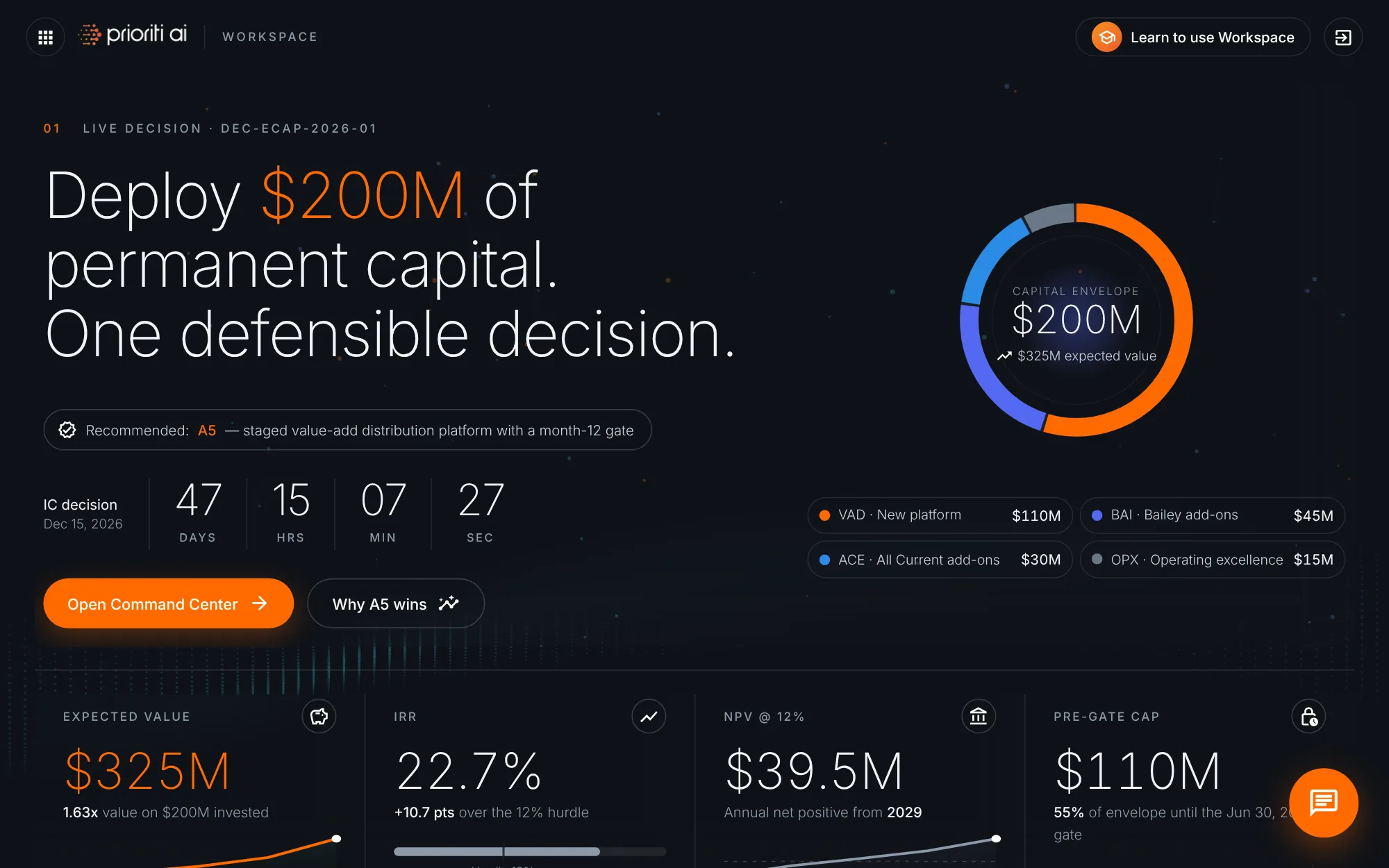
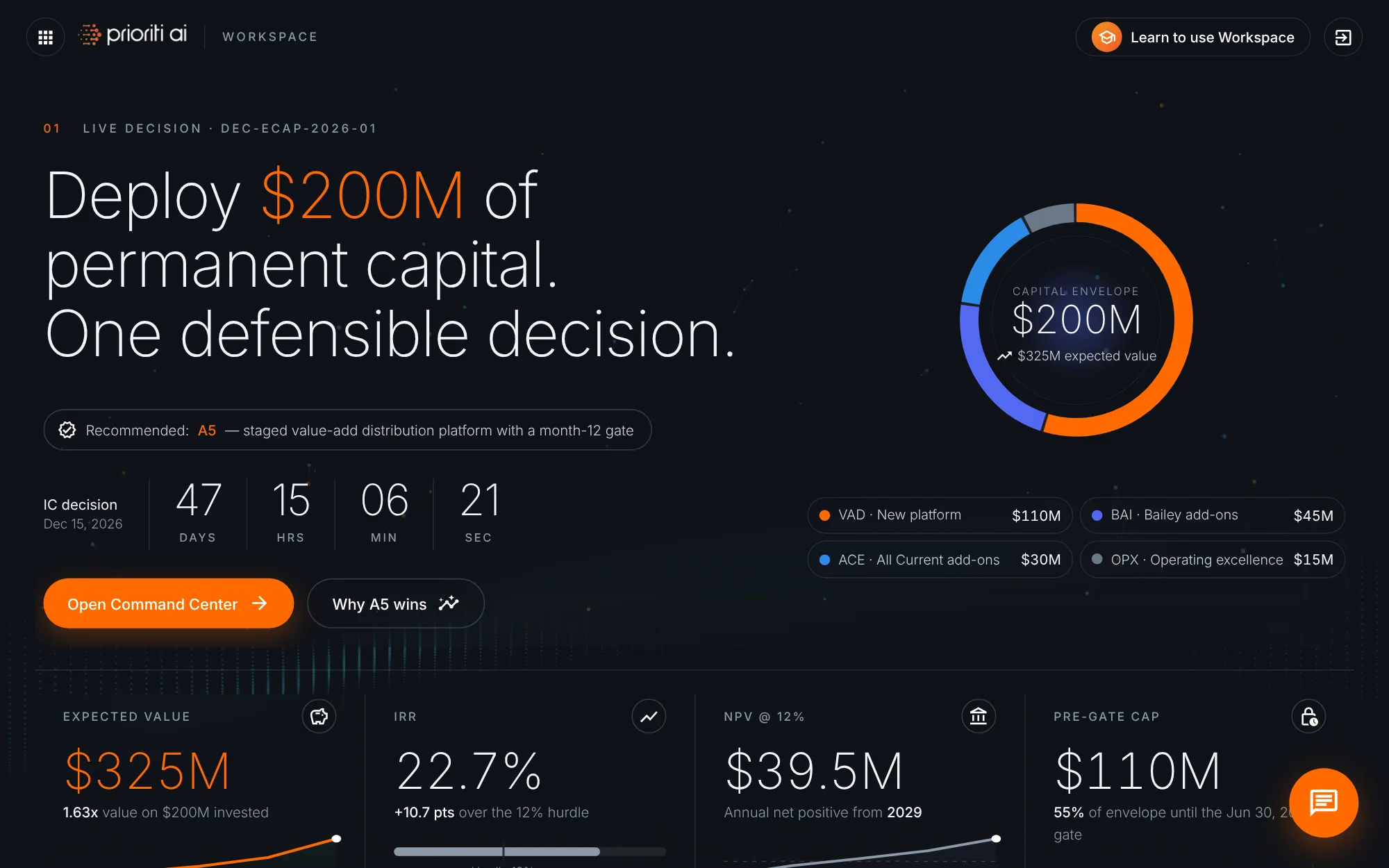
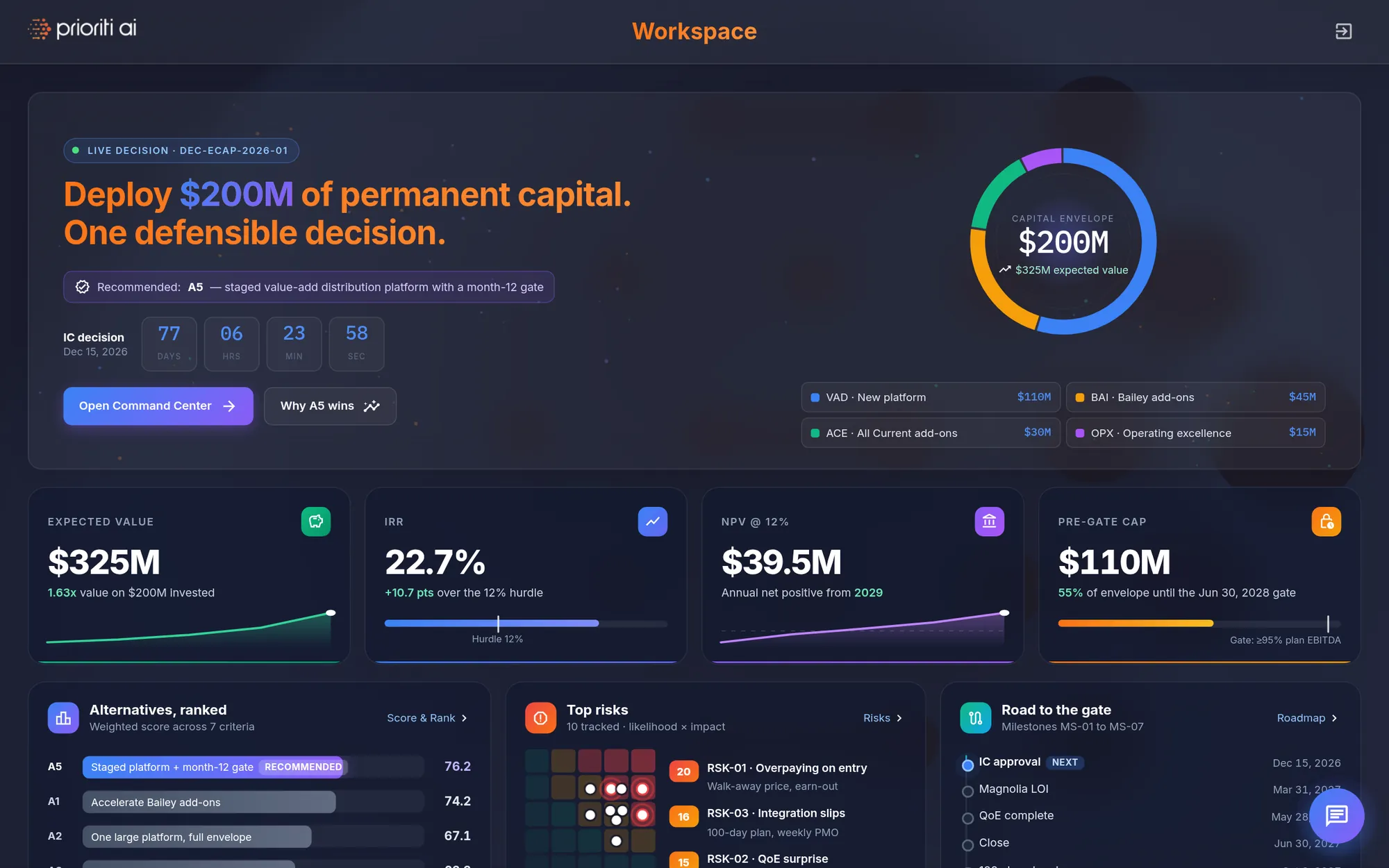
Everything starts in the Workspace. The hero shows the live decision: deploy $200 million of permanent capital, with one defensible answer.
The current recommendation sits right below it. A5 is a staged distribution platform with a month-12 gate.
The countdown tracks the time left until the Investment Committee decides on December 15.
On the right, the capital envelope splits the $200 million across four capital pools.
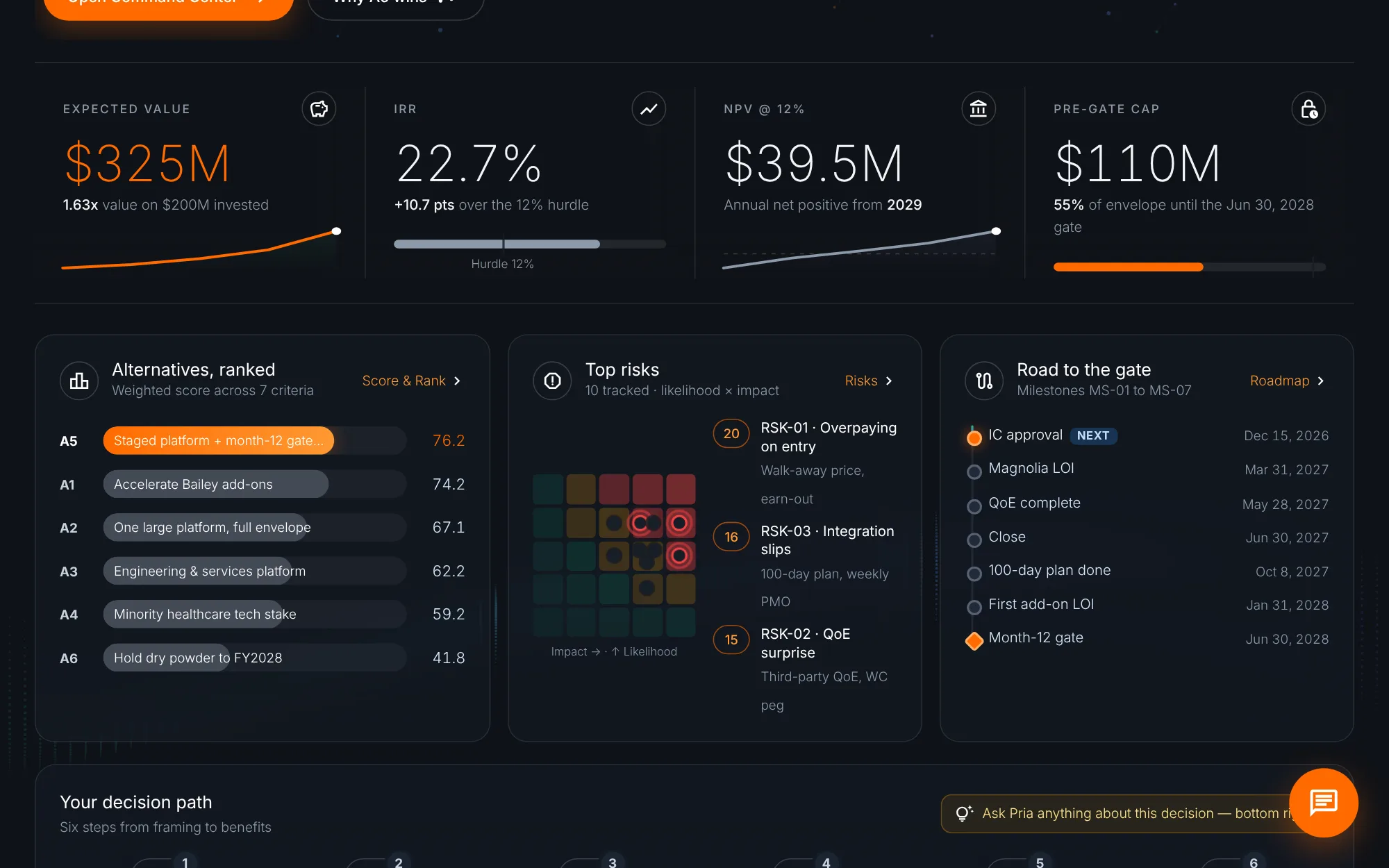
Four tiles give the headline economics: expected value, IRR, NPV, and the pre-gate cap. Each tile shows how its number is sourced.
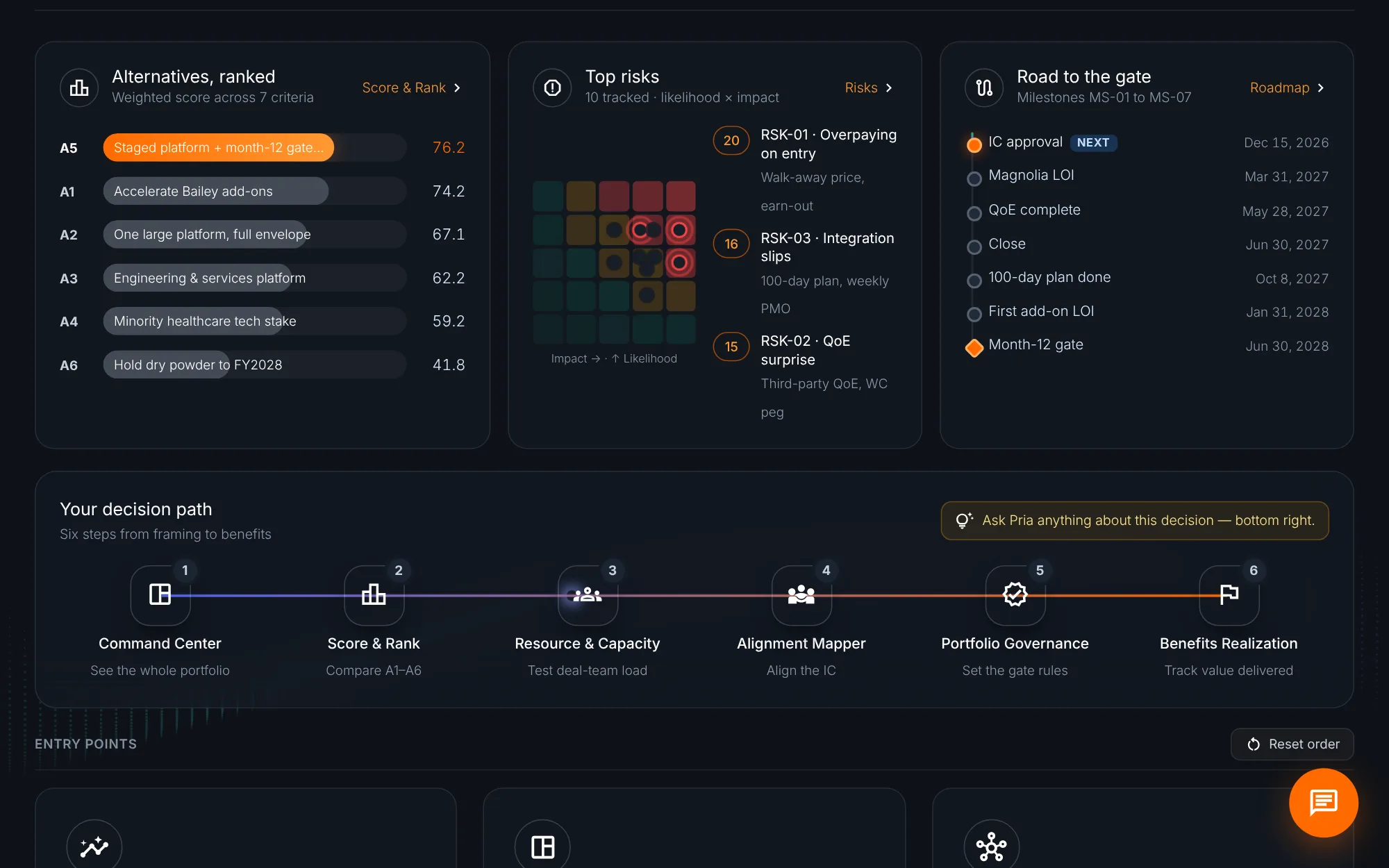
Below, three panels preview the work ahead: the ranked alternatives, the top risks, and the road to the gate.
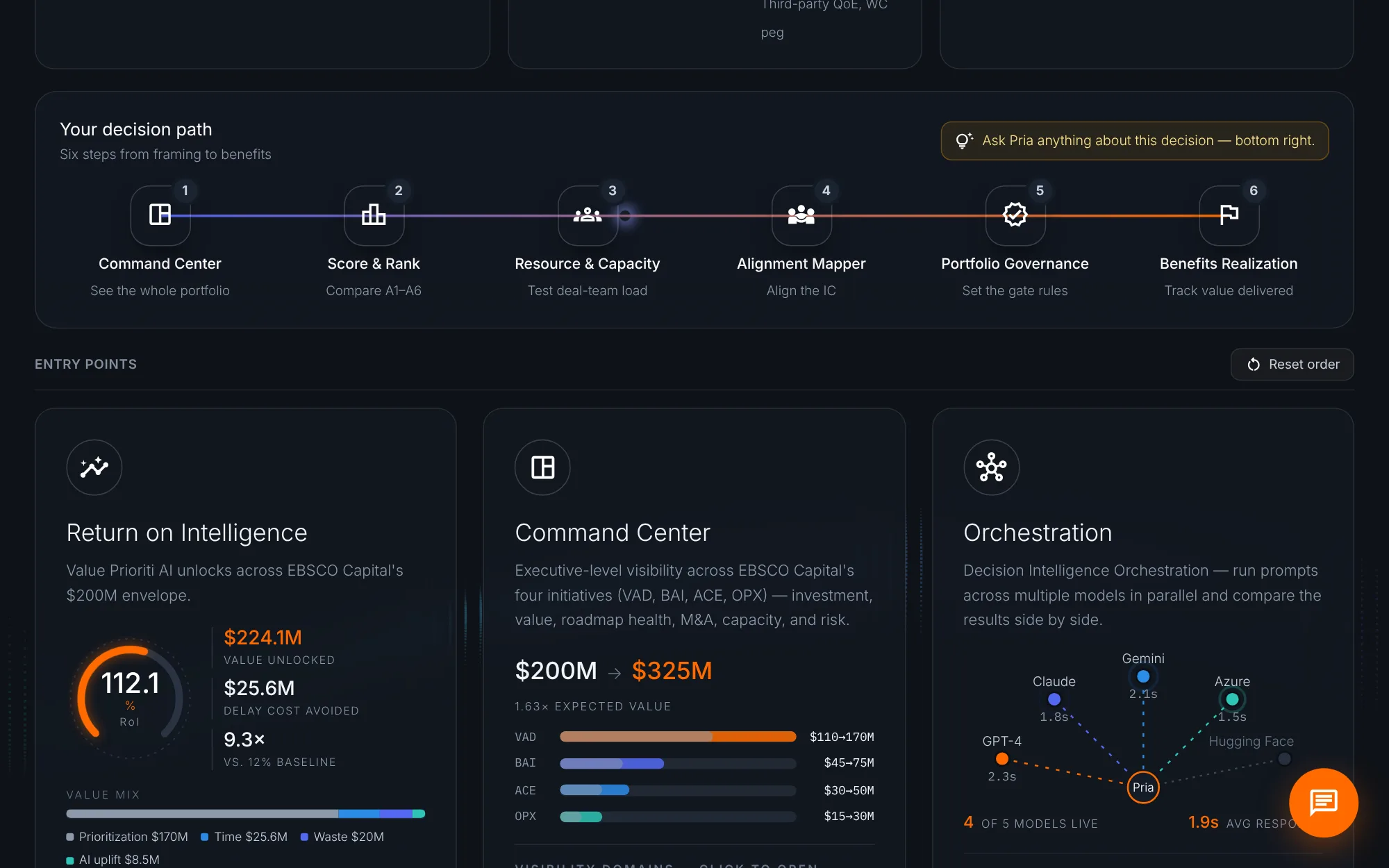
Your decision path lays out six steps, from framing to benefits. This tour follows the same path.
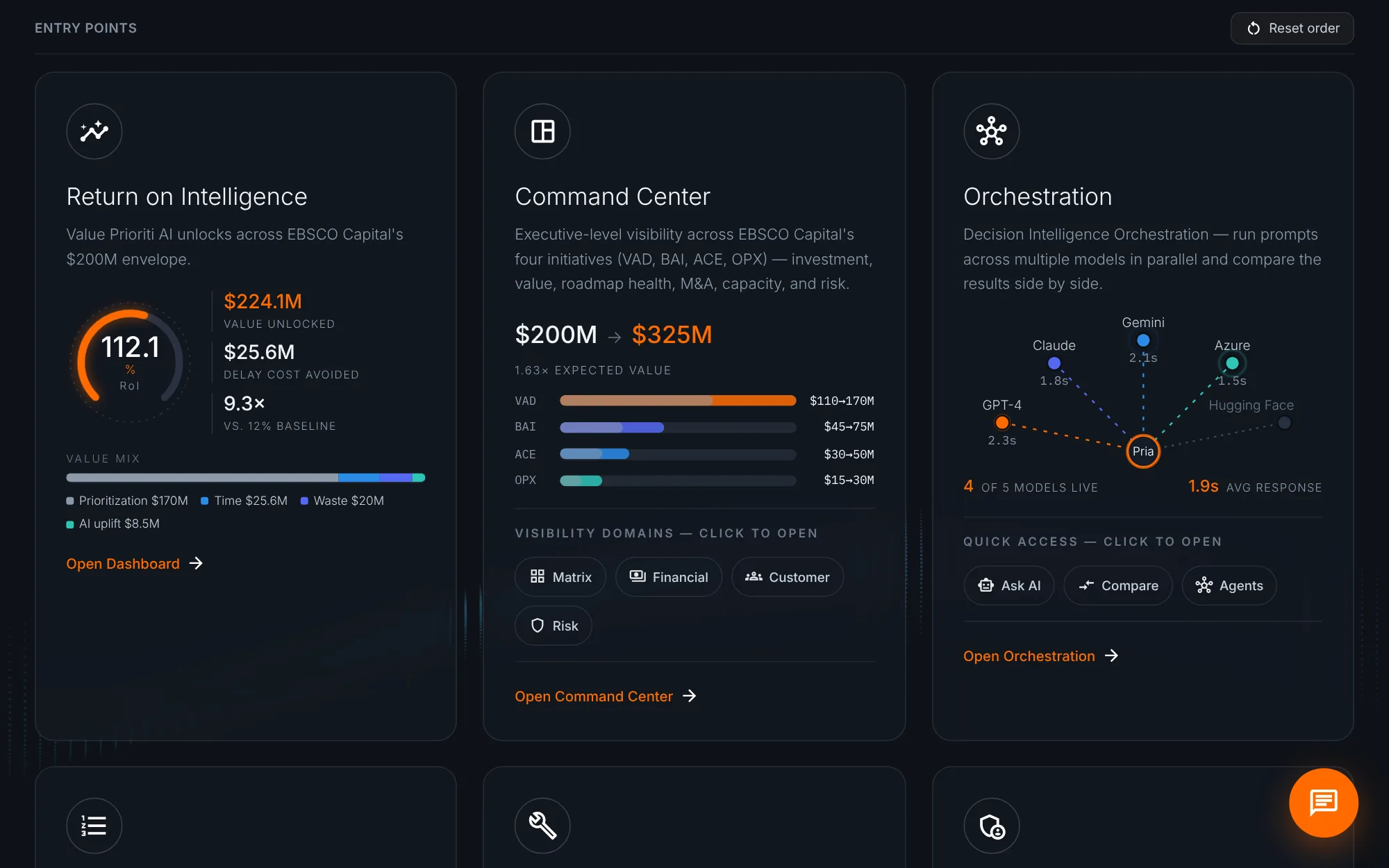
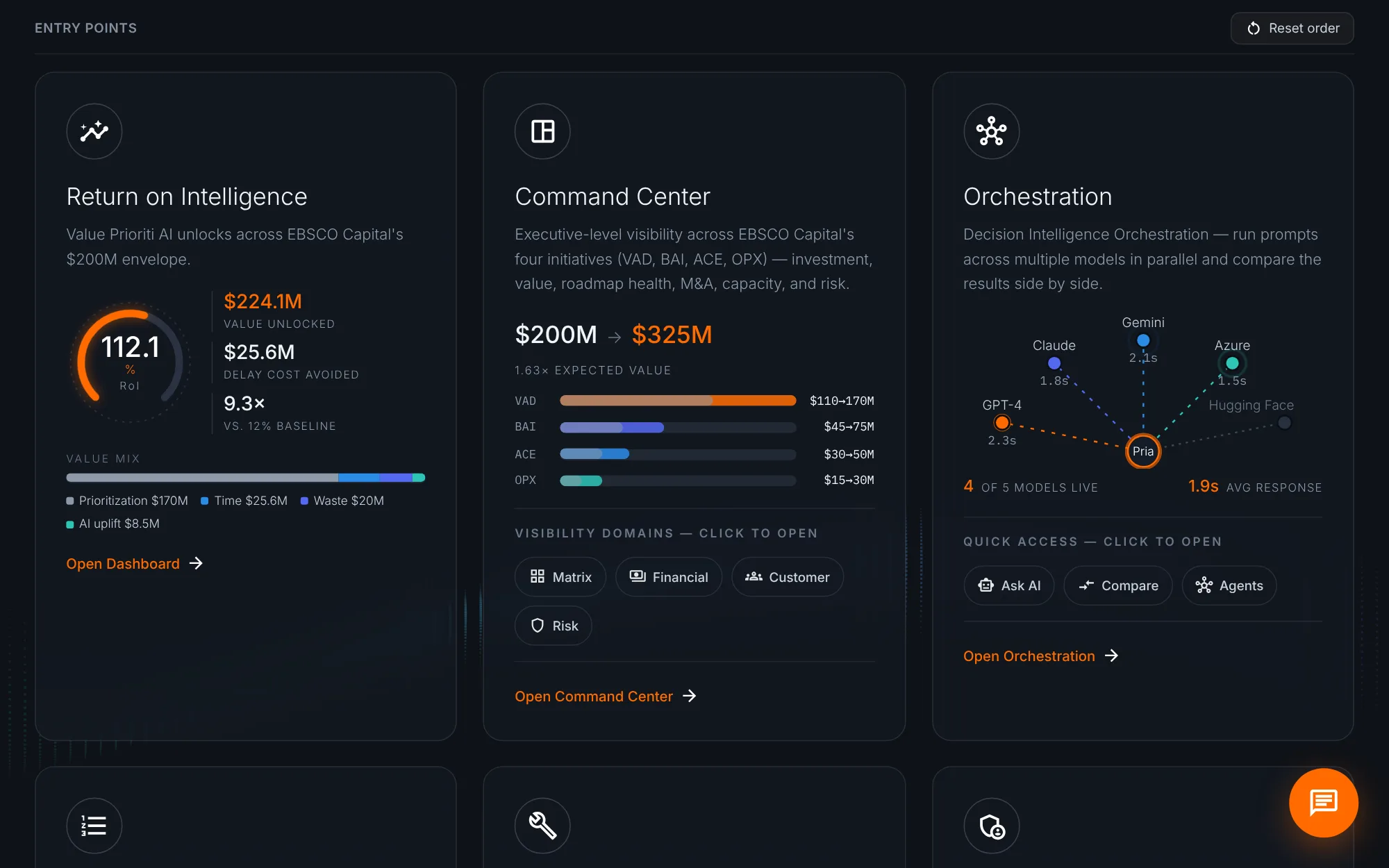
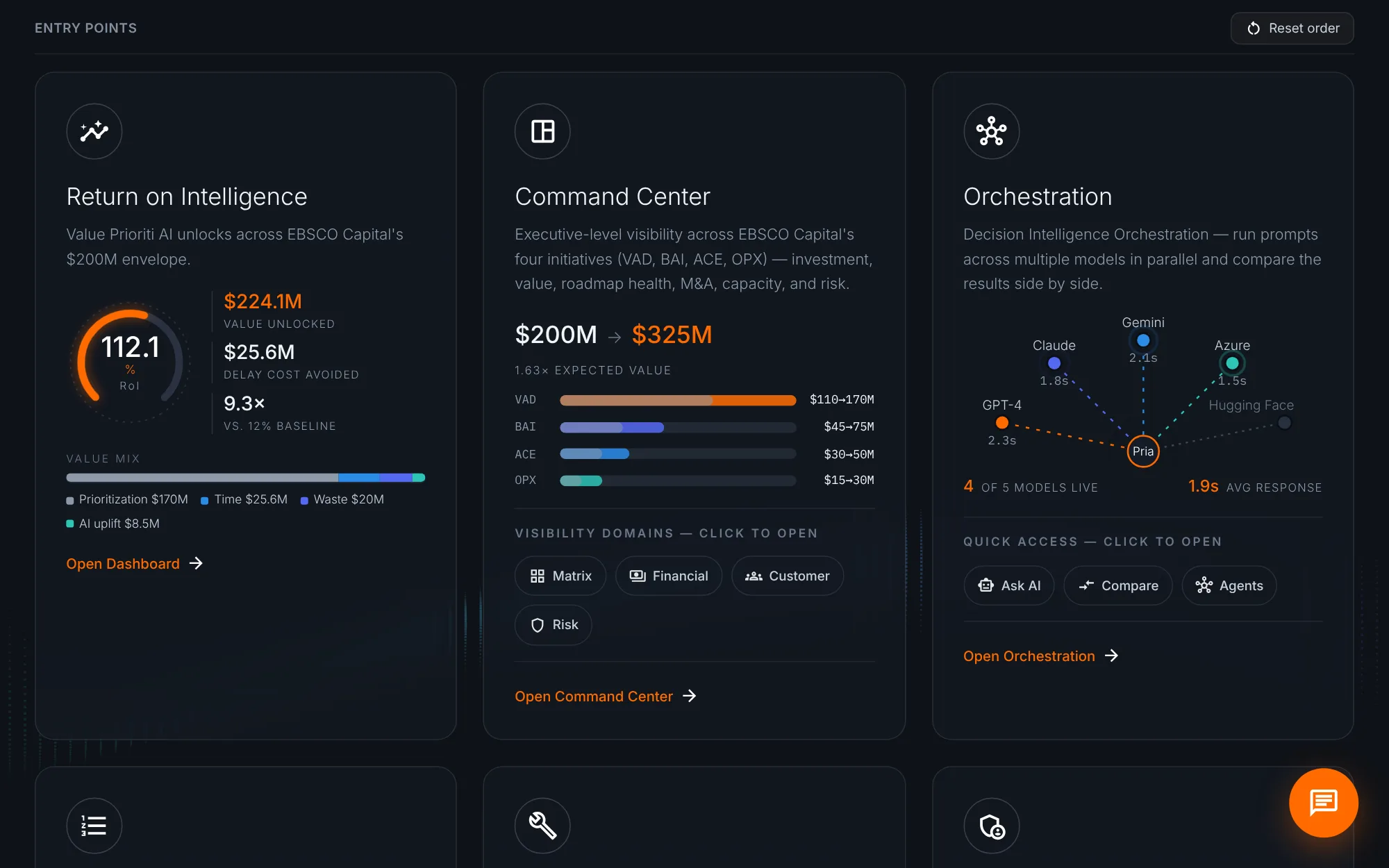
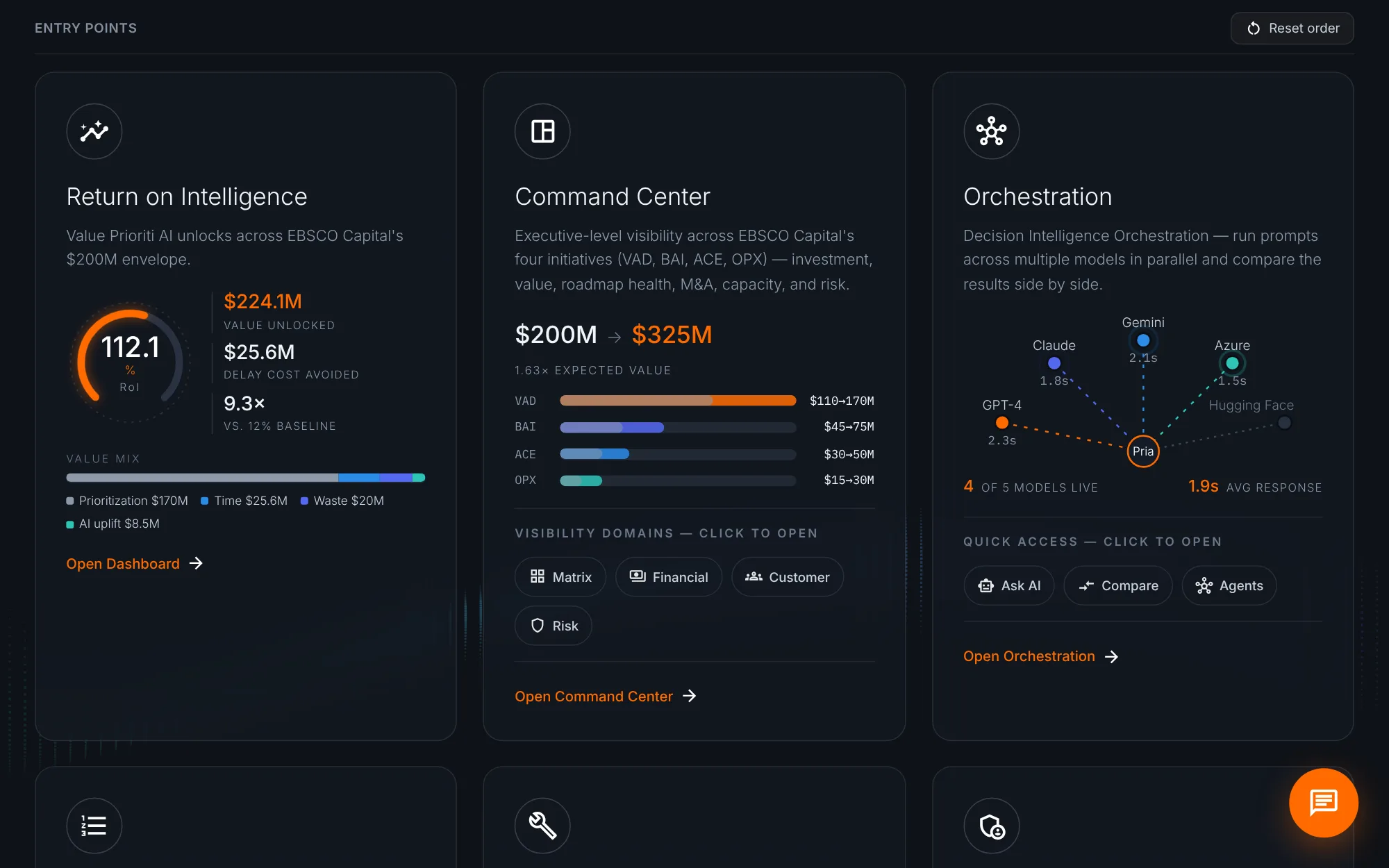
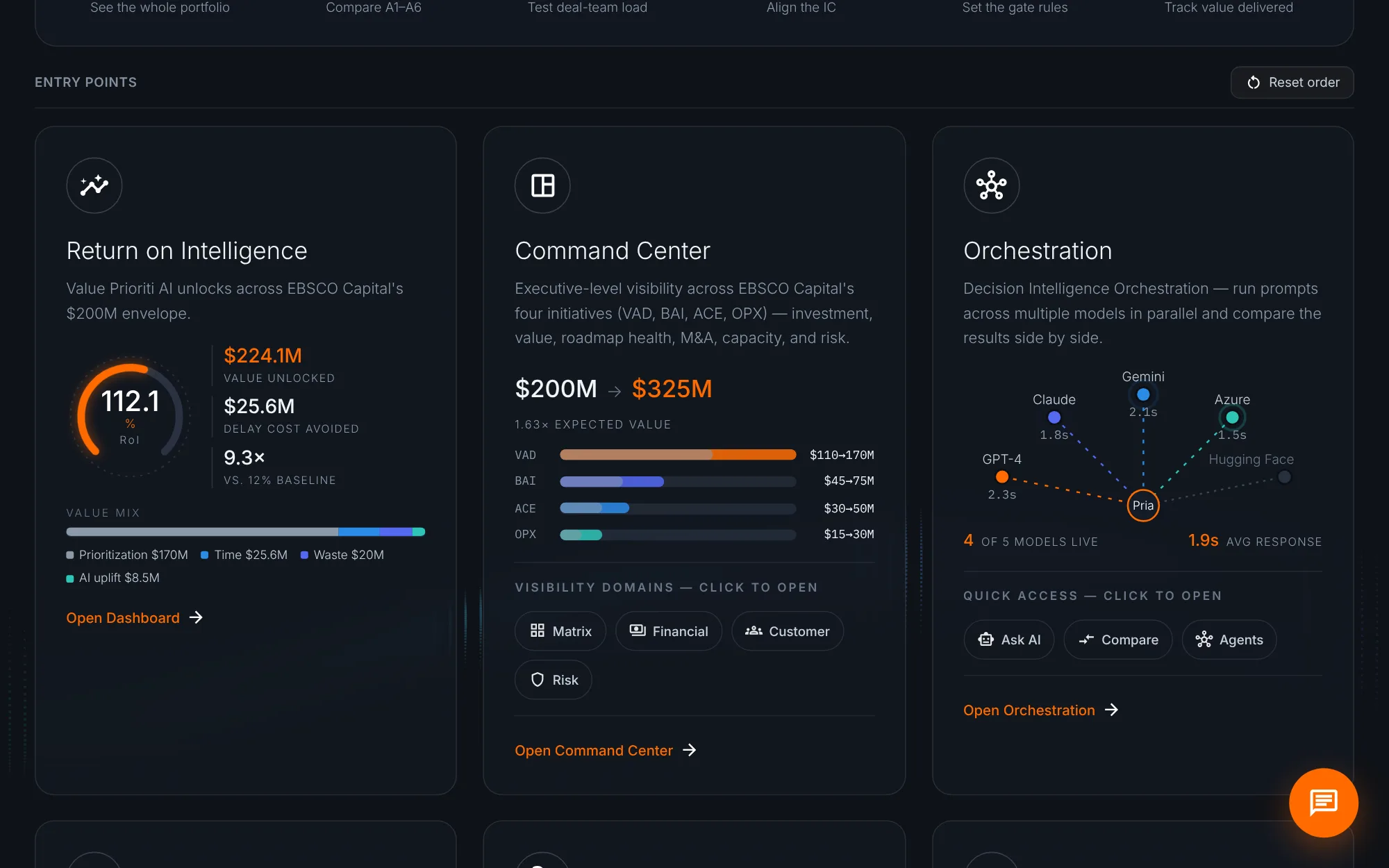
Entry points open each major area. Every card now shows live data, so you can read the headline before you click.
Return on Intelligence comes first. The gauge shows a 112% return, with $224 million of value unlocked and the value mix below. Open Dashboard for the full story.
The Command Center card charts the four initiatives: $200 million invested, and $325 million of expected value.
Orchestration shows Pria routing work to the AI models. Four of five are live, averaging under two seconds.
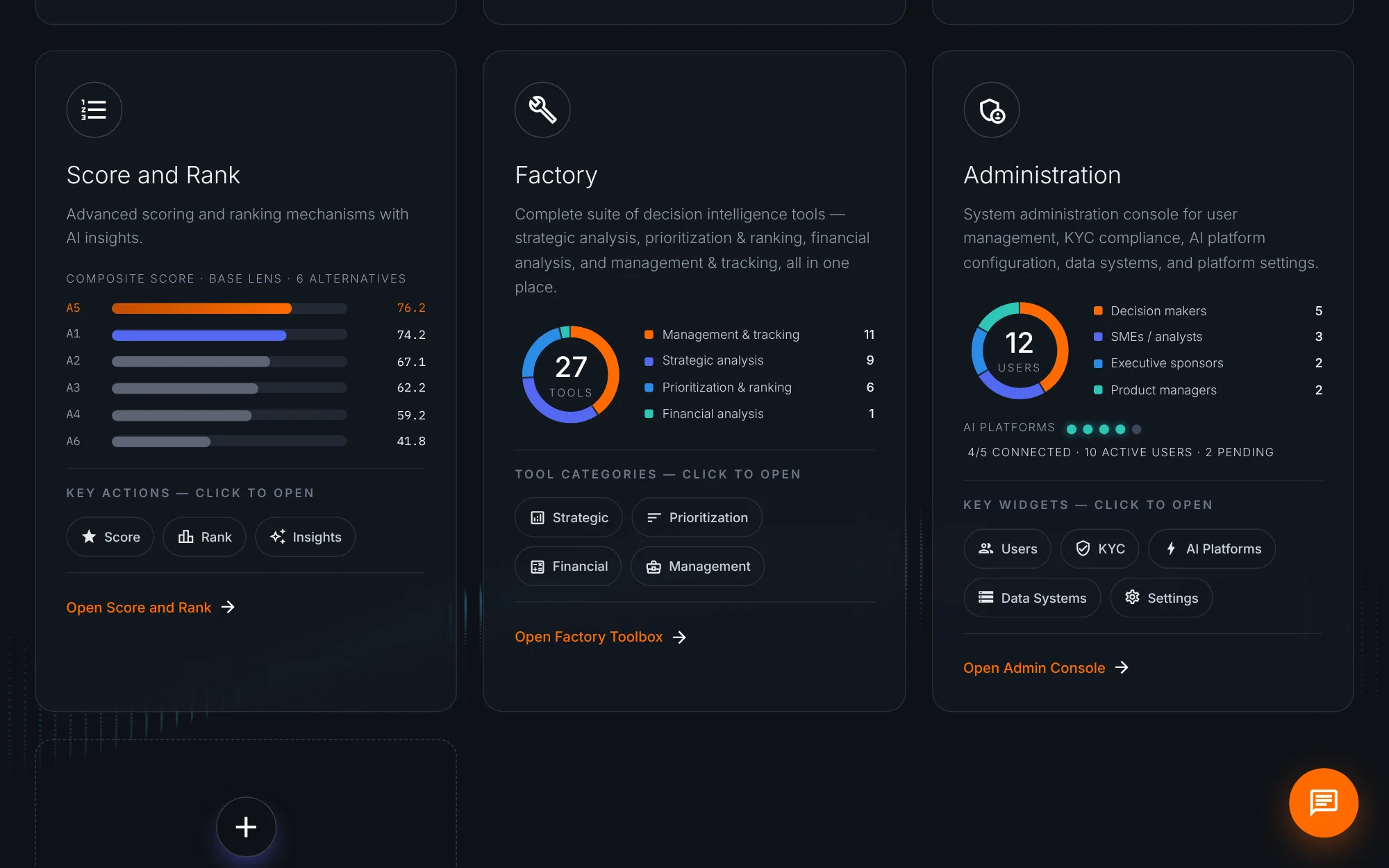
Score and Rank previews the ranking. A5 leads at 76.2, with the Initrode add-ons close behind.
Factory and Administration use rings: 27 tools by category, and 12 users by role, with AI platform status.
Hover any card to replay its animation. Drag cards to reorder them, and Reset order brings back the default.
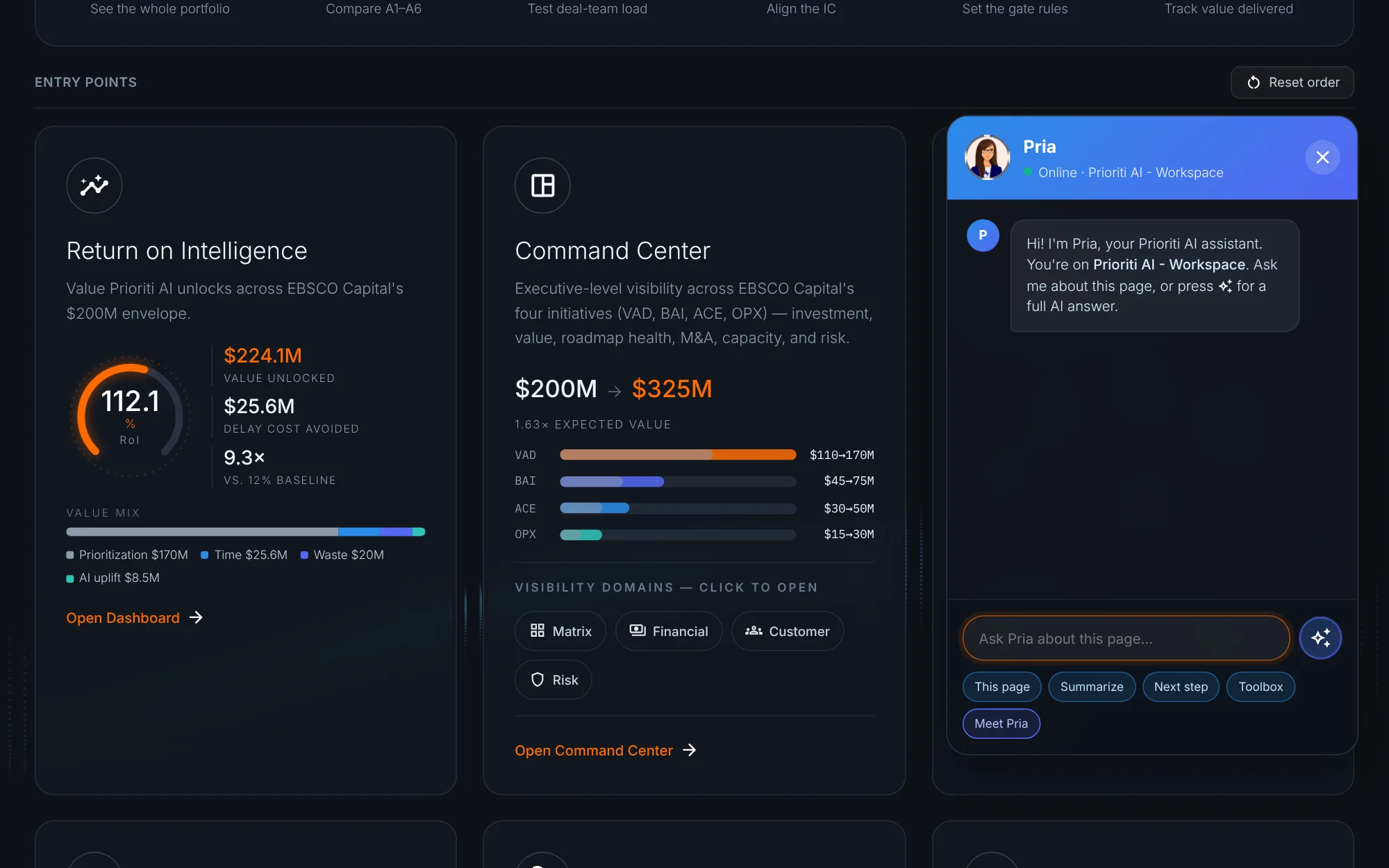
Pria, your AI assistant, is in the corner of every page. Open her for help with whatever screen you're on.
When you're ready, close Pria, scroll back up, and click Open Command Center.
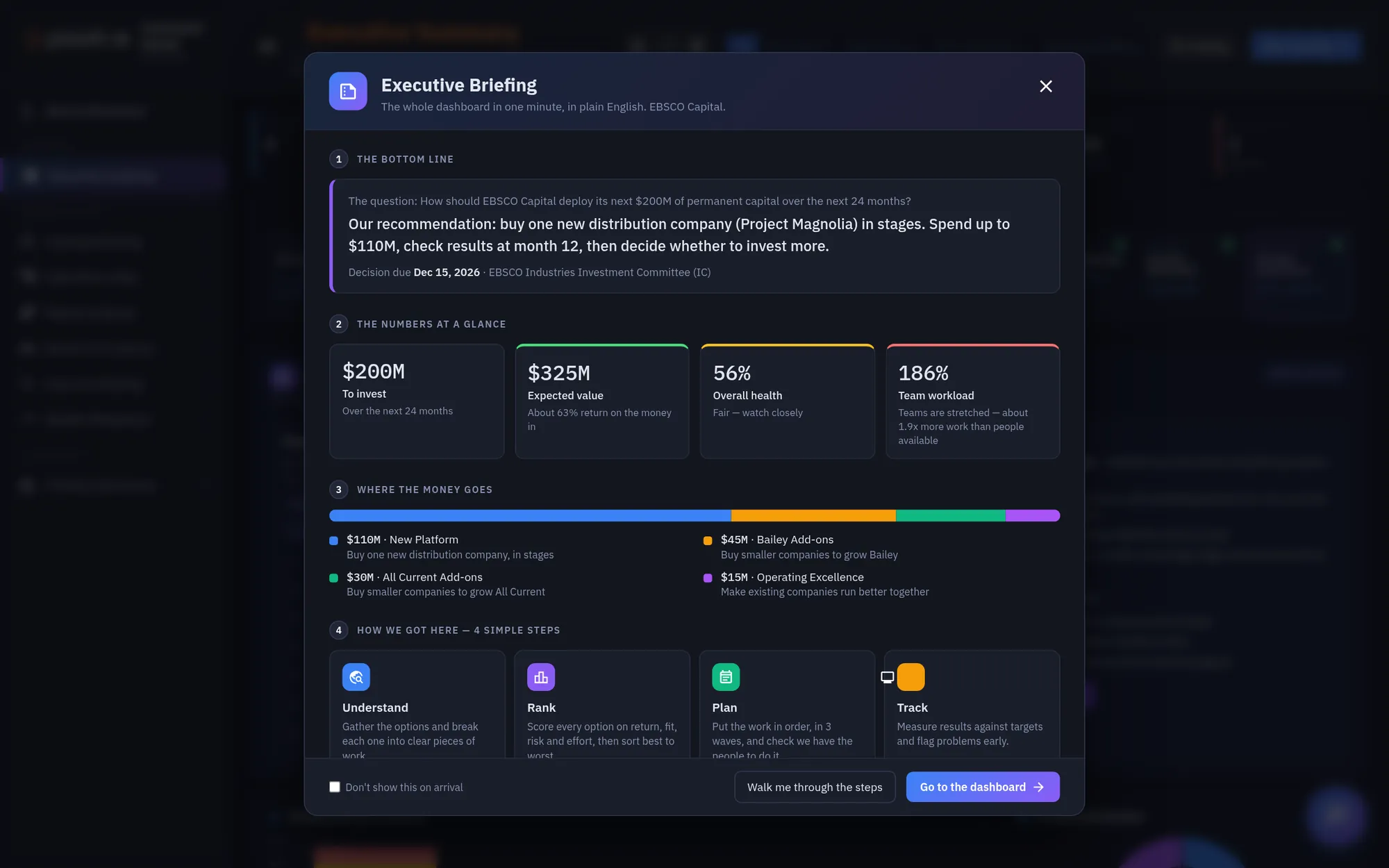
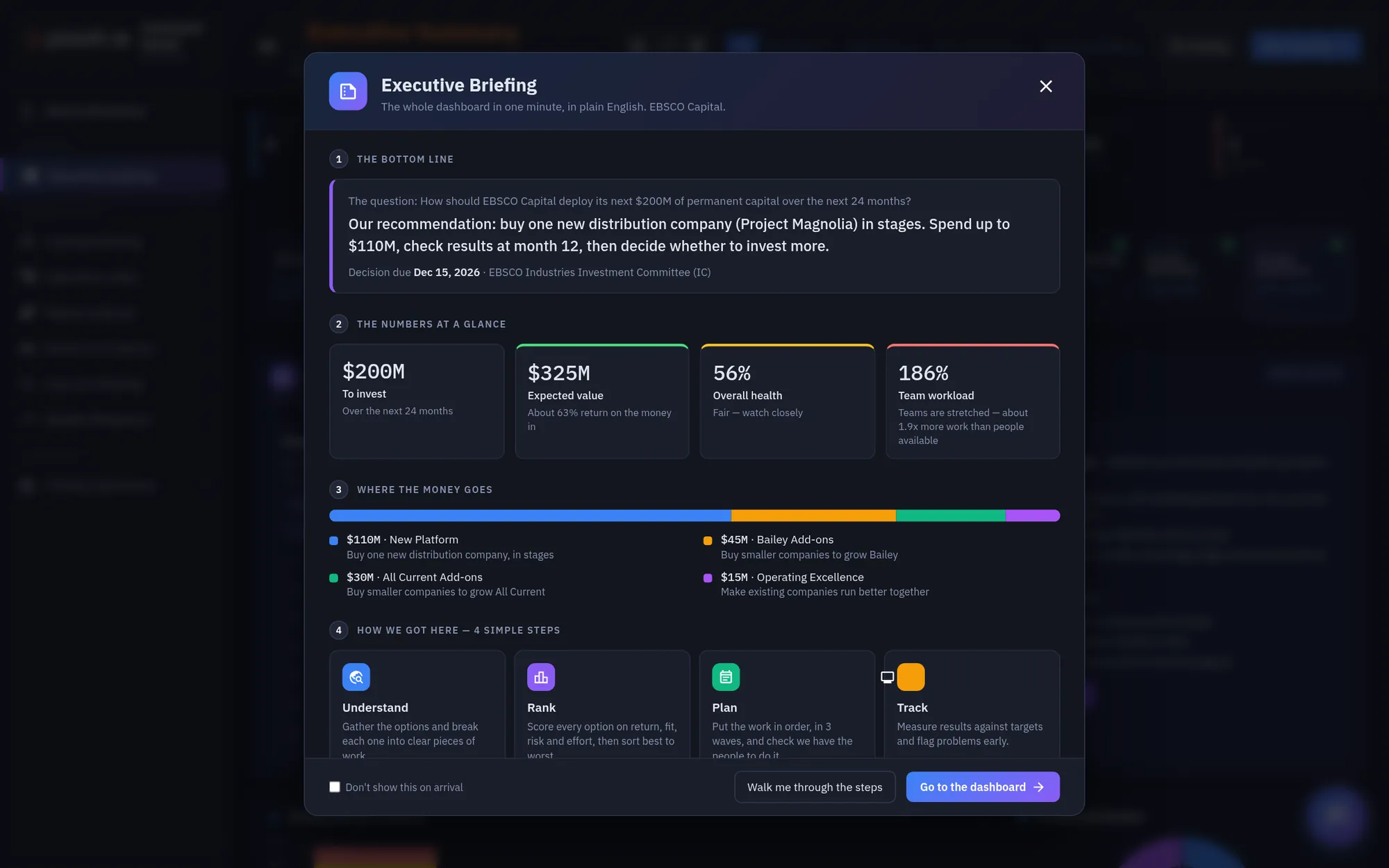
The Command Center opens with an Executive Briefing: the whole dashboard in one minute, in plain English.
The bottom line states the question and the recommendation, with the decision date and forum.
The numbers at a glance flag what needs attention. Here, team workload is at 186 percent.
How we got here explains the method in four steps: understand, rank, plan, and track. Click Go to the dashboard to continue.
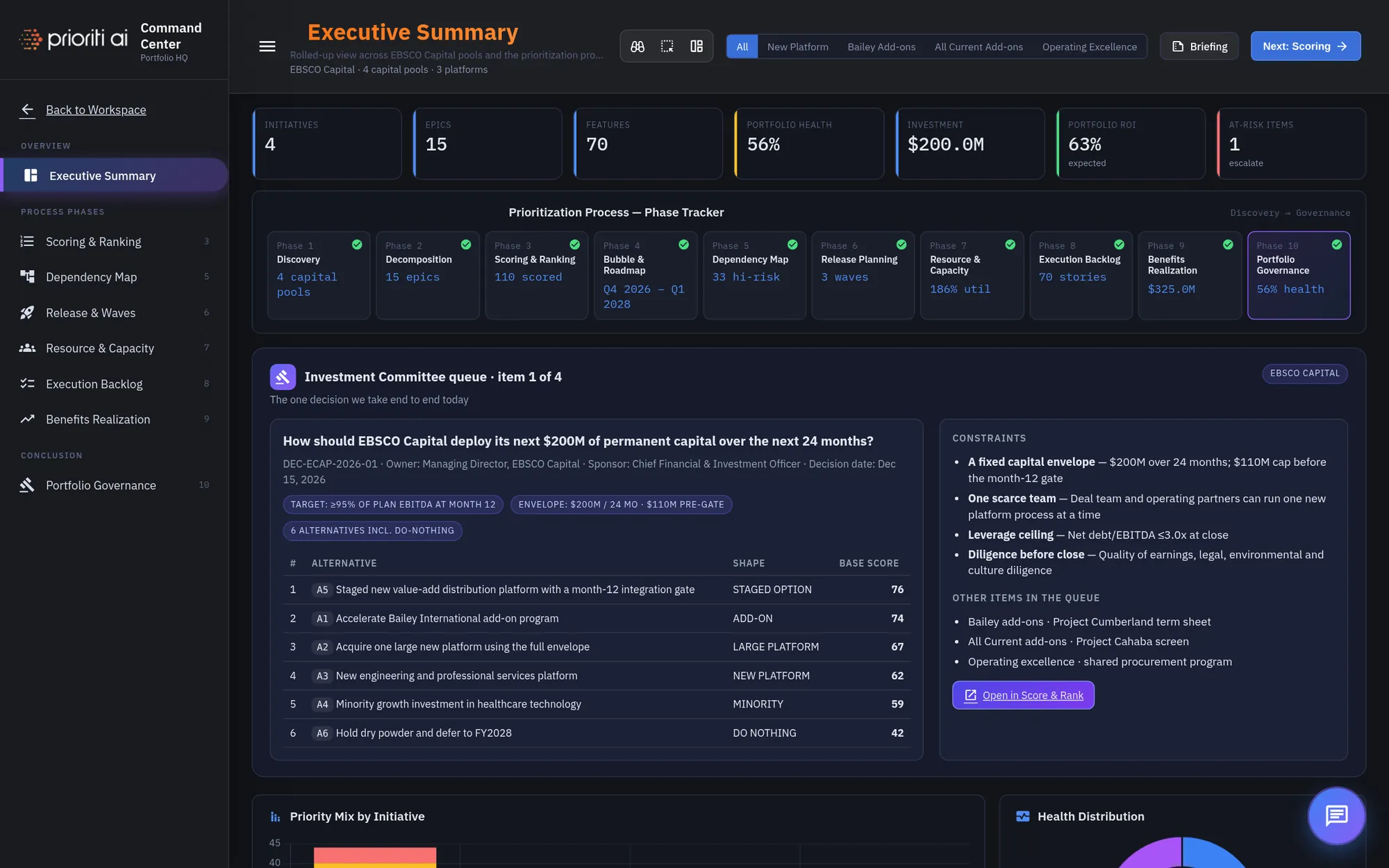
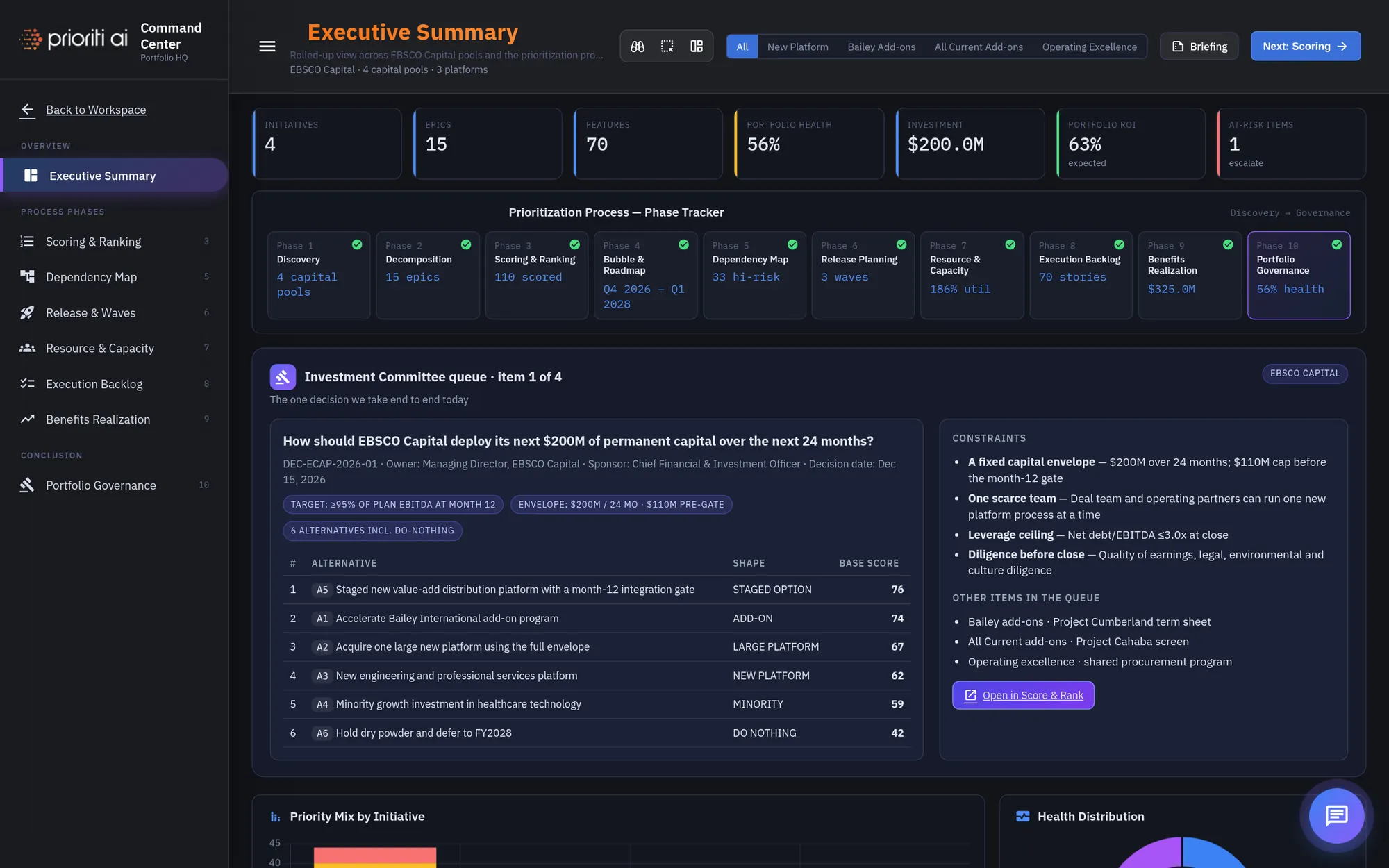
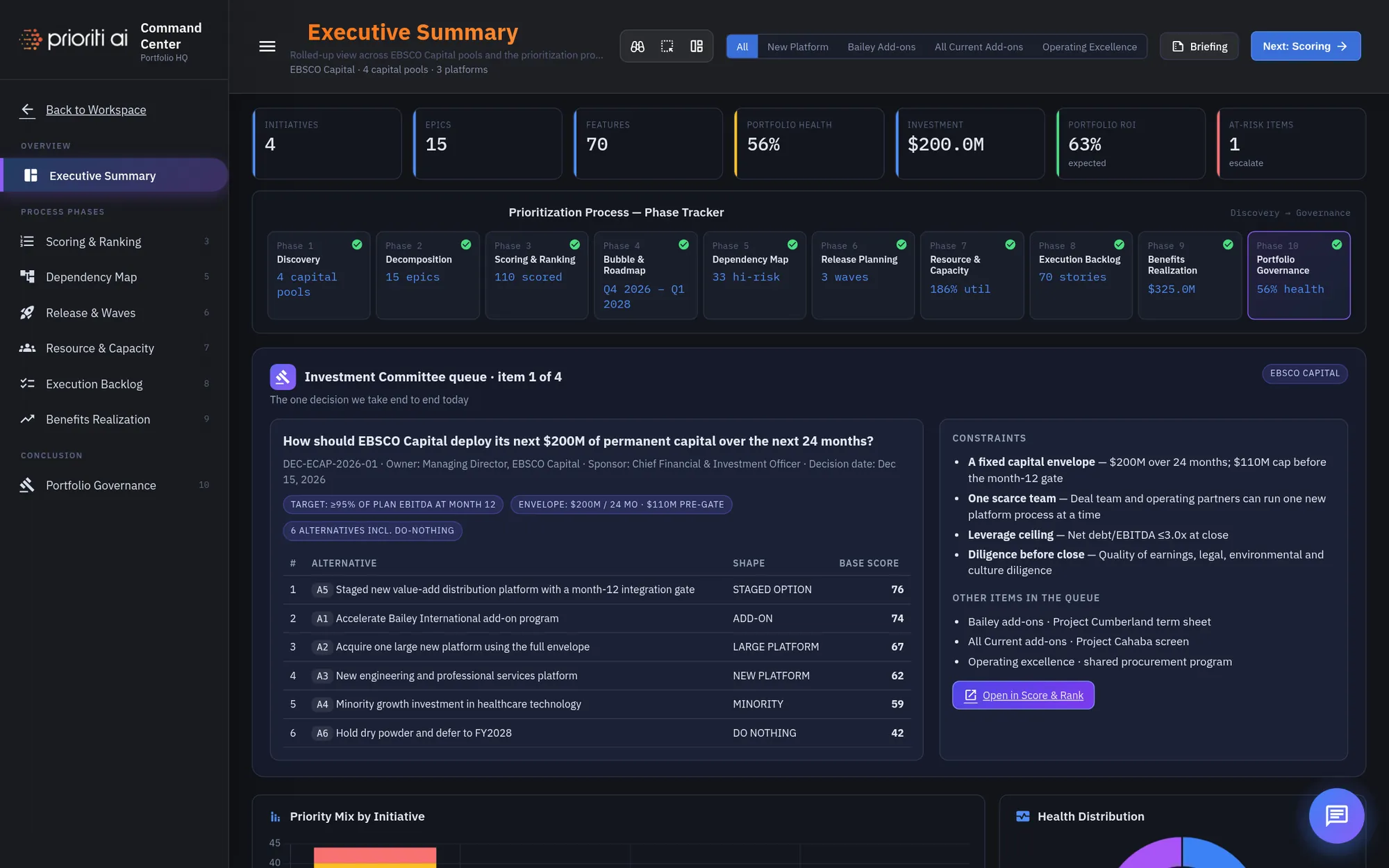
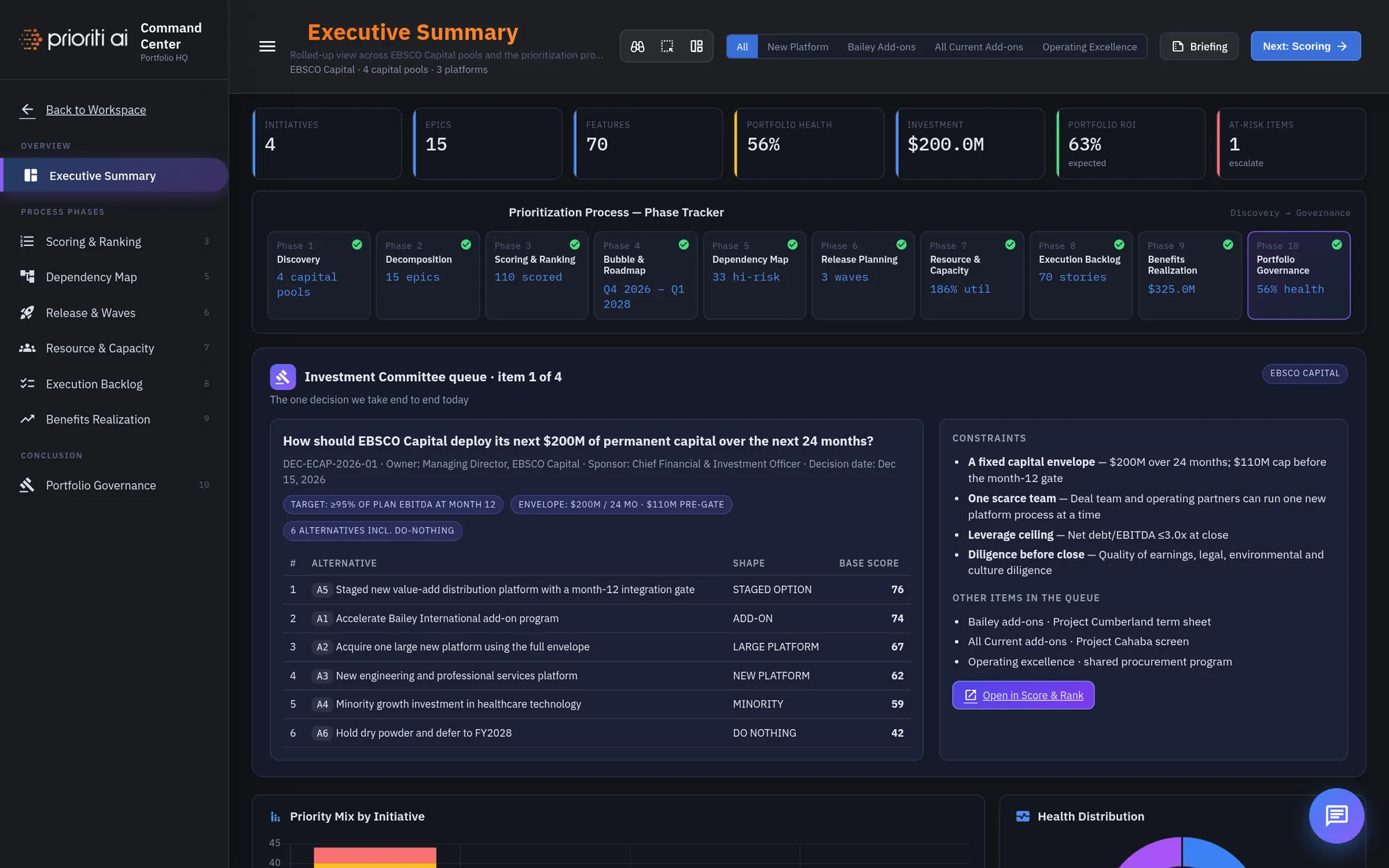
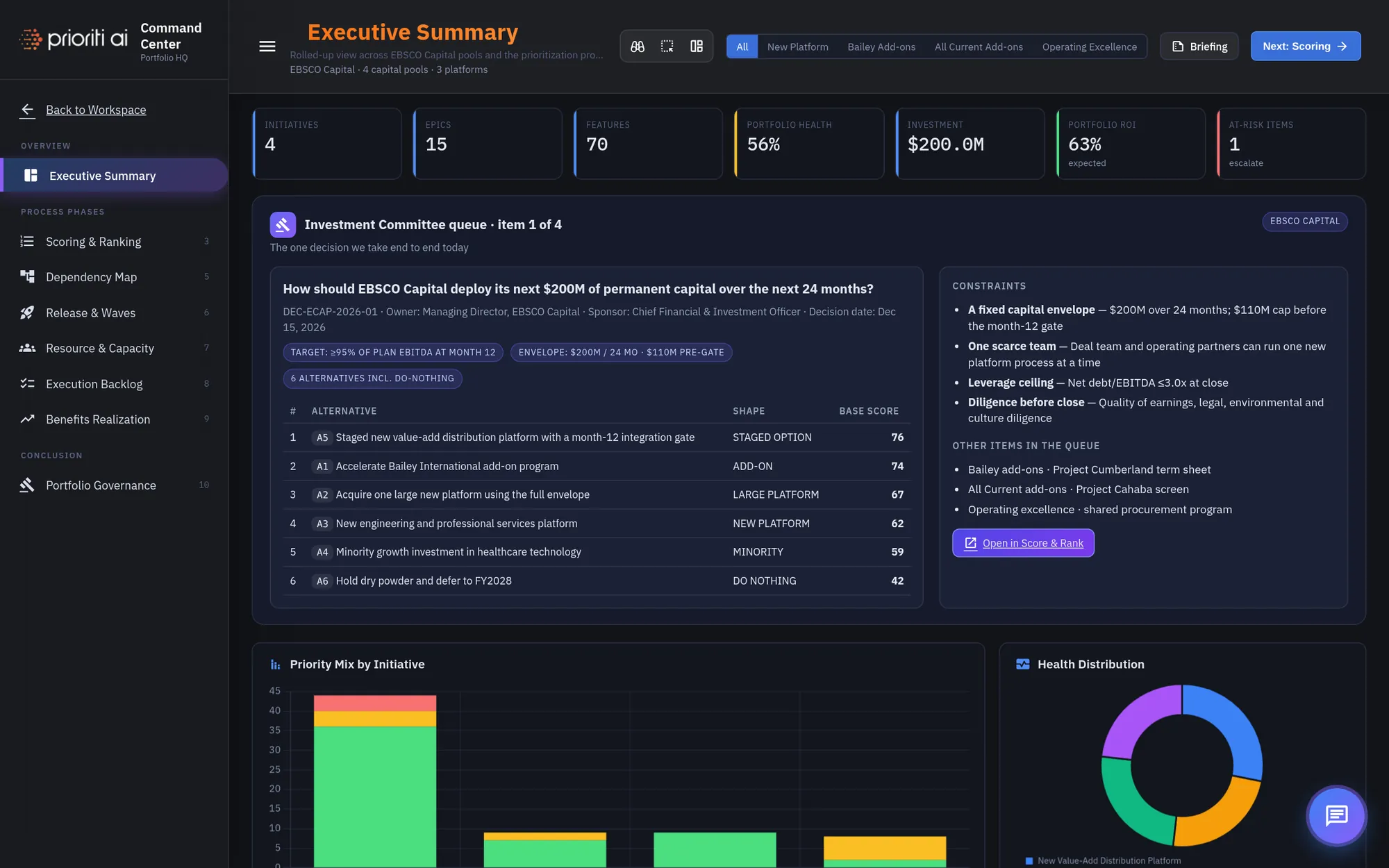
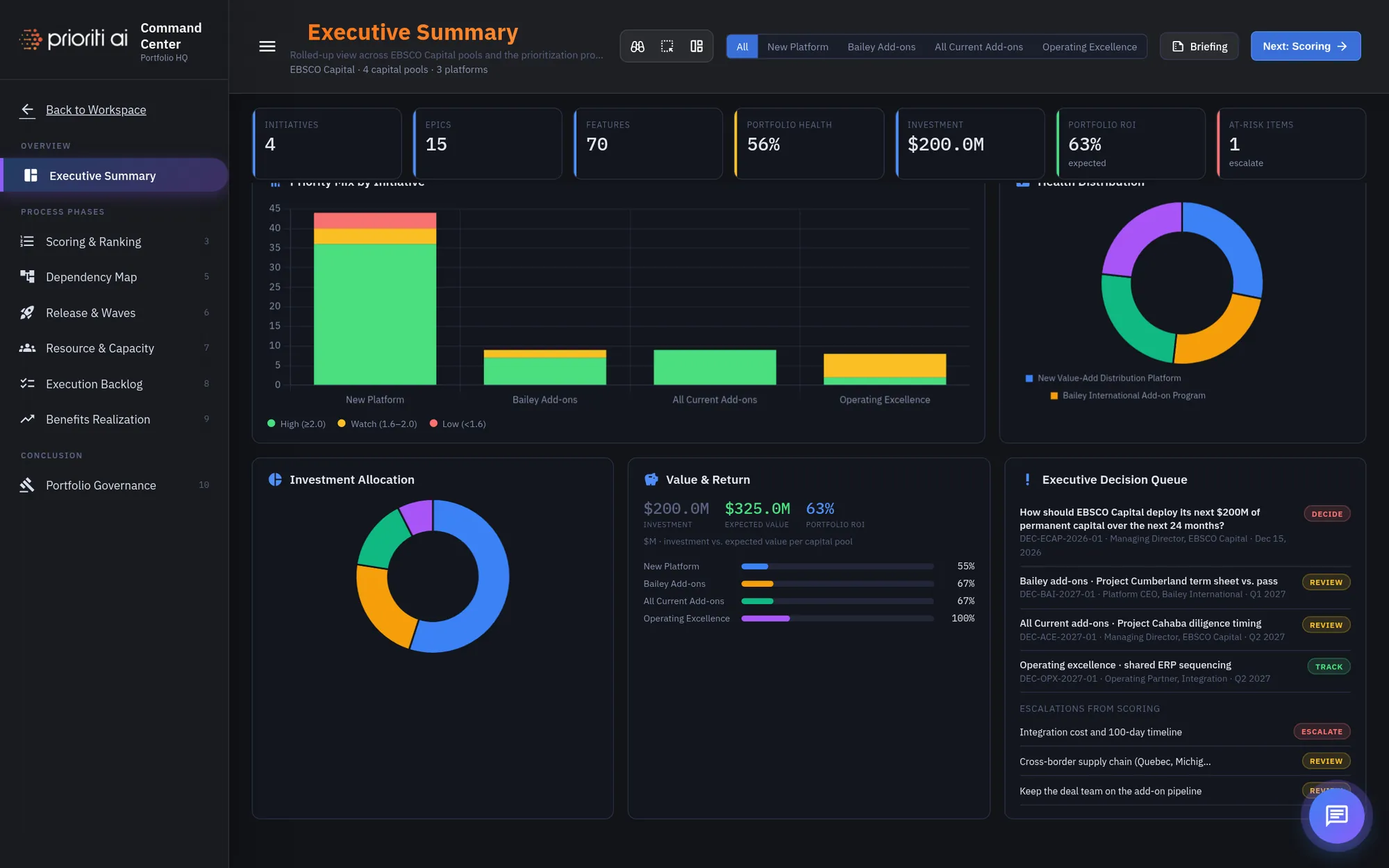
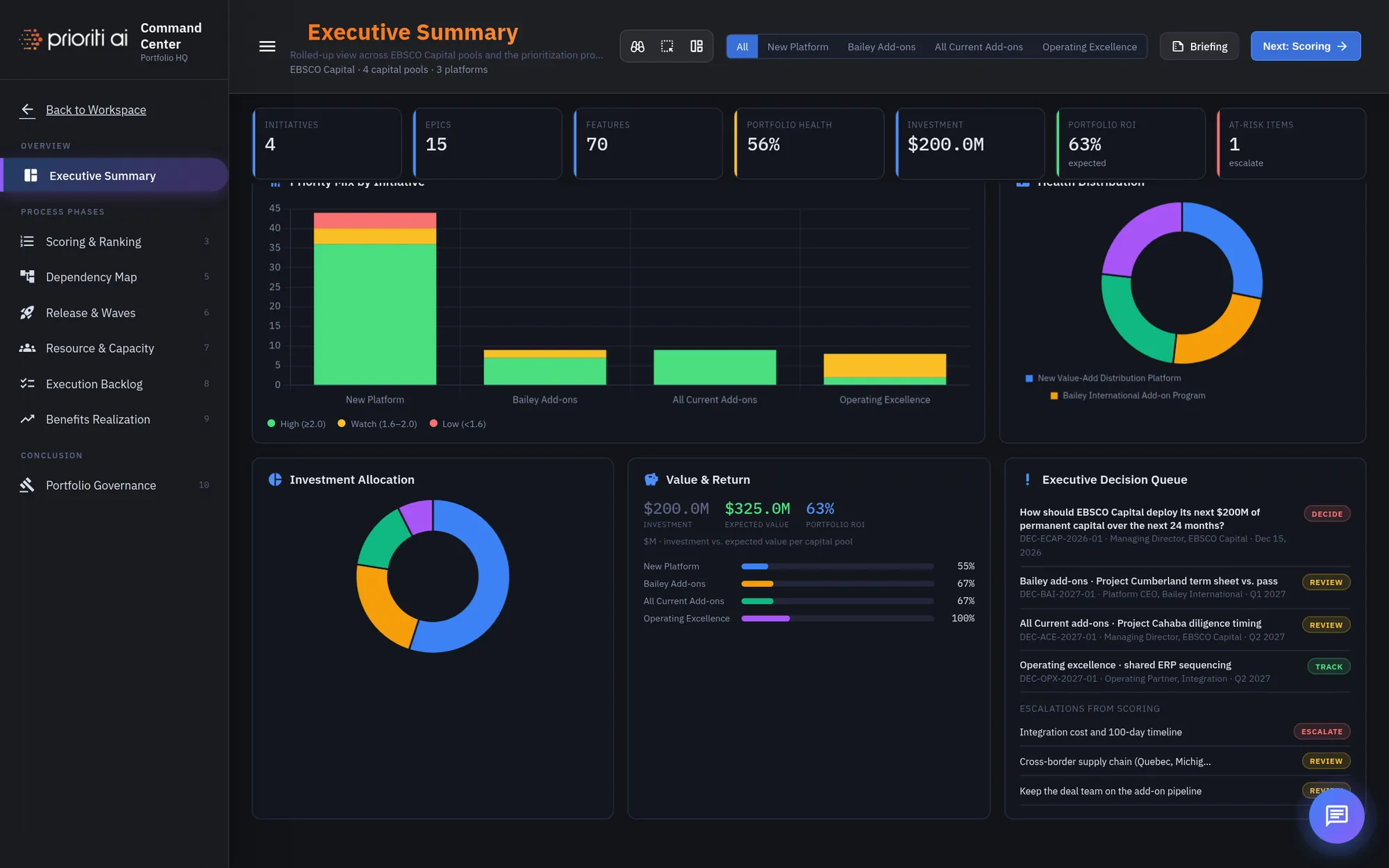
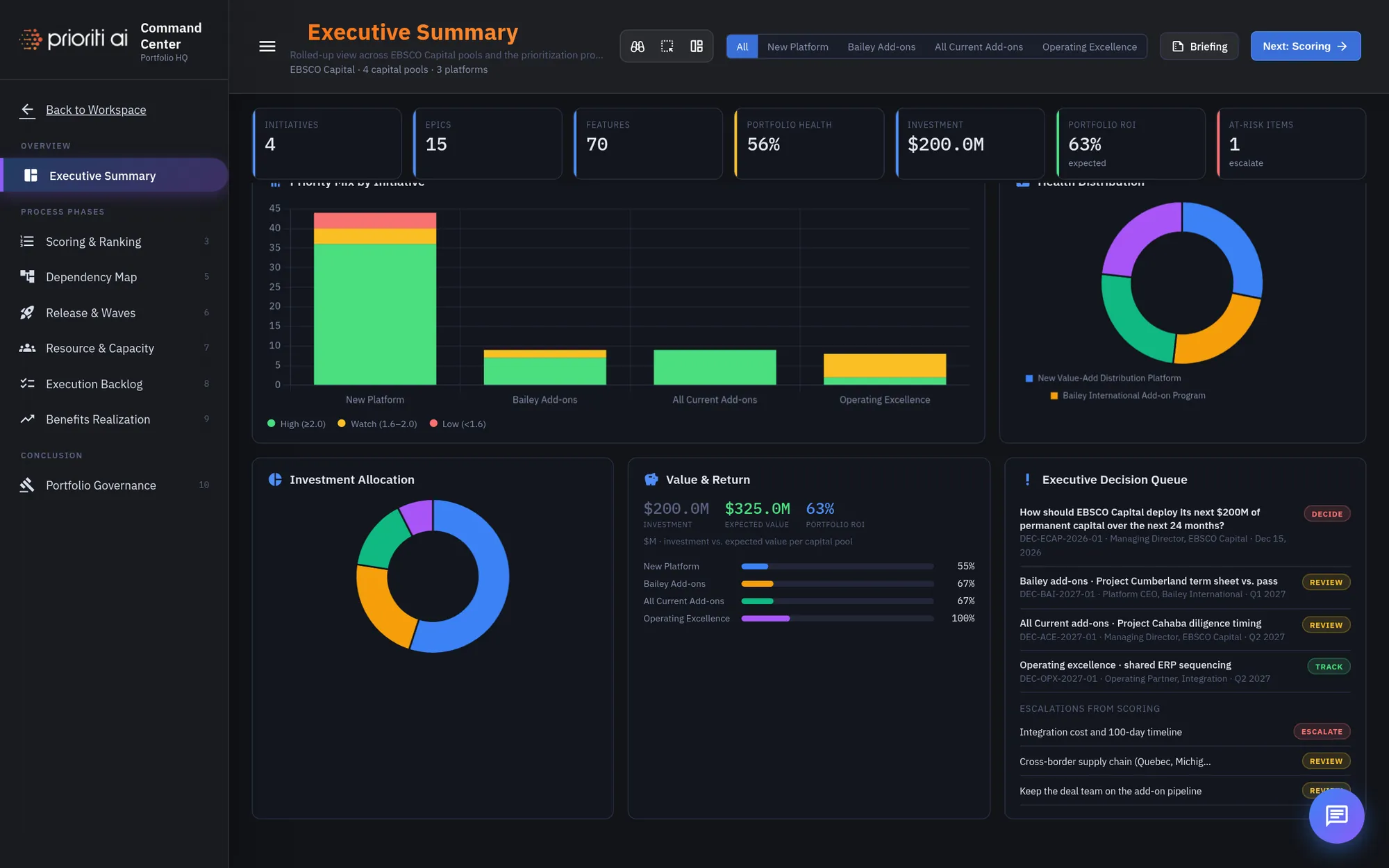
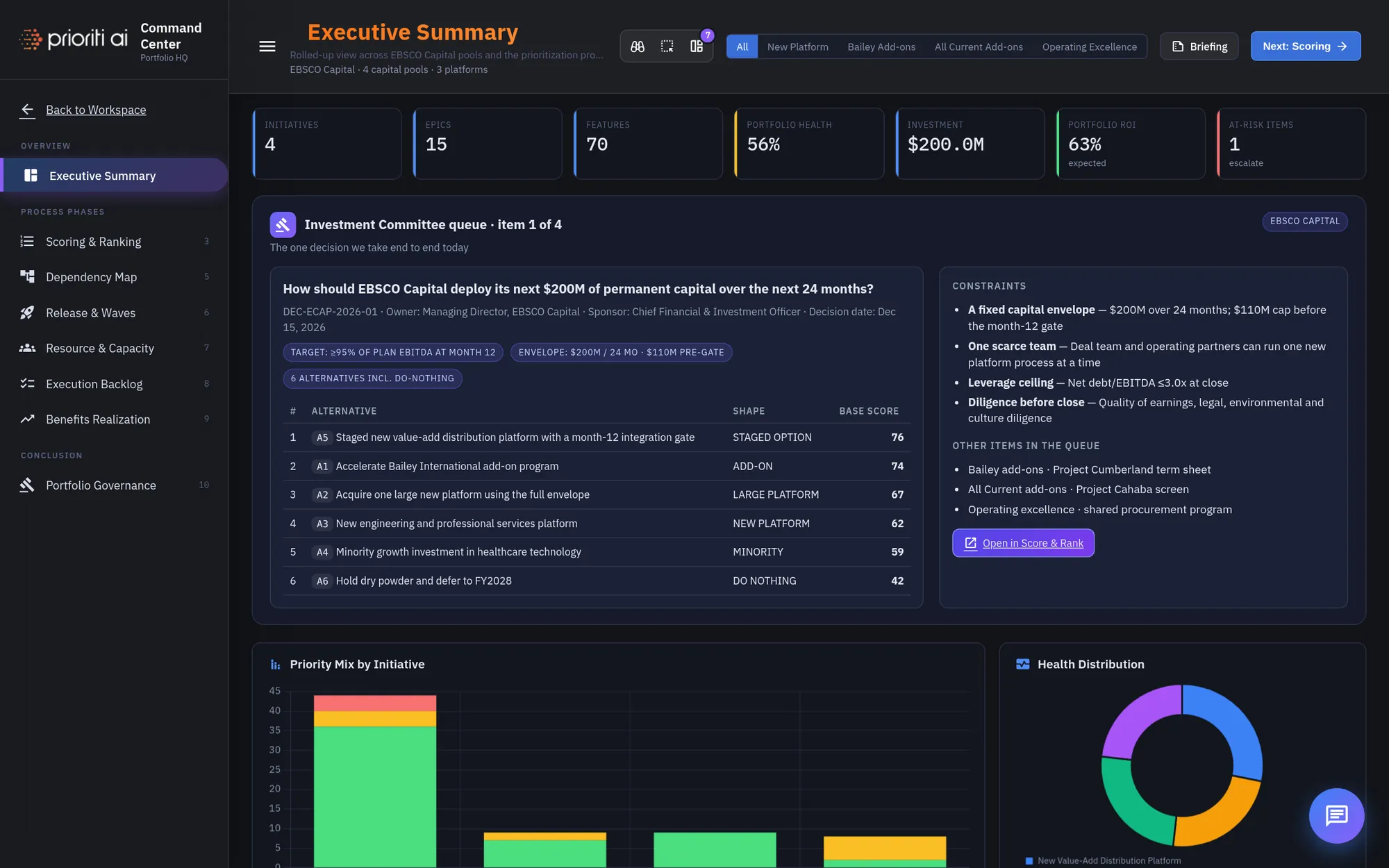
The left rail follows the process phases in order, from Scoring and Ranking through Portfolio Governance.
Across the top, KPI tiles roll up the portfolio: initiatives, investment, health, return, and at-risk items.
Use the filter to focus on one capital pool. Keep All selected for the full picture.
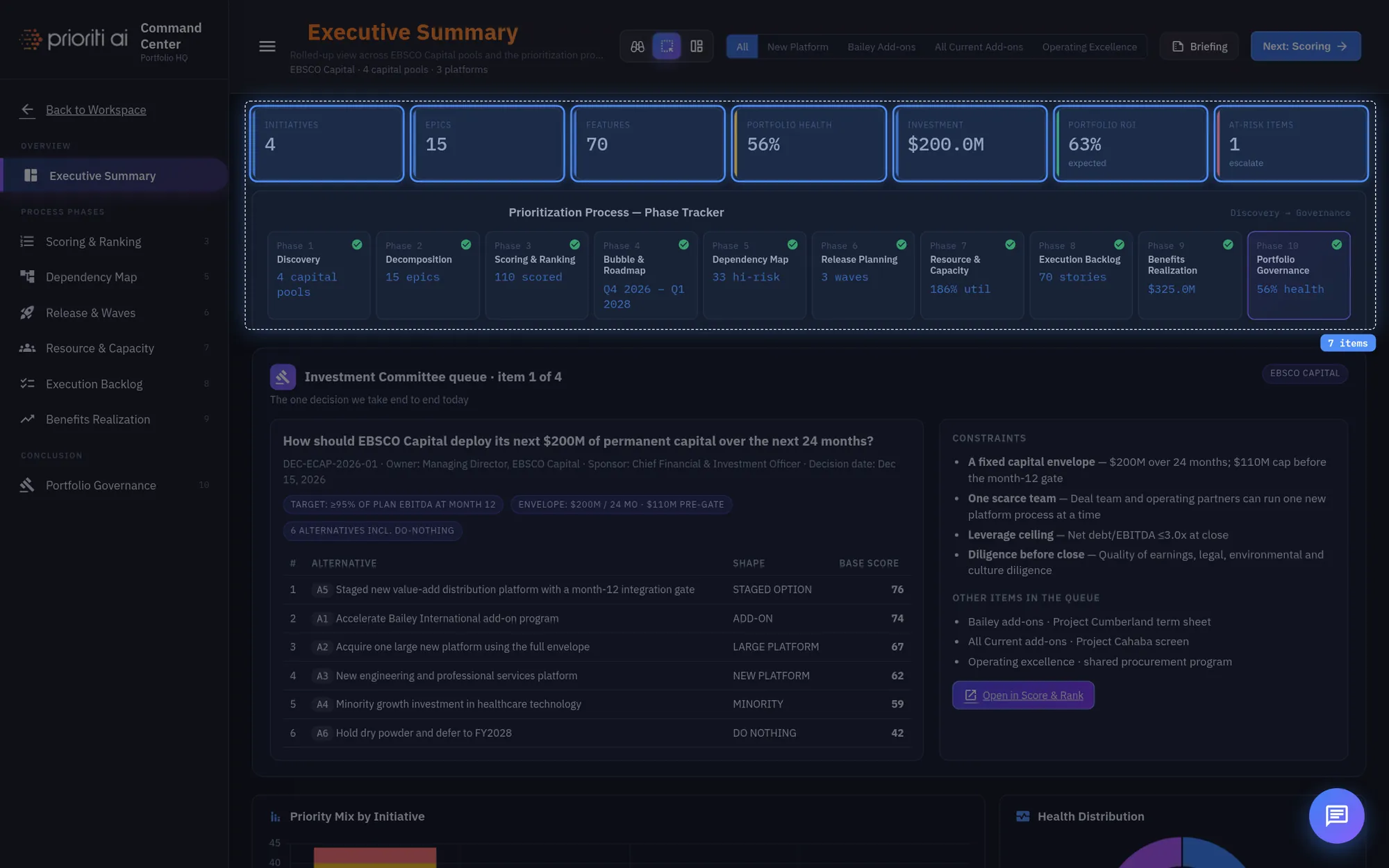
The Phase Tracker shows where each of the ten prioritization phases stands, from discovery to governance.
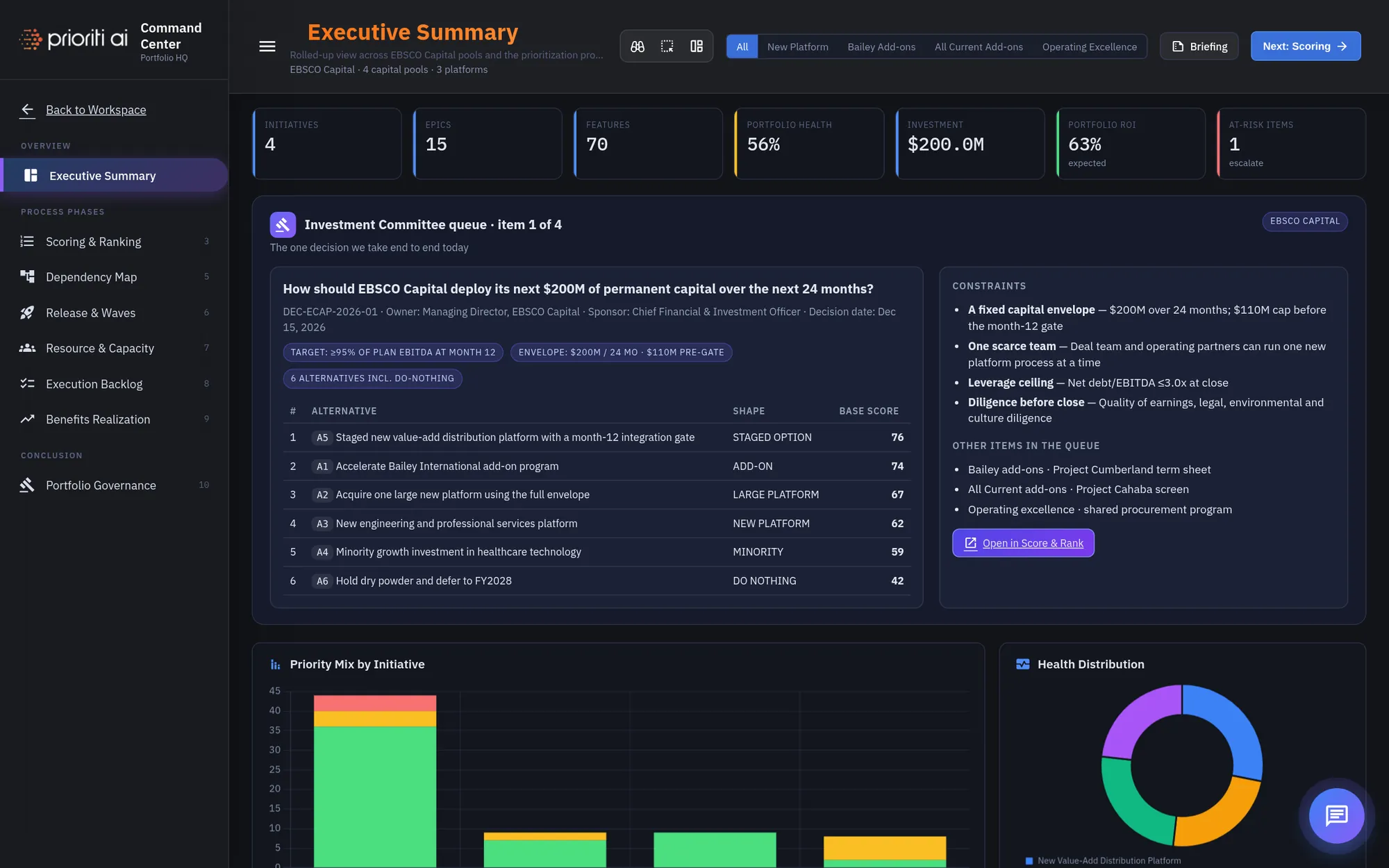
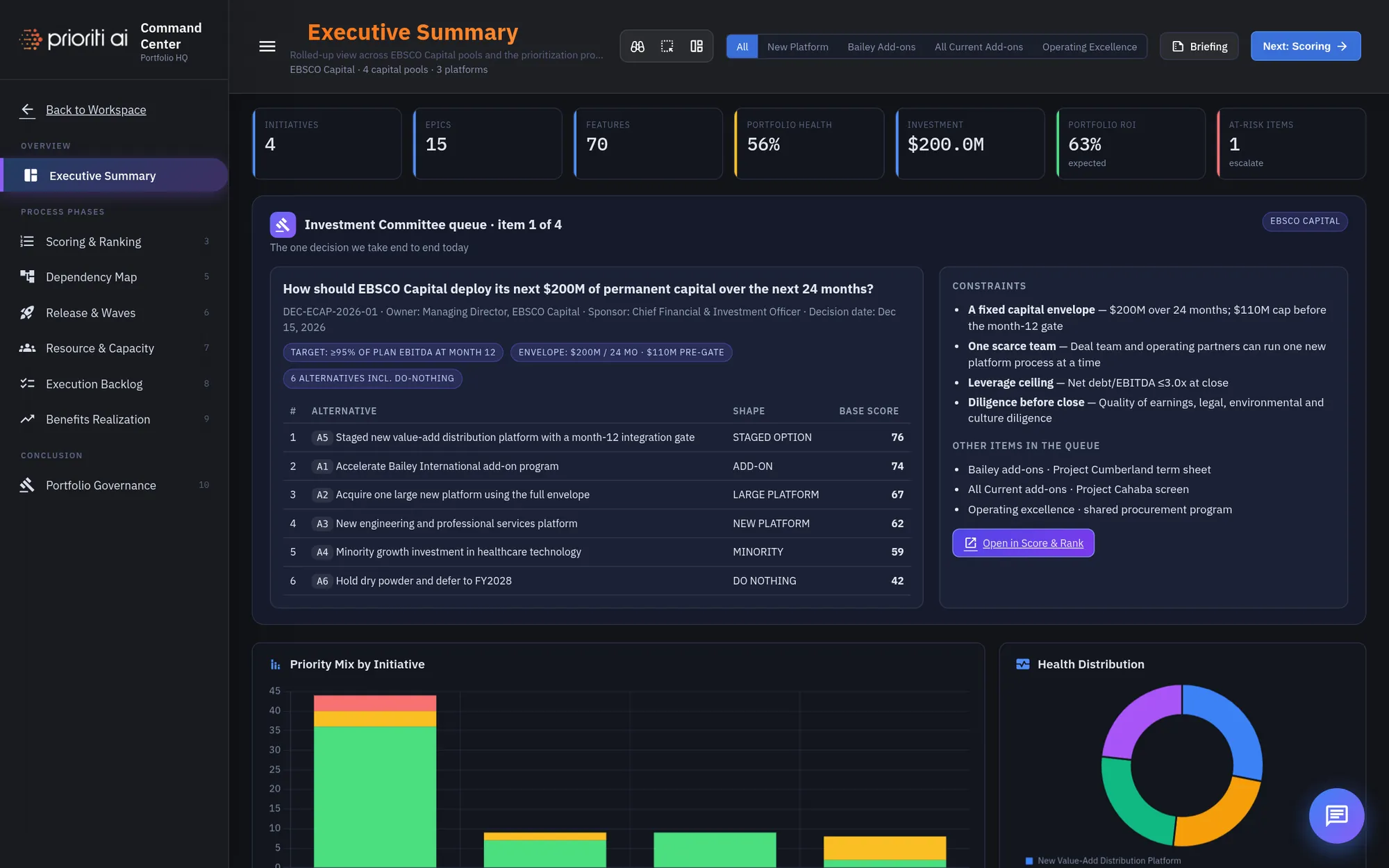
The Investment Committee queue holds the one decision you'll take end to end today.
It already contains six alternatives, including doing nothing. A decision that doesn't price doing nothing isn't a decision.
The constraints sit beside it: a fixed capital envelope, one scarce team, a leverage ceiling, and diligence before close.
Scroll down for charts on priority mix, health, investment allocation, and value and return.
The Executive Decision Queue lists everything waiting on a call, plus escalations from scoring.
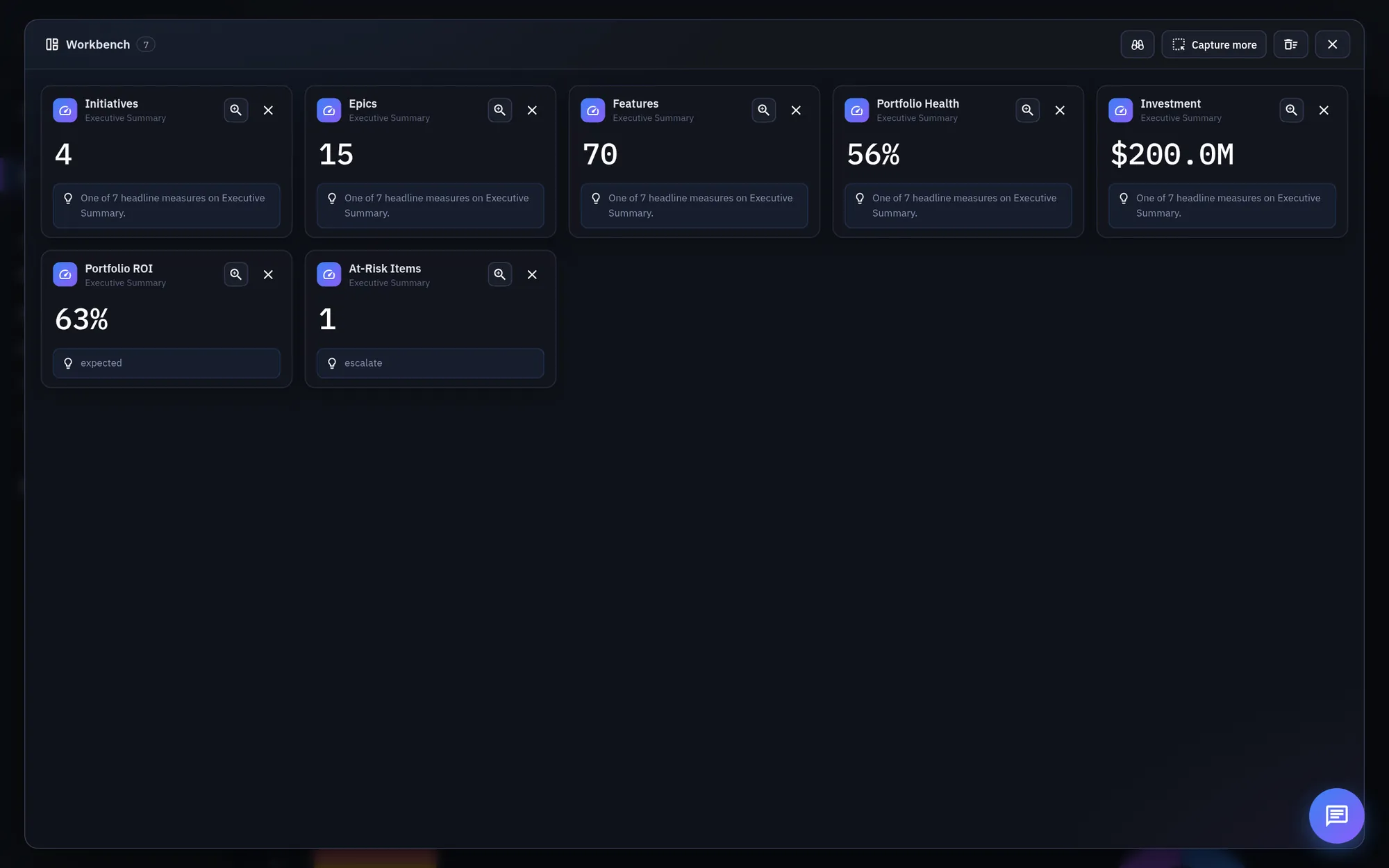
Three Lens tools sit in the header: a Loupe to magnify, Capture to grab data, and the Workbench.
Click Capture, then drag a box across any charts, tiles, or rows. They light up, then fly into the Workbench.
The Workbench rebuilds your capture as live widgets, each with a takeaway. Zoom in on any widget for the full data set.
To work the decision, close the Workbench and click Open in Score and Rank.
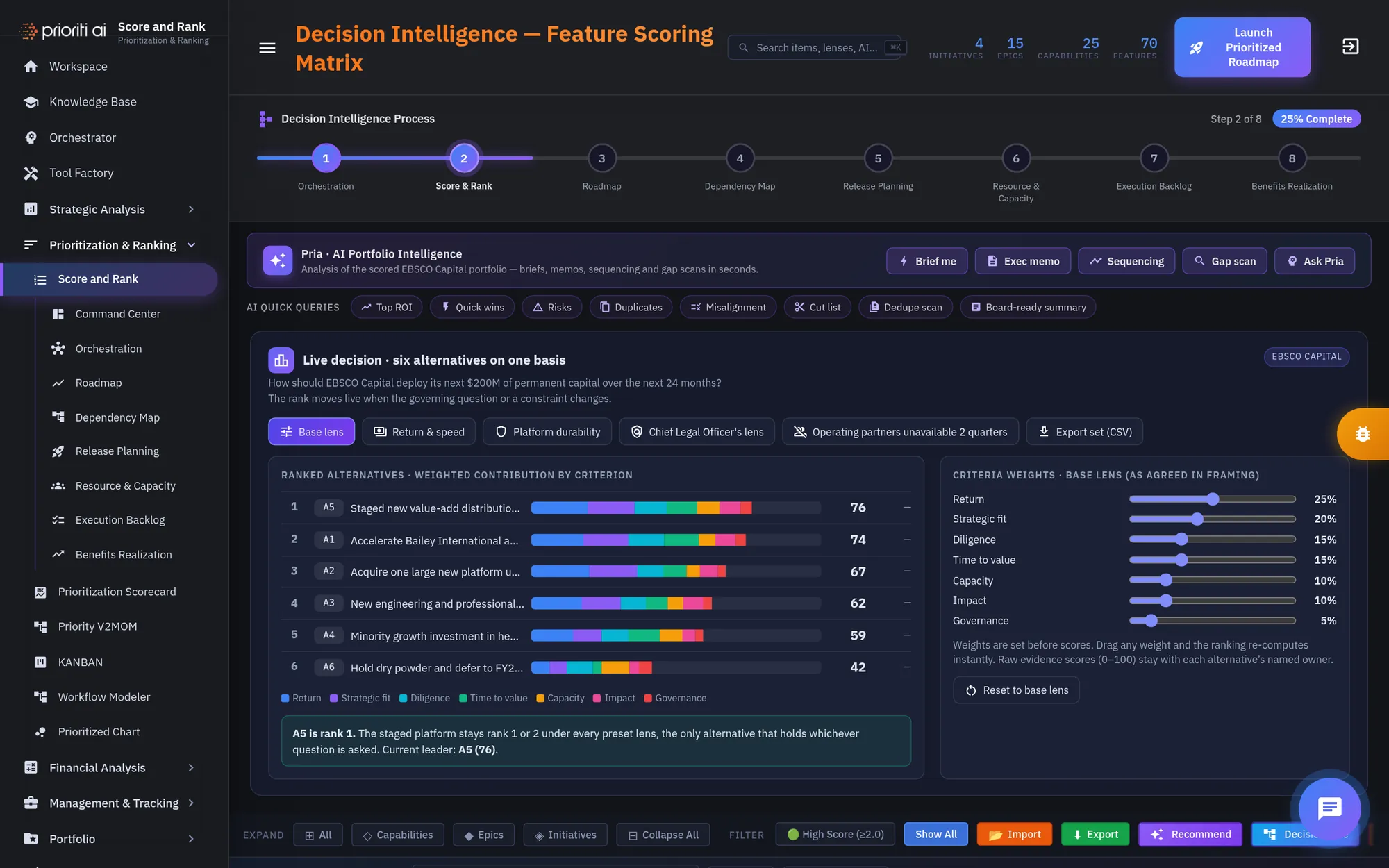
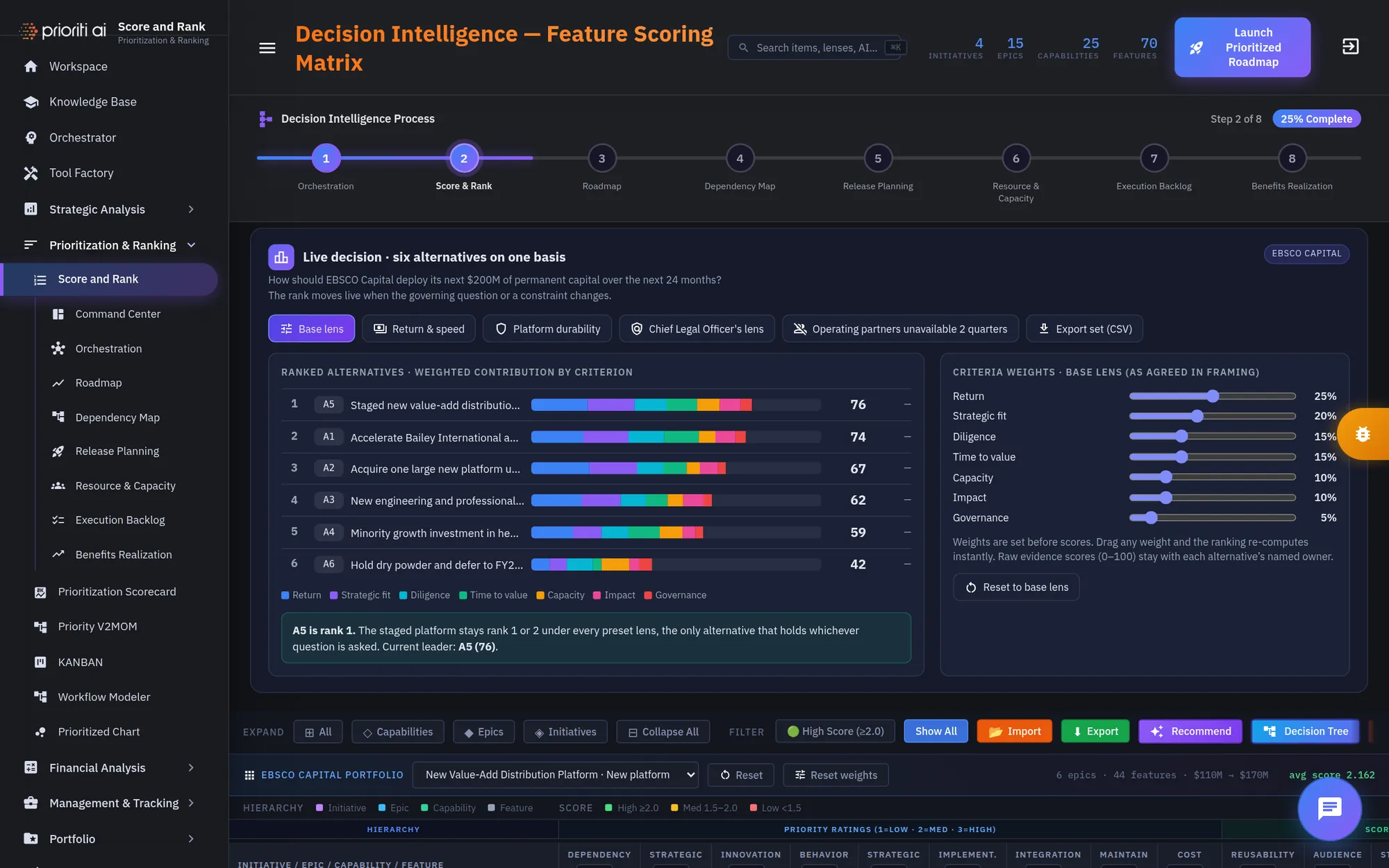
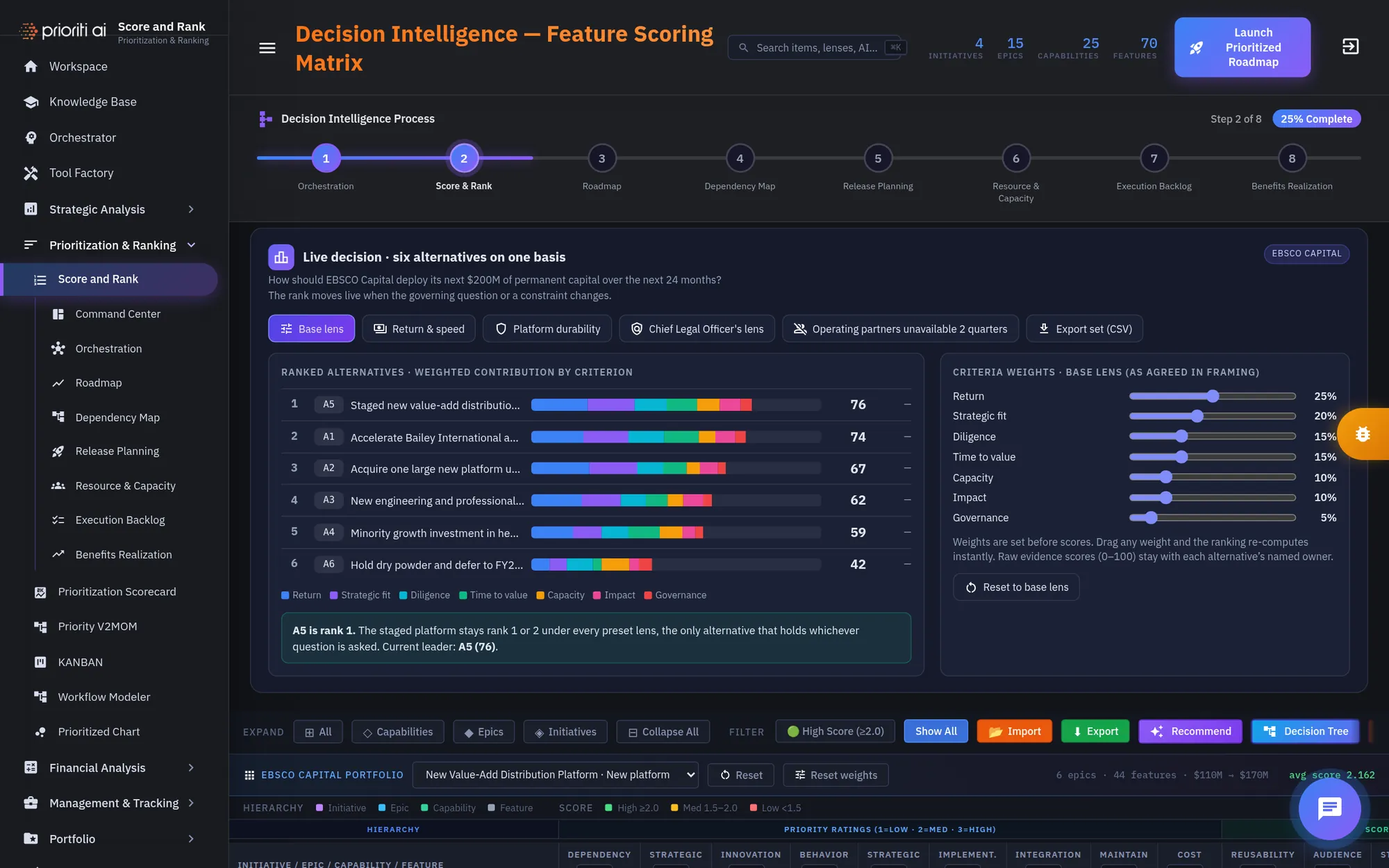
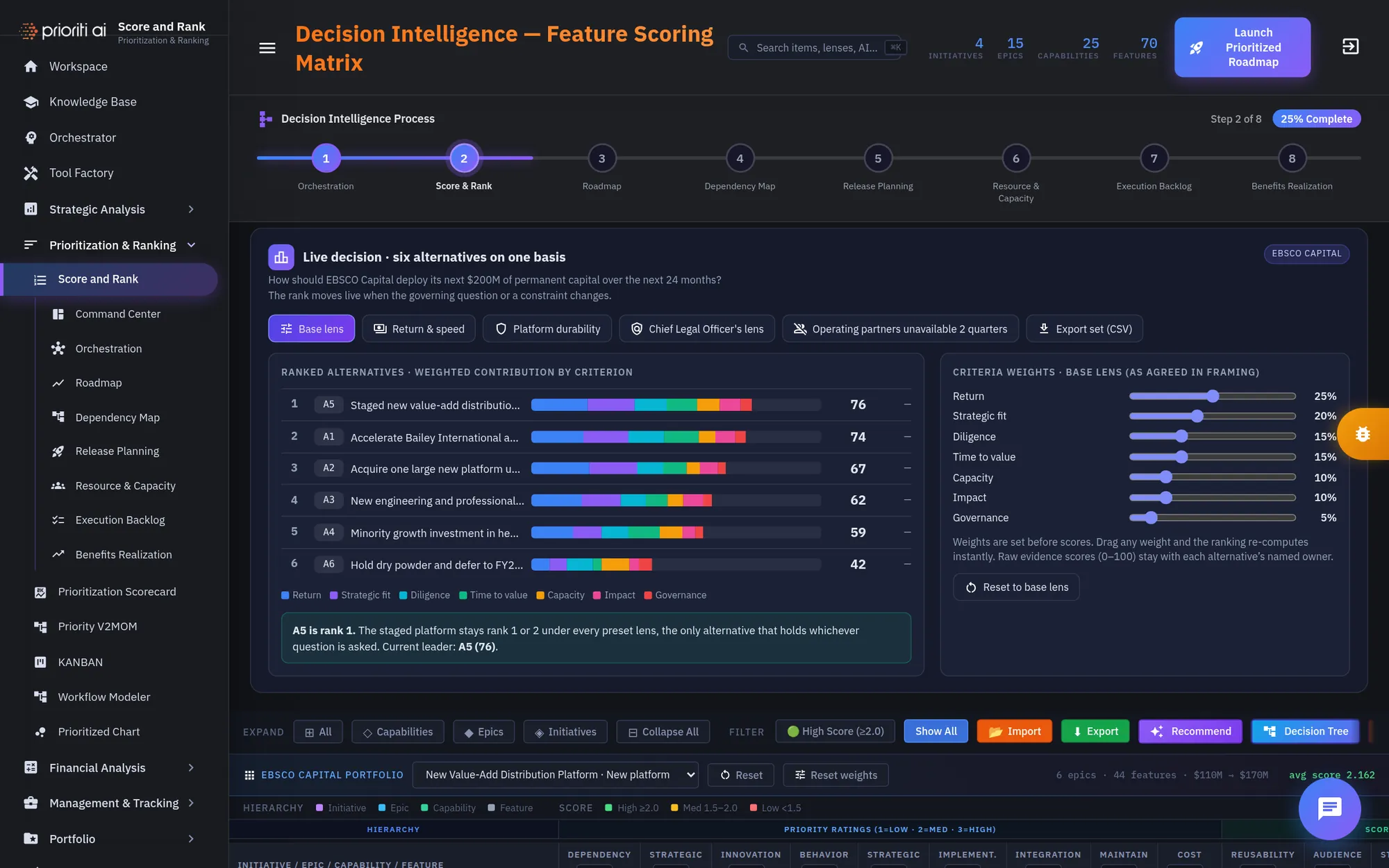
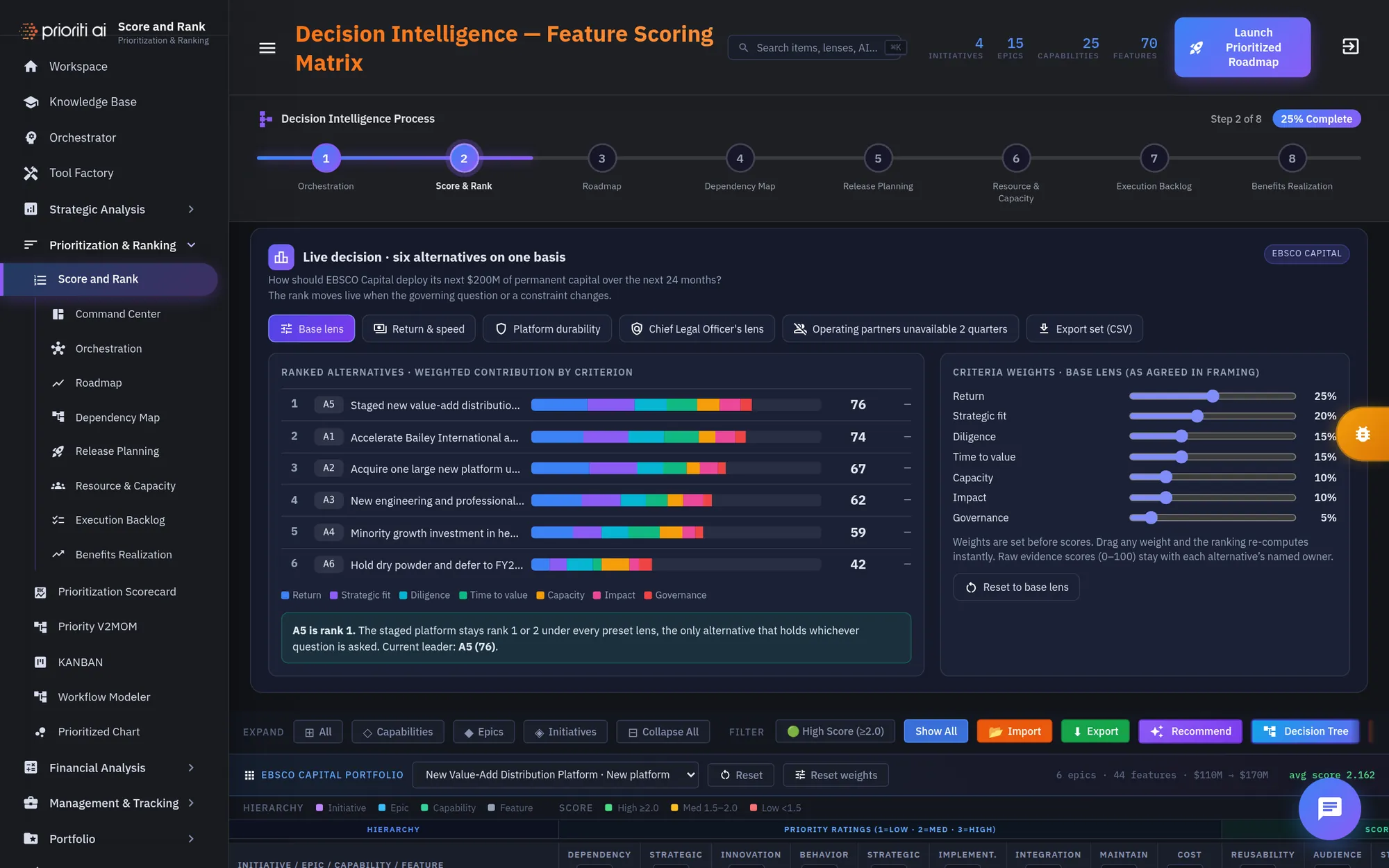
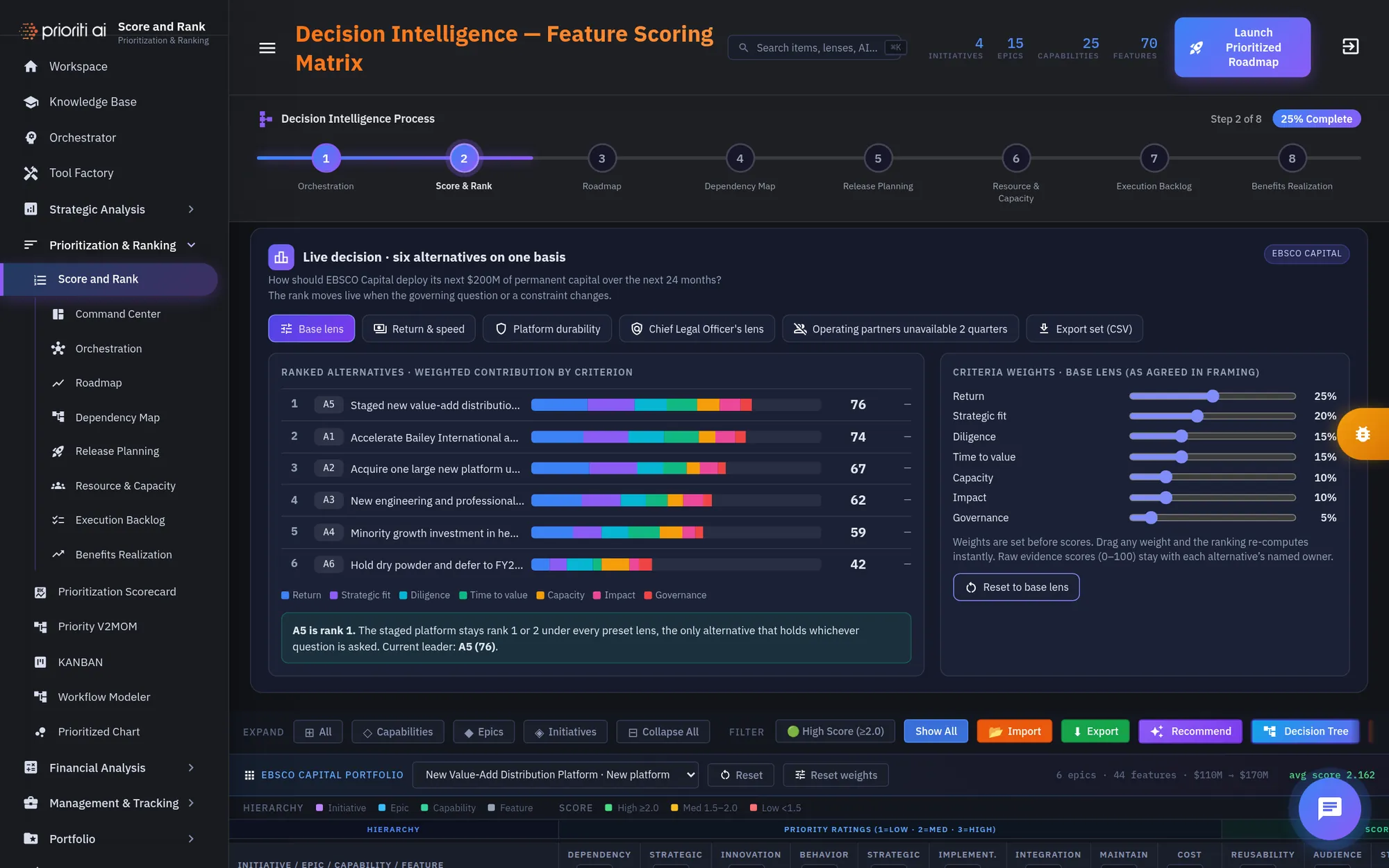
Every process page shows the Decision Intelligence Process. You're on step two of eight, Score and Rank.
Pria drafts briefs, exec memos, sequencing, and gap scans. AI quick queries sit just below.
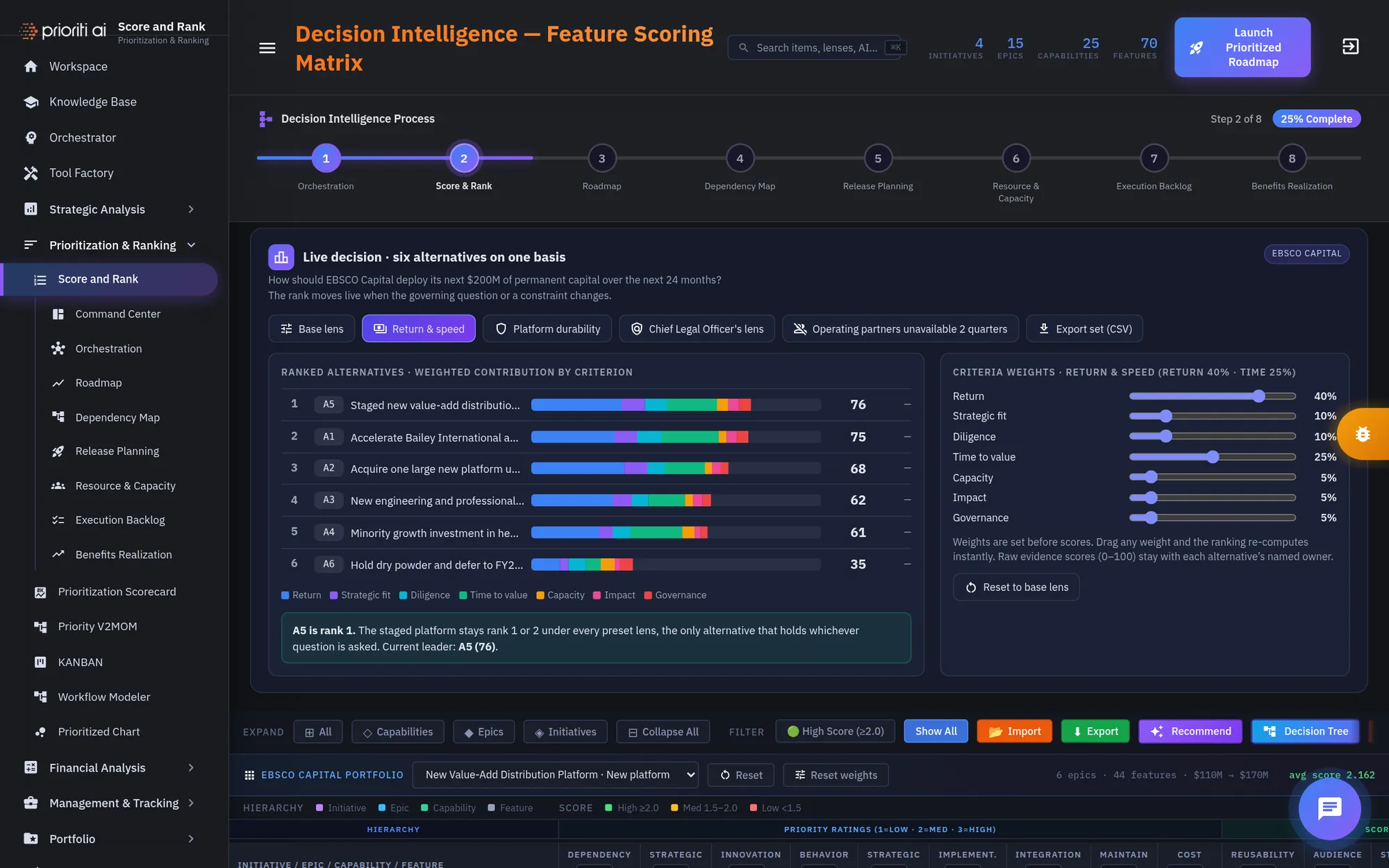
The live decision panel puts all six alternatives on one comparable basis.
Each bar shows the weighted contribution of every criterion. A5 leads with a score of 76.
The criteria weights were agreed before any alternative was scored. Weights chosen after the scores are visible are arguments, not criteria.
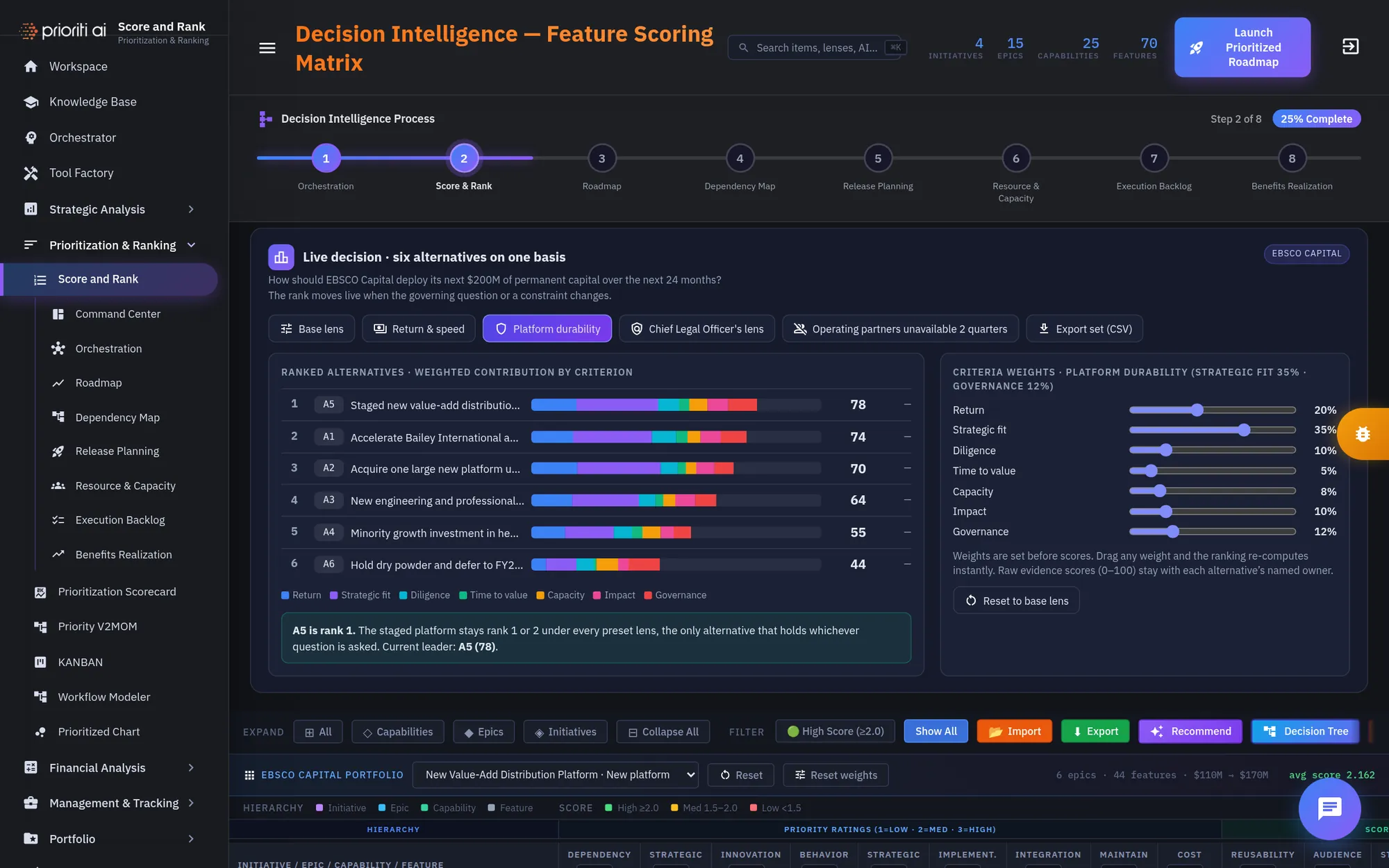
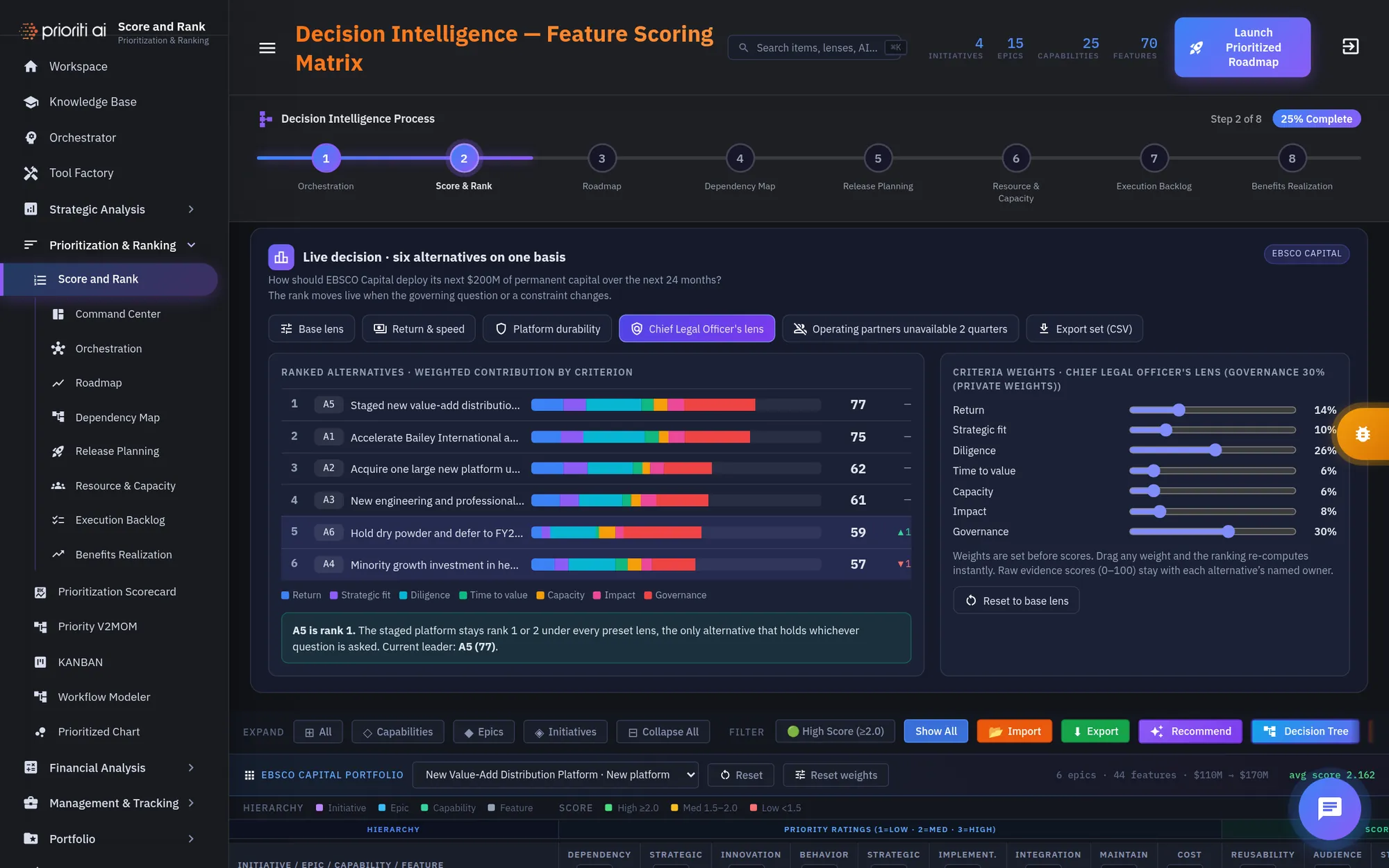
Lenses ask different questions of the same alternatives: return and speed, platform durability, or the Chief Legal Officer's view.
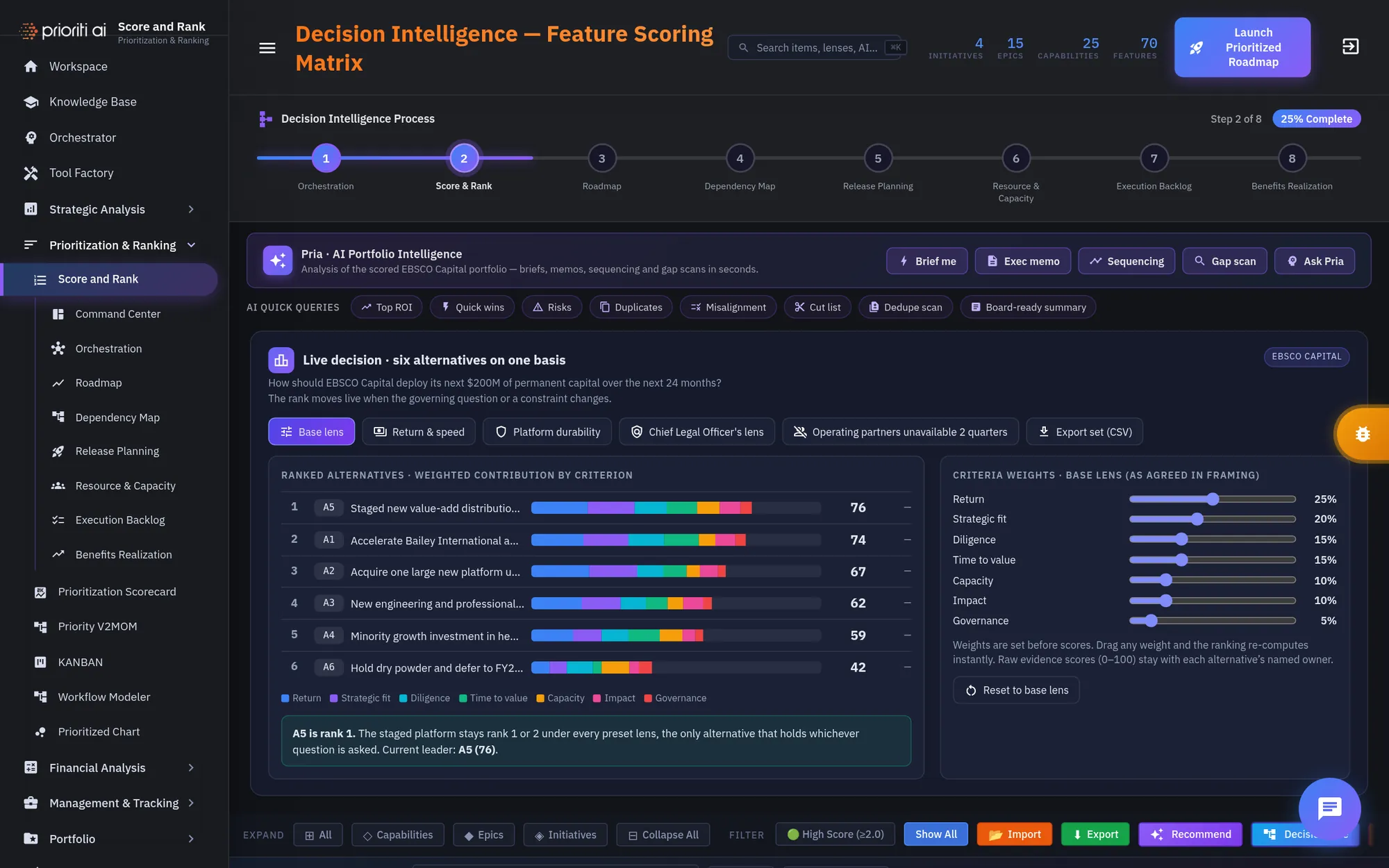
Choose Return and speed. The weights shift, and the ranking re-computes instantly. Nothing about the alternatives changed. Only the question did.
Now try Platform durability. Watch the arrows: they show which alternatives moved, and by how much.
Under the Chief Legal Officer's lens, A5 still holds. It stays rank one or two under every lens, so it's the robust recommendation.
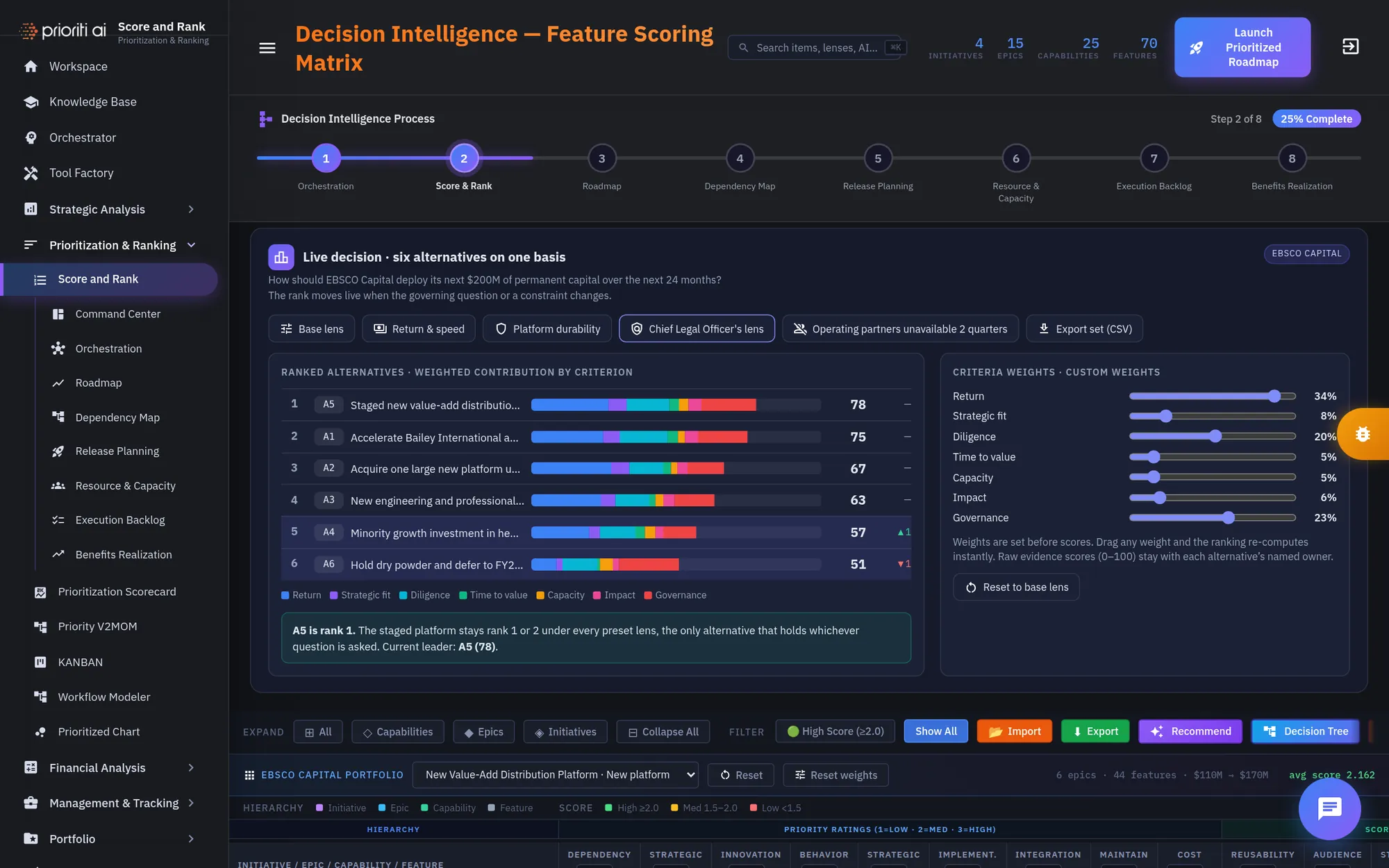
You can also drag any weight yourself. The panel switches to custom weights and re-ranks as you drag.
Reset to base lens when you're done. Export set saves the ranked alternatives and their weights as a CSV file.
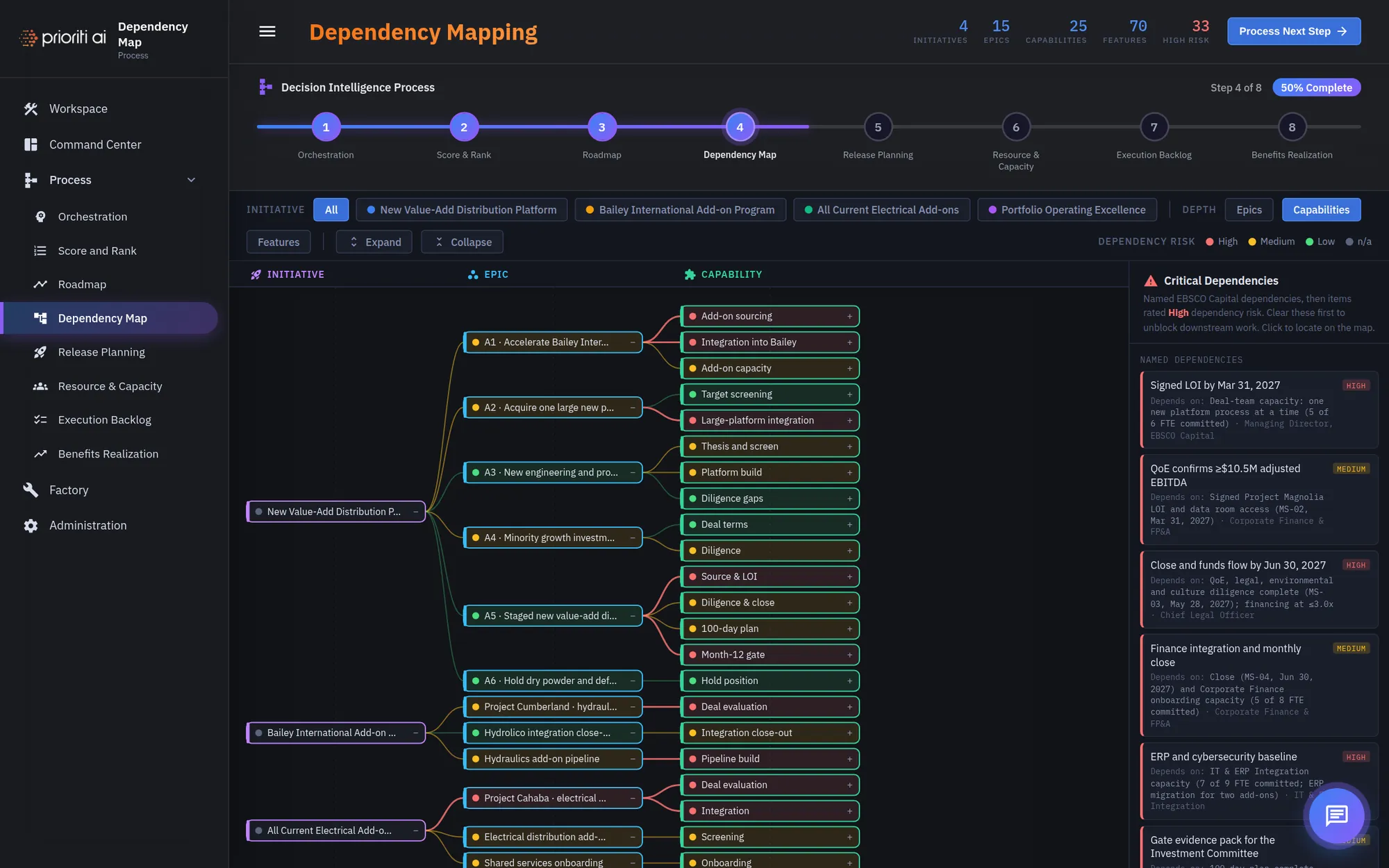
Weights aren't the only thing that moves a ranking. Constraints do too. Start in the Dependency Map.
The map links each initiative to its epics and capabilities. The dot colors show dependency risk: high, medium, or low.
Critical Dependencies lists the named items to clear first. Click one to locate it on the map.
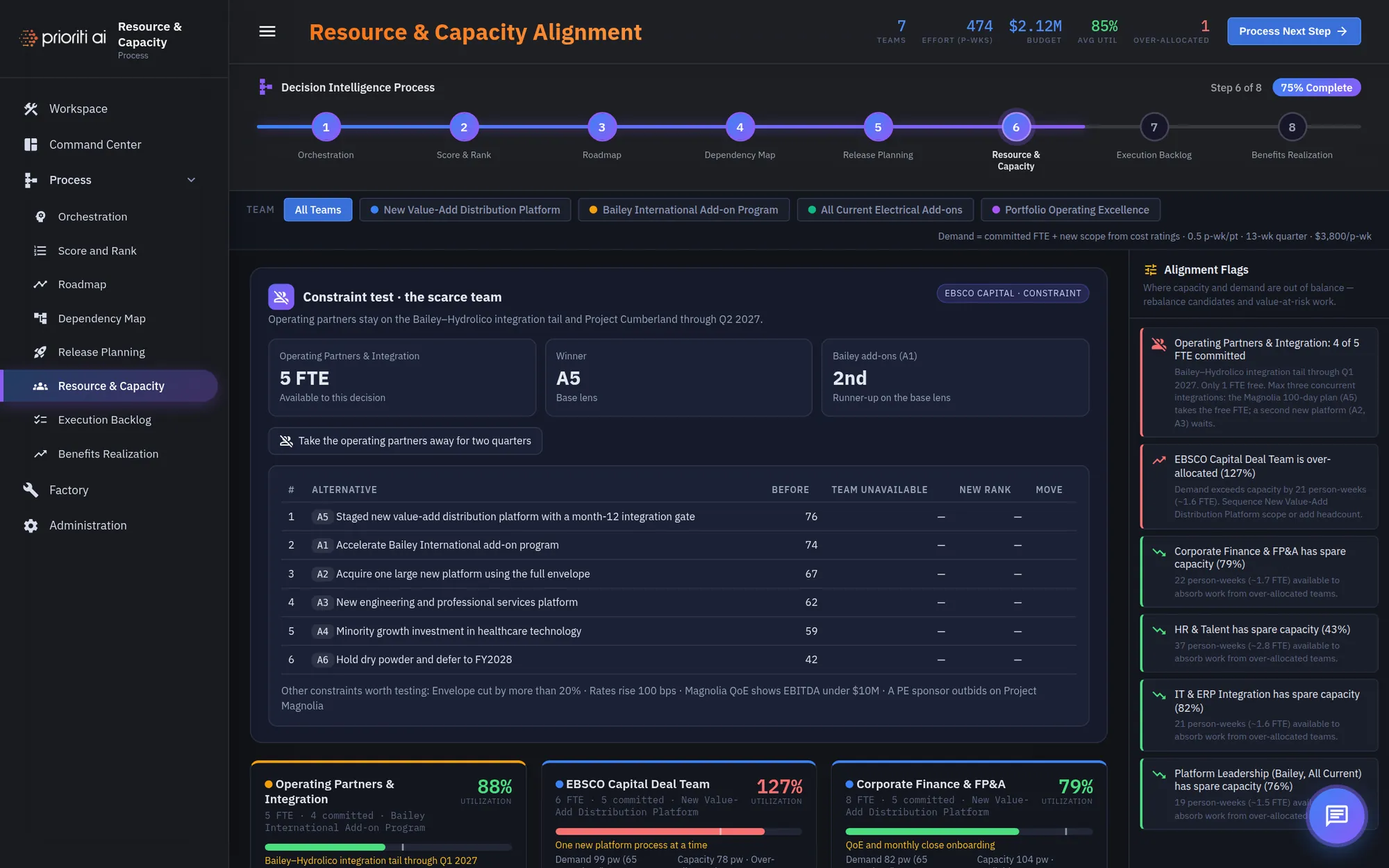
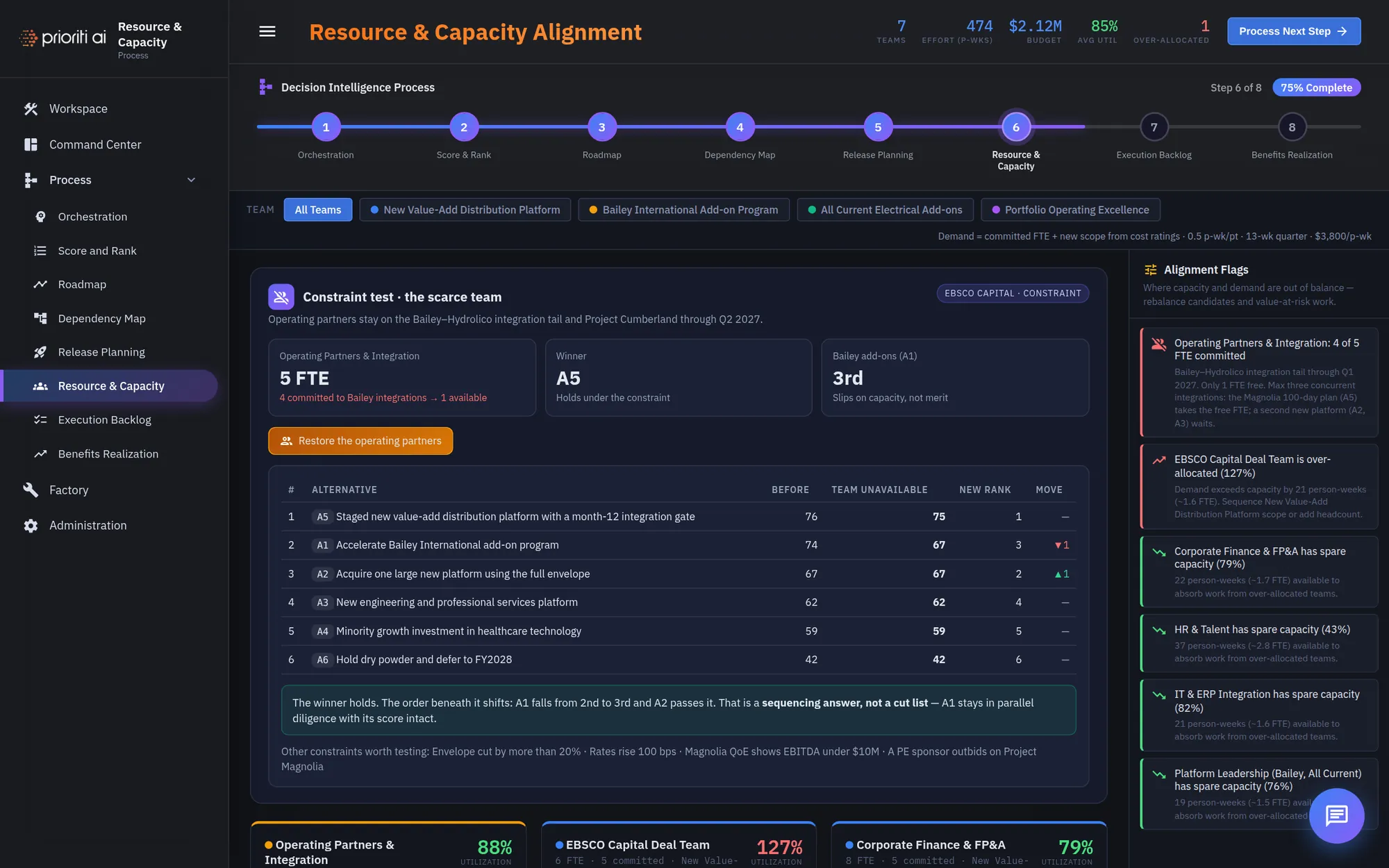
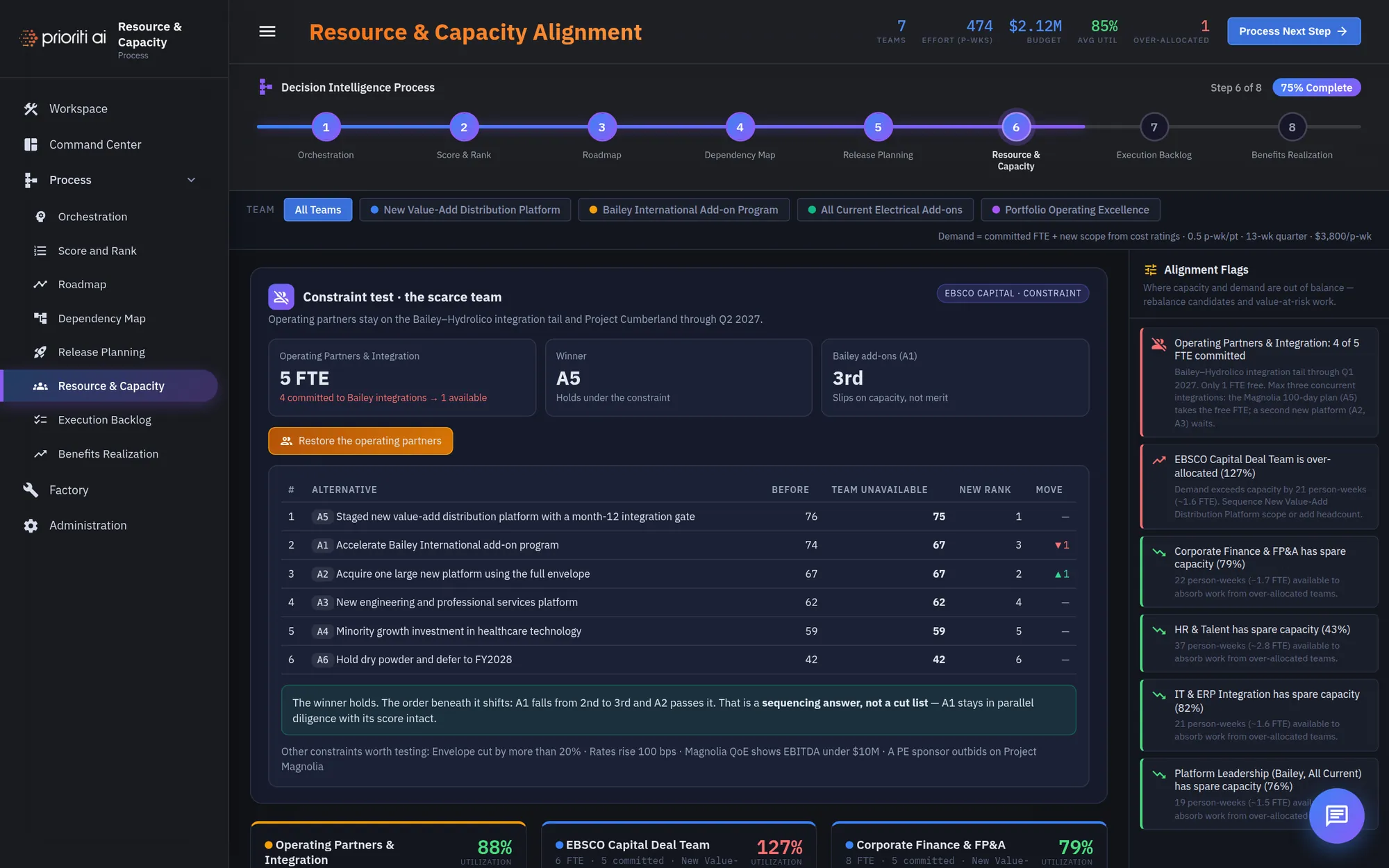
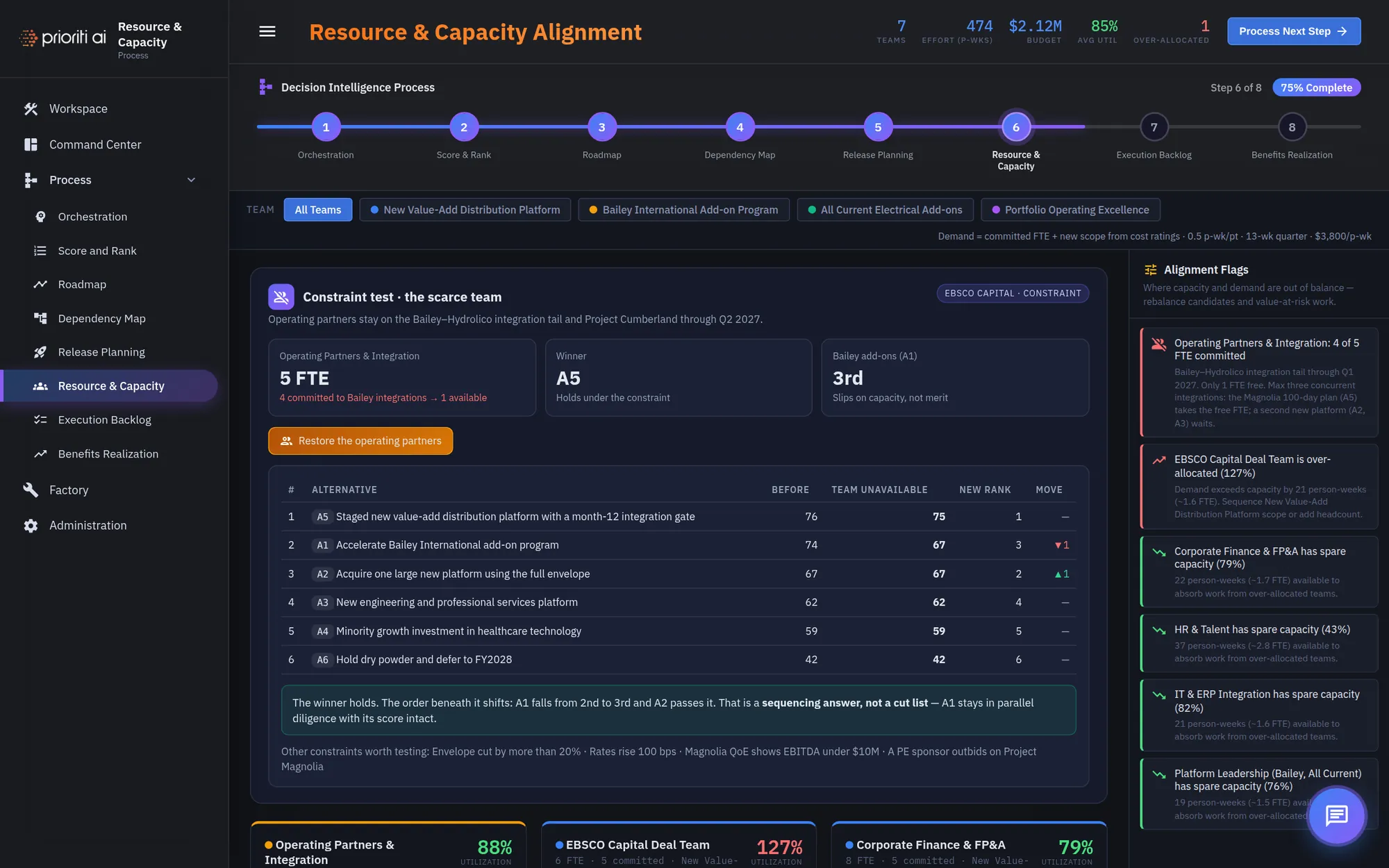
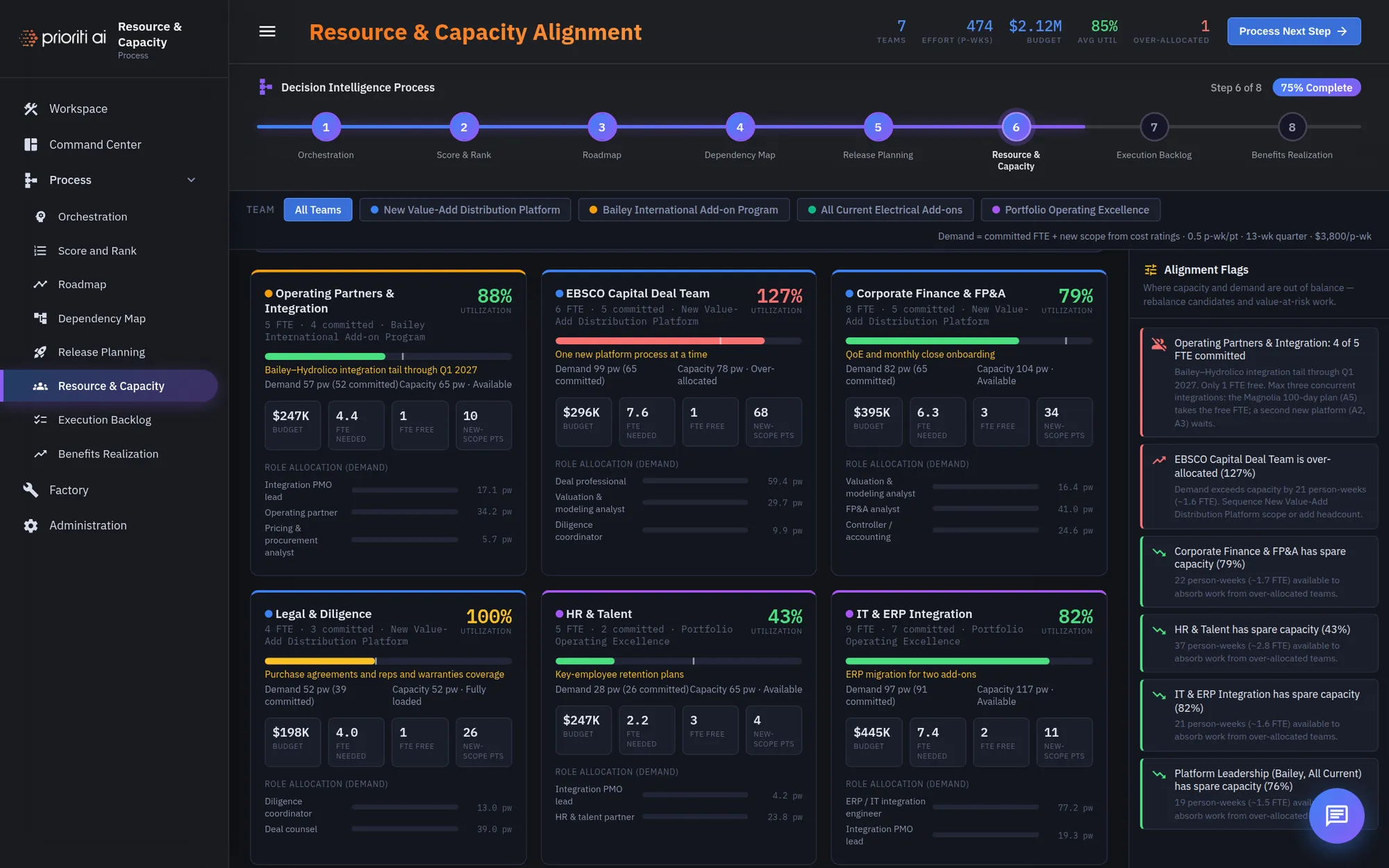
Next, open Resource and Capacity. The constraint test asks what happens when the scarce team isn't available.
Click Take the operating partners away for two quarters, and compare the ranking before and after.
The winner holds. What changes is the order beneath it. That's a sequencing answer, not a cut list, and no option is deleted.
Alignment Flags show where capacity and demand are out of balance, with rebalancing candidates.
Team cards show utilization for each group, so you can see who is over-allocated before you commit.
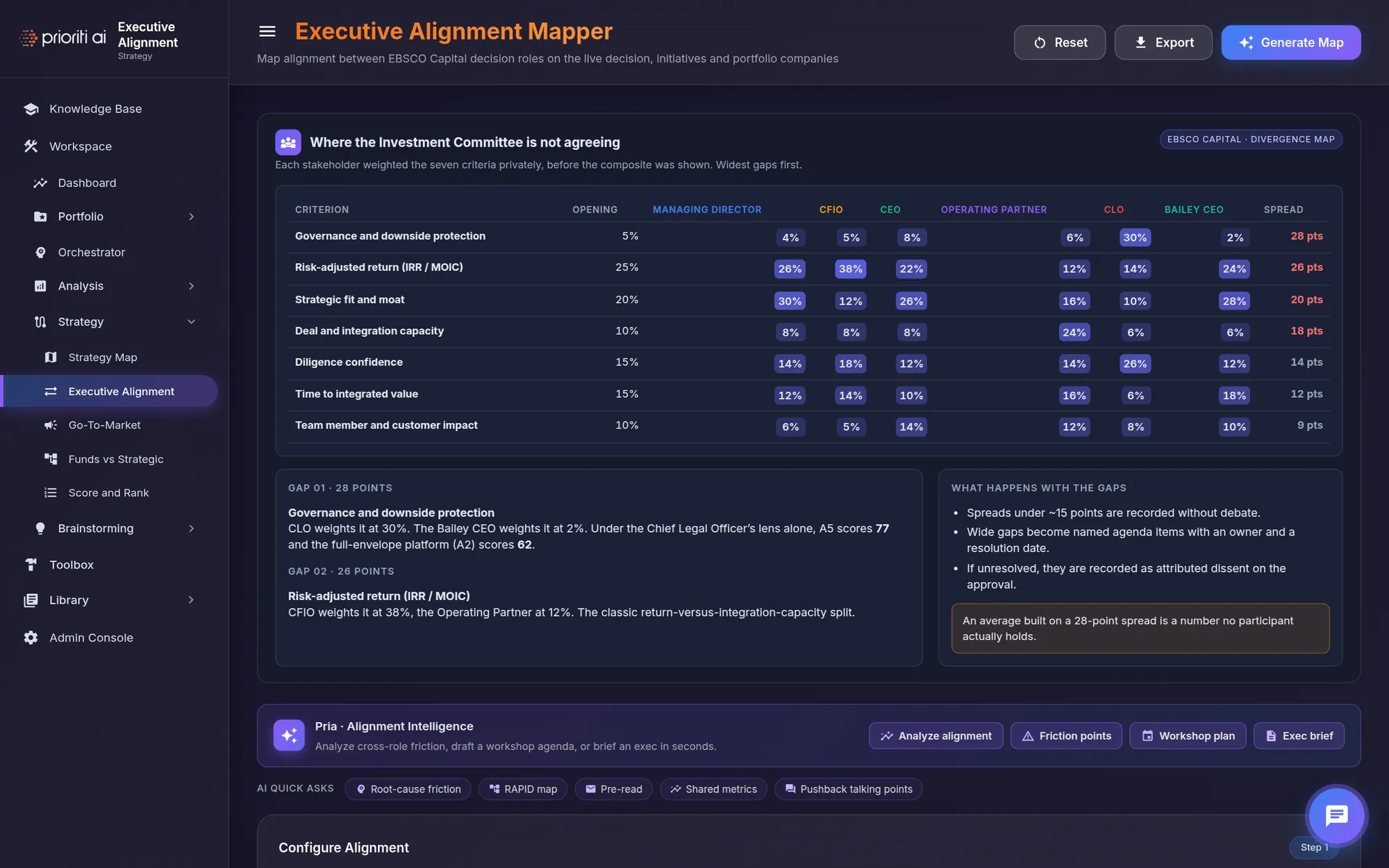
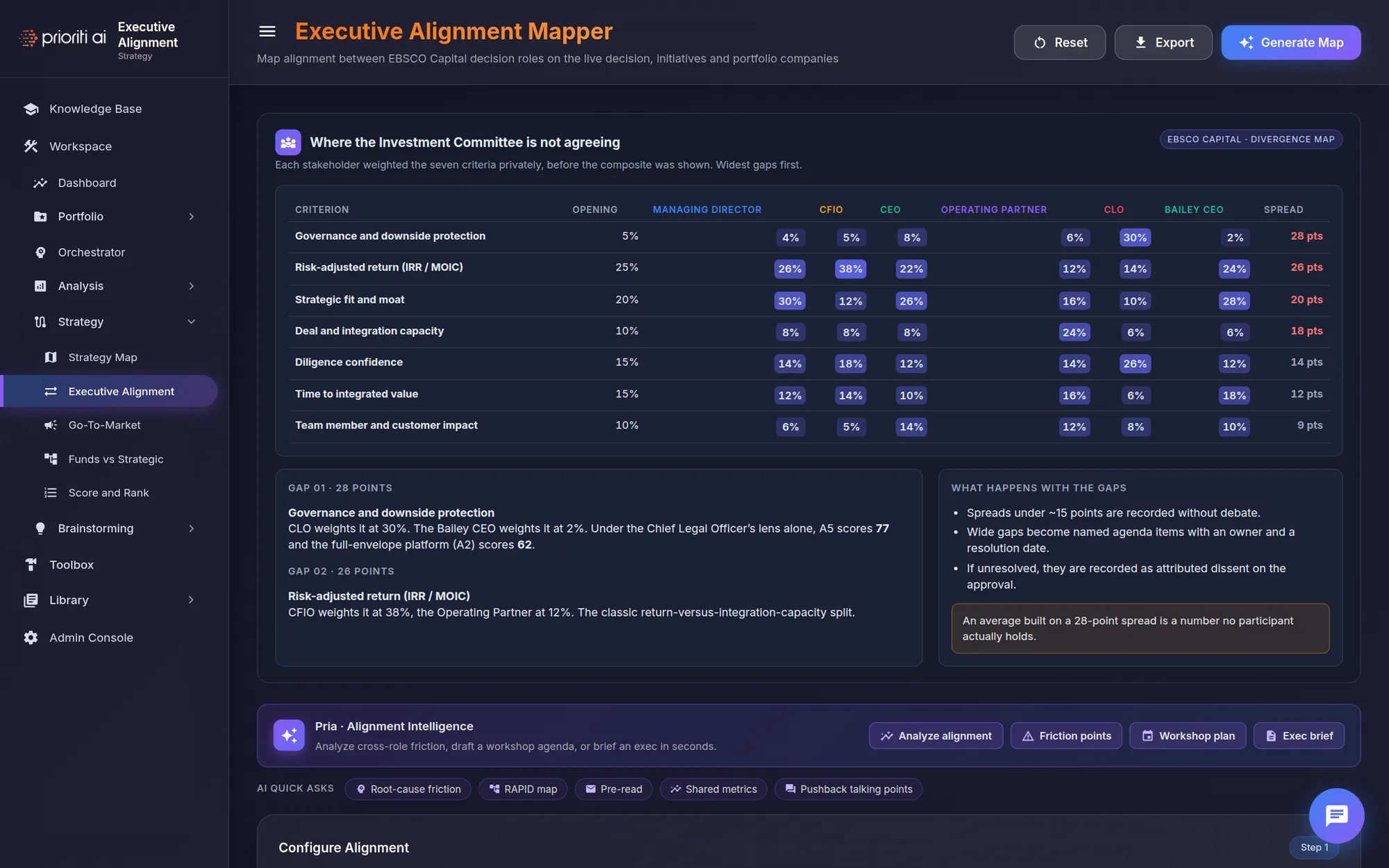
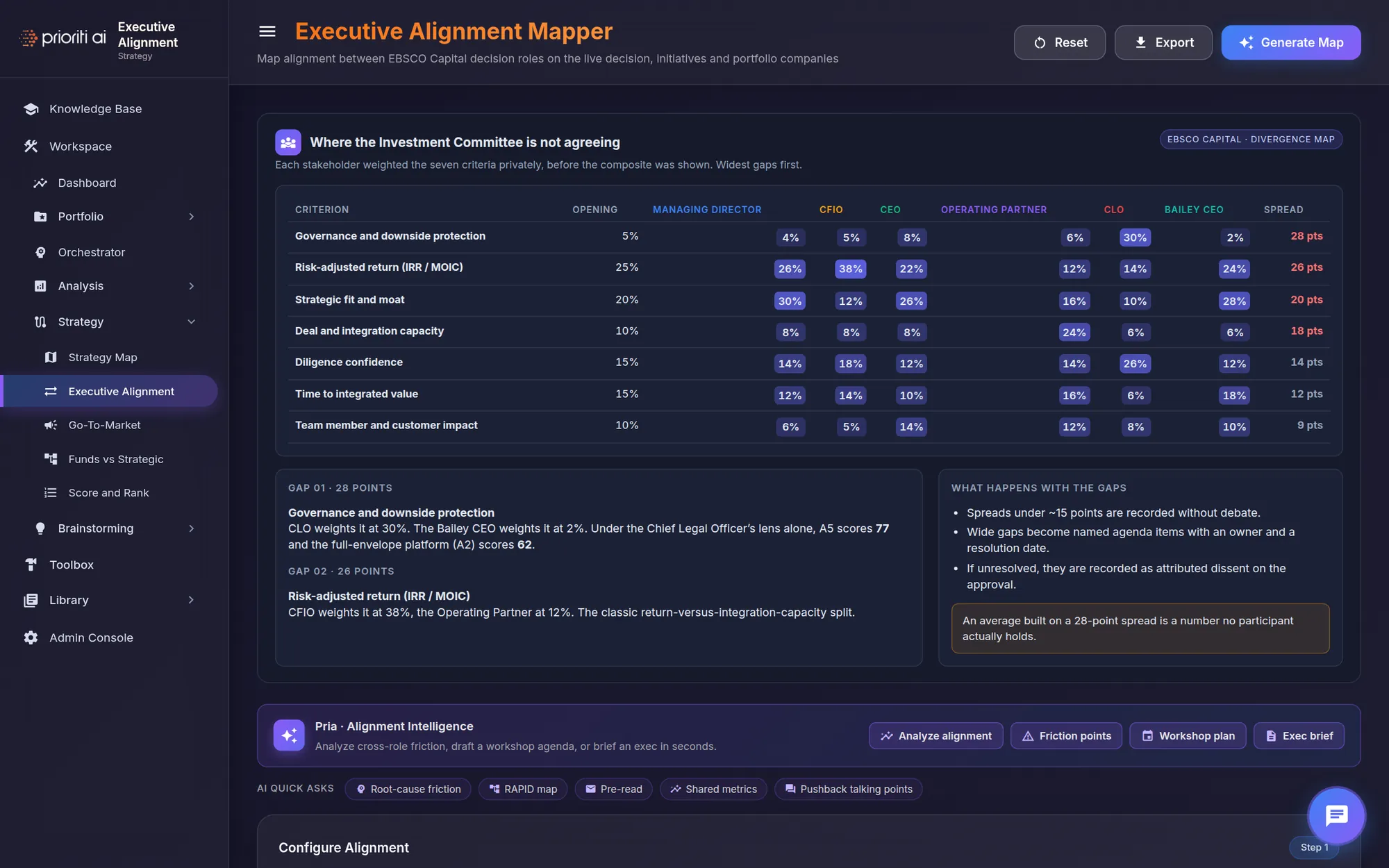
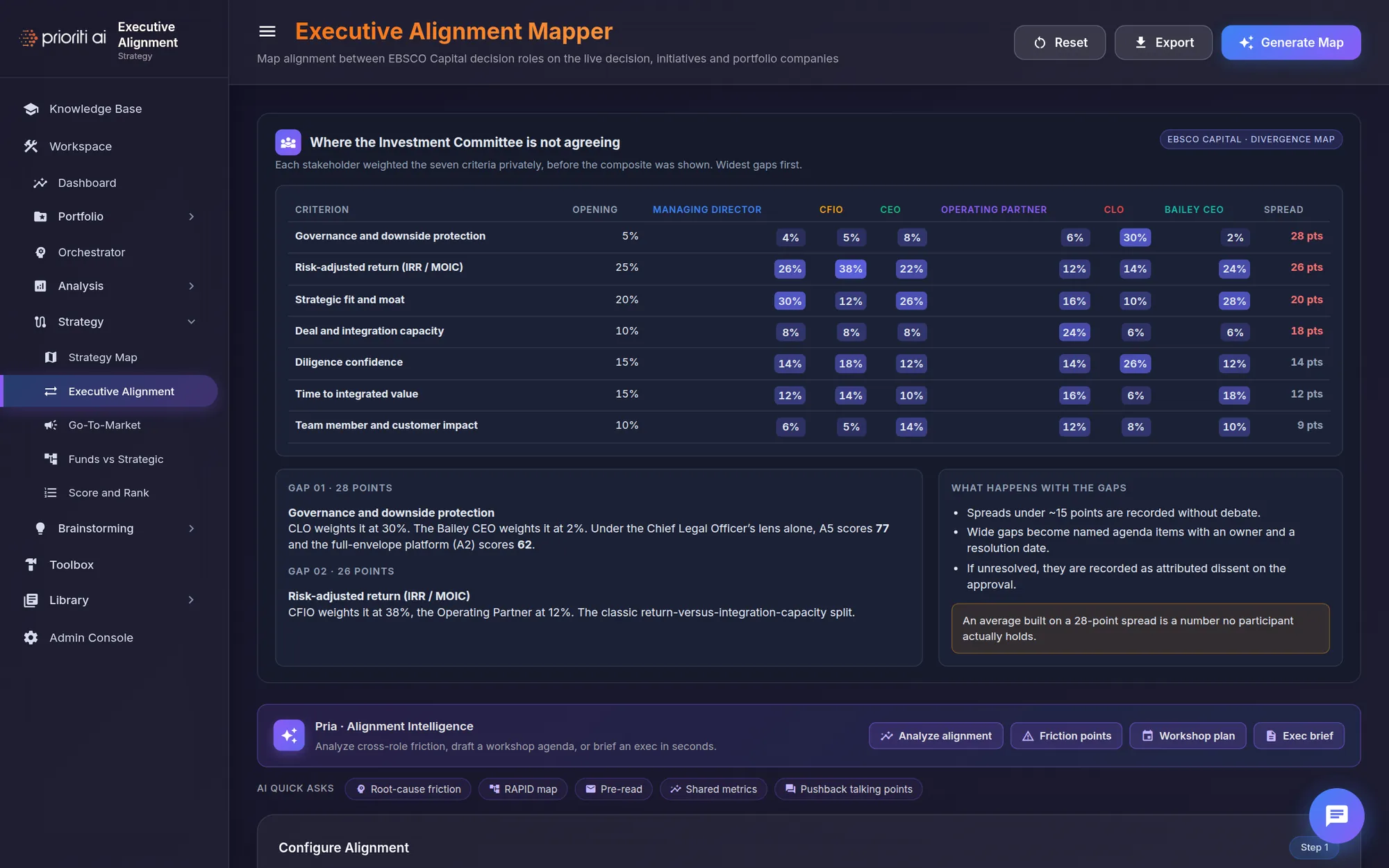
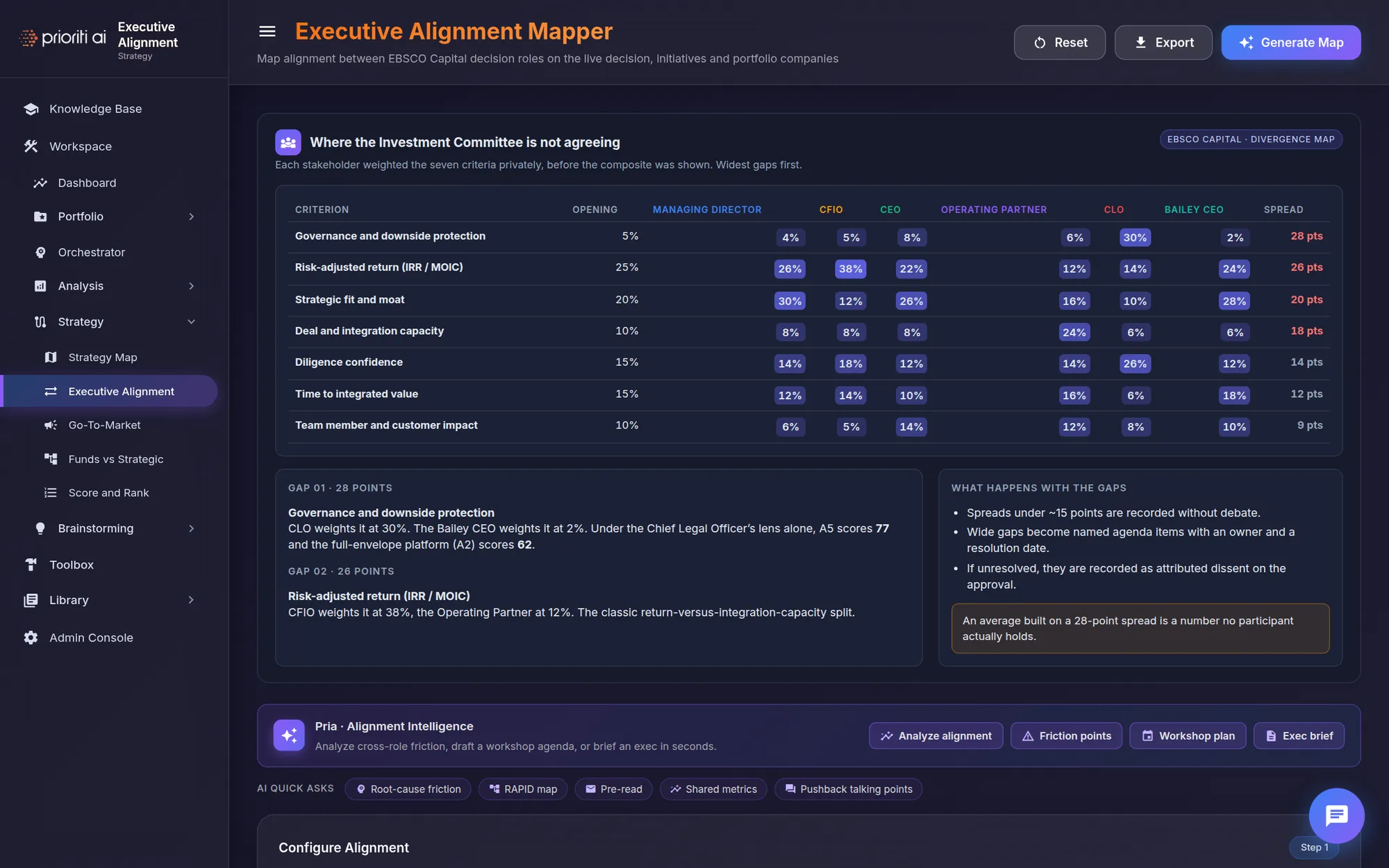
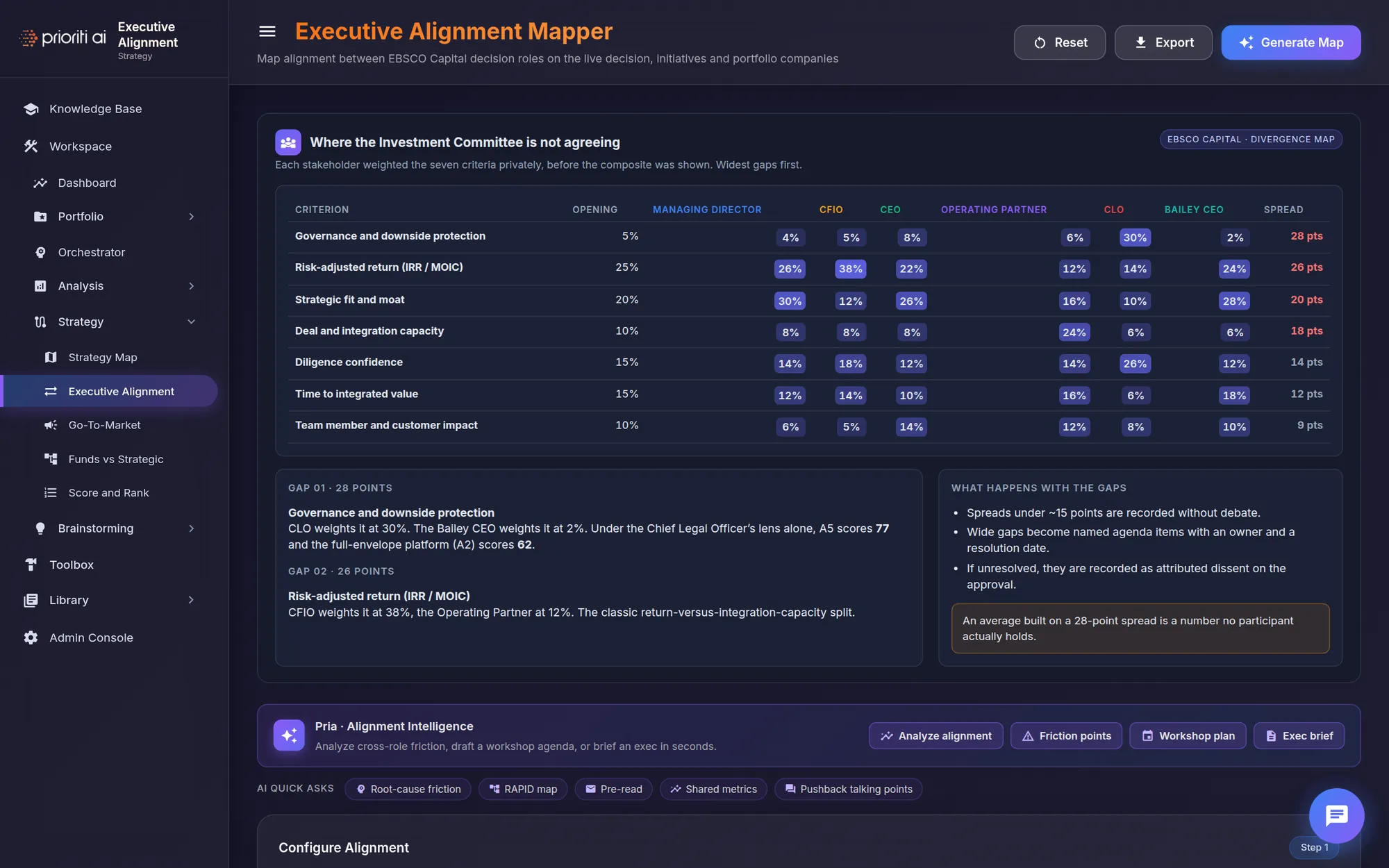
The Executive Alignment Mapper shows where the Investment Committee isn't agreeing.
Each stakeholder weights the seven criteria privately, before anyone sees the composite. Darker cells mean heavier weights.
The spread column sorts the widest gaps first. Governance leads at 28 points.
Gap one: the Chief Legal Officer weights governance at 30 percent, and the Initrode CEO at 2. Those two would fund different things.
Gaps under about 15 points are recorded without debate. Wider gaps get an owner and a date, or become attributed dissent.
Pria can analyze alignment, surface friction points, draft a workshop plan, or write an exec brief.
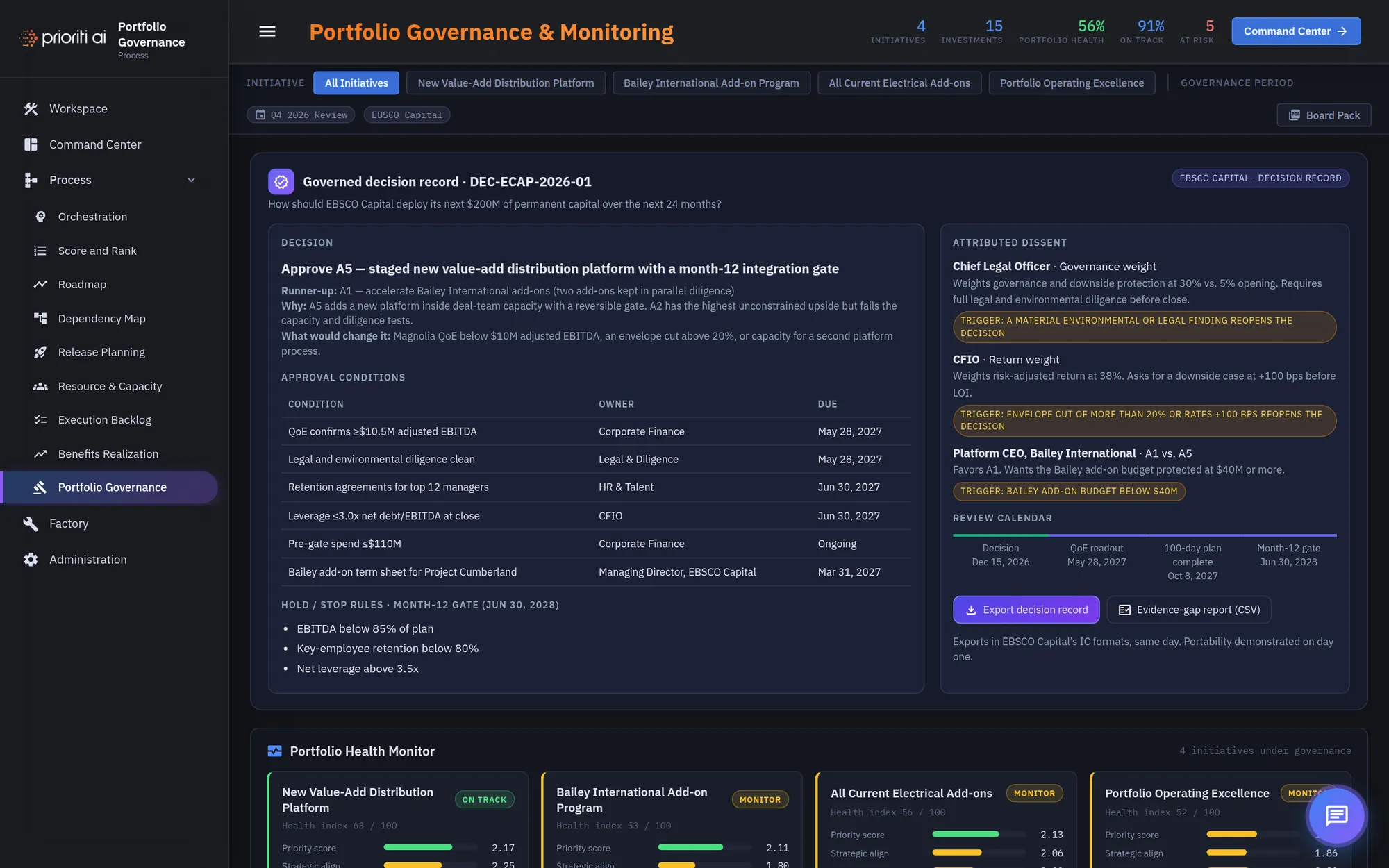
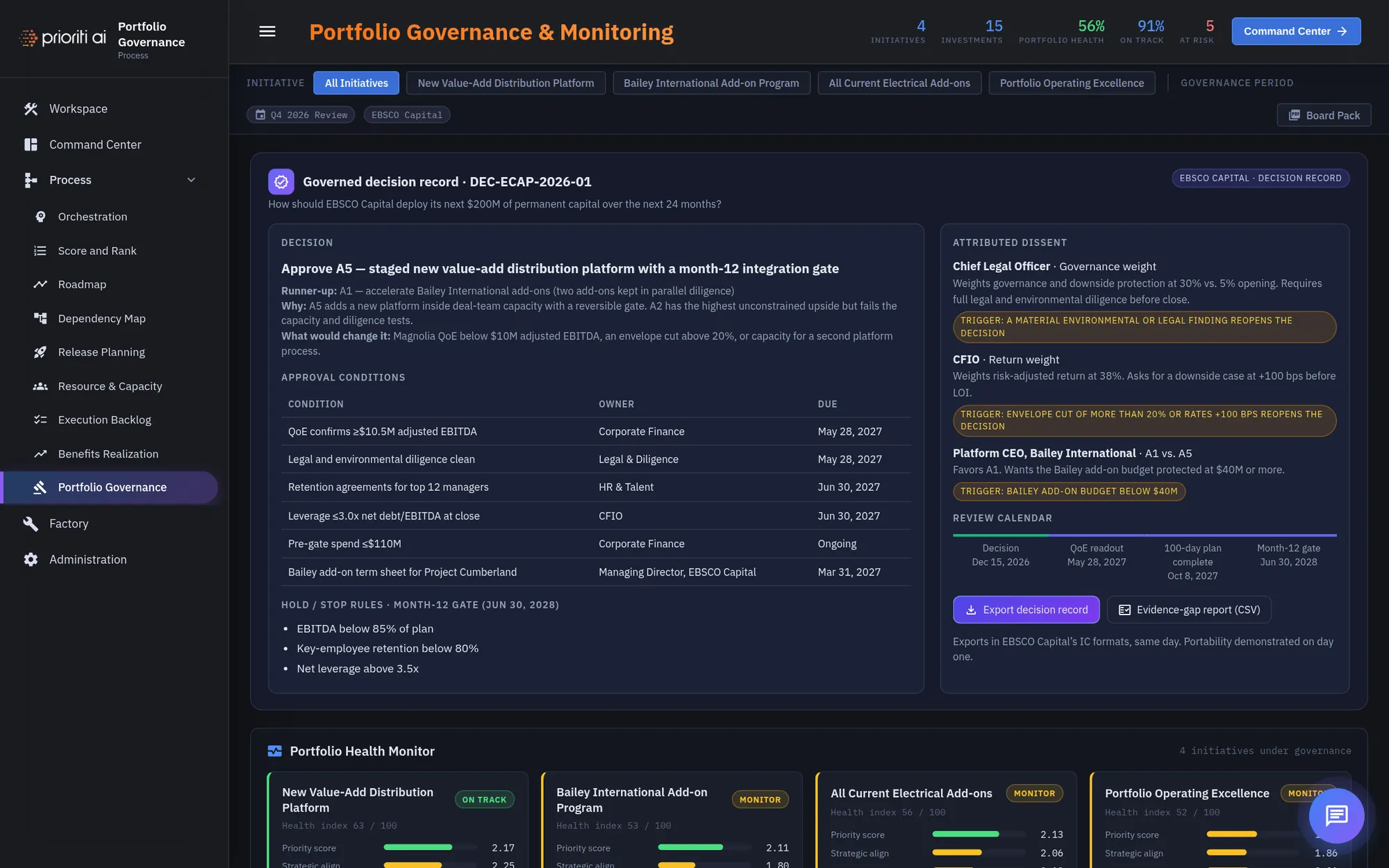
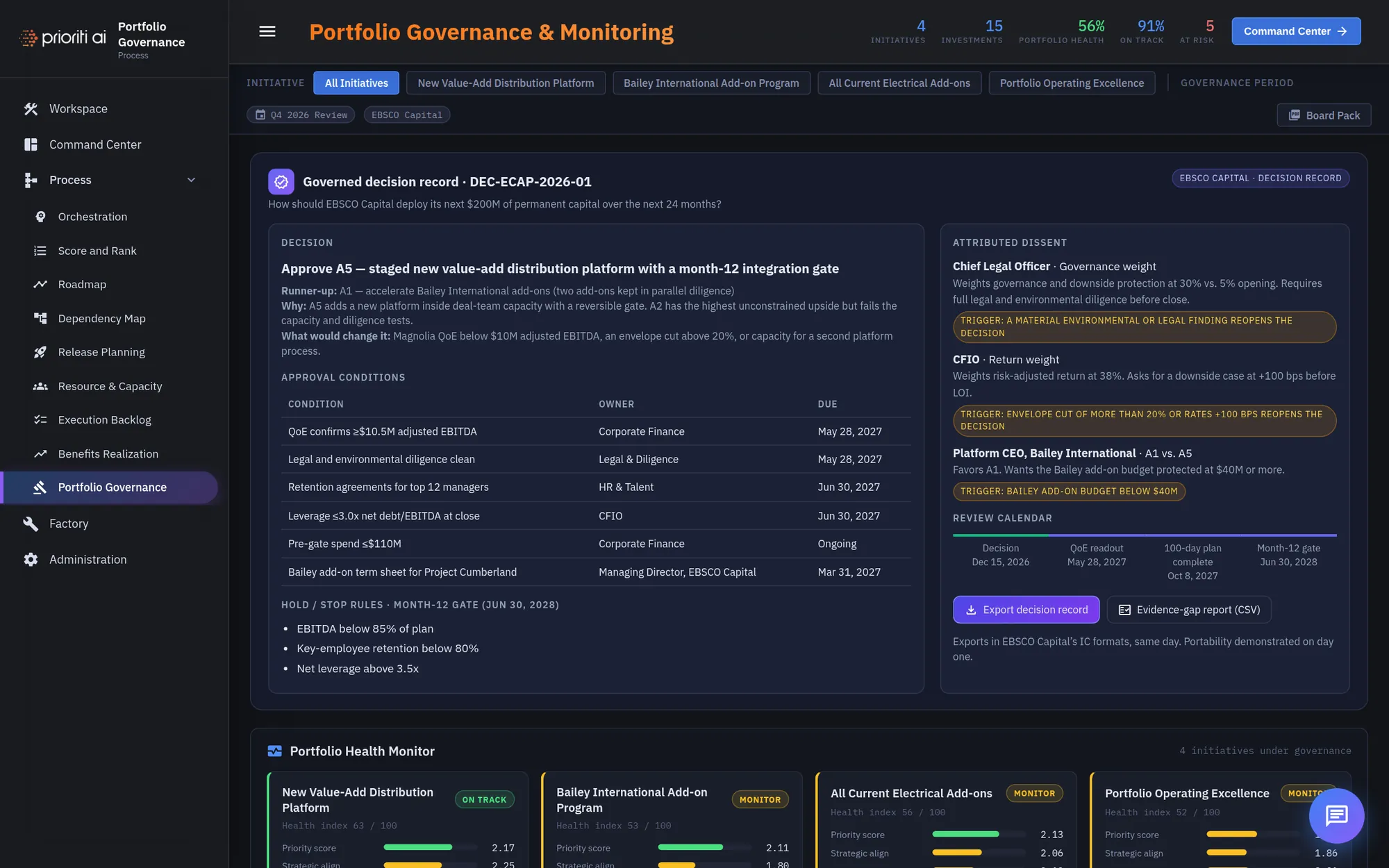
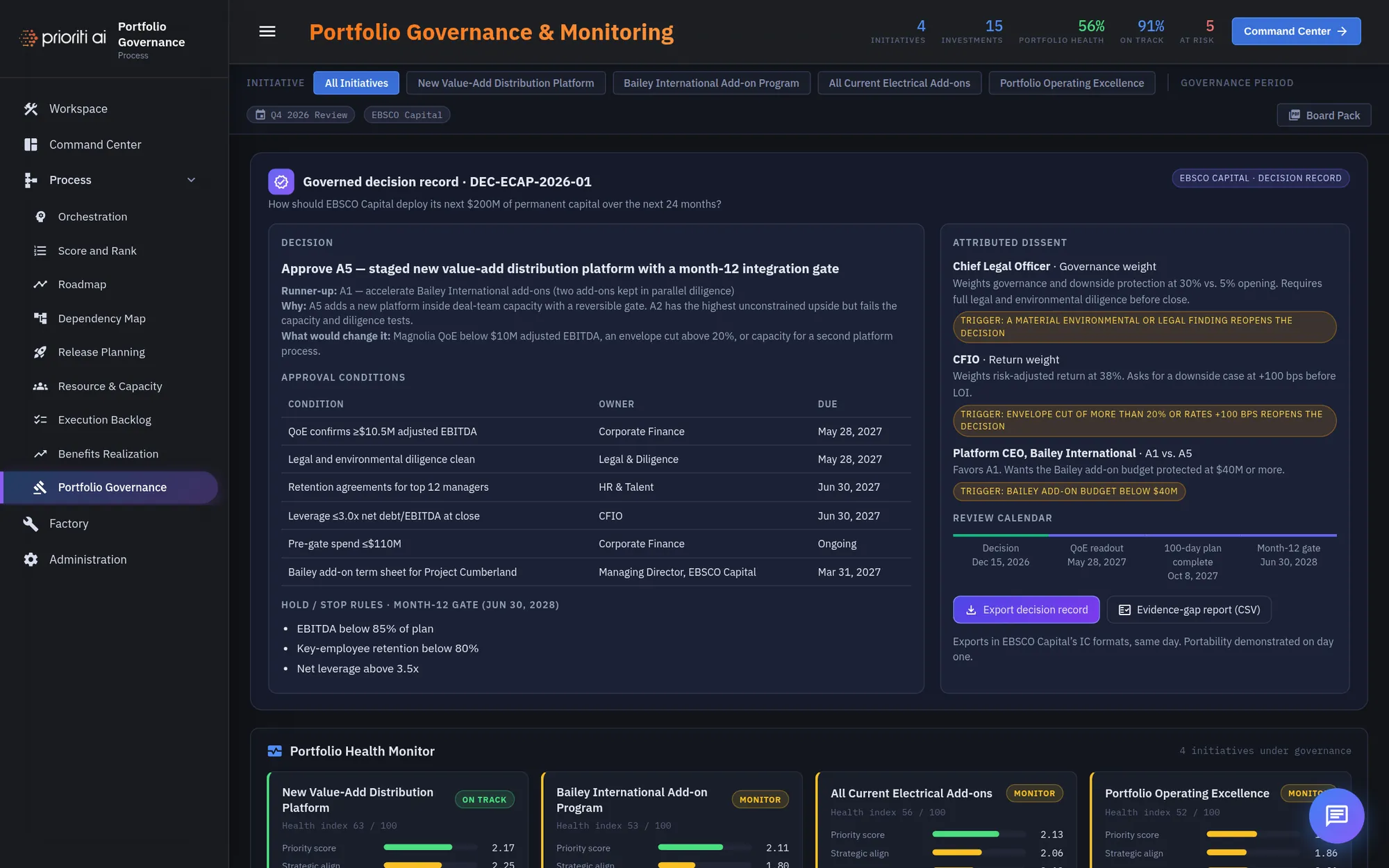
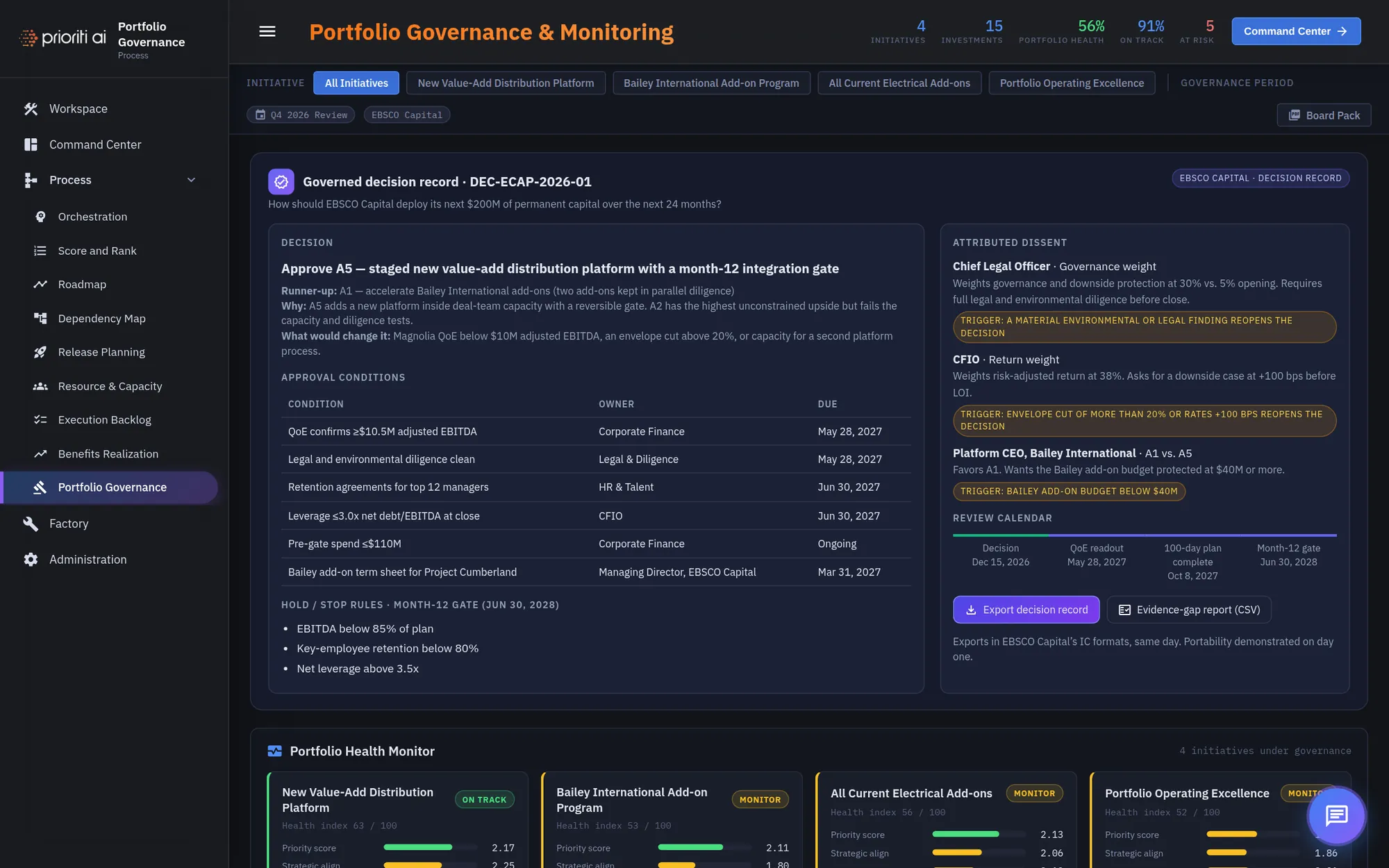
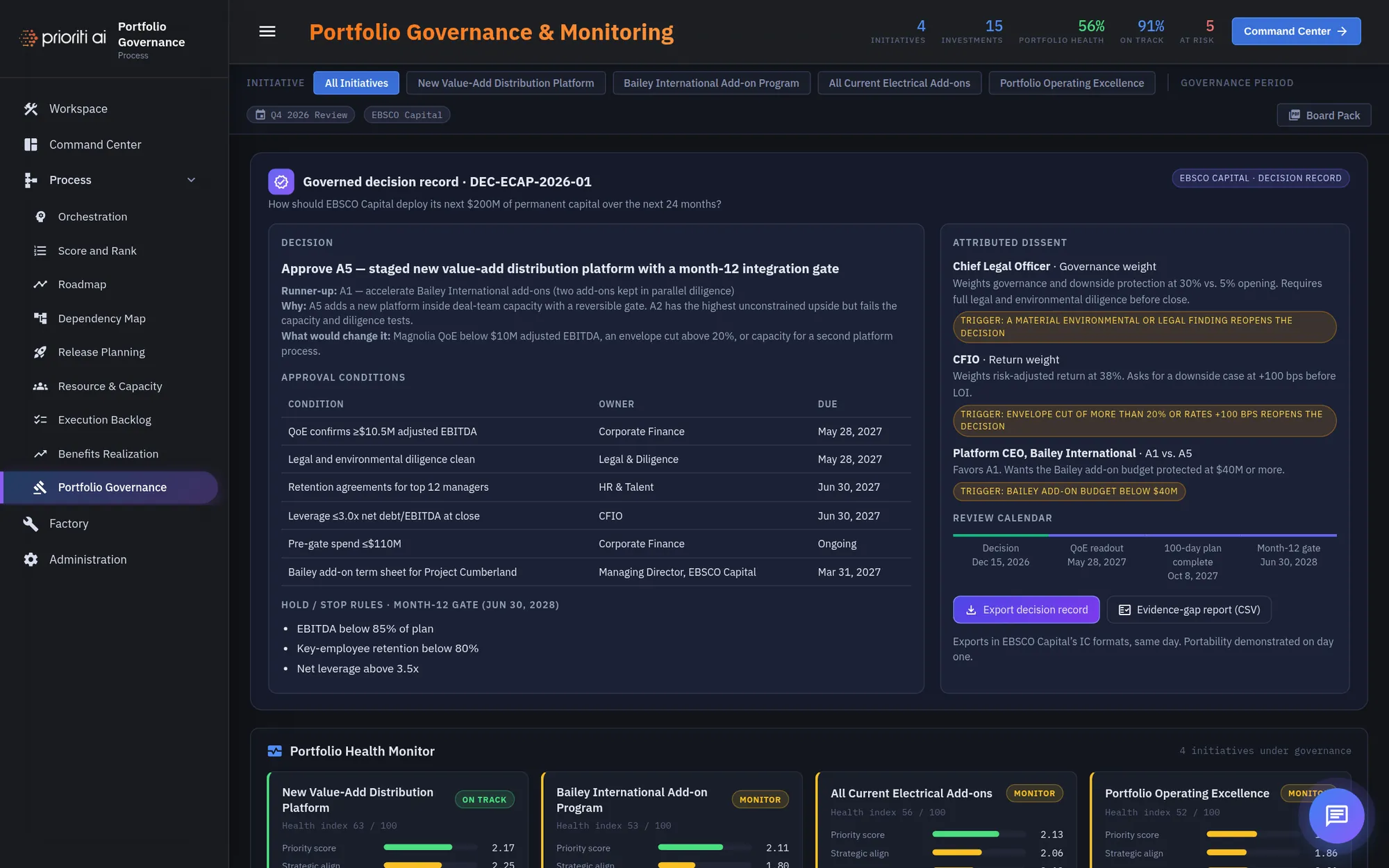
Portfolio Governance holds the governed decision record. Twelve months from now, anyone can reconstruct why this option won.
It states the decision, the runner-up, why it won, and what would change it.
Approval conditions are written now, each with an owner and a due date.
Hold and stop rules define the month-12 gate before the work starts, not at the gate.
Attributed dissent records who disagreed, on what, and the trigger that reopens the decision.
The review calendar sets each checkpoint. Export the decision record, or an evidence-gap report as a CSV. It's yours to keep.
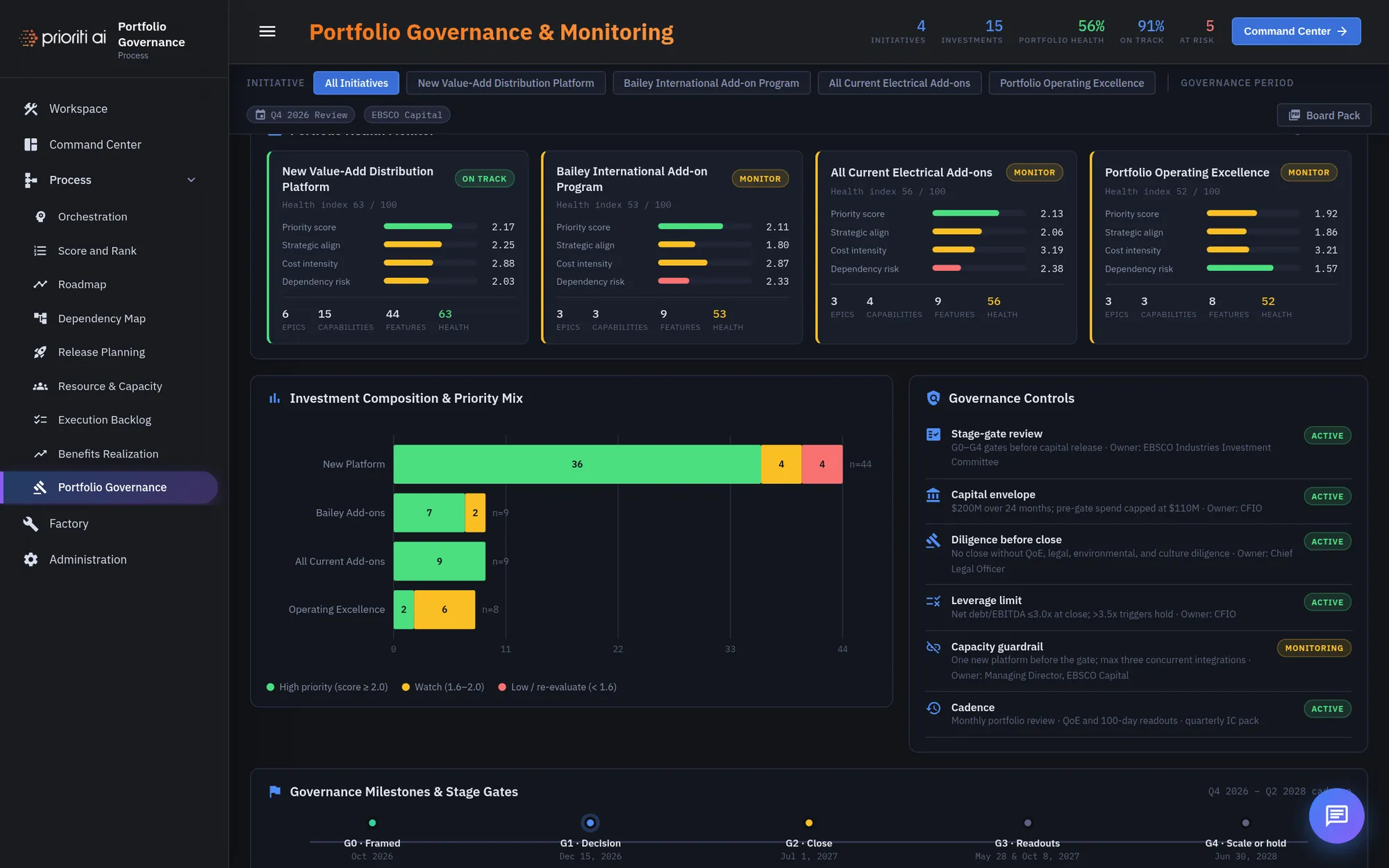
Below the record, the Portfolio Health Monitor tracks every initiative under governance.
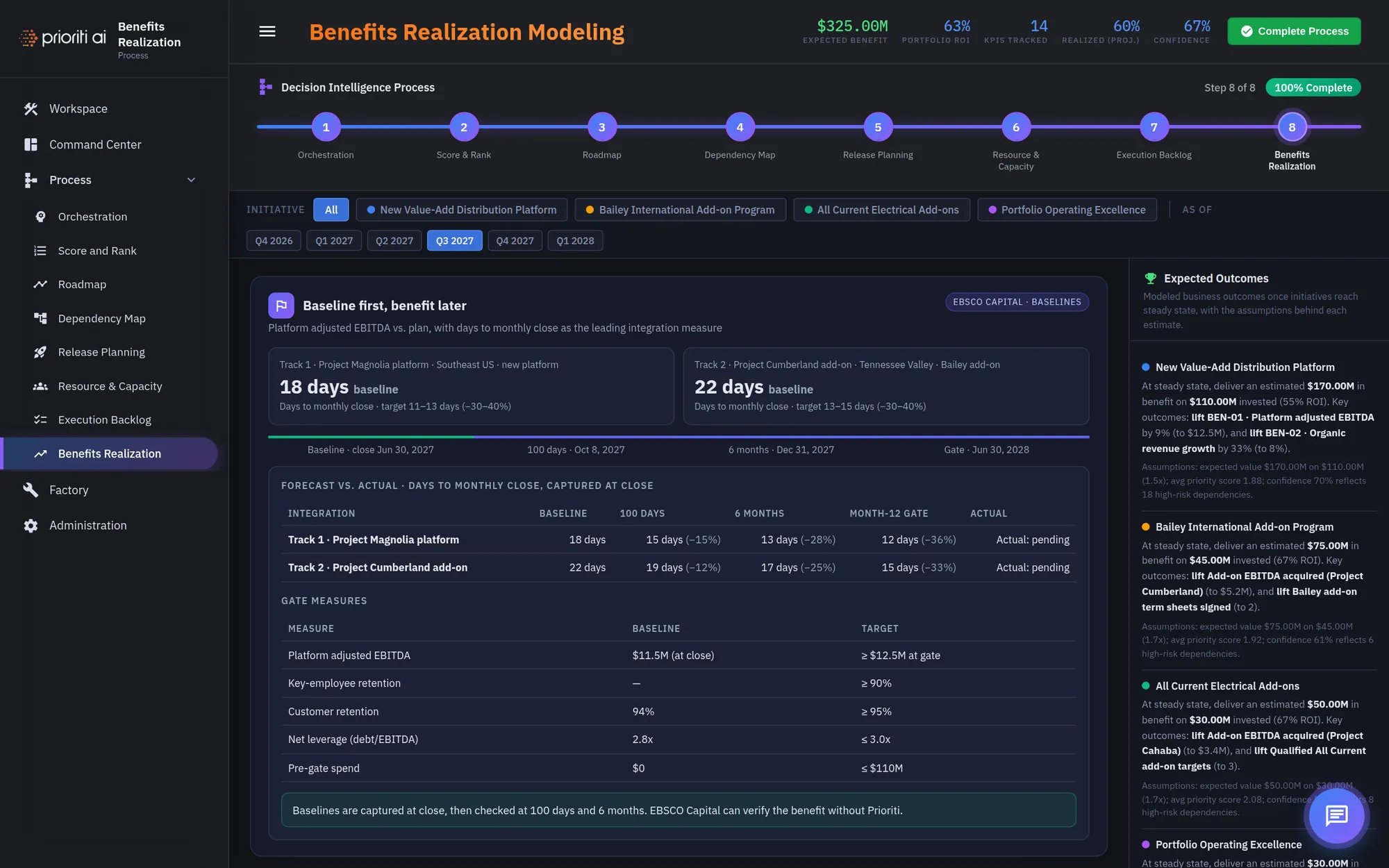
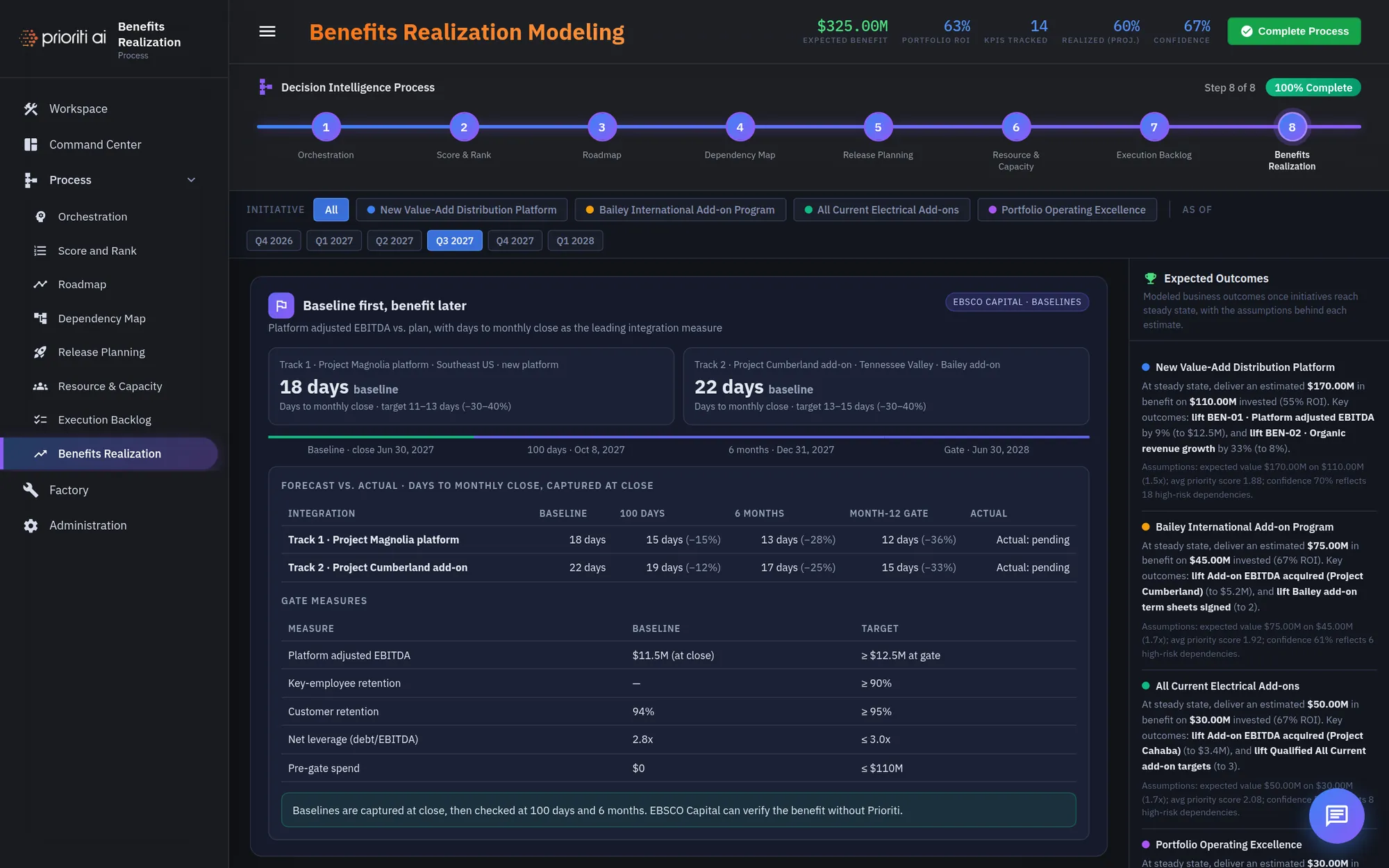
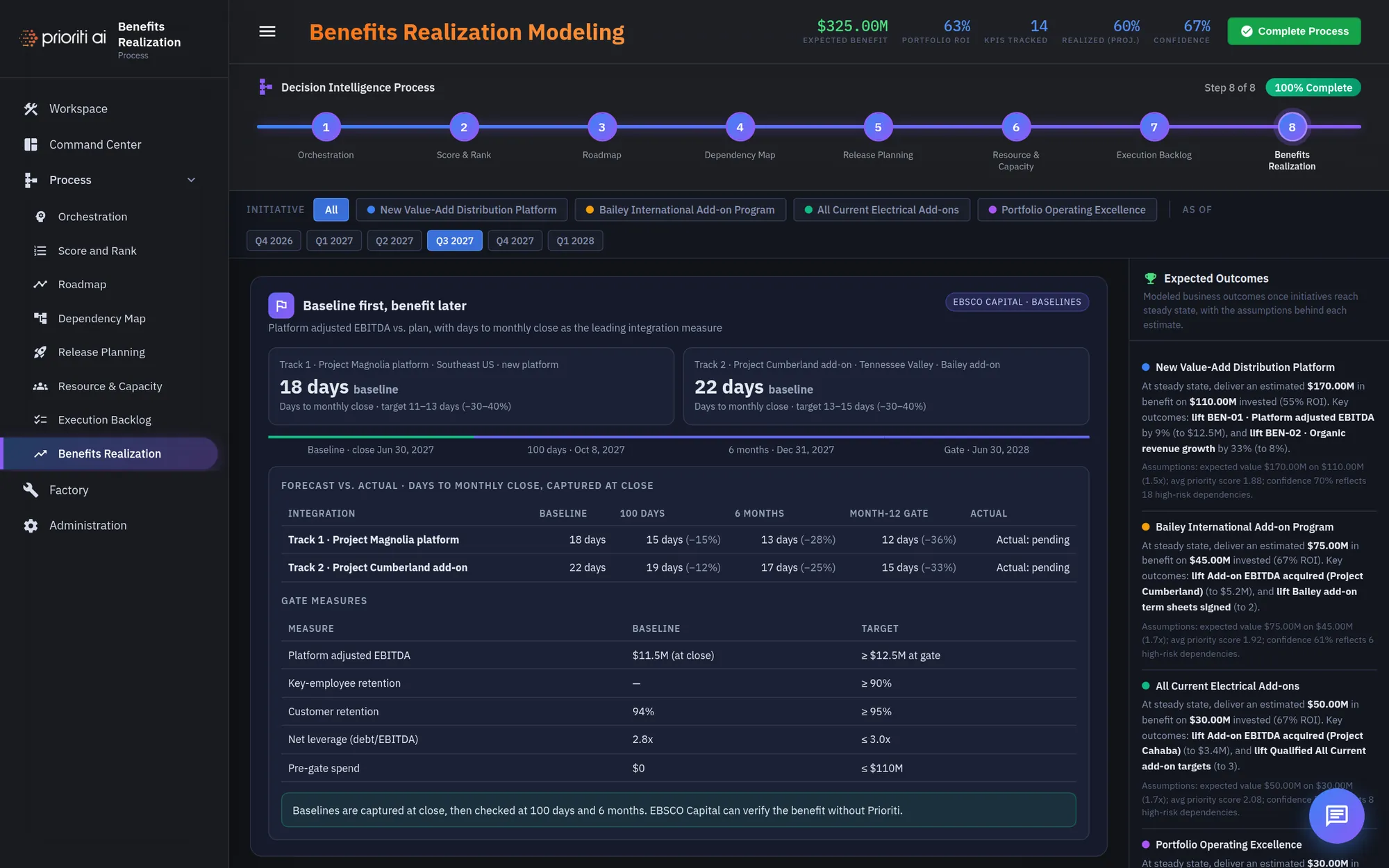
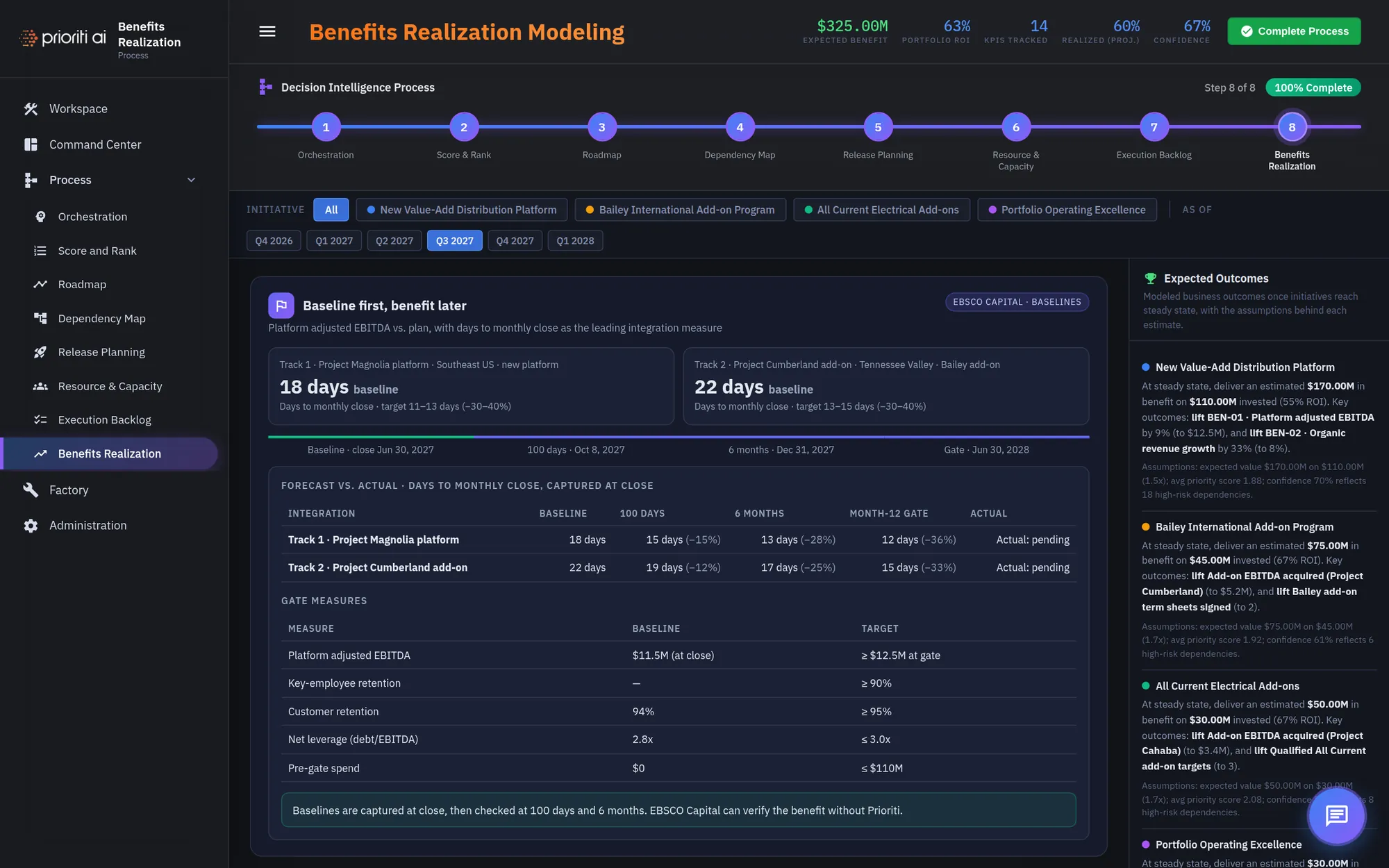
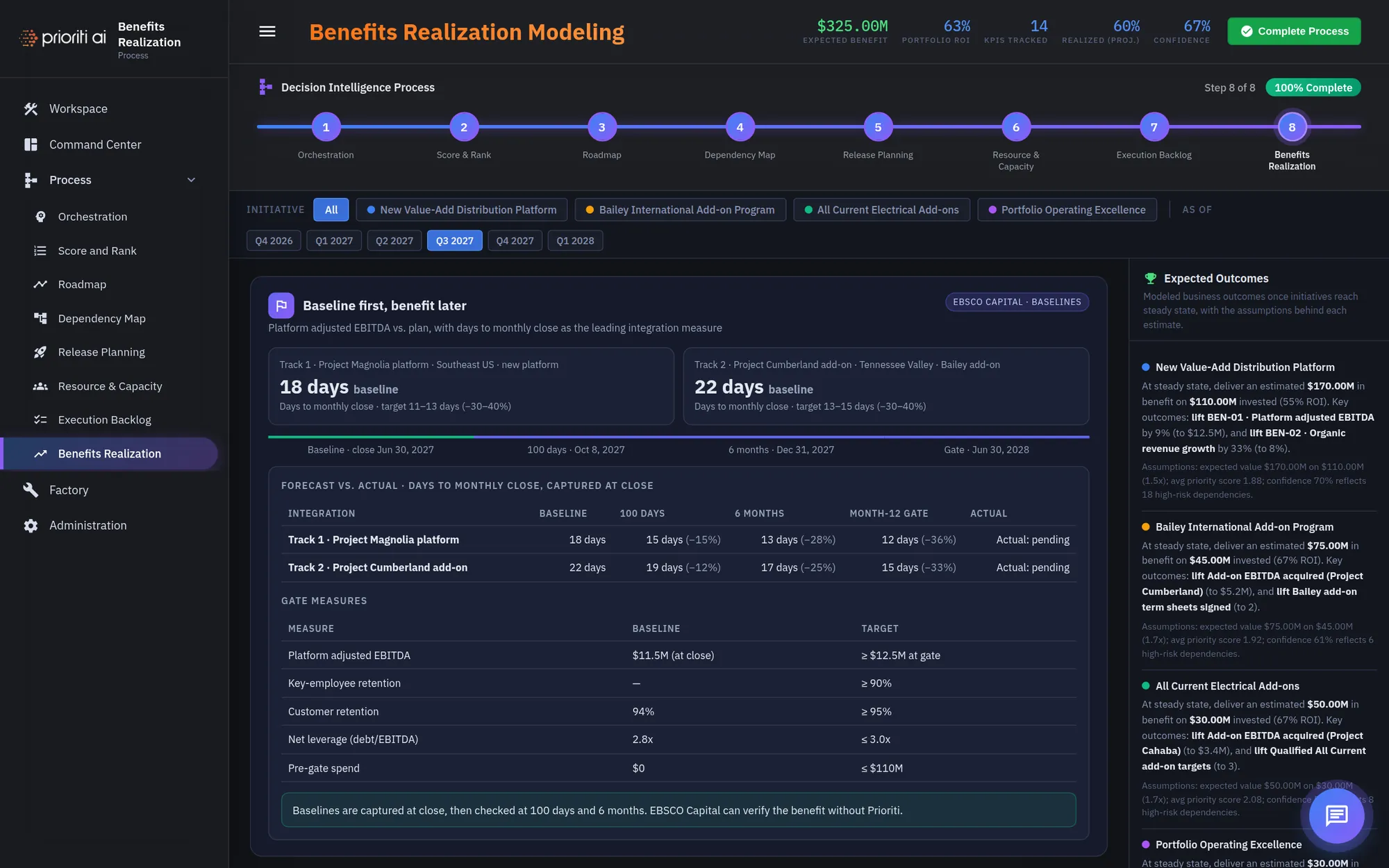
Benefits Realization makes every benefit claim testable. The baseline is captured first, before the work starts.
Forecast versus actual checks progress at 100 days, 6 months, and the month-12 gate.
Gate measures tie back to the hold and stop rules in the decision record.
Expected Outcomes shows the modeled benefit for each initiative, with the assumptions behind every estimate.
Use the As of chips to step through quarters and see the forecast at each point.
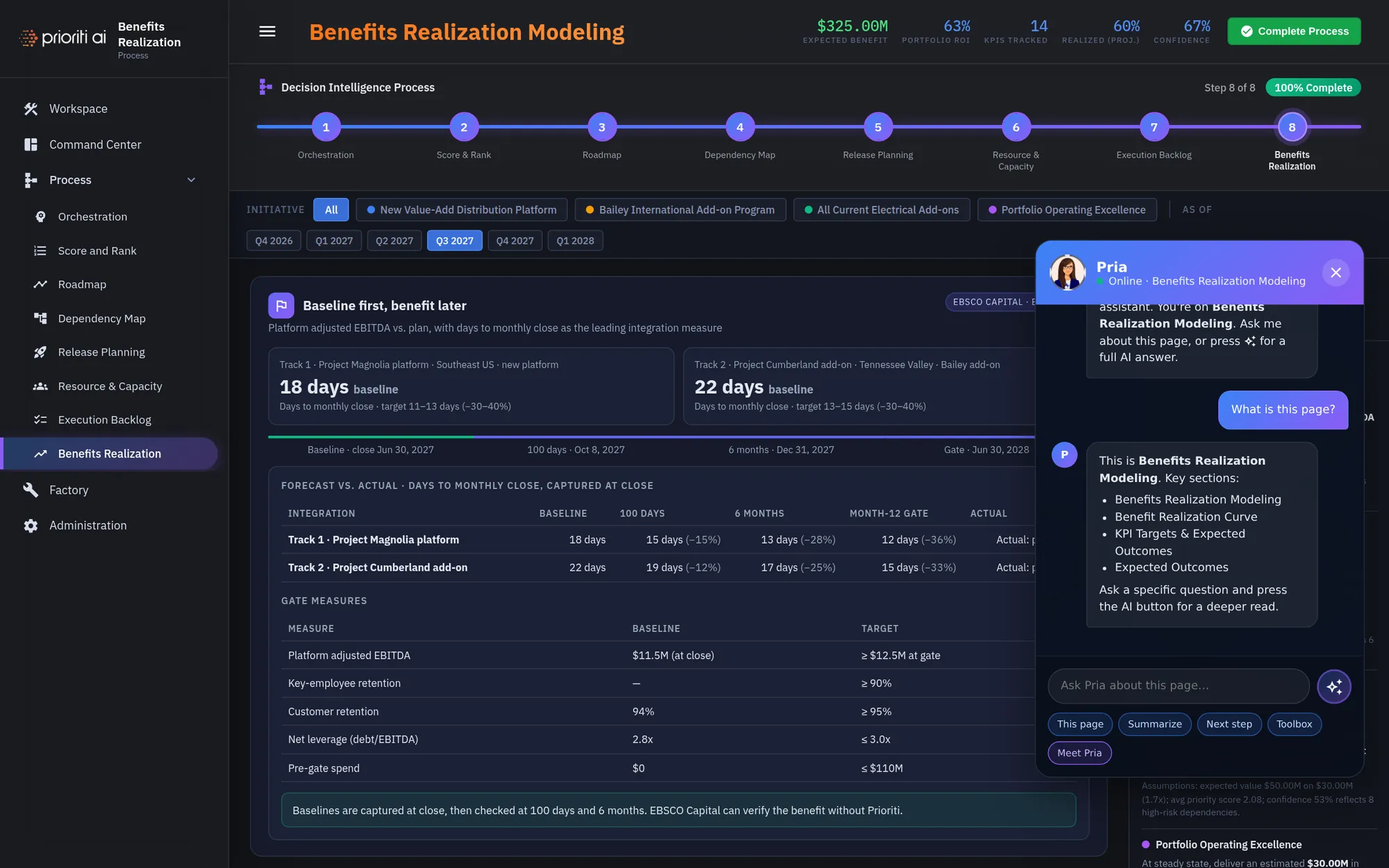
Stuck on any page? Open Pria. Quick buttons explain the page, summarize it, or suggest your next step.
Next-step buttons move you through the process in order. The left rail jumps anywhere.
That's the core workflow: frame the decision, rank the alternatives, test constraints, surface disagreement, record it, and measure the benefit. Bring one decision and try it.